


Unitree G1 vs H1 vs R1 vs H1-2: Which Humanoid Robot Fits a Canadian Research Lab?
Compare four Unitree humanoid platforms across size, degrees of freedom, manipulation, sensing, compute, SDK access, simulation maturity, facility requirements and total ownership cost—then match the robot to the research question.
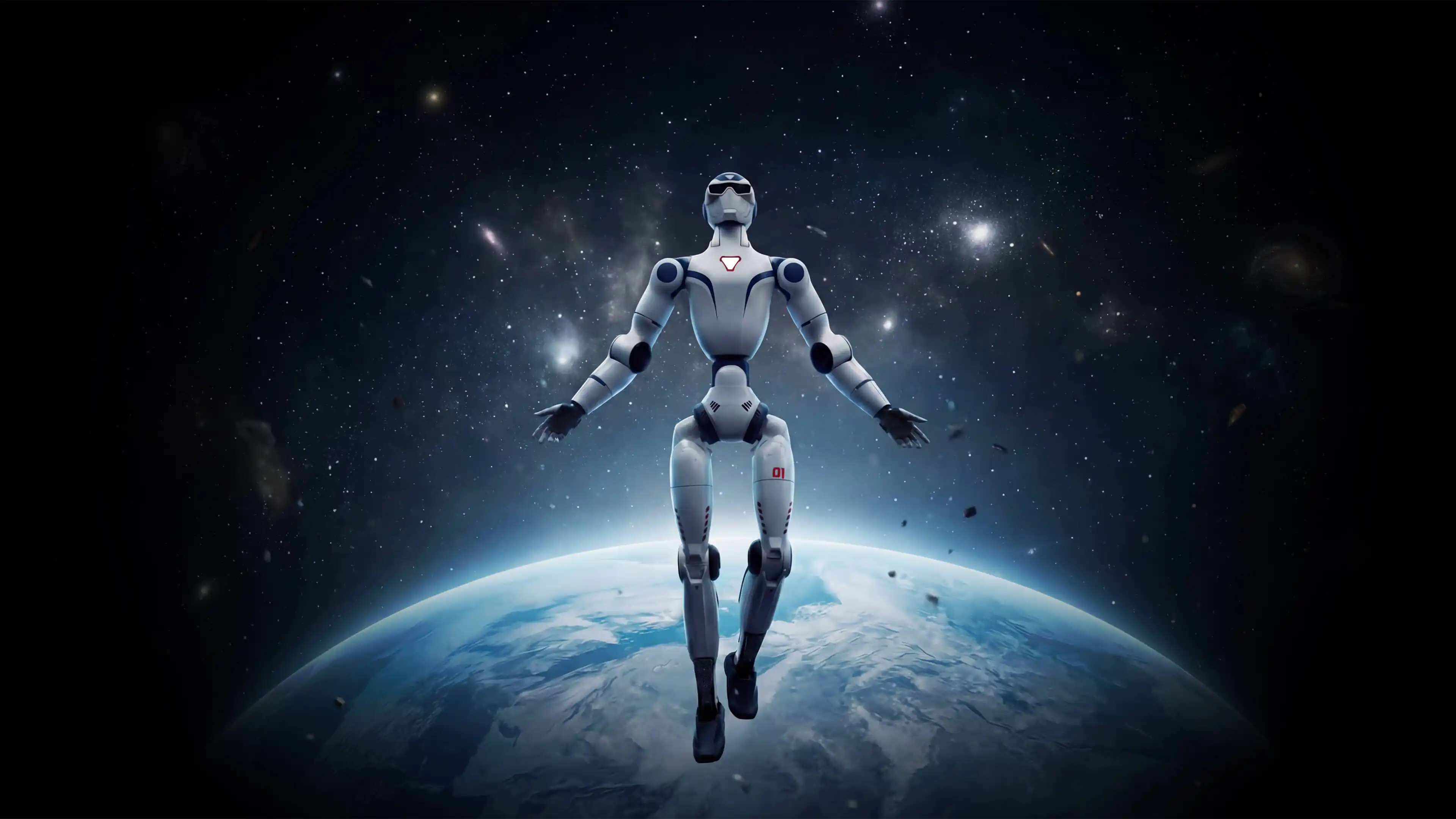 R1 EDU
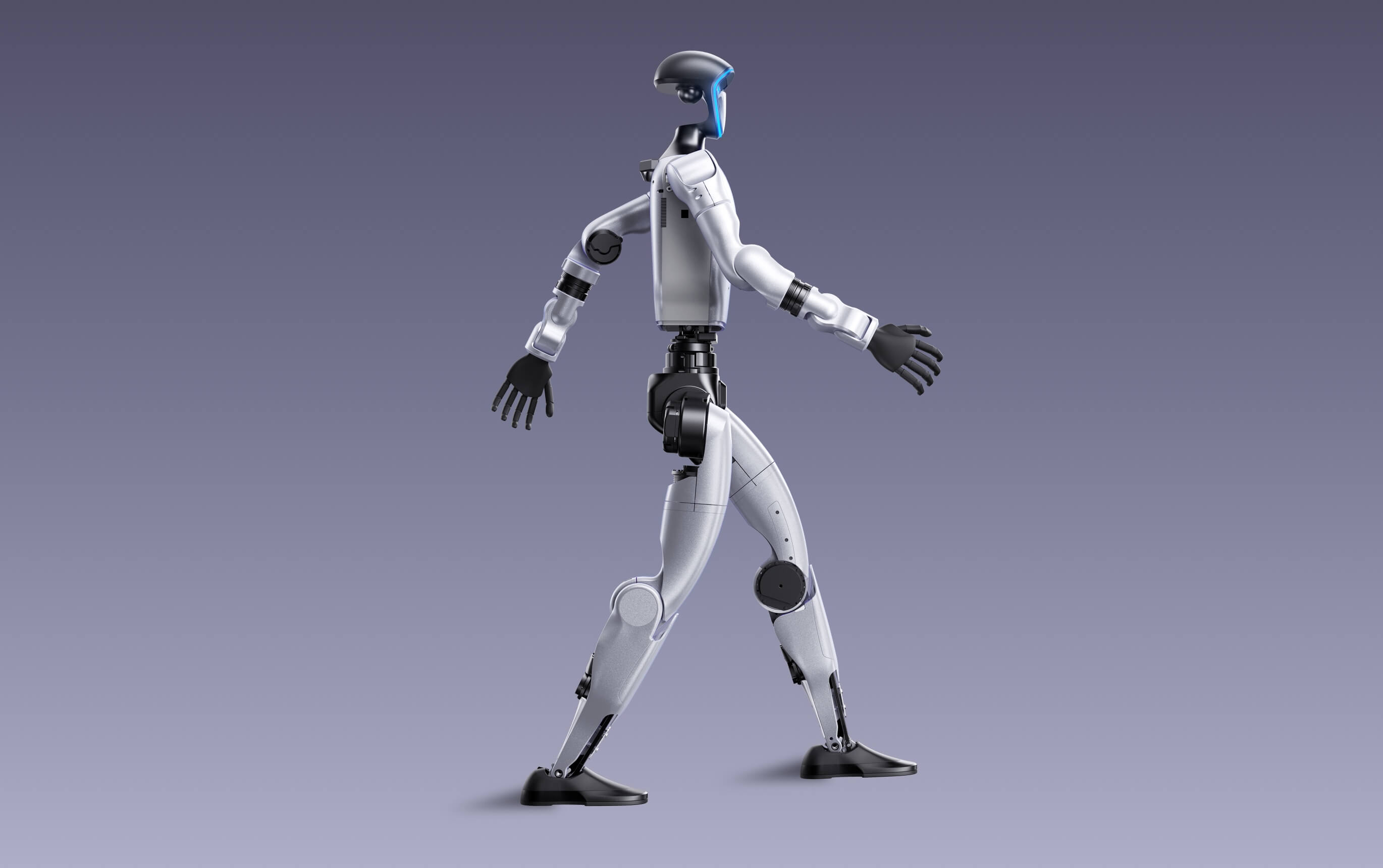 G1 EDU
 H1
H1
 H1-2
H1-2
R1 EDU is the lightweight entry for teaching and lower-cost development. G1 EDU is the strongest all-round choice for most Canadian robotics labs. H1 is the locomotion and high-dynamic-control platform. H1-2 is the full-size option for higher-load arms, human-scale reach and whole-body manipulation.
These humanoids are not interchangeable
R1, G1, H1 and H1-2 do not form a simple good-better-best ladder. Each platform creates a different research environment. A compact robot reduces space, handling and fall-energy requirements. A full-size robot creates more realistic human-scale reach, gait and load conditions—but demands a stronger facility, larger safety zone and more disciplined commissioning process.
Unitree R1 EDU
R1 EDU is approximately 29 kg and 1.23 m tall. It offers 26–40 total joints, optional dexterous hands, secondary development and optional 40–100 TOPS computing in a compact form.
Unitree G1 EDU
G1 EDU combines a manageable 35 kg class body with 3D LiDAR, a depth camera, 23–43 joints, about two hours of listed runtime and the broadest current Unitree manipulation and teleoperation ecosystem.
Unitree H1
H1 is a 47 kg, 1.8 m full-size humanoid with 360 N·m listed knee torque, 3.3 m/s published movement speed and a mature position in locomotion, reinforcement-learning and whole-body-control research.
Unitree H1-2
H1-2 increases weight to approximately 70 kg and adds 27 total degrees of freedom, seven-axis arms, six-axis legs, longer arms and published rated arm load around 7 kg.
Development configuration matters: Unitree’s current public tables list secondary development for R1 EDU and G1 EDU, not R1 Air, standard R1 or standard G1. A research lab should not assume that a lower-cost non-EDU model provides the same SDK, interfaces or compute options.
Unitree R1 EDU vs G1 EDU vs H1 vs H1-2
The table below compares the development-oriented models most relevant to research labs. R1 EDU and G1 EDU remain configurable families. H1 and H1-2 specifications also vary with hands, user-compute modules and delivered configuration.
On smaller screens, swipe the table left to compare all four humanoid platforms.
| Lab-relevant factor | R1 EDU | G1 EDU | H1 | H1-2 |
|---|---|---|---|---|
| Primary research position | Lightweight development, teaching and HRI | General embodied AI, manipulation and locomotion | Dynamic locomotion and whole-body control | Full-size manipulation and higher-load research |
| Approximate standing height | 123 cm | 132 cm | 180 cm | 178 cm |
| Approximate weight with battery | 29 kg | 35 kg+ | 47 kg | 70 kg |
| Total degrees of freedom | 26–40 | 23–43 | 19 in current developer specification | 27 |
| Leg degrees of freedom | 6 per leg | 6 per leg | 5 per leg | 6 per leg |
| Arm degrees of freedom | 5 per arm | 5 per arm, with wrist expansion by configuration | 4 per arm, expandable | 7 per arm |
| Waist and head articulation | 2 waist + 2 head DoF | 1 waist + 2 optional additional waist DoF | Torso configuration reflected in current developer model | 1 waist DoF |
| Dexterous hands | Optional on EDU | Optional Dex3-1 and other configurations | Optional | Optional Dex5-1 or other ambidextrous hands |
| Published arm-load figure | About 2 kg maximum, posture-dependent | About 3 kg maximum, posture-dependent | Not published in current comparison table | About 7 kg rated; about 21 kg peak |
| Perception | Binocular camera on R1 EDU | Depth camera + 3D LiDAR | 3D LiDAR + depth camera | 3D LiDAR + depth camera |
| Base computing | 8-core processor | 8-core processor | Intel Core i5 platform + Core i7 user development | Intel Core i5 platform + Core i7 user development |
| Optional edge compute | Orin-class 40–100 TOPS options | Multiple modules such as Orin | Multiple user-compute options | Intel Core i7 or Orin NX, up to three devices |
| Listed battery life | About 1 hour | About 2 hours | 864 Wh quick-replace battery; runtime not listed | 864 Wh quick-replace battery; runtime not listed |
| Published mobility | No maximum speed published in current product table | No maximum speed published in current product table | 3.3 m/s listed; potential above 5 m/s | Less than 2 m/s listed |
| Published high-torque figure | Not emphasized in current public table | 120 N·m maximum knee-joint torque | 360 N·m maximum knee-joint torque | 360 N·m leg-joint and 120 N·m arm-joint figures |
| Secondary development | Yes, EDU only | Yes, EDU only | Official SDK guide and user-development computer | Official SDK guide and user-development computer |
| Current official simulation support | URDF and SDK support; newer public ecosystem | MuJoCo, Isaac Lab, RL and XR teleoperation resources | MuJoCo, RL and XR teleoperation resources | MuJoCo, Isaac Lab, RL and XR teleoperation resources |
| Handling and fall-risk level | Lowest of the four, but still high-consequence | Moderate | High | Highest |
| Best lab default | Teaching and budget-constrained research | Most multidisciplinary university labs | Locomotion and dynamic-control specialists | Full-scale manipulation and human-scale task research |
| Canadian acquisition path | Configuration quote | Canadian G1 EDU configurations listed by SpeedyDrone | Institutional configuration quote | Institutional configuration quote |
Manufacturer figures vary by delivered configuration, posture, payload, firmware, testing conditions and accessory package. “Simulation support” summarizes current official Unitree repositories checked July 21, 2026 and is not a guarantee that every repository supports every configuration or high-level service.
Which platform is strongest for each lab priority?
The ratings below are buyer-fit guidance rather than manufacturer scores. They synthesize official specifications, current Unitree development repositories and the practical facility burden created by each platform.
Interpretation: G1 EDU is the best multidisciplinary default because it balances sensing, development access, manipulation options, simulation resources and a manageable lab footprint. H1 and H1-2 become stronger only when the research question specifically requires full-size dynamics, reach, torque or load.
Unitree R1 EDU: best for teaching, HRI and lower-cost development
R1 is Unitree’s lightest current humanoid family in this comparison. The EDU version is approximately 29 kg and 1.23 m tall, with 26–40 total joints, an 8-core processor, a binocular camera, a quick-release battery and approximately one hour of listed runtime.
- Lowest mass and smallest standing height in this comparison
- Secondary development published for R1 EDU
- Optional dexterous hands and 40–100 TOPS Orin-class compute
- Two-axis head and two-axis waist support HRI experiments
- Well suited to undergraduate teaching and multi-robot programs
- Lower transport and handling burden than G1, H1 or H1-2
R1’s trade-offs are equally important. Unitree currently lists a binocular camera rather than the 3D LiDAR and depth-camera stack published for G1 and H1. Battery life is approximately one hour, arm load is about 2 kg and the public simulation ecosystem is newer than the G1/H1 family.
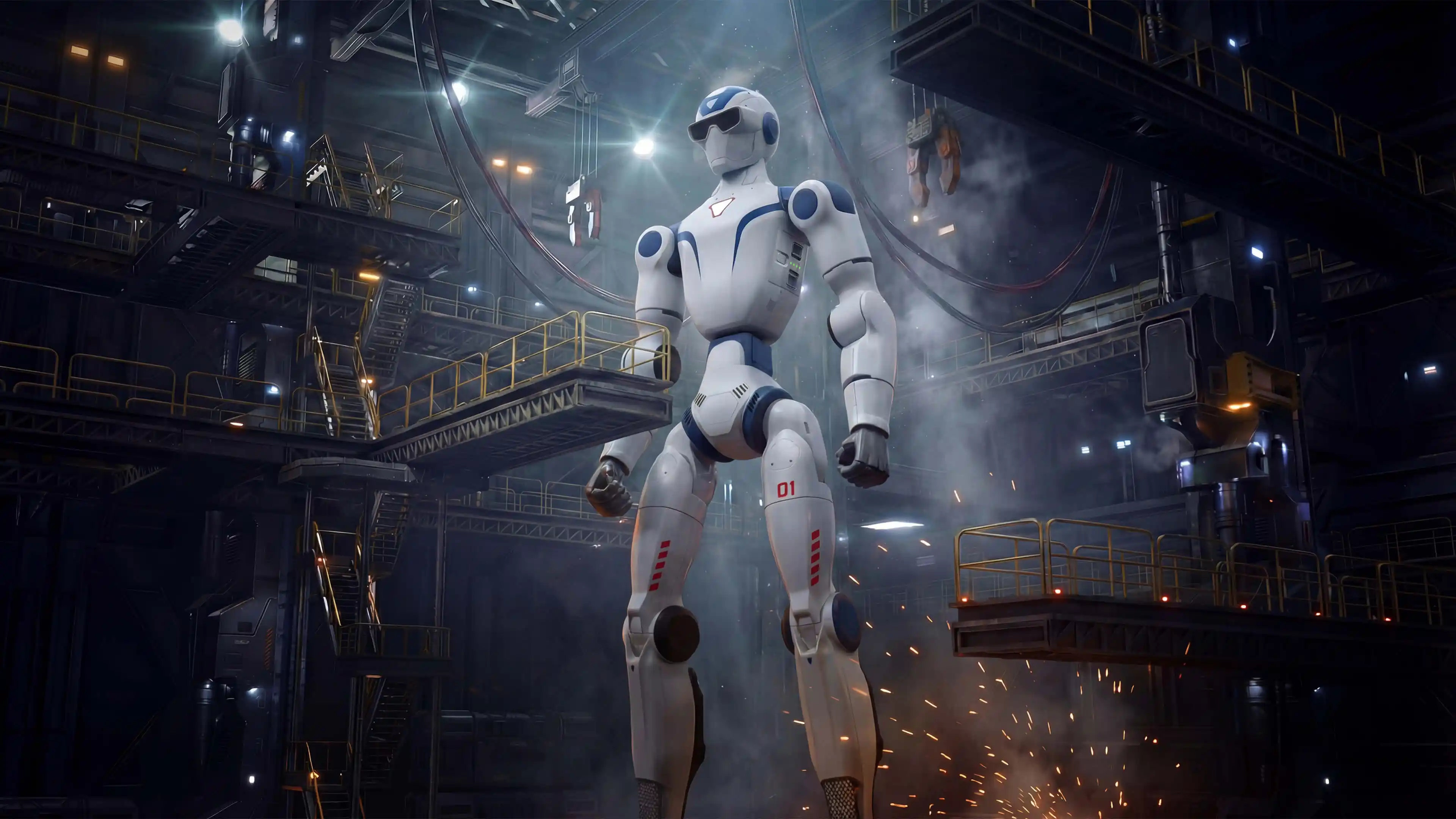
Human-robot interaction
R1’s head articulation, audio system, compact dimensions and lower mass suit controlled interaction studies where full-size torque is unnecessary.
Shared student platform
A lab may be able to deploy more R1 units for the same capital budget, enabling team-based courses, fleet experiments and repeatable assignments.
Newer research ecosystem
R1 has official SDK documentation and URDF resources, but fewer current public Unitree simulation and teleoperation projects explicitly list it than G1, H1 or H1-2.
Unitree G1 EDU: the strongest default for most Canadian labs
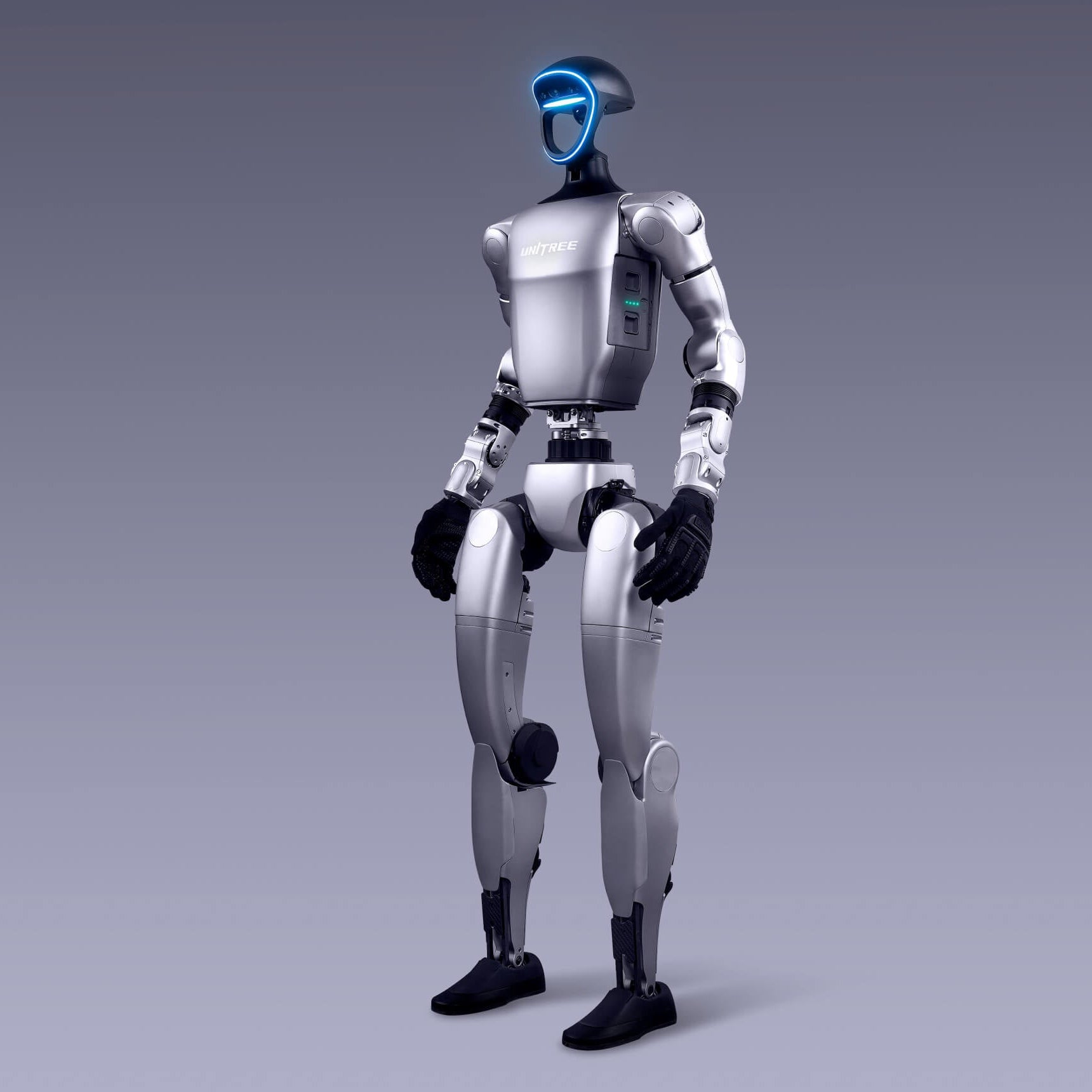
G1 EDU occupies the practical centre of Unitree’s research lineup. It remains compact enough for many university laboratories, yet adds a 3D LiDAR and depth camera, 23–43 joints, optional force-controlled hands, optional compute modules and approximately two hours of listed battery life.
- Strong balance of size, sensing, runtime and manipulation
- Full secondary-development positioning on G1 EDU
- Depth camera plus 3D LiDAR
- Optional Dex3-1 three-finger force-controlled hands
- Current support across Unitree MuJoCo, Isaac Lab, RL and XR repositories
- Open manipulation datasets and imitation-learning resources
- Canadian G1 products and configurations available through SpeedyDrone
The standard G1 should not be treated as a substitute for G1 EDU when custom control is required. Unitree’s public comparison lists secondary development only for EDU. Hand inclusion, tactile sensors, wrist axes and compute also vary by package.
Best G1 lab profile: a multidisciplinary team spanning embodied AI, manipulation, motion planning, reinforcement learning, perception, HRI and systems integration that wants one platform capable of supporting several research streams.
Unitree H1: best for full-size gait, balance and high-dynamic control
H1 is Unitree’s original full-size universal humanoid platform. It is approximately 1.8 m tall and 47 kg, with 360 N·m listed knee torque, a published movement speed of 3.3 m/s, 3D LiDAR, a depth camera, an Intel Core i5 platform computer and Intel Core i7 user-development computer.
- Full-size human-scale gait and balance research
- Highest published movement speed in this four-model comparison
- Strong 360 N·m knee-joint figure
- Current support in Unitree SDK2, MuJoCo, RL and XR teleoperation projects
- 864 Wh quick-replace battery architecture
- 3D LiDAR and depth-camera perception
H1’s current developer specification lists 19 total degrees of freedom, with four degrees of freedom per arm. It is therefore not automatically the strongest manipulation platform. Its value is dynamic whole-body control, locomotion, balance and full-size physical interaction.
Facility consequence: H1’s full height, speed and torque increase fall energy, required clearance, operator training and recovery complexity. A laboratory should not select H1 only because it has the most dramatic mobility specification.
Unitree H1-2: best for human-scale reach and higher-load arms
H1-2 changes the research emphasis from fast full-size locomotion toward more articulated human-scale operation. It lists 27 total degrees of freedom, seven per arm, six per leg, longer 685 mm arms, optional Dex5-1 hands and approximately 7 kg rated arm load with a 21 kg published peak figure.
- Seven degrees of freedom per arm
- Six degrees of freedom per leg
- Approximately 7 kg rated arm load
- Optional Dex5-1 or other ambidextrous hands
- 3D LiDAR and depth camera
- Optional user compute up to three devices
- Current Isaac Lab, MuJoCo, RL and XR repository support
H1-2 weighs approximately 70 kg and lists movement speed below 2 m/s. The lower published speed does not make it low risk: mass, reach, arm torque and payload capacity create the highest facility burden in this comparison.
Best H1-2 lab profile: a well-funded robotics centre with experienced controls and manipulation researchers, purpose-built test space, strong mechanical support and a project that genuinely requires human-scale reach or higher arm load.
SDK, ROS 2, simulation and teleoperation ecosystem
All four platforms connect to Unitree’s broader development architecture, but current repository coverage is not equal. A lab should verify the exact robot model, message family, joint map and supported function before assuming that code transfers unchanged between platforms.
Robot model
URDF, USD or MJCF assets define joints, links, limits and sensor frames.
Transport
Unitree SDK2 uses DDS communication for state, services and command interfaces.
ROS layer
ROS 2 can consume compatible DDS message types and connect perception or planning nodes.
Simulation
MuJoCo, Isaac Lab and other tools validate controllers before physical testing.
Data collection
XR teleoperation and logging pipelines create demonstrations and research datasets.
Robot policy
Control, imitation learning, reinforcement learning or multimodal models execute tasks.
G1 ecosystem
G1 appears across Unitree SDK2, MuJoCo, Isaac Lab simulation, RL repositories, XR teleoperation, manipulation datasets and LeRobot integration.
H1 and H1-2
H1 and H1-2 are represented in official simulation, reinforcement-learning, URDF and XR teleoperation resources, with H1-2 receiving current Isaac Lab task support.
R1 ecosystem
R1 has official SDK documentation, SDK2 support and robot-description assets, but current public Unitree simulation and teleoperation repositories list fewer R1 workflows.
Software procurement rule: put the required SDK, message interfaces, simulation assets, robot model, compute module, sample code, documentation and support entitlement into the purchase order. “Supports ROS” or “supports AI” is too vague.
Best humanoid robot by first research project
R1 EDU
Lower mass, compact dimensions and lower acquisition positioning make R1 EDU the practical choice for structured assignments and supervised student access.
G1 EDU
G1 EDU provides the strongest balance of sensing, runtime, hands, simulation, datasets and community-visible development pathways.
H1
Full-size proportions, published speed and high leg torque make H1 the specialist platform for locomotion and dynamic whole-body control.
H1-2
Seven-axis arms, longer reach and higher published arm-load capability support larger workspaces and heavier object-interaction research.
G1 EDU first; H1-2 for scale
G1 has the strongest current open manipulation resources. H1-2 becomes compelling when the research requires full-size arm torque and reach.
R1 EDU or G1 EDU
Compact platforms reduce physical presence and facility burden. R1 adds head articulation; G1 adds LiDAR and a deeper development ecosystem.
R1 EDU
When multiple units matter more than maximum single-robot capability, R1’s lower entry position may create more research value per budget dollar.
G1, H1 or H1-2
Current official Unitree RL and simulator repositories provide more explicit workflows for these platforms than for R1.
G1 Basic or R1 standard
A non-EDU model may be adequate for supervised demonstrations, but it should not be purchased when research-grade development access is required.
Facility, handling and safety requirements
A humanoid cannot be evaluated only by processor, torque and degrees of freedom. The lab must safely receive, move, suspend, charge, update, test, recover and store the platform. These requirements grow sharply from R1 to H1-2.
Design for a fall
Establish clearance, barriers, protective flooring, equipment protection and a recovery route before enabling locomotion.
Plan supported commissioning
Low-level control and new policies should begin with an approved suspension or restraint method appropriate to the robot and test.
Move the robot safely
A 29 kg robot and a 70 kg robot require different carts, lifting plans, personnel and recovery procedures.
Control charging and batteries
Define charging location, battery storage, inspection, logging, isolation and response procedures for damaged packs.
Separate robot traffic
Use a managed lab network, documented interfaces, controlled internet access, versioned firmware and logged changes.
Use defined roles
Separate policy developer, robot operator, safety spotter and experiment lead responsibilities during higher-risk tests.
Do not equate lower speed with lower risk. H1-2’s published speed is below H1’s, but its approximately 70 kg mass, longer arms, stronger arm joints and payload capacity can create greater contact, fall and handling consequences.
A practical 90-day humanoid-lab deployment roadmap
Requirements and facility review
Finalize the research question, model configuration, safety zone, network architecture, operators, acceptance criteria and procurement terms.
Receiving and baseline commissioning
Inspect serials and accessories, document firmware, validate batteries, confirm sensors, establish safe startup and record baseline state data.
Simulation and supervised experiments
Reproduce the robot model in simulation, validate read-only telemetry, test low-risk control and progress through approved experiment gates.
Repeatability and research handoff
Measure success rate, document failure modes, establish maintenance, train additional users and decide whether to scale the research program.
Good first outcome: a repeatable, logged experiment with a known start state, controlled environment, measurable success criterion, verified stop process and documented reset—not an impressive one-time demonstration.
Ethics, privacy and cybersecurity for Canadian labs
A humanoid equipped with cameras, microphones, networking and active joints can create research-ethics, privacy, cybersecurity and physical-safety obligations. Requirements depend on the institution, province, research protocol and participants.
Determine whether REB review applies
TCPS 2 governs research involving humans for Canada’s three federal research agencies. HRI, behavioural observation and identifiable recordings may require institutional ethics review.
Control camera and microphone data
Define consent, signage, collection purpose, access, retention, deletion, de-identification and data-export procedures before recording people.
Treat the robot as edge AI
Segment networks, restrict privileges, verify updates, log activity, control remote access and retain tested human shutdown controls.
Use institutional EHS review
The lab should document hazards, safe distances, PPE if applicable, suspension, lifting, charging, public access and emergency response.
Separate research and demonstration data
Do not allow event footage, student projects and formal participant data to accumulate under one uncontrolled storage workflow.
Preserve authority to stop
Autonomous or learned behaviour should remain bounded by tested limits, observable system state and a reliable human intervention process.
This is not legal advice. Canadian institutions should involve their research ethics board, privacy office, IT security team, environmental health and safety function, insurer and legal counsel as appropriate to the project.
Purchase price is only the first budget line
A research platform should be budgeted as a complete system: robot, configuration, hands, compute, batteries, workstation, test infrastructure, engineering time, training, maintenance, freight and support.
Robot and configuration
- Exact model and degrees of freedom
- Hands, wrists and tactile sensors
- Compute module and storage
- Batteries, charger and controller
- Spare and wear components
Safe research infrastructure
- Protective flooring and barriers
- Suspension or restraint system
- Cart, lifting and storage equipment
- Workstation and managed network
- Charging and battery-management area
People and lifecycle
- Engineering and integration time
- Operator and student training
- Software maintenance and security
- Warranty, diagnostics and freight
- Research ethics and administration
Capital-discipline rule: R1 is not automatically the cheapest research program and H1-2 is not automatically the most capable. The correct platform is the one that achieves the approved research objective without forcing unnecessary facility, integration and safety costs.
Humanoid research-platform procurement checklist
Define the first publishable result
State the experiment, benchmark, dataset or prototype the lab intends to complete during the first six months.
Name the development configuration
Specify R1 EDU, G1 EDU, H1 or H1-2 plus joint count, hands, compute, sensors, controller and battery package.
Put interfaces in writing
Confirm SDK entitlement, high- and low-level control, robot models, message definitions, simulator assets and documentation.
Specify hands precisely
List hand model, quantity, active DoF, tactile sensing, wrist axes, payload, interface and spare-part pathway.
Match workloads to hardware
Confirm processor, TOPS, memory, storage, cooling, ports, power budget and compatibility with the lab’s software stack.
Approve the test environment
Document clearances, floor, suspension, barriers, lifting, storage, charging and emergency response before delivery.
Create pass and fail criteria
Test delivered joints, sensors, compute, batteries, interfaces, controller, SDK examples and configuration-specific accessories.
Define the Canadian service path
Clarify warranty, diagnostics, parts, freight, response expectations, training and escalation contacts.
Assign institutional ownership
Name the principal investigator, technical owner, safety authority, IT owner, data custodian and approved operators.
Request a humanoid research-platform assessment
SpeedyDrone Canada helps universities, colleges, AI laboratories, research centres and innovation teams compare Unitree humanoid configurations. Send your research objective, preferred platform, manipulation requirements, compute stack, facility constraints, budget and target delivery timeline for a model and configuration review.
Humanoid systems are configuration-sensitive special-order products. Confirm final model, degrees of freedom, hands, sensors, compute, development access, battery, controller, warranty, training, freight and lead time before purchase.
Unitree G1, H1, R1 and H1-2 FAQ
Which Unitree humanoid is best for most Canadian research labs?
G1 EDU is the strongest default for most multidisciplinary labs because it balances size, 3D sensing, battery life, manipulation options, development access and the broadest current Unitree simulation and teleoperation ecosystem.
Is Unitree R1 cheaper and easier to deploy than G1?
R1 has a lower official entry price and is lighter and shorter than G1. R1 EDU can reduce facility and handling burden, but its current public ecosystem is newer, listed battery life is shorter and the public product table lists a binocular camera rather than G1’s depth camera and 3D LiDAR.
Should a university buy R1, R1 EDU or R1 Air?
A university that requires secondary development should choose a confirmed R1 EDU configuration. Unitree’s current public table does not list secondary development for R1 Air or the standard R1.
Should a research lab buy G1 Basic or G1 EDU?
Choose G1 EDU when SDK access, custom control, added compute, expanded joints or manipulation research are requirements. Unitree’s public comparison does not list secondary development for G1 Basic.
What is the main difference between Unitree G1 and H1?
G1 is smaller, lighter and more manipulation-oriented, with configurable 23–43 joints and a broad current research ecosystem. H1 is a full-size platform focused on dynamic locomotion, with 360 N·m listed knee torque and 3.3 m/s published movement speed.
What is the difference between Unitree H1 and H1-2?
H1 is approximately 47 kg with 19 total degrees of freedom in the current developer specification and stronger published speed. H1-2 is approximately 70 kg with 27 degrees of freedom, seven-axis arms, six-axis legs, longer reach and higher published arm load.
Which model is best for dexterous manipulation?
G1 EDU is the practical default because of its optional hands, current manipulation datasets and teleoperation resources. H1-2 is stronger when the project needs full-size reach, higher arm torque or higher rated arm load.
Which model is best for locomotion research?
H1 is the specialist choice for full-size dynamic locomotion because of its published speed, high knee torque and established representation in Unitree reinforcement-learning and simulation resources. G1 EDU is a more manageable alternative.
Do all four robots support ROS 2?
Unitree SDK2 uses DDS, and official Unitree repositories provide ROS, SDK and robot-description resources across the family. Exact ROS 2 message compatibility, model support and high-level functions should be verified for the delivered configuration.
Which models have the strongest current simulation support?
G1, H1 and H1-2 currently appear across more official Unitree MuJoCo, Isaac Lab, reinforcement-learning and XR teleoperation resources. R1 has official SDK and model resources but a newer public ecosystem.
How much does a Unitree humanoid cost in Canada?
SpeedyDrone listed G1 Basic at CAD $25,699 and G1 EDU U2 at CAD $76,980 when checked July 21, 2026. R1 EDU uses custom pricing, while H1 and H1-2 require institutional configuration quotes. Confirm current pricing before purchase.
Does Unitree G1 EDU include dexterous hands?
Not necessarily. G1 EDU is configurable, and many packages do not include hands. The purchase order should name the exact hand model, quantity, tactile sensors, wrist axes and software interface.
Does H1-2 carry more than G1?
Unitree publishes approximately 7 kg rated and 21 kg peak arm-load figures for H1-2, compared with about 3 kg maximum arm load for G1 EDU. Actual capability depends on arm extension, posture, motion, payload geometry and safety limits.
What approvals may a Canadian university need?
Depending on the project, the lab may need institutional research-ethics, privacy, IT security, environmental health and safety, insurance or legal review. Research involving human participants may fall under TCPS 2 and local REB procedures.
Where can a Canadian research lab request a Unitree quote?
Canadian universities and research teams can contact SpeedyDrone Canada for configuration guidance, Canadian pricing, financing questions, Toronto evaluation options and institutional procurement support.
- Unitree R1 official product page and R1 Air, R1 and R1 EDU specifications
- Unitree G1 official product page and G1 versus G1 EDU specifications
- Unitree H1 and H1-2 official product page and specifications
- Unitree R1 official SDK development guide
- Unitree G1 official SDK development guide
- Unitree H1 official SDK development guide
- Unitree H1-2 official developer specifications
- Unitree SDK2 official repository
- Unitree MuJoCo official simulator repository
- Unitree Isaac Lab official simulation repository
- Unitree XR Teleoperate official repository
- Unitree RL Gym official repository
- Unitree official open-source manipulation models and datasets
- SpeedyDrone Canada Unitree G1 Basic listing
- SpeedyDrone Canada Unitree G1 EDU U2 listing
- SpeedyDrone Canada Unitree R1 EDU Pro C / U5 listing
- Government of Canada TCPS 2 (2022) ethical conduct for research involving humans
- Canadian Centre for Cyber Security guidance for securely deploying AI at the network edge
Information and Canadian listings were checked on July 21, 2026. Specifications, software, firmware, model names, degrees of freedom, hands, sensors, computing modules, simulation support, development access, package contents, prices, warranty procedures and lead times can change. Manufacturer maximum figures are configuration-dependent results, not guarantees. Unitree states that humanoid robots are structurally complex and powerful, asks users to maintain sufficient safety distance and advises against hazardous modification or use. Verify the exact Canadian configuration, institutional approvals and research requirements before purchase.


