


DJI Osmo Pocket 4P Must-Have Accessories
The right add-ons do three jobs: control light, capture clean sound and place the camera where the shot needs to be. This guide prioritizes ND filters for motion blur, direct-connect wireless microphones and secure magnetic mounting, then builds complete kits for travel, vlogging, interviews and product content.
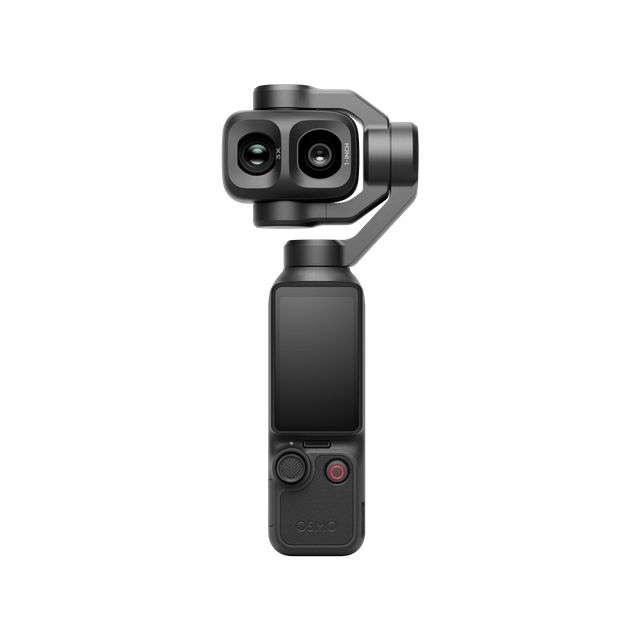 ND
NDlight control Mic
clean audio Mount
new angles Power
long sessions
Buy the accessory that fixes the shot.
Accessories should solve visible problems. ND filters solve over-bright shutter control. Wireless microphones solve distance and background-noise problems. A secure mount solves framing, repeatability and camera-placement problems.
ND filters
The first outdoor filmmaking accessory. ND reduces light so you can keep a motion-friendly shutter instead of letting bright sun force a harsh, high-shutter look.
- Travel and street footage
- Walking shots and moving subjects
- Water, traffic and cinematic B-roll
- Bright snow, beach and midday scenes
Wireless microphones
Viewers forgive imperfect framing before they forgive unusable speech. Pocket 4P can connect directly to up to two supported DJI transmitters without adding a receiver to the camera.
- Solo vlogs and interviews
- Real-estate walkthroughs
- Product demonstrations
- Events and behind-the-scenes content
Mounts and support
A secure adapter, mini tripod or magnetic stand creates low angles, overhead views, static product shots and repeatable solo framing.
- Desk and studio setups
- Metal-surface mounting
- Vertical social content
- Hands-free demonstrations
Motion blur is controlled before the edit.
In bright light, the camera may need a fast shutter to avoid overexposure. That freezes motion sharply and can make walking, traffic or panning look nervous. ND reduces the light entering the camera so a slower shutter remains possible.
A common cinematic starting point for normal-speed delivery.
A practical starting point for 25 fps projects and PAL workflows.
A familiar starting point for online and North American delivery.
Maintains clearer motion while preserving a natural blur relationship.
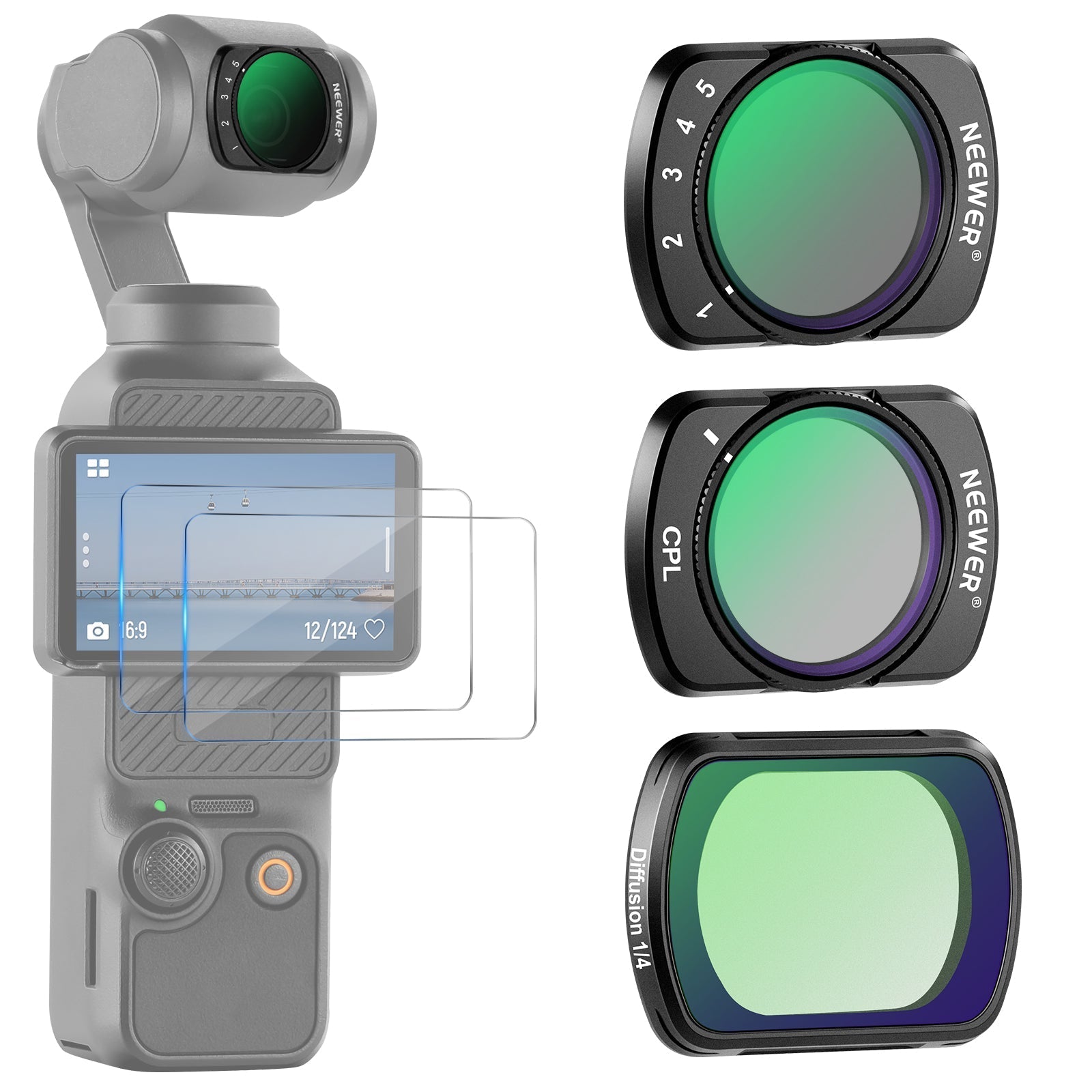
Choose strength after choosing shutter.
Use the weakest ND that reaches the desired exposure at the intended frame rate, shutter and ISO. Variable ND adds speed, while fixed ND can be more repeatable.
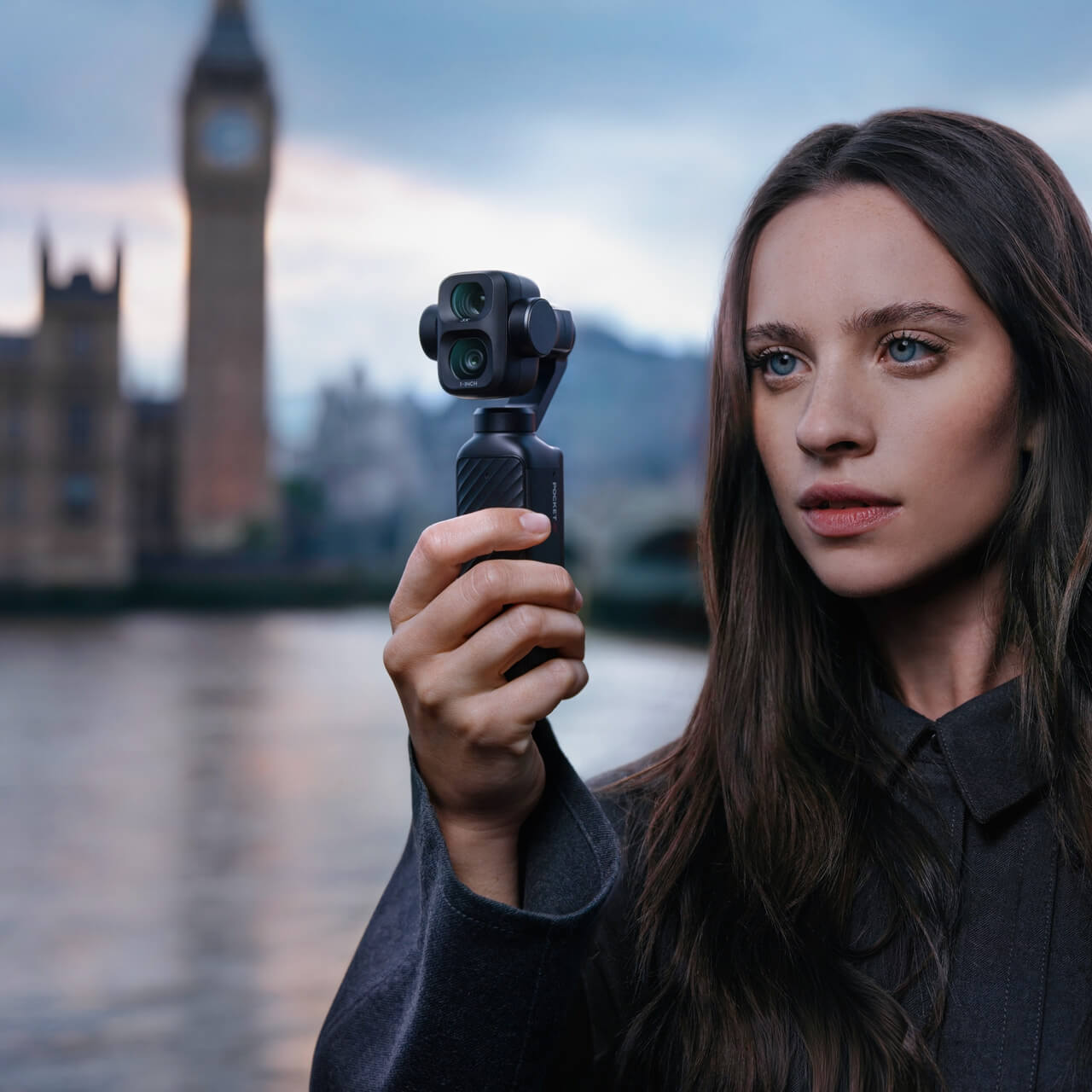
ND matters most when the camera or subject moves.
Walking, street movement, vehicles, water and handheld B-roll reveal the difference between natural motion blur and an excessively fast shutter.
Move the microphone closer, not the camera.
Pocket 4P supports direct Bluetooth connection to up to two compatible DJI transmitters. Supported options listed by DJI include Mic 2, Mic Mini, Mic 3, Mic Mini 2 and Mic Mini 2S. A receiver is not required for this direct camera workflow.
Best for creators who want a deeper audio workflow.
Mic 3 adds adaptive gain, noise-cancelling options, internal recording and broader multi-device capability. Pocket 4P can link directly without a receiver.
Clear speech starts near the speaker.
A transmitter on the subject usually captures more direct voice and less room echo than the camera's microphones when the camera is several metres away.
One transmitter
- Talking-head videos
- Travel vlogs
- Store walkthroughs
- Product demonstrations
Two transmitters
- Host and guest
- Wedding speeches
- Customer testimonials
- Two-person training content
Windscreen first
- Use the supplied windscreen
- Monitor the camera's volume meter
- Record a short test clip
- Keep clothing away from the microphone
Magnets create angles. Mechanical locks create confidence.
Pocket 4P can use the Osmo Pocket 3 Expansion Adapter for wider accessory connectivity. A magnetic mount or stand is useful for static metal surfaces, but exact body fit, gimbal clearance, button access and retention must be checked on the Pocket 4P.
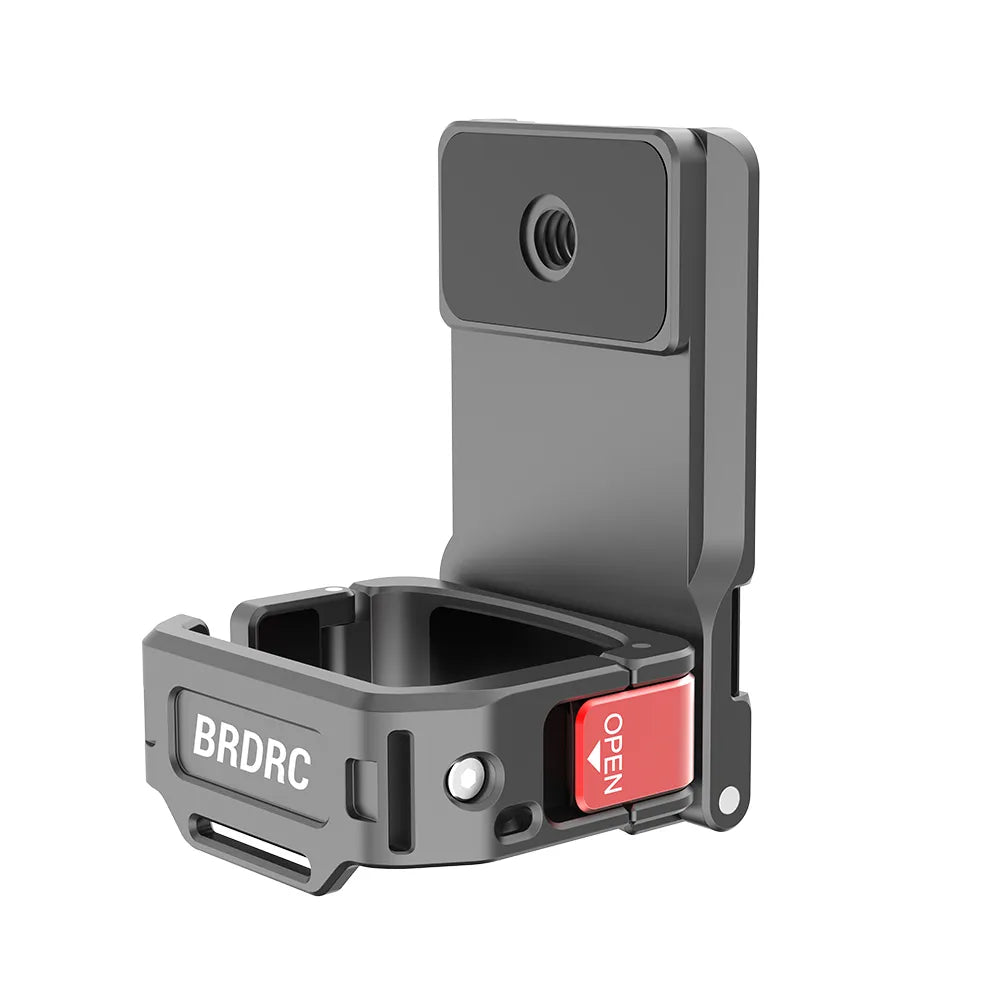
Build from a secure interface.
An adapter or cage can add mounting points without relying on pressure against the screen, controls or gimbal. DJI lists the Osmo Pocket 3 Expansion Adapter as compatible with Pocket 4P.
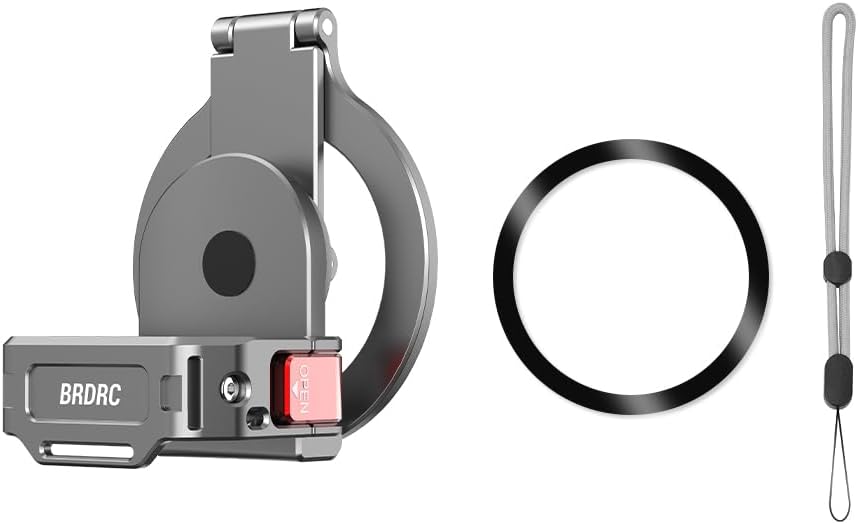
Great for controlled static placement.
Desks, shelves, steel columns and studio surfaces can become fast camera positions. Confirm exact Pocket 4P fit before purchase.
Use two layers of security.
- Mechanically lock the camera into the adapter.
- Use a safety tether where a fall could damage property or injure someone.
- Confirm the metal surface is flat, clean and thick enough.
- Check gimbal sweep, screen rotation and button access.
- Test vibration before recording the final shot.
Do not trust magnet strength alone.
- No moving-vehicle exterior use without a purpose-built secured system.
- No overhead public placement without retention and exclusion controls.
- No attachment to hot, curved, dirty or thin painted metal.
- No mount that blocks cooling, buttons or the gimbal.
- No Pocket 3 or Pocket 4 compatibility assumption for Pocket 4P.
What is confirmed, included or still needs a fit-check?
The phrase "Pocket-series accessory" is not enough. Check the exact camera, filter interface, handle, body clearance and regional combo before buying.
| Accessory | Pocket 4P status | Why buy it | Important caution |
|---|---|---|---|
| Pocket 4P ND filter | Officially supported category Confirmed | Control shutter and motion blur in bright light | Use the exact Pocket 4P filter and twist-lock interface |
| DJI Mic 2 / Mini / Mic 3 / Mini 2 / Mini 2S | Direct Bluetooth connection Confirmed | Cleaner voice and two-person recording | Confirm firmware, windscreen and gain before the shoot |
| Osmo FrameTap | Official Pocket 4P remote Confirmed | Remote preview, mode control, gimbal control and subject selection | DJI recommends staying under 10 m for optimal stability |
| Osmo Pocket 4 Fill Light | Included in official Pocket 4P combos Confirmed | Close portrait and selfie lighting | Check the box before buying a duplicate |
| Osmo Pocket 4 Battery Handle | Supported Confirmed | Longer sessions and hot-swapping | Pocket 4P additional runtime is a lab reference, not a guarantee |
| Osmo Pocket 3 Expansion Adapter | DJI lists compatibility Confirmed | Add accessory and mounting interfaces | Confirm installed clearance with the chosen mount |
| Pocket 3 / standard Pocket 4 magnetic ND filters | Do not assume fit Verify | Potential reuse only if explicitly confirmed | Pocket 4P has a different dual-camera front assembly |
| Third-party magnetic cages and MagSafe stands | Model-specific fit-check Verify | Static placement, overhead and desk angles | Check body fit, gimbal clearance, buttons and retention |
| Wide-angle and Black Mist lenses | Officially supported categories Creative | Wider framing or softer highlight character | Use the exact Pocket 4P version and keep optics clean |
After light, sound and mounting, improve endurance and control.
These accessories become must-have only when they solve a repeated production problem. Check the official combo contents before buying duplicates.
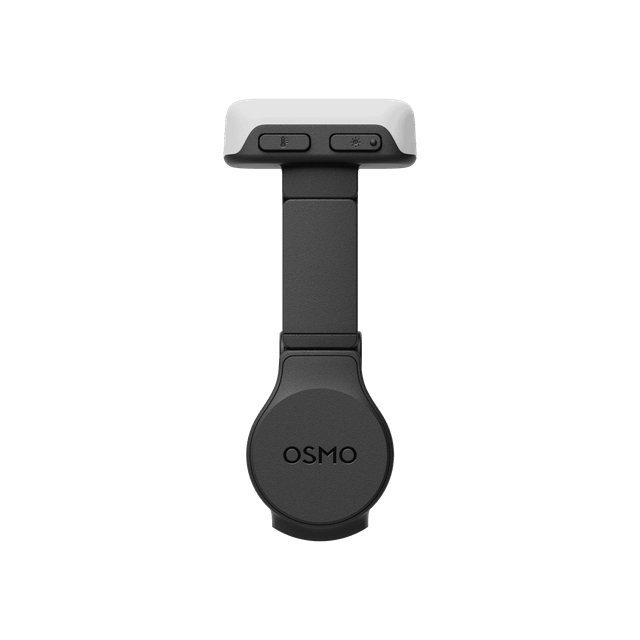
Close-range light for faces and products.
Three brightness levels and three colour temperatures make it useful for selfies, desk content and backlit portraits. Both official Pocket 4P combo listings include it.

Protect the gimbal before adding more glass.
A battery handle, protective pouch, carrying bag, screen protector and clean lens cloth improve reliability more than a creative filter that stays at home.
| Accessory | Best for | Buy now when | Skip for now when |
|---|---|---|---|
| FrameTap | Solo filming, overhead shots, product videos and remote framing | The camera often sits away from the operator | You shoot only handheld or already own the Vlog Combo |
| Battery Handle | Travel, events, time-lapses and long interviews | You regularly deplete the internal battery | Your shoots are short and charging is always available |
| Mini Tripod | Talking heads, livestreams, product shots and time-lapses | You need stable static framing | Your mount or existing tripod already solves the problem |
| Wide-Angle Lens | Small rooms, car interiors, groups and close selfie vlogs | 20 mm is repeatedly not wide enough | You prefer the native optics and avoid extra front glass |
| Black Mist Filter | Night lights, portraits and softer highlight bloom | You want a specific diffusion character in camera | You need maximum contrast and clean product detail |
| MicroSD card | Long sessions and removable backup workflow | 103 GB internal storage is not enough for your shoot | Your normal projects fit inside internal storage |
Build for the content you actually make.
A smaller, intentional kit is faster than a bag full of accessories. Each package below starts with the same three questions: how will you control light, capture speech and support the camera?
Light, fast and outdoor ready.
- Exact-fit Pocket 4P ND filters
- One DJI wireless transmitter
- Mini tripod
- Battery handle
- Protective pouch and lens cloth
Solo production with remote control.
- ND filter set
- Two compatible transmitters
- FrameTap
- Expansion adapter and secure magnetic mount
- Fill light and mini tripod
Repeatable angles and controlled detail.
- FrameTap for remote composition
- Expansion adapter or cage
- Magnetic or clamped static mount with tether
- Fill light plus external continuous lighting
- Black Mist optional; clean lens for maximum product detail
Compatibility, motion blur, audio and mounting questions.
Which accessories are truly essential for DJI Osmo Pocket 4P?
For most creators, the highest-impact accessories are a correctly fitted ND filter set, one or two compatible DJI wireless microphone transmitters, and a secure mounting or support system. FrameTap, a battery handle, mini tripod, fill light, wide-angle lens and Black Mist filter become essential only for specific workflows.
Do Pocket 3 or Pocket 4 magnetic ND filters fit Pocket 4P?
Do not assume they fit. DJI's Pocket 4P guide describes a replaceable front lens and filter system that is pressed into place and rotated to lock. Pocket 3 or standard Pocket 4 magnetic filters should be treated as unverified until the manufacturer or retailer confirms exact Pocket 4P compatibility.
Why use an ND filter on Pocket 4P?
An ND filter reduces incoming light so the creator can keep a slower shutter speed in bright conditions. This can preserve more natural motion blur instead of forcing an extremely fast shutter that makes movement look sharp or choppy.
Which ND strength should I use?
The correct strength depends on frame rate, shutter target, aperture, ISO and ambient light. Start with a lighter ND in overcast conditions and stronger ND in direct sun, then confirm exposure on the camera rather than choosing by name alone.
What shutter speed should I use for cinematic motion blur?
A common starting point is approximately double the frame rate: around 1/50 for 24 or 25 fps, 1/60 for 30 fps and 1/120 for 60 fps. This is a creative guideline rather than a fixed rule.
Which wireless microphones connect directly to Pocket 4P?
DJI states that Pocket 4P can connect directly to up to two compatible transmitters without a receiver. Supported models include DJI Mic 2, DJI Mic Mini, DJI Mic 3, DJI Mic Mini 2 and DJI Mic Mini 2S.
Do I need a receiver for DJI Mic 3 with Pocket 4P?
No receiver is required for direct Bluetooth connection to Pocket 4P. A receiver may still be useful when recording to other cameras, using a more complex audio workflow or requiring physical output connections.
Is a magnetic mount safe for moving vehicles?
A magnet-only setup should not be treated as secure for moving vehicles, overhead positions or public areas. Use a mechanically locked adapter, suitable clamp, safety tether and a controlled mounting surface. Confirm vibration, clearance and local safety requirements before recording.
What is Osmo FrameTap used for?
FrameTap is a remote viewfinder and controller. It can preview the live image, control the gimbal, switch shooting modes and select a tracking subject. DJI states a maximum control distance of 25 metres and recommends staying under 10 metres for better stability.
Is the Pocket 4P Battery Handle worth buying?
It is valuable for travel days, events, interviews, time-lapses and long creator sessions. DJI's Pocket-series comparison lists about 130 minutes of additional Pocket 4P runtime. Runtime figures are laboratory references and depend on settings and conditions.
Does Pocket 4P already include a fill light?
The Standard Combo listing includes the Osmo Pocket 4 Fill Light. The Vlog Combo also includes it. Check the exact regional bundle before purchasing a second light.
Which accessories should a solo creator buy first?
A solo creator should prioritize one compatible wireless transmitter, an ND solution for outdoor footage, a mini tripod or secure mount and FrameTap when the camera will be placed away from the operator.
Check the exact accessory before checkout.
Build a Pocket 4P kit that fixes your real production problems.
Send your main content type, indoor or outdoor use, number of speakers, mounting locations, typical shoot duration and whether you are buying Standard or Vlog Combo. SpeedyDrone can check current Canadian availability and help prevent incompatible or duplicate purchases.


