


Unitree Robot Safety Guide: Facility Rules, Operator Training and Risk Assessment
A practical safety-management framework for Unitree robot dogs and humanoids—from facility zoning and operator authorization to emergency stops, maintenance isolation, cybersecurity and incident learning.
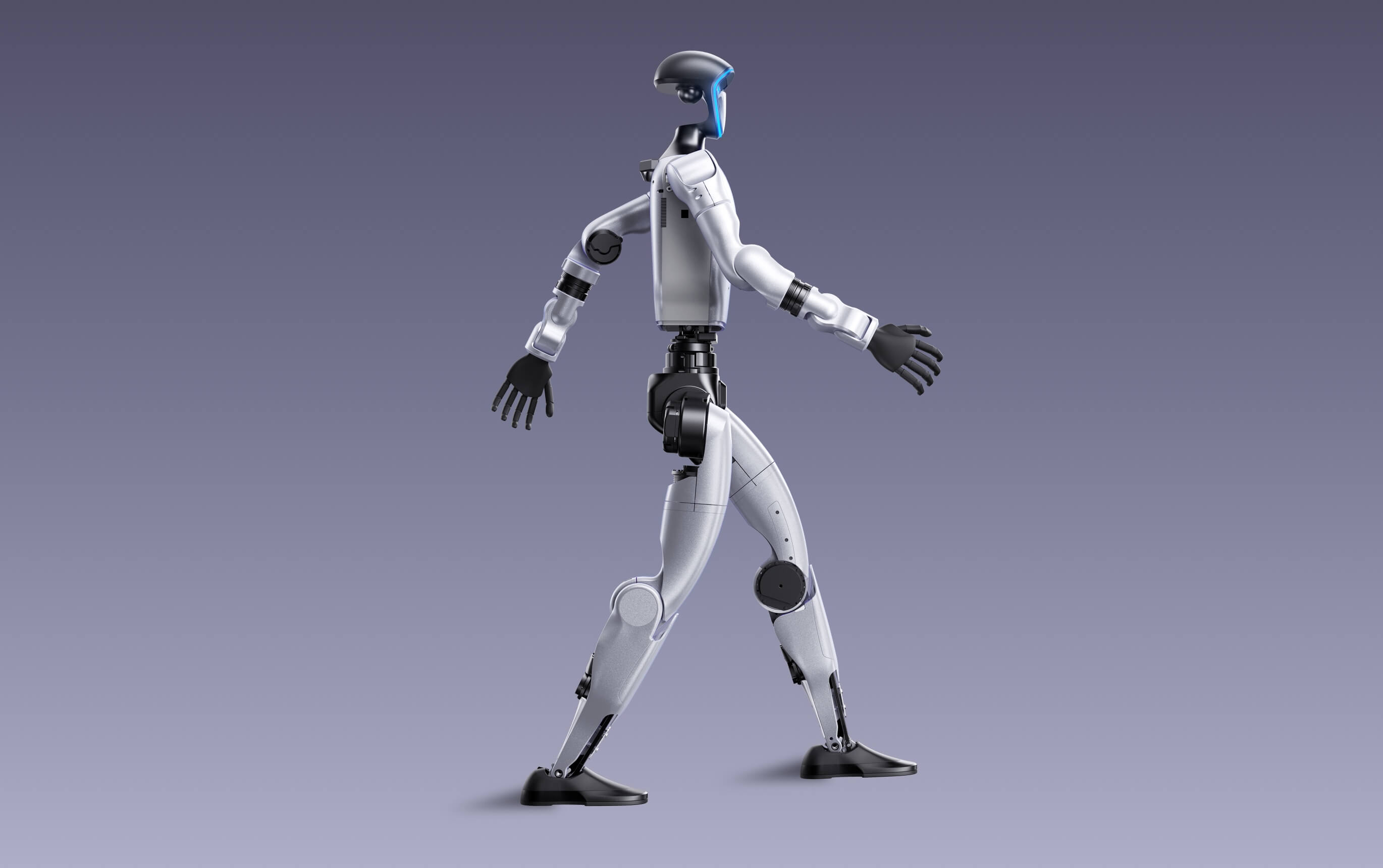
Treat every Unitree system as a powerful mobile machine. Separate people during automatic motion, authorize operators by task, assess risk for the exact robot and location, test emergency behaviour, and never assume “damped” or “stopped” means the robot will remain standing.
Five principles for every Unitree deployment
Safe operation is not one emergency-stop button or one warning sign. It is a system of facility design, authorization, procedures, technical controls, supervision, maintenance and continuous learning.
Separate before collaborating
Begin with physical separation during automatic motion. Reduce distance only after task-specific controls are validated.
Authorize by task
Permission to observe is not permission to drive, program motion, change payloads or perform service.
Expect unexpected motion
Software, radio, sensor, controller and human errors can create motion that differs from the operator’s intention.
Plan the fall
Humanoids and quadrupeds may fall, roll, flip, kick, slide or release a payload during a fault or recovery action.
Control every change
New firmware, code, batteries, hands, wheels, sensors, routes and operators can invalidate an earlier assessment.
Canadian guidance: CCOHS identifies impact, crushing, trapping, projectile, electrical, trip, software and environmental hazards, and warns that collaborative robots are not inherently safe.
Adjust the safety system to the Unitree robot class
Swipe the table left on smaller screens.
| Safety factor | Go2 / compact quadruped | As2 / professional compact | A2 / B2 industrial | R1 / G1 humanoid | H1 / H1-2 full-size |
|---|---|---|---|---|---|
| Primary concern | Public interaction and student access | Higher torque, payload and outdoor use | Industrial payloads, severe terrain and remote missions | Balance loss, arm contact and development code | High fall energy, reach and heavy handling |
| Approximate mass class | About 15 kg | About 18 kg | About 42–60 kg | About 29–35 kg+ | About 47–70 kg |
| Minimum approach | Controlled route, operator and spotter | Controlled zone and payload assessment | Industrial safeguarding and formal integration | Protected test zone and fall plan | Purpose-built zone, restraint and recovery plan |
| Public-contact default | Low speed and supervised only | Avoid uncontrolled close contact | Separate from crowds | No uncontrolled contact | Full separation during motion |
| Recovery concern | Pinch points and sudden stand-up | Flip or stand-recovery clearance | Heavy lift, payload and terrain access | Fall direction and active joints | Mechanical lift and multi-person recovery |
Lower price does not mean low hazard. A compact Unitree robot can still strike a person, trap fingers, damage equipment or move unexpectedly after a software or controller error.
Use green, amber and red access zones
A zone system makes robot status visible before a person enters the space. Boundaries, signs and access rules should match the room and risk assessment.
Observation and preparation
Normal work area outside the robot’s motion and fall envelope.
- Operator workstation
- Briefing and observation
- Data review and simulation
- Escorted visitors
- No active robot part can reach this zone
Controlled setup and service
Restricted area used when motion is disabled or tightly limited.
- Battery installation
- Payload setup
- Reduced-speed positioning
- Authorized operators only
- Positive confirmation of robot state
Automatic and experimental motion
No-person zone during autonomous, dynamic or unproven motion.
- Automatic walking
- Learned policies
- Stand recovery and flips
- Humanoid balance tests
- Entry only after safe-state confirmation
Zone rule: a warning light or verbal statement does not replace barriers, access control or a verified safe state.
Minimum rules for a Unitree operating area
Authorize every person
Use signs, doors, bookings or barriers so visitors, students and staff cannot enter active test space without permission.
Control traction and trip hazards
Keep surfaces dry, level and free of loose cables, packaging, tools and reflective clutter.
Protect the fall and recovery envelope
Include limbs, payloads, stand-up motion, flip recovery, sliding and movement after damping.
Make status and obstacles visible
Provide stable lighting for human observation and vision sensors; avoid glare that hides robot state.
Separate charging from motion testing
Use a designated location with battery inspection, approved equipment and damaged-pack isolation.
Prevent unauthorized activation
Secure the robot, controller, batteries and credentials; store in a stable posture using manufacturer guidance.
Test the control link
Confirm controller, Wi-Fi, radio or cellular performance and the approved link-loss response.
Keep stop and exit routes clear
Do not block e-stop devices, exits, extinguishers, disconnects or recovery routes.
Reset the room after every session
Remove temporary mounts, mark damaged equipment, isolate faults and record unresolved issues.
Robot hazards that belong in the assessment
Unexpected contact
Walking, arm motion, jumping, turning, recovery and payload movement can strike people or equipment.
Pinch and caught-between points
Joints, legs, hands, feet, payloads and nearby structures can trap fingers, limbs or clothing.
Uncontrolled body energy
Humanoids may fall from standing; quadrupeds may roll or flip; payloads can shift motion direction.
Released or swinging objects
Grippers, tools, loose fasteners and mounted equipment can detach or strike during motion.
Shock, heat and fire
Chargers, damaged cells, short circuits, liquid exposure and modified power systems create hazards.
People can be hurt without robot motion
Cables, cases, spills, carts and lifting a 15–70 kg robot create musculoskeletal and fall hazards.
Commands can be wrong
Bugs, joint-map errors, stale models, wrong limits and unreviewed updates can cause motion.
Control can be delayed or lost
Latency, interference, dead zones, controller failure and congestion can affect operator authority.
Unauthorized commands or updates
Compromised credentials, software pipelines or networks can change behaviour or expose sensor data.
Water, dust, temperature and terrain
IP ratings and demonstrations do not guarantee safe performance in every site condition.
Distraction, fatigue and pressure
Crowds, cameras, deadlines and overconfidence can lead operators to skip controls.
Cameras and microphones affect people
Sensor collection, remote viewing and retained recordings require purpose and access controls.
How to perform a Unitree robot risk assessment
CCOHS recommends assessing each stage of integration, programming, operation and maintenance. The assessment should be specific to the task, robot, payload, location, people and operating mode.
Define the task
Describe start state, motion, route, payload, people, environment and end state.
Identify hazards
Review normal use, setup, recovery, faults, maintenance, human error and emergencies.
Estimate risk
Rate severity and likelihood before controls, considering the worst credible consequence.
Apply controls
Prioritize elimination, substitution, engineering and administrative controls before PPE.
Approve residual risk
Re-rate the task, assign an owner, document limits and obtain authorization.
Separate assessments may be required for identical robots. Physical placement, surrounding equipment and the process can create unique hazards.
Illustrative 5×5 risk matrix
This matrix is a planning example. Organizations should use their approved definitions. Risk is commonly evaluated using likelihood and consequence.
Routine control
Operate under the approved procedure and monitor for change.
Supervisor review
Confirm controls, competence and operating limits before work.
Reduce before approval
Add controls and obtain formal authorization before proceeding.
Do not proceed
Eliminate or materially reduce risk before the task is authorized.
Sample Unitree risk register
Swipe the register left on smaller screens.
| Task | Hazard | Initial risk | Required controls | Residual risk | Owner |
|---|---|---|---|---|---|
| G1 standing test | Loss of balance and fall toward operator | Critical | Red zone, fall clearance, restraint where appropriate, spotter and tested damping behaviour | Moderate | Lab supervisor |
| A2 stand recovery | Flip motion strikes person or object | High | Clear two-metre-diameter recovery area, remote command and no bystanders | Low | Operator |
| Go2 public demonstration | Collision with visitor | High | Barrier, low speed, fixed route, operator and spotter, no riding or touching | Moderate | Event lead |
| Dexterous-hand test | Finger trapping or object release | High | Fixture, exclusion distance, limits, soft object and remote release | Moderate | Research lead |
| Battery replacement | Short circuit, heat or damaged connector | Moderate | Approved equipment, inspection, stable surface and damaged-pack quarantine | Low | Custodian |
| Remote patrol | Link loss causes uncontrolled continuation | High | Link-loss safe state, route boundaries, health telemetry and human override | Moderate | Program manager |
| Software update | Behaviour or interfaces change | High | Change review, backup, simulation, regression checklist and controlled release | Moderate | Technical owner |
Illustrative only. Use the workplace’s approved risk method and qualified reviewers.
Apply the hierarchy of controls
Eliminate
Remove the hazardous routine, avoid human entry or complete the work in simulation.
Substitute
Use a lighter robot, soft object, lower-energy task, safer route or less hazardous payload.
Engineering
Use barriers, scanners, interlocks, restraints, force limits, speed limits and independent stops.
Administrative
Use authorization, procedures, training, spotters, bookings, checklists and change control.
PPE
Use task-specific protective equipment as a final layer, not the main control for robot motion.
CCOHS alignment: robot safeguards, inspections, testing, procedures, education, training and PPE are commonly combined. During automatic operation, safeguarding should prevent human access.
Train and authorize operators by level
Training should cover the task, hazards, controls and emergency response. People involved in setup, operation and maintenance should understand the system and demonstrate competency.
Visitor
Observer
Operator
Developer
Maintainer
Explain hazards and controls
The trainee should describe zones, stop behaviour, fall risk, link loss and prohibited actions.
Demonstrate the task safely
Complete inspection, startup, approved control, shutdown and recovery under supervision.
Refresh after time or change
Review competency periodically and after incidents, updates, new payloads or long inactivity.
Unitree pre-use safety checklist
Inspect the machine
- No cracks, loose parts or exposed wires
- Feet, wheels, hands and payloads secure
- Joints and covers unobstructed
- No unresolved fault tag
Confirm safe energy state
- Battery undamaged and installed correctly
- Charge supports task and reserve
- Connectors clean and secure
- Charger removed before motion
Verify approved configuration
- Correct firmware, branch and model file
- Approved motion and joint map
- No unreviewed change
- Logging enabled
Test authority before movement
- Controller paired and charged
- Correct operator has control
- Emergency function tested safely
- Independent shutdown accessible
Clear the operating area
- Zones and barriers in place
- Floor dry and clear
- Fall and recovery envelope clear
- Exits and disconnects accessible
Assign roles
- Operator and spotter identified
- Task and stop command understood
- Visitors outside controlled area
- Emergency contact known
Stop the session if a required check fails, the operator is unsure of robot state, the room cannot be controlled or the configuration differs from the approved plan.
Move from simulation to full motion in seven gates
Code review
Verify interfaces, joint maps, limits, stop logic and expected robot state.
Simulation
Run the task in the approved model and record abnormal contacts and failures.
Read only
Connect to hardware and validate telemetry without sending motion commands.
Supported motion
Use an approved restraint, stand or low-energy posture for limited commands.
Low speed
Operate inside a red zone with conservative limits, an operator and a spotter.
Task validation
Add the real payload, route and environment and test repeatability.
Operational release
Approve users, limits, checklist, maintenance and incident response.
Gate rule: do not skip directly from simulation to free dynamic motion. Each gate should have pass criteria, evidence and an authorized reviewer.
Stopping motion can create a second hazard
Unitree documentation for G1 and H1 describes an emergency command that enters damping mode; the robot may lose balance and fall. The safe response includes the fall area, not only the controller command.
Stop or damp
Use the model-specific emergency function or independent shutdown under the approved procedure.
Keep clear
Do not rush toward the robot; expect falling, sliding, residual motion or payload movement.
Protect people
Call the site response if anyone is injured or a battery, fire or hazardous process is involved.
Isolate energy
Use the approved de-energization and lockout process before contact or recovery.
Preserve evidence
Save logs, controller state, video, software version, payload condition and witness information.
Authorize restart
Do not reactivate until cause, controls and the recovery plan are reviewed.
Do not try to catch it
Move away from the fall path. Catching a 29–70 kg active robot can create crushing or musculoskeletal injury.
Clear the flip area
A2 documentation directs users to keep people and objects outside a two-metre-diameter area for stand recovery.
Use a pre-approved safe state
Stop, hold, retreat or return based on the risk assessment; do not continue indefinitely on the last command.
De-energize, isolate and verify before service
Maintenance may expose people to joints, batteries, stored energy, tools and unexpected restart. CCOHS describes lockout as isolating energy and physically securing the system in a safe mode.
- Identify electrical, mechanical and stored energy
- Follow the model-specific shutdown sequence
- Remove or isolate batteries when required
- Apply the workplace lockout/tagout procedure
- Verify zero or controlled energy before contact
- Support limbs or components that can fall
- Use qualified personnel for internal repairs
- Test safeguards before return to service
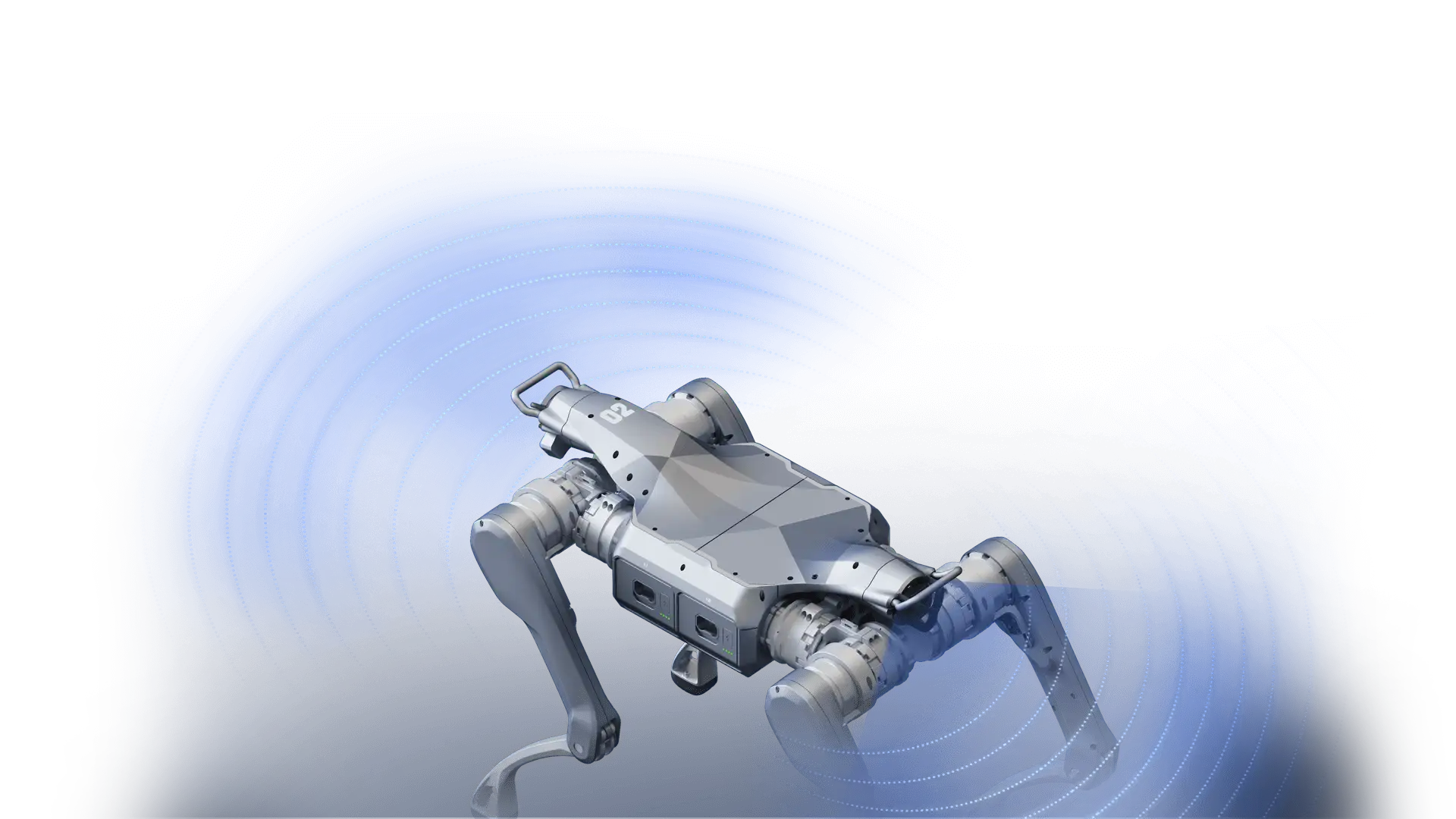
A controller stop is not lockout. Buttons, mode selectors and software commands may stop motion without isolating energy that can restart or move the system.
Secure the robot as edge AI and operational technology
Unitree robots combine sensors, onboard compute, networks and physical movement. A compromised account, update pipeline or remote-control link can become a safety event.
Know every component
Record robot, controller, batteries, compute modules, cameras, radios, firmware, accounts and dependencies.
Separate robot traffic
Place robot and development systems on managed networks with limited communication to other IT and OT systems.
Limit who can command motion
Use named accounts, role-based access, secure credentials and approval for remote or low-level control.
Control firmware and models
Verify sources, preserve known-good versions, test updates and maintain rollback capability.
Detect abnormal commands
Monitor processes, network activity, command sequences, sensor outputs and usage patterns.
Keep humans in authority
Maintain physical failsafes and human override for AI-driven robotics.
Security change equals safety change. Reassess the task when remote access, AI models, cloud services, wireless links, permissions or update processes change.
Rules for events, classrooms and demonstrations
Keep a physical boundary
Do not allow visitors to surround, ride, grab, block or touch the moving robot.
No live experimentation
Use a rehearsed sequence with conservative speed, known floor conditions and tested stops.
Separate driving from crowd control
One person controls the robot while another watches the route, crowd and emergency access.
Mark the motion envelope
Use barriers, floor markings and staff to keep entrances and crossing points controlled.
End before low-energy behaviour
Keep reserve for safe stop and return rather than using the full battery window.
Control cameras and recording
Define whether cameras are active, who can view footage and how recordings are retained.
Performance pressure is a hazard. Cameras, clients and crowds can encourage operators to increase speed, skip checks or attempt unapproved movements. Give the safety lead authority to delay or cancel.
Investigate incidents and near misses
Capture the state
Record robot pose, time, battery, controller, payload, software, operator and environment.
Preserve logs and versions
Save command history, telemetry, video, network events, model hash and configuration files.
Interview without blame
Understand workload, visibility, instructions, distractions and why the action made sense.
Look beyond operator error
Review design, training, interface, schedule, supervision, maintenance and management controls.
Assign owners and deadlines
Update hardware, code, procedures, zones, training or procurement requirements.
Revalidate before restart
Test the corrective action under controlled conditions and obtain formal release.
A 90-day Unitree safety implementation roadmap
Inventory and assess
Identify robots, users, tasks, rooms, manuals, firmware, hazards and existing controls.
Build the facility system
Establish zones, barriers, charging, storage, emergency equipment and signage.
Train and validate
Certify operators, test emergency behaviour, complete assessments and run controlled trials.
Release and audit
Approve tasks, publish procedures, review logs and close unresolved actions.
Program output: every approved task should have a named owner, current assessment, authorized-user list, checklist, limits, emergency response and review date.
Put safety requirements in the purchase order
Model, payload and accessories
State robot version, hands, wheels, sensors, compute, batteries, controller and charger.
Document stop behaviour
Confirm controller command, external e-stop options, damping behaviour and independent power isolation.
Specify operator and maintainer instruction
Include startup, shutdown, recovery, emergency response, batteries and safe handling.
Require current manuals
Obtain model, firmware, controller, battery, SDK and maintenance documentation.
Verify the delivered robot
Test sensors, joints, stops, link loss, controller, payload and approved routines.
Define the Canadian service path
Clarify diagnostics, parts, freight, response, software support and escalation.
Build the safety system before expanding robot use
SpeedyDrone Canada supports Canadian organizations evaluating Unitree robots for education, research, demonstrations and industrial projects. Send your robot model, task, facility, operator, payload, software and timeline requirements for a configuration, training and deployment discussion.
Training, safety controls and service requirements depend on the exact robot, configuration, task and facility. Confirm current documentation and applicable requirements before operation.
Unitree robot safety FAQ
Are Unitree robots safe to operate around people?
They can be operated under appropriate controls, but should not be assumed safe merely because they are compact or marketed for education. Risk depends on the model, configuration, speed, payload, software, environment and proximity to people.
Are collaborative robots inherently safe?
No. CCOHS states that collaborative robots are not inherently safe. Configuration, programming, payloads and interaction with workers or equipment can create hazards that require assessment and controls.
What are the main Unitree robot hazards?
Key hazards include collision, impact, crushing, trapping, falls, released payloads, batteries, electrical energy, manual handling, software faults, communications loss, cybersecurity issues, environmental exposure and human error.
Does pressing emergency stop keep a Unitree humanoid standing?
Not necessarily. Unitree documentation for G1 and H1 describes emergency damping modes that can cause the humanoid to lose balance and fall. The facility must keep the fall area clear.
How much clearance is needed for A2 stand recovery?
Unitree’s A2 remote-control documentation states that stand recovery requires space for the robot to flip and instructs users to keep people and objects outside a two-metre-diameter area.
Should a robot operator always have a spotter?
A spotter is strongly recommended for commissioning, experimental motion, public demonstrations and tasks where the operator cannot simultaneously monitor the robot, people, route and emergency conditions.
What should operator training include?
Training should cover model-specific startup and shutdown, facility zones, controls, emergency behaviour, fall and recovery hazards, batteries, prohibited actions, communications loss, pre-use checks and the approved task.
Who should be allowed to run experimental motion code?
Only authorized developers with model-specific knowledge, an approved test plan, the correct development interfaces and competency in simulation, emergency response and staged physical validation.
When should a robot risk assessment be updated?
Update it when the task, location, software, firmware, payload, batteries, route, operator group, facility, communications or emergency process changes, and after incidents or near misses.
Can one risk assessment cover several identical robots?
Not automatically. CCOHS notes that identical robots may have different hazards because their locations, surrounding equipment and assigned processes differ.
What is the safest way to test new robot code?
Use staged validation: code review, simulation, read-only hardware connection, supported or restrained movement, low-speed testing, task validation and formal release.
Is a software stop the same as lockout?
No. Lockout isolates and secures hazardous energy. A software command, controller button or mode selector may stop movement without preventing restart.
What rules should apply at a public robot demonstration?
Use barriers, a fixed route, conservative speed, an approved routine, an operator and spotter, battery reserve, tested stops and no uncontrolled touching, riding or crowd access.
Why is cybersecurity part of robot safety?
Networked robots can receive commands, updates and models. Compromised credentials, software or communications can change physical behaviour, so segmentation, least privilege, monitoring and independent override are safety controls.
Where can a Canadian organization request Unitree training or deployment support?
Contact SpeedyDrone Canada for model guidance, Canadian quote support, training discussions, Toronto consultation and enterprise or institutional robotics planning.
- Canadian Centre for Occupational Health and Safety: Robots and Cobots
- CCOHS: Introducing New Technology at the Workplace
- CCOHS: Hazard and Risk – Risk Assessment
- CCOHS: Hierarchy of Controls
- CCOHS: Job Safety Analysis
- CCOHS: Lockout/Tagout
- Canadian Centre for Cyber Security: Securely Deploying AI at the Network Edge
- Ontario Regulation 851: Industrial Establishments
- Unitree G1 Developer Guide: Emergency Damping
- Unitree H1 Developer Guide: Emergency Damping
- Unitree R1 SDK Development Guide and Safety Distance
- Unitree A2 Stand-Recovery Safety Instructions
- Unitree A2 SDK Development Guide and Emergency Stop
- Unitree A2-W Official Safety Warning
- Unitree G1 Official Product Information
- Unitree Go2 Official Product Information
- SpeedyDrone Canada Unitree Go2 Collection
- SpeedyDrone Canada Unitree G1 Collection
- SpeedyDrone Canada Contact and Toronto Showroom
- SpeedyDrone Canada Financing Information
Information was checked on July 21, 2026. Robot manuals, firmware, emergency behaviour, standards, legislation, training requirements, configurations and support procedures can change. This guide is general information rather than an approved site procedure. Verify the exact Unitree model and documentation, consult qualified professionals and comply with applicable laws and institutional requirements before operation.


