


DJI Flip vs Neo 2: Which Compact Creator Drone Should You Buy in Canada?


Choose DJI Neo 2 for quick clips of yourself: walks, rides, travel selfies and gesture-controlled shots. Choose DJI Flip for planned aerial footage, RAW photos and video you intend to colour-grade. Flip’s larger camera, three-axis gimbal and longer rated flight time make it our pick for deliberate shooting. Neo 2 costs less, has more comprehensive obstacle sensing and makes spontaneous self-filming its priority.
Both can shoot without a remote controller. The decision is which workflow you will use most—not whether one is capable of filming people and the other is not.
DJI Flip vs Neo 2: Quick Comparison
| At SpeedyDrone | DJI Neo 2 Fly More Combo | DJI Flip Fly More Combo (DJI RC 2) |
|---|---|---|
| Listed price | CAD $549 | CAD $805 · $256 more |
| Controller | RC-N3; uses your phone Digital Transceiver included |
RC 2; built-in screen |
| Batteries and hub | 3 batteries; Two-Way Charging Hub | 3 batteries; Parallel Charging Hub |
Prices checked September 8, 2026. Both purchase panels displayed Backorder. Neo 2’s description also displayed a conflicting In Stock message; confirm current availability and timing with SpeedyDrone. This comparison includes Flip’s RC 2 and excludes the optional controller-removal refund.
Compare the exact packages: Shop DJI Flip Fly More Combo (DJI RC 2) · View DJI Neo 2 Fly More Combo
| Feature | DJI Neo 2 | DJI Flip |
|---|---|---|
| Best fit | Personal follow-me filming | Planned aerial photography and video |
| Aircraft weight | 151g; 160g with Digital Transceiver | Under 249g in standard configuration |
| Camera / aperture | 1/2-inch, 12MP / f/2.2 | 1/1.3-inch, up to 48MP / f/1.7 |
| 4K video | Up to 60fps | Up to 60fps HDR |
| 4K slow motion | 100fps with remote or motion control | 100fps |
| Vertical video | 2.7K, up to 60fps | 2.7K, up to 30fps |
| Stabilization | 2-axis mechanical gimbal plus electronic stabilization | 3-axis mechanical gimbal |
| Photo / video formats | JPEG / Normal colour | JPEG or DNG (RAW) / Normal or 10-bit D-Log M |
| Storage | 49GB internal; no microSD expansion | 2GB internal plus microSD support |
| Rated flight time | Approx. 19min; approx. 17min with guards | Up to 31min |
| Palm / automatic filming | Palm takeoff and landing; Return to Palm, gestures, SelfieShot | Palm takeoff and intelligent filming without a remote |
| Tracking | ActiveTrack; Cycling Follow | FocusTrack / ActiveTrack; subject tracking |
| Sensing hardware | Omnidirectional vision, forward LiDAR, downward infrared | Forward 3D infrared; downward vision and infrared |
| Propeller protection | Full-coverage guards | Foldable full-coverage guard |
Sources: DJI’s Flip specifications, Neo 2 specifications and model FAQs. Maximum times are manufacturer test figures, not expected recording time. Flight-mode and sensing limitations are explained below.
Is DJI Flip Better Than Neo 2?
Flip is the better fit when you want to choose a flight path, compose a landscape, repeat a reveal and edit the result later. Neo 2 is the better fit when you want the camera to find you, follow you and return after a short sequence.
That distinction is about priorities. Flip can follow a person, and Neo 2 can make aerial footage with a traditional controller. Calling both “beginner drones” misses the more useful question: do you want to spend the outing being filmed, or spend part of it flying a camera?
Buy Neo 2 if the subject is you. Buy Flip if the subject is what you want to film.
Use that as a buying shortcut, with the overlap in mind: both can do some of each.
Which Has the Better Camera: Flip or Neo 2?
Flip gives a photographer or video editor the more capable starting point. Its larger sensor, brighter lens, RAW photo option and 10-bit D-Log M make the strongest case for paying more. Neo 2’s camera is more closely matched to quick, ready-to-share personal clips.
1/1.3-inch vs 1/2-inch: what the sensor changes
Flip combines a 1/1.3-inch sensor with an f/1.7 lens; Neo 2 uses a 1/2-inch sensor and f/2.2 lens. Those specifications support choosing Flip when light and editing flexibility matter. They do not establish that every Flip clip will look better, or that the difference will be obvious after a short video is compressed by a social platform.
For a sunrise landscape, preserving the sky while adjusting the foreground can matter more than an automatic selfie move. For a daylight clip of a walk, getting the shot with minimal interruption may matter more than the camera’s editing potential. This is an assessment of documented capabilities, not a side-by-side camera test.
3-axis vs 2-axis gimbal
Flip mechanically stabilizes tilt, roll and pan. Neo 2 has a two-axis mechanical gimbal and electronic stabilization. Flip’s setup is a useful advantage for controlled pans and deliberate changes in direction; Neo 2 still offers stabilized footage for its intended personal-filming workflow. Neither specification promises perfect results through abrupt stick movements or unsuitable flying conditions.

Does DJI Flip Have Better Video Quality?
For creators who plan to edit, we would choose Flip. The reason is the camera and recording workflow behind the resolution—not simply the fact that it records 4K.
4K60 and 4K100: where they overlap
Both offer 4K at 60fps and 4K slow motion at 100fps. Flip adds HDR recording at up to 60fps. Neo 2’s 100fps option requires remote or motion control, so it should not be treated as a feature of every controller-free shooting mode. For vertical work, Neo 2 reaches 2.7K60 while Flip reaches 2.7K30.
If your output is a short daylight Reel with simple trimming, Neo 2 may already meet your needs. Matching resolution does not mean the cameras are identical, but it is a reason to avoid paying more solely for a “4K” label.
RAW photos and D-Log M video do different jobs
RAW is for still photographs. Flip’s DNG files give a photo editor more flexibility than a finished JPEG. Its up-to-48MP capture option also gives photographers a higher-resolution starting point; megapixels alone are not a promise of four times the usable detail.
D-Log M is for video. Flip’s 10-bit recording option is useful when you intend to adjust colour and contrast or match footage from other cameras. It adds an editing step. Neo 2 lists JPEG photography and Normal video colour, which suits a simpler capture-and-share routine. If you will never process RAW or grade video, these Flip advantages are less valuable to you.
Format and mode details: DJI Flip FAQ and DJI Neo 2 specifications.
Which Is Better for Follow-Me Video?
Neo 2 is our recommendation for a buyer whose main goal is filming themselves. ActiveTrack, Cycling Follow, gesture control and SelfieShot make that purpose more explicit. You can set up a short sequence without asking another person to operate a controller.
Flip also supports intelligent subject tracking and controller-free shooting. Its advantage is that you can move from a quick personal clip to more deliberate camera work with the same aircraft. Choose it if both kinds of filming will be regular parts of your trips.
Palm takeoff, gestures and SelfieShot
Neo 2’s appeal is the sequence: take off from your palm, adjust a supported shot with gestures, use SelfieShot for personal or group framing, then use Return to Palm. Flip also launches from your hand; palm takeoff itself is not an exclusive Neo 2 advantage.
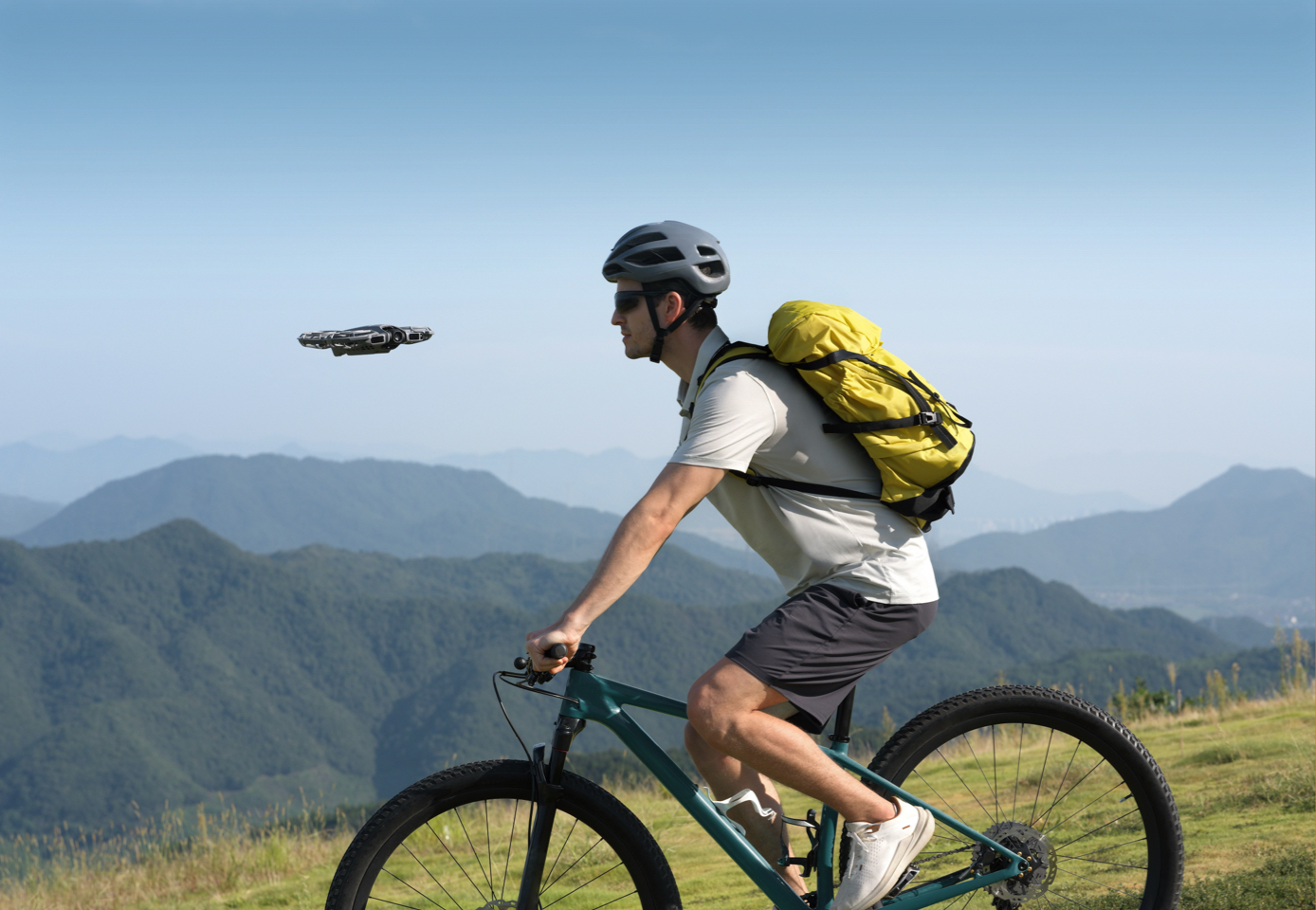
Neo 2 gestures work in supported Spotlight or Follow modes, not while using a remote or motion controller. DJI specifies suitable lighting and clear surroundings; branches, glass and other difficult surfaces can cause problems. Learn the supported commands before an outing, and practise in a clear area.
Cycling Follow is a reason to consider Neo 2 for a planned ride shoot. It is not a reason to send it through traffic or a crowded trail. Arrange a clear filming area and maintain responsibility for the aircraft rather than assuming tracking will manage every hazard.
Supported controls, modes and conditions: DJI Neo 2 FAQ.
Which Has Better Obstacle Sensing?
Neo 2 has the more comprehensive sensing hardware. It combines omnidirectional monocular vision with forward-facing LiDAR and downward infrared sensing. Flip has forward 3D infrared sensing and downward vision/infrared sensing.
The more expensive drone does not win this category. Flip’s camera advantages and Neo 2’s sensing advantages are separate reasons to buy.
There is also an important mode restriction: DJI says Flip’s intelligent functions, including Subject Tracking, do not support obstacle avoidance. Do not plan a follow shot around the assumption that it will route around trees or protect itself while moving sideways.
Propeller Guards and Beginner Confidence
Both have full-coverage propeller protection; Flip’s guard folds with the aircraft. That design can make handling and early practice feel less intimidating, but it does not make either drone safe to fly into people or objects.
Neo 2 is the more natural choice for short practice clips in a suitable controlled indoor space. Clear the area, check lighting and surfaces, and keep people and pets out of the flight path. Small branches, reflective surfaces and poor light remain difficult for sensing systems.
For either drone, guard coverage and obstacle detection supplement attentive operation. They do not remove the need to pick a sensible location and stop a shot when conditions change.
Which Flies Longer?
Flip has the longer official maximum: 31 minutes, compared with Neo 2’s approximately 19 minutes. DJI’s current Neo 2 specification also lists approximately 17 minutes with the propeller guards installed. That qualification matters if the guards are part of the setup you intend to fly.
These are controlled manufacturer reference tests, with different forward-flight speeds; Neo 2’s test excludes its Digital Transceiver. They are not a shared real-world recording test or a recommended battery target. Wind, temperature, recording, manoeuvres and a sensible landing reserve all affect the time available for a shot.
Flip’s longer rating is most relevant when you need time to reach a position, adjust a composition and try another pass. Neo 2’s shorter sessions may be sufficient when the goal is a few personal clips before continuing a walk.
Three batteries extend the outing, not one flight
Both compared Fly More bundles include three batteries and a charging hub. You still land and swap batteries between flights. Adding Flip’s three published maxima does not create a continuous 93-minute flight, nor does it predict your total usable filming time.
Flip’s Parallel Charging Hub can charge two batteries at once with the specified compatible 65W-or-higher PD supply and suitable cable. Neo 2’s hub can charge up to three at once, depending on charger output. Neither standard bundle’s official box list includes a wall charger; check the charger you already own before relying on parallel charging.
For planned filming with time for another pass, view DJI Flip Fly More Combo (DJI RC 2). It includes the screen controller, three batteries and Parallel Charging Hub.
49GB vs 2GB: Neo 2 Wins Internal Storage
Neo 2 is more convenient if you want to leave memory cards out of the routine. Its 49GB internal storage is substantially larger than Flip’s 2GB. You can head out without remembering a separate card, then transfer the clips afterwards.
Flip supports microSD expansion, making removable cards the practical choice for longer recording sessions. Neo 2 does not support external microSD expansion, so its convenience comes with a fixed capacity. Offload footage between outings; internal storage is not a substitute for a backup.

Do I Need a Remote Controller for Neo 2?
No, not for its supported palm, gesture and automatic filming modes. Mobile-app and voice control are also supported. For traditional stick control and the O4 video connection, install the Neo 2 Digital Transceiver and use a compatible controller.
The Neo 2 Fly More Combo compared here already includes the transceiver and RC-N3. The RC-N3 uses your phone for DJI Fly and the live view. Flip’s RC 2 bundle provides a built-in display, so you do not need to mount your phone for the flight view.
If you are adapting an existing setup, DJI Neo 2 Digital Transceiver is the Neo 2-specific module for remote/goggles use. DJI RC-N3 Controller provides the phone-based route, while DJI RC 2 provides the screen-controller route. Neo 2 supports RC 2 with the transceiver; it is not limited to RC-N3. Confirm current firmware and pairing instructions before switching equipment.
Neo 2 Fly More vs Flip Fly More: What Does the Extra Money Buy?
The CAD $256 difference buys a different camera platform and a different controller experience. It is not the cost of adding extra batteries: both bundles already have three.
| In the package | Neo 2 Fly More Combo | Flip Fly More Combo (DJI RC 2) |
|---|---|---|
| Aircraft | DJI Neo 2 | DJI Flip |
| Flight controller | RC-N3 and phone cables | RC 2 with built-in display |
| Batteries / charging hub | 3 / Two-Way Charging Hub | 3 / Parallel Charging Hub |
| Other key inclusions | Digital Transceiver, propeller guards, spare propellers, protector and USB data cable | Shoulder bag, spare propellers, gimbal protector and PD cable |
| Wall charger | Not listed in standard box contents | Not listed in standard box contents |
Contents cross-checked against DJI’s exact standard combo lists and SpeedyDrone package imagery. The Neo 2 140W GaN Charging Combo is a different package and is not the CAD $549 offer compared here.
Is DJI Flip Worth the Extra Money?
Yes, if you will use its camera formats, screen controller and longer flight window regularly. A travel creator who plans establishing shots, edits colour and occasionally processes landscape photos has several reasons to choose it. The RC 2 also removes the phone-mounting step from that routine.
That is why we recommend the DJI Flip Fly More Combo (DJI RC 2) for buyers who want a compact aerial-camera kit. The included shoulder bag, three batteries and hub support a day’s shooting workflow, with battery changes and charging planned around the outing.
When Neo 2 is the better buy
Keep the $256 if most of your clips are short, centred on you and shared with minimal editing. Neo 2’s gestures, SelfieShot, Cycling Follow, lighter aircraft and generous internal storage are benefits you may use more often than RAW or D-Log M.
It is also the more economical introduction if you want both personal automatic filming and occasional stick practice: the compared Fly More Combo includes the traditional controller setup already. Paying more for Flip makes less sense if you intend to leave its RC 2 in the bag and never use the editing options.
When Flip is worth paying more for
Choose Flip if you can already name the shots you want to make: a landscape still to edit, a slow reveal to repeat, or aerial B-roll to colour-match with a longer video. Those are concrete uses for the extra capability. “I might become serious someday” is a weaker reason to spend more than “I need these tools for the videos I make now.”
Canadian Under-250g Considerations
Both aircraft are below 250g in their documented standard configurations. Transport Canada bases microdrone classification on actual operating weight, including items attached to or carried by the aircraft. The remote controller is not part of that flying weight. Weigh the aircraft with the accessories you intend to use; Flip starts closer to the threshold than Neo 2.
A drone below 250g generally does not require Transport Canada registration or a pilot certificate. You must still avoid reckless or negligent operation that endangers aviation or people. Restricted airspace, advertised-event requirements, local access restrictions and privacy obligations can still affect the flight. Being light is not permission to launch anywhere.
Check the location before travelling, keep the aircraft in sight, and select an uncrowded place with room to stop or land. A follow-me feature does not take over your responsibility as the pilot.
Check the current Transport Canada microdrone rules before flying.
Buyer Recommendation by Use Case
Start with the kind of outing you actually have planned. These are buying recommendations, not promises that an automatic mode will handle every location.
| Your main priority | Start with | Why |
|---|---|---|
| First personal-filming drone | Neo 2 | Lower bundle cost; automatic personal modes |
| Travel selfies | Neo 2 | SelfieShot and palm workflow |
| Running clips | Neo 2 | Follow-me tools for a planned clear route |
| Cycling clips | Neo 2 | Cycling Follow; choose a suitable filming area |
| Family outing clips | Neo 2 | Short personal/group sequences with clear separation |
| Gesture-controlled framing | Neo 2 | Supported gesture and Return to Palm functions |
| Leaving the controller in the bag | Neo 2 | Strong personal-filming focus; Flip also supports no-RC shots |
| Controlled indoor practice | Neo 2 | Compact guarded design and broader sensing; clear the space first |
| Minimal editing | Neo 2 | Simple JPEG/Normal-colour output |
| Least kit to remember for quick clips | Neo 2 | Light aircraft and 49GB internal storage |
| Planned travel B-roll | Flip | Camera formats and screen-controller workflow |
| Landscape photography | Flip | Larger sensor and RAW photos |
| RAW photo editing | Flip | DNG support |
| Colour matching across cameras | Flip | 10-bit D-Log M recording option |
| Repeated aerial compositions | Flip | Longer rated flight time and RC 2 display |
| Longer individual flights | Flip | 31-minute official maximum, subject to conditions |
| Edited YouTube travel videos | Flip | More room for a deliberate shooting/editing process |
| Lightweight paid creator work | Flip, if the brief fits | Choose against delivery needs, operating site and reliability requirements |
| Broader obstacle sensing | Neo 2 | Omnidirectional vision plus forward LiDAR |
| Built-in controller screen in this bundle | Flip | RC 2 included; Neo 2’s compared bundle uses your phone |
Frequently Asked Questions
The final checks before choosing your kit.
Is DJI Flip better than Neo 2 for beginners?
It depends on what you want to learn. Neo 2 is our starting point for quick personal filming with gestures and automatic shots. Flip suits a beginner who wants to practise aerial composition and edit photographs or video. Flip also supports palm takeoff and intelligent filming without a remote. Neither drone removes the need to learn safe operation.
Which has the better camera: DJI Flip or Neo 2?
Flip offers the stronger camera toolkit for an editor: a larger 1/1.3-inch sensor, f/1.7 lens, RAW photographs and 10-bit D-Log M video. Neo 2 uses a 1/2-inch camera and simpler JPEG/Normal-colour output. Those differences support choosing Flip for editing flexibility; they are not a guarantee that every finished clip will look better.
Which is better for running and cycling videos?
Neo 2 is our recommendation for this priority because of its personal-filming modes, ActiveTrack and Cycling Follow. Pick a clear route and a suitable filming area. Sensing and tracking do not make traffic, crowded trails or thin branches safe, and the pilot must remain responsible for the aircraft.
Can DJI Flip take off without a remote controller?
Yes. Flip supports palm takeoff and intelligent filming without a remote controller, as well as mobile-app and voice control. Neo 2 adds its particular gesture, SelfieShot and Return to Palm workflow. Palm takeoff alone is not a feature that separates the two.
Does Neo 2 need a Digital Transceiver?
It needs the DJI Neo 2 Digital Transceiver for a compatible remote-controller or goggles connection. It does not need that setup for supported palm, gesture or mobile-app filming. The Neo 2 Fly More Combo compared in this guide includes the transceiver and RC-N3; check the exact package if buying a different version.
Does DJI Flip have omnidirectional obstacle sensing?
No. Flip uses forward 3D infrared sensing and downward sensing. Neo 2 has omnidirectional vision plus forward LiDAR and downward infrared. DJI also states that Flip intelligent functions, including Subject Tracking, do not support obstacle avoidance. Neither model should be treated as collision-proof.
Can Neo 2 shoot 4K100 without a controller?
DJI lists 4K100 slow-motion recording only when using remote or motion control. Do not assume it is available in palm or gesture shooting. Neo 2 also offers 4K60 and 2.7K vertical video; select a mode based on the shot and control setup you intend to use.
How long do Flip and Neo 2 fly?
DJI lists up to 31 minutes for Flip and approximately 19 minutes for Neo 2, with approximately 17 minutes listed for Neo 2 with its propeller guards. These are controlled test figures, not expected filming time. Allow for conditions, your setup and a safe landing reserve; three batteries still require separate flights.
Is Flip worth CAD $256 more than Neo 2?
At the checked CAD $805 and $549 prices, the premium is worthwhile if you will use Flip’s camera formats, longer rated flight time and included RC 2 screen controller. Both compared bundles already contain three batteries and a hub. If short self-filming clips are the goal and you do little editing, Neo 2 is the better-value choice. Check current prices and backorder timing before ordering.
Do I need a drone licence for Flip or Neo 2 in Canada?
An aircraft operating below 250g generally does not require a Transport Canada pilot certificate or registration. Count attached and carried accessories in the flying weight. Microdrone rules still prohibit dangerous operation, and location, restricted-airspace and advertised-event requirements can apply. Check current Transport Canada guidance before choosing a launch site.
Sources and How We Compared
This guide compares current DJI documentation and the two exact SpeedyDrone offers. Recommendations are editorial judgments; we did not conduct a flight or image-quality test. Promotional pictures illustrate the products and their intended use.
Technical references: DJI Flip specs, Flip FAQ, DJI Neo 2 specs and Neo 2 FAQ. Canadian rules: Transport Canada. Prices and contents were checked on September 8, 2026; check the current product pages when ordering.
Choose the Drone for the Shots You Will Make
For planned aerial footage and editing, choose Flip with RC 2. For spontaneous personal clips, Neo 2 Fly More Combo is the better-value starting point. For a trip with a fixed date, confirm availability with SpeedyDrone before ordering.
(DJI RC 2)


