


Underwater setup guide
DJI Osmo 360 II Underwater Guide: 10 m Bare Camera vs 50 m Invisible Waterproof Case Explained
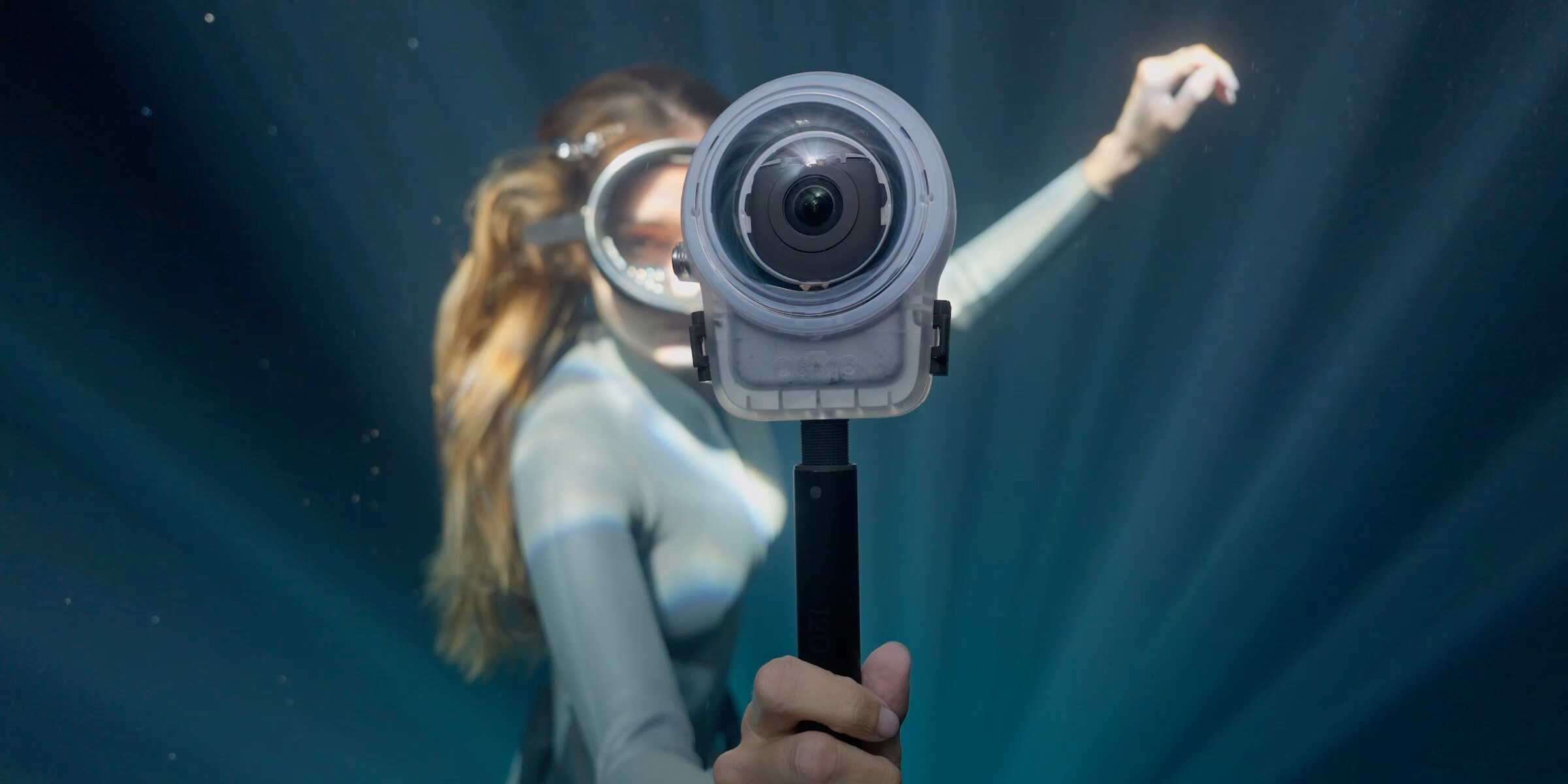
DJI Osmo 360 II can go underwater to 10 m without a case, but DJI does not recommend bare-camera underwater filming. The dual convex fisheye lenses can suffer from underwater refraction, creating distortion and stitching errors. The Osmo 360 Invisible Waterproof Case extends the depth reference to 50 m and adds dedicated optical elements designed to improve underwater panoramic stitching.
Fast answer
Rain or an accidental dunkThe body’s sealing matters.
Planned snorkelingUse the case for more predictable 360 results.
Scuba divingUse the case, up to DJI’s 50 m reference.
The decision in one table
10 m Bare Camera vs 50 m Waterproof Case
“Waterproof” answers a pressure-and-ingress question. It does not, by itself, answer whether two fisheye views will stitch cleanly underwater.
Swipe to see every column.
| Setup | Maximum official depth | For planned underwater 360 filming? | What changes |
|---|---|---|---|
| Osmo 360 II body only | 10 m | Not recommended | Sealing can resist water within stated conditions, but refraction can cause distortion and stitching errors. |
| Invisible Waterproof Case | 50 m | Yes | Dedicated optical elements compensate for underwater refraction and support more natural panoramic stitching. |
| Transparent Lens Protectors | Not applicable | No | DJI says they are splash-proof and must not be used underwater; wet or humid conditions can also cause fogging. |
Yes, with important limits
Can DJI Osmo 360 II Go Underwater Without a Case?
Yes, down to DJI’s 10 m body-only reference—but that is not a recommendation to make the bare camera your underwater 360 setup. Before any water exposure, the battery compartment cover and USB-C port cover must be securely closed. The condition of the covers, seals and camera also matters.
DJI advises against using the camera without its waterproof case for long underwater sessions or in water with high impact pressure. It also says not to use the camera in hot springs or extreme underwater environments, or expose it to corrosive or unknown liquids.
Think of 10 m as a protection capability, not an image-quality promise. It is useful around rain, splashes and accidental brief submersion within the stated conditions. It does not remove the optical problem that appears when a 360 camera’s two convex lenses move from air into water.
The counterintuitive part
The Waterproof Case Is About Image Quality, Not Just Depth
A 360 camera needs two very wide, outward-facing fisheye lenses. In air, the optical system and stitching model expect light to travel through a familiar air-to-lens path. Underwater, the refractive index changes. The apparent geometry seen by each lens changes too, and the two halves of the panorama may no longer meet as expected.
That is why DJI explicitly warns that the bare camera can produce underwater distortion and stitching errors even though the body is waterproof to 10 m. The conclusion is simple: the 50 m case is not only a deeper pressure shell. It is part of the underwater optical system.
What the accessory actually adds
How the Invisible Waterproof Case Corrects Underwater Refraction
The Invisible Waterproof Case uses a custom optical lens to compensate for underwater refraction. DJI describes the result as more natural, seamless panoramic stitching. Its shape also enables unobstructed 360° underwater capture and removes the bottom blind spot associated with a conventional housing base.
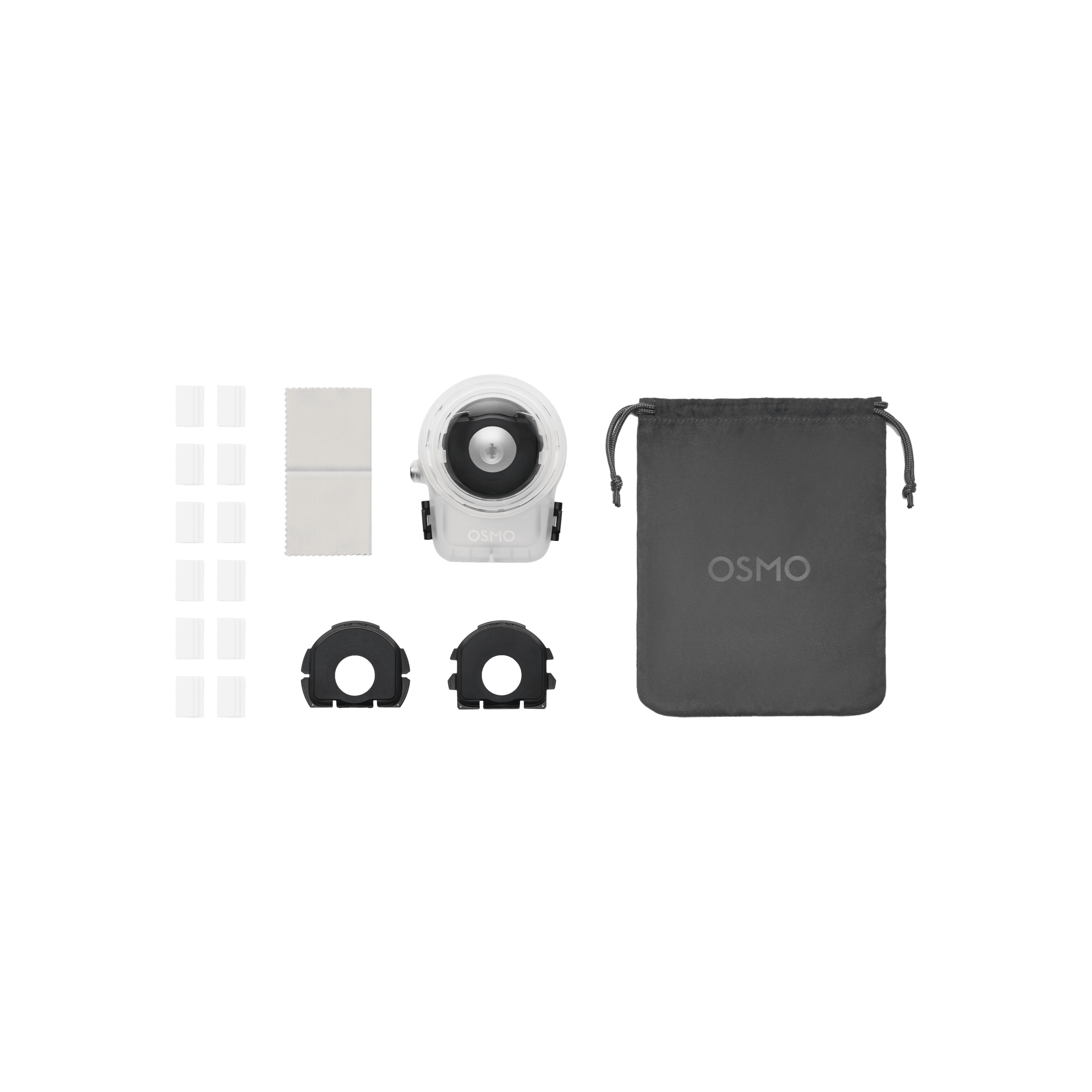
For mounting, the bottom includes a 1/4-inch thread. The case is rated to 50 m under DJI’s stated conditions. Those details make it the intended accessory for snorkeling, recreational diving and any shoot where the underwater panorama—not merely camera survival—is the goal.
SpeedyDrone did not have a live product page for the Osmo 360 Invisible Waterproof Case when checked on September 12. Contact SpeedyDrone to confirm Canadian ordering options before planning a trip around it; do not treat an unavailable page as proof of stock or price.
A number most guides miss
What Does DJI’s 1 m Safe Stitching Distance Mean?
DJI lists a 1 m safe stitching distance underwater when the Invisible Waterproof Case is used. It is a laboratory reference, not a guarantee that every subject at exactly one metre will stitch perfectly. DJI says actual performance can vary with the diving environment and product condition.
In practice, give the camera room. A diver, reef scene, larger fish or swimming companion can be easier to place across the two-lens panorama than a face or small object held very close to the housing. Keep critical facial features and small subjects away from the stitch boundary, record a short test and review it before committing to a long sequence.
If you hold the camera near your face or move it within arm’s length of a small subject, do not assume software will hide every seam. “Invisible” describes the intended 360 result; it does not suspend minimum-distance and parallax limits.
Snorkeling and scuba
When Is the Case Actually Necessary?
- Rain, splash or accidental brief dunk
- The 10 m body-only rating provides useful protection when all covers are closed and the camera is in sound condition. For a planned 360 sequence, the case still gives the more appropriate optical path.
- Snorkeling below 10 m
- Technically inside the body depth reference, but use the case when you care about panoramic stitching, lens protection and repeatable results.
- Scuba diving
- Use the case. DJI’s maximum reference is 50 m with it; the body-only limit remains 10 m. Do not claim or plan for support beyond 50 m.
- Hot springs or unknown liquids
- Do not infer that the case overrides DJI’s warning. Choose a different setup or obtain explicit current manufacturer guidance.
Remove the wrong accessory
Can You Use Transparent Lens Protectors Underwater?
No. DJI says the Osmo 360 Transparent Lens Protectors are splash-proof only and must not be used underwater. Water, snow, fog and humid environments can also create moisture between a protector and the lens, degrading the image you intended to protect.
Do not treat the protectors as a substitute for the waterproof case or stack accessories because their shapes appear to fit. Configure the camera exactly as DJI specifies for the waterproof-case workflow. Keep both the camera lens and any removed accessory clean and dry.
SpeedyDrone’s exact DJI OSMO 360 Transparent Lens Protectors page repeats the no-underwater instruction. On September 12, the page showed a backorder notice and a sold-out purchase state; confirm the current ETA if you also need dry-condition protection.

Before every dive
Waterproof Setup Checklist
A depth number assumes the equipment is correctly closed, clean and undamaged. Complete the inspection somewhere dry and well lit, not while standing at the edge of the water.
- Battery compartment fully closed
- USB-C port cover fully closed
- Case interior completely dry
- Latch closes and operates normally
- Rubber sealing ring clean and intact
- Seal correctly seated with no sand or hair
- Optical domes clean and visibly unscratched
- Correct underwater accessory configuration
- Enough battery for the planned session
- Enough storage in the selected mode
- Short recording and stitching test completed
- Depth and recovery plan remain conservative
Do not dive with a questionable seal or scratched dome. A damaged seal threatens water resistance; a damaged optical surface can undermine the stitching improvement that makes the case valuable.
Salt, sand and storage
How to Maintain the Waterproof Case After Salt Water
DJI’s case instructions are specific: after seawater use, rinse and soak the case thoroughly in fresh water. This helps prevent seawater corrosion and keeps residual sand from scratching the optical lens. Do not add other cleaning agents.
- Rinse and soak in fresh water. Keep salt and loose sand from drying on the housing.
- Clean the surface with a soft, dry cloth. Avoid abrasive fabric and keep grit away from the dome.
- Let it dry without forced heat. DJI says not to use a hair dryer or stove.
- Store it in the protective pouch. The convex optical lens is scratch-prone; protect it from bumps, drops and loose gear.
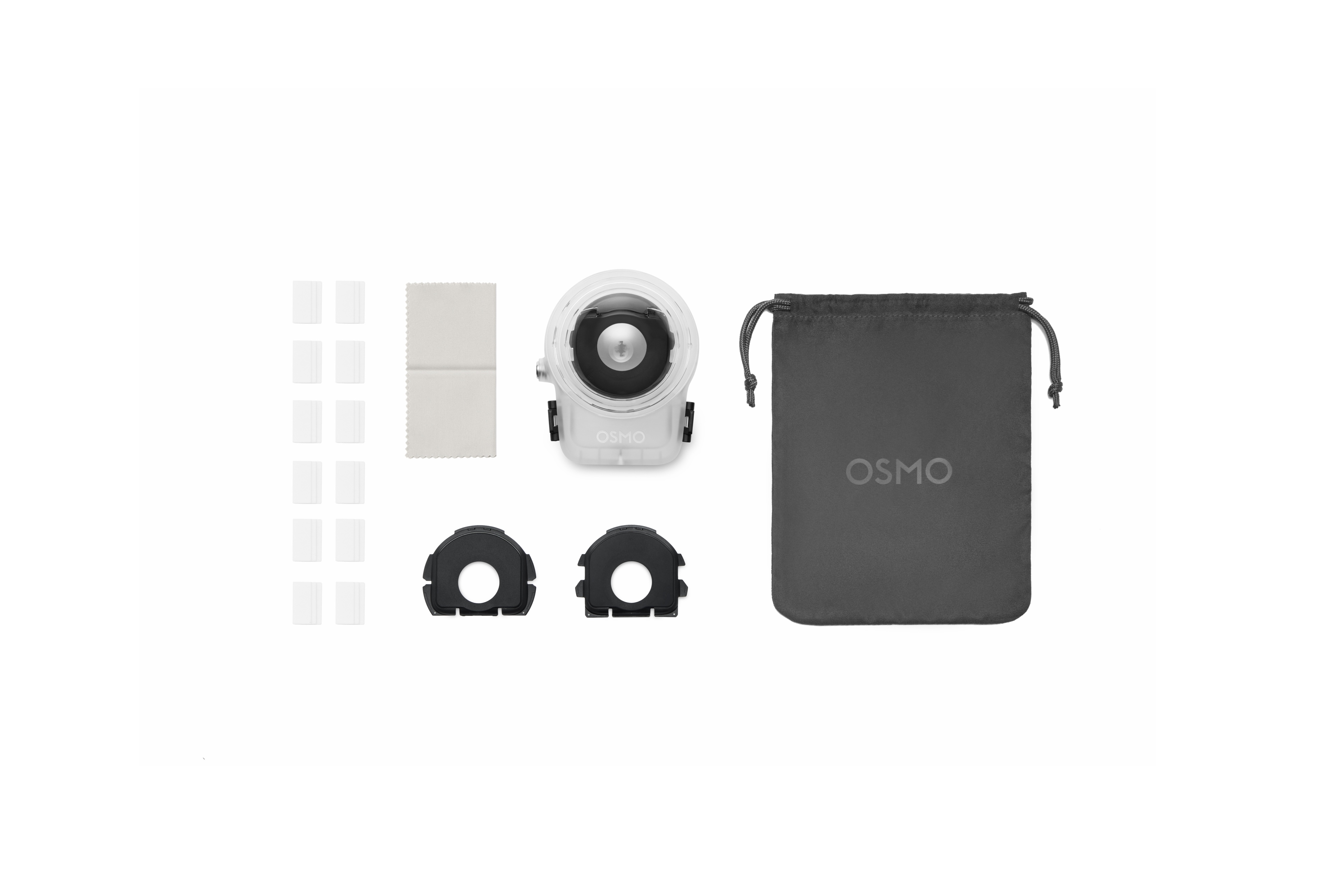
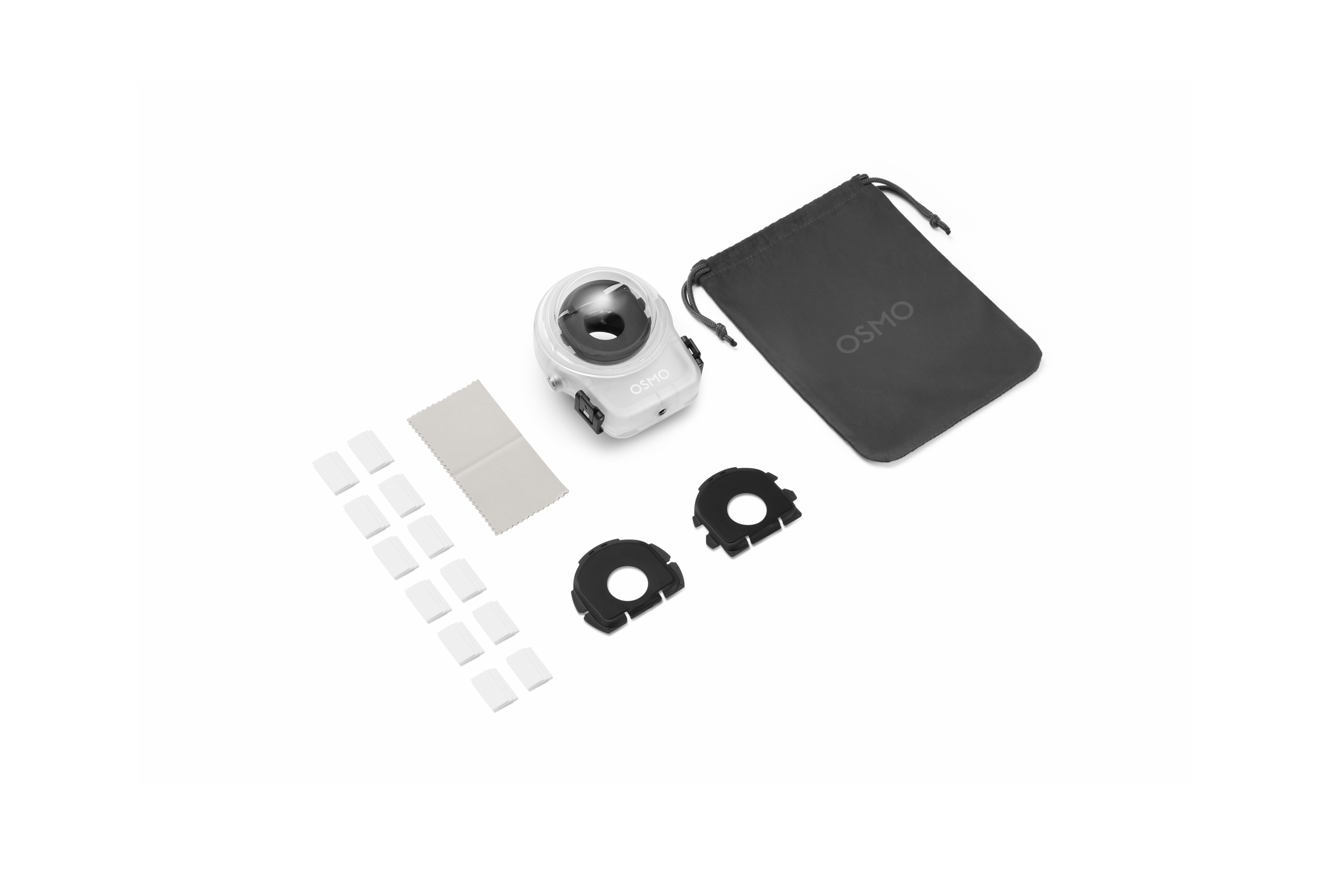
The package includes anti-fog inserts. Use them according to DJI’s current instructions; do not improvise with household anti-fog products. A dry case and sensible temperature transition are especially important when moving from a warm car or humid shore into cold water.
Pools, lakes and the coast
Using Osmo 360 II Underwater in Canada
Canadian water changes the preparation more than the published depth. In an Ontario cottage lake, suspended sediment can reduce visibility and shoreline sand can reach the seal or optical dome. Assemble the housing away from loose grit, keep the case closed until you are in a clean setup area and maintain more than the minimum subject distance when visibility allows.
On the BC coast or a saltwater trip, the fresh-water rinse and soak become essential. Salt crystals and sand are both maintenance risks. In cold water, the temperature change from a warm vehicle, hotel or humid beach can make condensation management more important. Start with a dry interior and use the supplied anti-fog insert as directed.
For pools, do not assume that “waterproof” means maintenance-free. DJI’s specific rinse-and-soak instruction is written for seawater; follow the current case manual for other water types and never add unapproved cleaners. Whatever the location, do a shallow, low-risk test before a once-only dive.
What the numbers do not promise
What the Waterproof Rating Does Not Mean
A 10 m or 50 m depth reference does not promise unlimited time, resistance to every wave or impact, a clean panorama at any subject distance, or protection after wear, debris or damage. It also does not certify the setup for hot springs, corrosive liquids, unknown water chemistry or dives beyond the stated maximum.
The case cannot fix poor visibility, backscatter, a dirty dome or a subject crossing the stitch boundary too close to the camera. It improves the intended underwater optical path; the diver still has to prepare, compose and maintain the system correctly.
Choose by the shot
Which Underwater Setup Should You Use?
The case is the default when underwater 360 footage is planned. Bare-body waterproofing remains valuable, but it is mainly a resilience feature.
Swipe to see the recommendation.
| Scenario | Bare camera | Invisible Waterproof Case |
|---|---|---|
| Rain or splash | Normally sufficient, with covers closed | Usually unnecessary |
| Accidental brief submersion | Protection within stated conditions | Not always necessary |
| Pool quick clip | Within the body rating, but not DJI’s recommended underwater filming setup | More appropriate for 360 stitching |
| Planned snorkeling | Technically within 10 m, but not the recommended filming setup | Recommended |
| Serious underwater 360 video | No | Yes |
| Scuba diving | No beyond 10 m | Yes, up to 50 m |
| Dive deeper than 50 m | No | No |
| Hot springs or unknown liquids | Do not use | Do not assume support |
Check the Invisible Waterproof Case Before You Book the Dive
You are not buying the case only for another 40 m of depth. You are buying the optical correction DJI designed for better underwater 360 stitching.
SpeedyDrone did not have a live case product page on September 12. Confirm Canadian ordering options early; do not wait until the trip to discover that the housing, seal inspection or fit test still needs attention.
Browse the current Osmo 360 collection · Ask SpeedyDrone about case availability
Osmo 360 II Underwater FAQ
Short answers to the questions that matter before the camera enters the water.
Is DJI Osmo 360 II waterproof?
Yes. DJI rates the camera body waterproof to 10 m under its stated conditions. The battery compartment cover and USB-C port cover must be securely closed, and the camera must be in sound condition. DJI still does not recommend the bare camera for underwater filming because refraction can cause distortion and stitching errors.
Can I use Osmo 360 II underwater without a case?
Yes, within the 10 m body-only reference and other conditions, but it is not DJI’s recommended underwater filming setup. Use the Invisible Waterproof Case when the planned result is a stitched 360° video rather than simple water resistance.
Why do I need the waterproof case below 10 m?
Because the case does more than add depth. Its custom optical lens compensates for underwater refraction, helping the two fisheye views stitch more naturally. It also provides physical housing protection and removes the bottom blind spot for unobstructed 360° capture.
How deep can Osmo 360 II go with the case?
DJI lists the Osmo 360 Invisible Waterproof Case to 50 m under the stated conditions. Do not claim or plan for use deeper than 50 m, and inspect the dry interior, latch, seal and optical surfaces before every dive.
Can I use Osmo 360 Transparent Lens Protectors underwater?
No. DJI says the Transparent Lens Protectors are splash-proof only and must not be used underwater. Moisture in water, snow, fog or humid environments can also cause fogging. Use the accessory configuration specified for the waterproof case.
What is the safe stitching distance with the case?
DJI lists 1 m underwater. That number comes from controlled laboratory testing and should be treated as a reference; actual performance varies with the dive environment and the condition of the product. Give important subjects more room whenever possible.
Can I use Osmo 360 II in salt water?
Use the proper underwater case workflow and follow the depth and environment limits. After seawater use, DJI instructs owners to rinse and soak the case thoroughly in fresh water, avoid other cleaning agents, wipe it with a soft dry cloth and avoid forced heat.
How do I reduce fogging in cold water?
Start with a completely dry case interior, avoid trapping humid air when possible and use the included anti-fog insert according to DJI’s instructions. Do not invent a chemical treatment or drying method; DJI specifically warns against using a hair dryer or stove on the case.
Sources and Verification Notes
Depth, sealing limitations, underwater refraction and the 1 m safe stitching-distance reference were checked against DJI’s current Osmo 360 II specifications and support guidance. Case care, included items and optical claims were checked in DJI’s current setup guide. SpeedyDrone product identity and online orderability were checked September 12, 2026 and can change.
DJI Osmo 360 II specifications
DJI Osmo 360 II setup and waterproof-case guidance
DJI Transparent Lens Protectors instructions
Recommendations about snorkeling, composition and Canadian environments are editorial guidance based on the cited manufacturer limits. SpeedyDrone has not independently pressure-tested the camera or case and does not replace dive training, current product instructions or a conservative safety plan.
For Planned Underwater 360, Use the Case
The bare camera’s 10 m rating is useful protection. The case is the actual underwater imaging tool: 50 m depth reference, optical refraction correction and a more predictable stitch.
Check availability before your trip, inspect the seal before every dive and keep important subjects at least one metre away.


