


Robot Dog Inspection Workflows: Thermal Cameras, LiDAR, Gas Sensors and Teleoperation
Build an inspection system that can map the site, detect abnormal heat, monitor atmospheric hazards, stream evidence to a remote operator and turn sensor data into maintenance or emergency-response decisions.
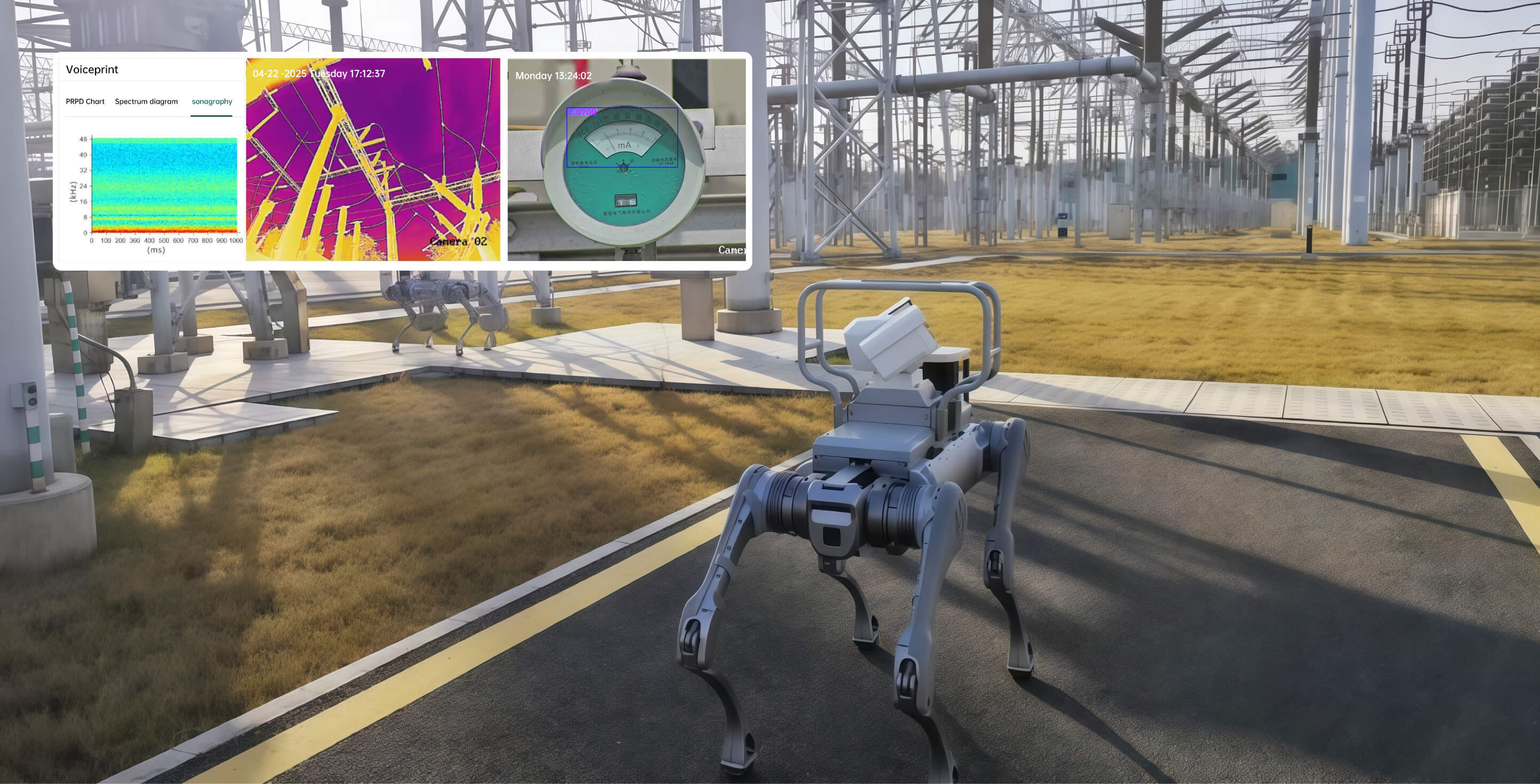
Use LiDAR to localize and navigate, thermal imaging to compare heat patterns, gas sensors to monitor selected atmospheric hazards, and teleoperation whenever autonomy confidence, communications or site conditions fall outside approved limits.
A robot dog does not inspect anything by itself
Inspection value comes from a chain: the robot reaches the asset, sensors capture useful evidence, software associates that evidence with the correct location and equipment, an operator or algorithm interprets it, and the result creates a work order, alarm, shutdown decision or maintenance trend.
Reach the inspection point
Stairs, grating, rubble, narrow routes, slopes and wet surfaces determine whether the platform can repeat the mission with its actual payload.
Capture the right signal
Thermal, visible, acoustic, gas and LiDAR sensors must be selected for the asset, hazard, distance, environment and decision requirement.
Know where evidence belongs
Maps, waypoints, asset IDs and timestamps connect each image or reading to the exact inspection target.
Maintain operator awareness
Video, commands, alarms and robot health need sufficient bandwidth, latency control and a defined response to link degradation.
Convert data into action
Alarm thresholds, comparison rules, confidence scores and operator review determine whether the result is informational, urgent or mission-stopping.
Close the maintenance loop
Reports, work orders, trend history and audit records determine whether the robot improves operations or only creates more files.
Do not purchase sensors before defining the decision. “Detect overheating” must become a measurable requirement: target assets, operating state, viewing angle, baseline, threshold, review process and required maintenance response.
Define → Map → Validate → Patrol → Detect → Escalate → Report → Improve
Define
Identify assets, hazards, decisions, frequency, evidence and success criteria.
Map
Create the route, asset IDs, inspection poses and communications survey.
Validate
Test sensors, calibration, thresholds, payload balance and safe-stop behaviour.
Patrol
Execute the approved route under autonomous, assisted or remote control.
Detect
Compare thermal, visual, acoustic and atmospheric data to known baselines.
Escalate
Pause, teleoperate, re-observe, retreat or notify personnel under defined rules.
Report
Generate asset-linked evidence, exceptions, trend charts and work requests.
Improve
Review false alarms, missed detections, interventions and route reliability.
Best first mission: one known route, 10–20 assets, one thermal or visible inspection objective, a staffed operator and a manually reviewed report. Add gas monitoring and autonomy only after the base route is repeatable.
Go2, As2, A2 or B2: which platform fits the workflow?
The payload, route, environmental protection and consequence of mission failure should drive the platform choice. A small robot can be easier to deploy, but heavy thermal, gas, communications and compute packages can quickly consume its payload margin.
On smaller screens, swipe the table left to compare robot categories.
| Inspection factor | Go2 EDU | As2 EDU | A2 / A2 Pro | B2 |
|---|---|---|---|---|
| Best role | Research, indoor pilots and light sensors | Compact professional pilots | Medium industrial inspection and patrol | Heavy-duty and high-consequence missions |
| Approximate weight | About 15 kg | About 18 kg | About 42 kg | About 60 kg |
| Continuous operating payload | About 8 kg working payload | Up to about 15 kg by configuration | About 25 kg; ideal conditions near 35 kg | More than 40 kg |
| Published protection | No IP rating in core Go2 comparison | IP54 on Pro / EDU | IP56; A2 Pro core components IP67 | IP67 |
| Battery workflow | Compact removable battery | Long battery on Pro / EDU | Dual hot-swappable batteries | 2250Wh battery; optional autonomous charging |
| Inspection sensing | Research integration | Industrial LiDAR on Pro / EDU | A2 Pro adds front and rear LiDAR | 3D LiDAR, depth and optical cameras by configuration |
| Best use | University and controlled indoor proof of concept | Tight-space professional pilot | Substation, plant, pipeline and patrol routes | Fire, rescue, rubble, heavy payload and severe terrain |
Payload warning: a thermal camera, pan-tilt unit, gas detector, edge computer, radio, enclosure and mounting structure may weigh far more than the camera alone. Validate installed mass, centre of gravity, power and stair stability as one system.
Thermal cameras: compare patterns before declaring temperature alarms
A thermal camera detects infrared energy and converts it into an image. That makes it valuable for finding heat differences across electrical, mechanical and process assets without physical contact.
- Transformer and switchgear heat-pattern comparison
- Bearing, motor and pump condition screening
- Insulation and heat-loss inspection
- Hot-spot confirmation after an automated alert
- Post-fire monitoring for possible reignition
- Trend comparison under comparable operating conditions
Reliable measurement requires more than image colour. Emissivity, reflections, distance, target size, angle, weather, camera calibration and equipment load can change the apparent result.
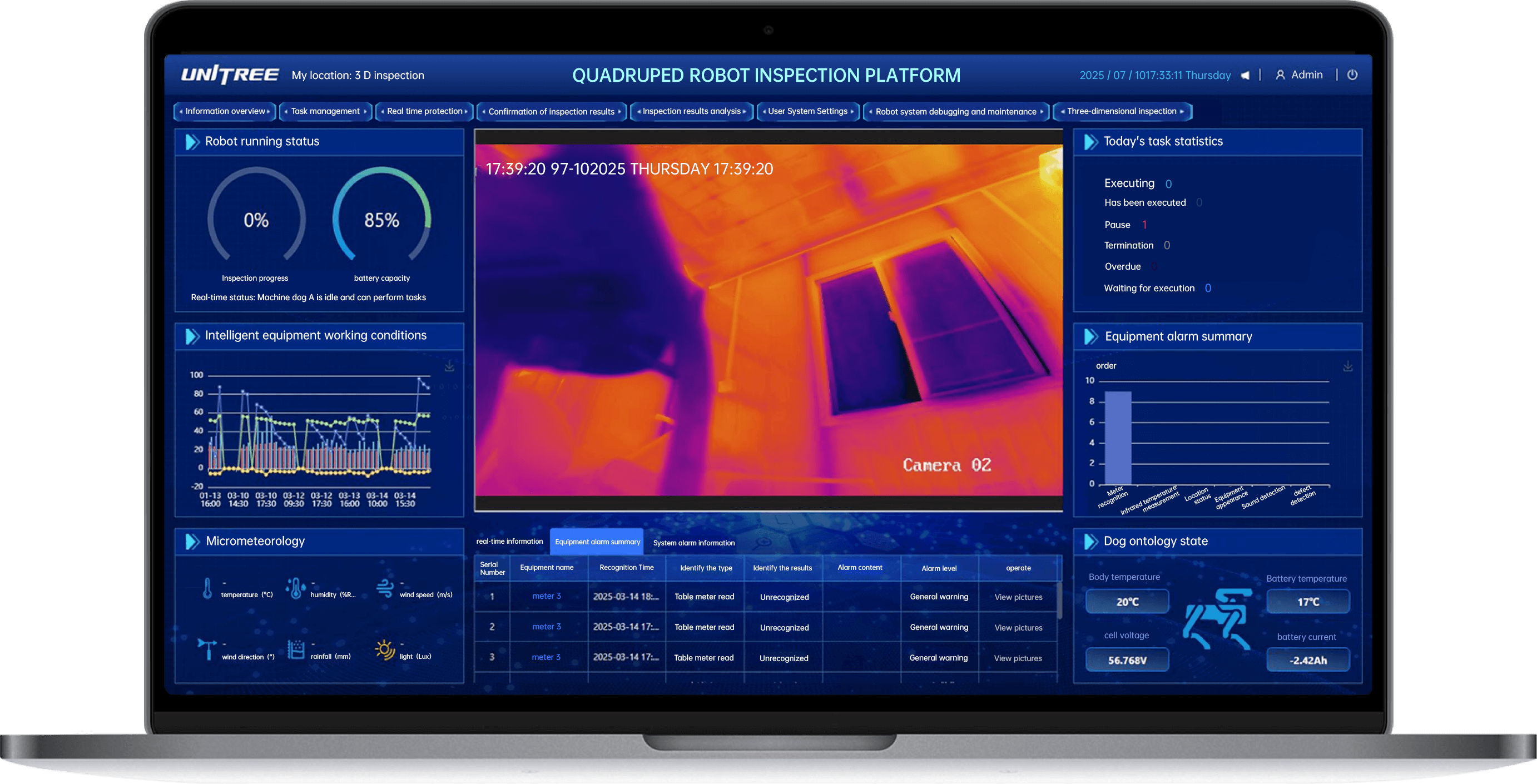
Capture a known-good condition
Record the asset under known load, ambient conditions, distance, viewing angle and camera settings.
Make observations comparable
Use a waypoint, pan-tilt pose and framing rule so the target occupies enough pixels and the angle remains repeatable.
Use deltas and context
Combine absolute temperature, change from baseline, similar-component comparison and operating state.
Confirm the anomaly
Pause, change angle, capture visible imagery and verify whether reflection, obstruction or motion caused the alert.
Trigger the approved response
Classify the result as informational, maintenance review, urgent inspection or immediate safe retreat.
Compare over time
Store image, radiometric data where available, environment, asset state and review outcome for future comparison.
Thermal rule: do not equate a bright colour with a dangerous temperature. Palettes can auto-scale. The workflow needs measurement data, baseline context and qualified interpretation—not only a screenshot.
LiDAR: navigation, localization and repeatable inspection geometry
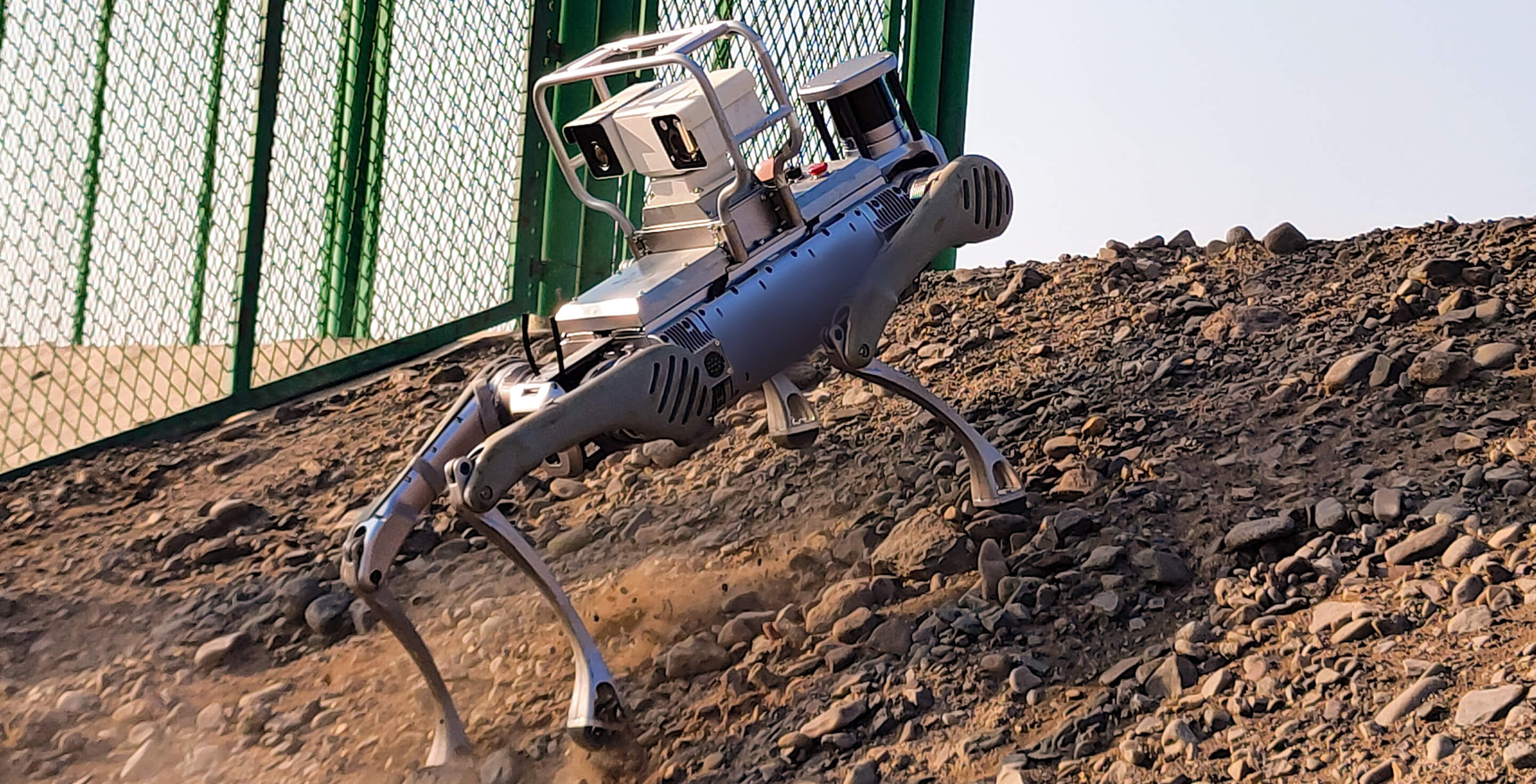
LiDAR measures distance using emitted light and supports mapping, localization, obstacle detection and route repeatability. In inspection, its value is not merely avoiding walls—it helps the system return the camera or sensor to a consistent position relative to the asset.
- Create a 3D site or route map
- Localize the robot inside the map
- Detect route blockage and changed geometry
- Associate readings with asset coordinates
- Support digital-twin and waypoint planning
- Improve repeatable camera positioning
Map quality can degrade when the environment changes, surfaces reflect poorly, dust or smoke affects returns, or long feature-poor corridors create localization ambiguity.
Survey before automating
Capture the route under representative lighting, doors, equipment, traffic and seasonal conditions.
Place the robot for the sensor
A safe navigation point may not be a good thermal or gas-sampling point. Define both travel and inspection poses.
Detect environmental drift
Construction, parked vehicles, moving equipment and seasonal clutter can invalidate planned paths or visibility.
Know when localization is weak
Set a rule to slow, pause, request operator control or retreat when pose confidence falls below the approved level.
Link readings to equipment
Use asset IDs and inspection poses so a thermal or gas reading cannot be assigned to the wrong component.
Test with the full payload
Added mass changes body height, turning, stairs, energy use and the camera’s position relative to mapped targets.
Gas sensors: select for the hazard, calibrate for the mission
“Gas detection” is not one function. The required sensor depends on the site: toxic gases, combustible or explosive atmospheres, oxygen deficiency or enrichment, volatile compounds and process-specific chemicals may require different technologies, ranges, filters and sampling methods.
Deficiency or enrichment
Oxygen monitoring supports atmospheric assessment where displacement, process activity or ventilation failure may change safe conditions.
LEL and explosive risk
Combustible-gas monitoring must match the expected gases, sensor response and site procedures.
Hazard-specific channels
Examples may include CO, H2S, NH3, SO2, Cl2 or other chemicals, depending on the process and hazard assessment.
Gas may stratify
Sensor height, airflow, source location, robot movement and low- or high-density gases affect the reading.
Verify before use
Follow manufacturer requirements for calibration, bump tests, sensor age, filters, response time and recordkeeping.
A reading must trigger action
Define whether the robot pauses, retreats, changes route, increases sampling, alarms personnel or calls for qualified confirmation.
Canadian safety principle: CCOHS states that atmospheric testing should use appropriate and calibrated equipment, be performed by a qualified or competent person where required, and have results recorded. A robot can reduce exposure, but it does not eliminate the employer’s atmospheric-testing and confined-space duties.
A practical robot-mounted gas workflow
-
Identify the expected hazard. Use the site hazard assessment, process information and applicable procedures.
-
Select the sensor technology. Confirm gas, range, resolution, cross-sensitivity, temperature and humidity limits.
-
Define sampling geometry. Decide sensor height, pump or diffusion mode, dwell time and route speed.
-
Calibrate and bump test. Follow manufacturer instructions and document the result before the mission.
-
Set warning and stop thresholds. Align alerts with site procedures and applicable occupational limits.
-
Confirm abnormal readings. Use repeat sampling, teleoperation and qualified personnel under a safe procedure.
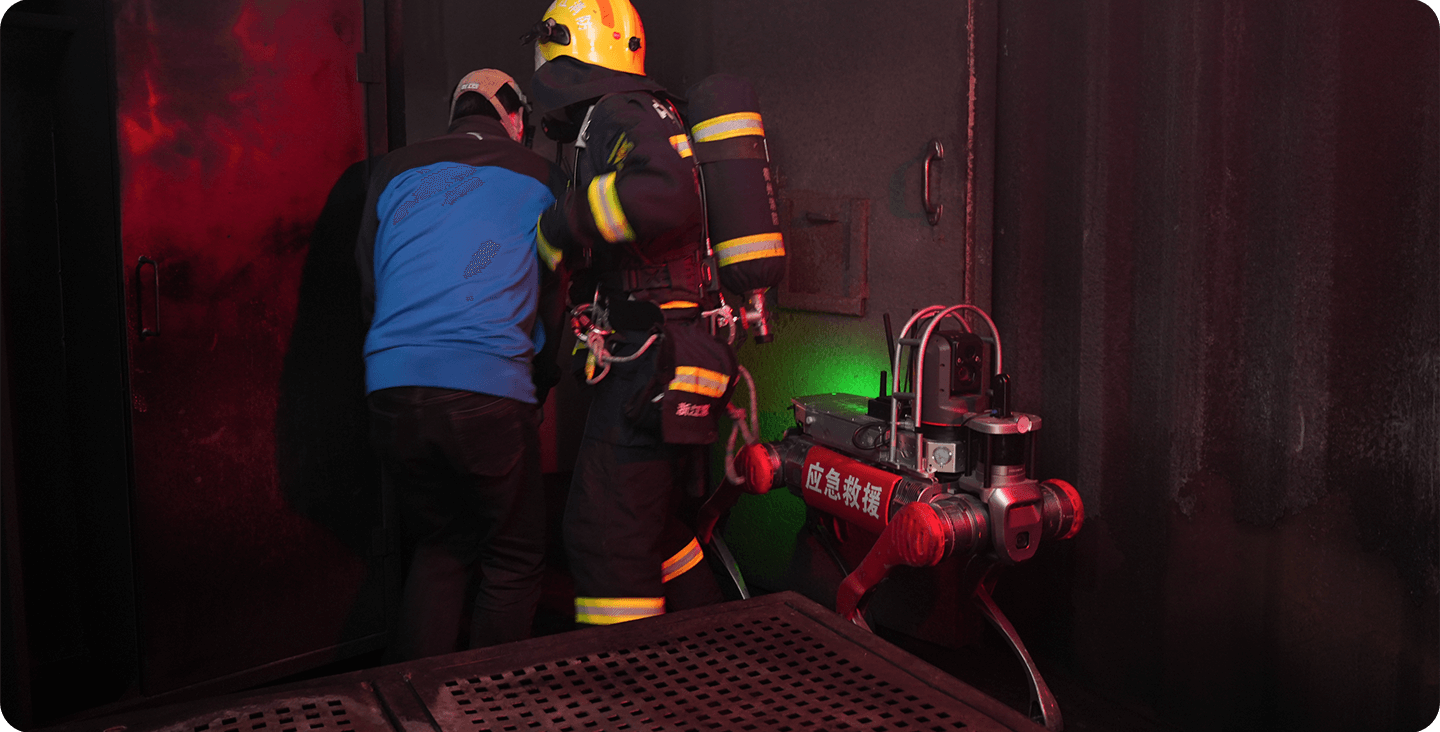
Do not claim hazardous-location suitability from an IP rating. Dust and water ingress protection is not the same as explosion-proof, intrinsically safe or hazardous-location certification. Confirm the complete robot, sensor, battery, radio and payload assembly for the site.
Teleoperation is the safety and capability bridge—not a backup button
Teleoperation allows a remote operator to command the robot while receiving video, sensor data and robot-state feedback. It is essential when the environment is unstructured, the inspection requires judgment or autonomy confidence is too low.
Robot patrols; human approves exceptions
The robot follows the route while the operator monitors health, alarms, confidence and unusual conditions.
Human commands; robot stabilizes
The operator selects direction or target while onboard controls manage gait, balance and local obstacle response.
Human manages each movement
Useful for complex reconnaissance, but it requires strong video, low latency, operator skill and clear situational awareness.
Operator adjusts the payload
Pause the robot and control pan, tilt, zoom, thermal range or gas-sampling position without manually driving the entire route.
Default to an approved state
The robot should stop, hold, retreat or return according to site risk—not continue blindly because the last command was valid.
Independent authority to stop
The Canadian Cyber Centre recommends accessible override or shutdown controls that do not rely on the AI’s cooperation.
Unitree’s fire-rescue workflow illustrates the model: the company describes long-distance video transmission, visualization for command decisions, point-to-point communications and industrial-grade remote controllers on configured systems.
Provide forward, rear, payload and context views with sufficient detail and dynamic range.
Measure end-to-end delay under normal, congested and degraded network conditions.
Show battery, link quality, posture, alarms, map position and sensor health.
Define stop, retreat, return, alternate link and physical recovery procedures.
Design alarm levels before the robot enters the site
Every alert should have a defined owner, confirmation method and response. Otherwise, the inspection system creates noise and operators learn to ignore it.
Small stable delta within approved context.
Repeat image and compare similar equipment.
Change angle, zoom or distance.
Threshold or pattern indicates urgent risk.
Normal background and sensor healthy.
Repeat sample and verify calibration status.
Move upwind, downwind or to a second height.
Site-defined warning or danger threshold reached.
Pose stable and route clear.
Confidence declining or map changed.
Operator navigates to a known area.
Pose lost or route is unsafe.
Normal latency and video quality.
Lower speed or video bitrate.
Switch network or move to coverage.
Stop, retreat or return as approved.
Normal temperatures, battery and joint state.
Unexpected vibration, heat or current.
Move to a safe service location.
Critical fault or unstable movement.
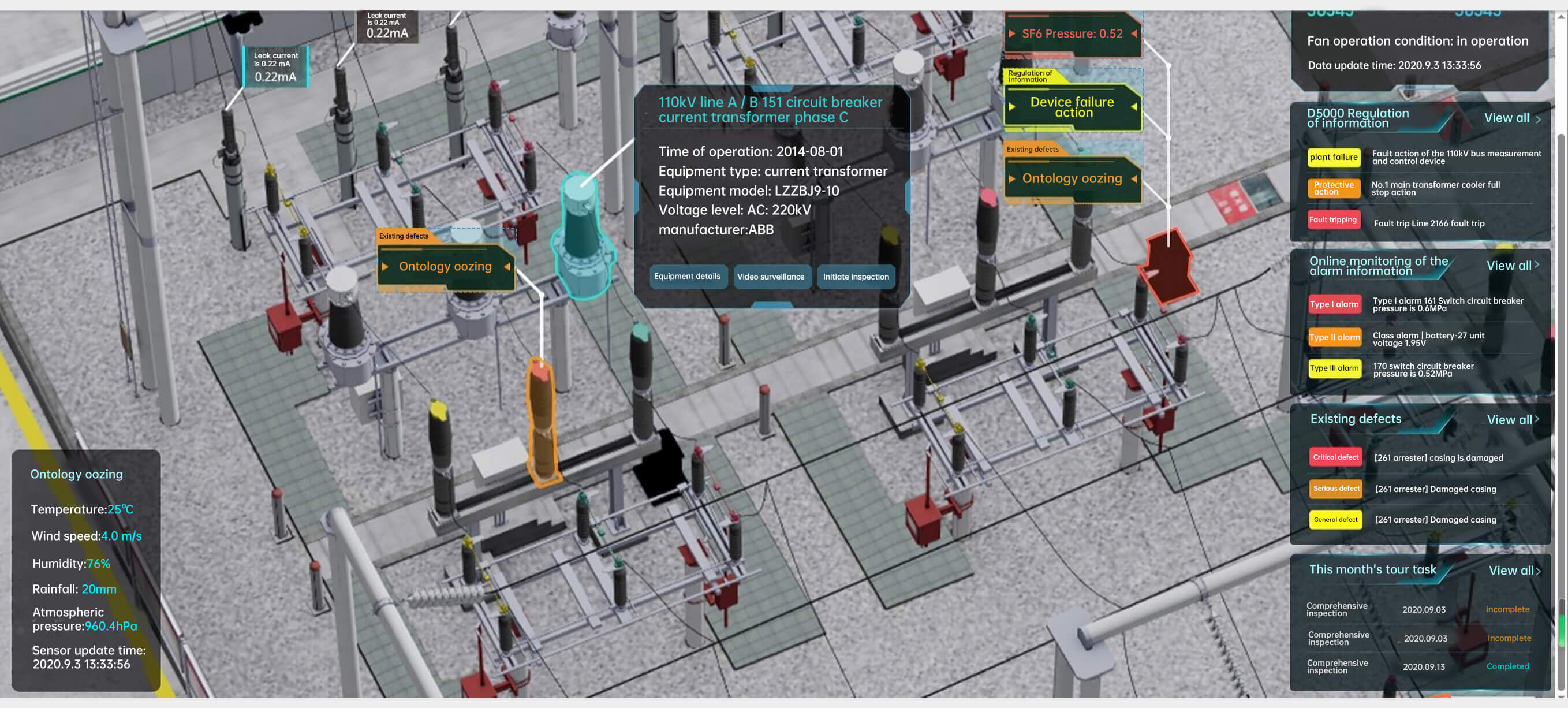
Time-sync every reading and report only actionable exceptions
A useful inspection record connects the robot’s position, asset ID, sensor reading, camera settings, environmental context, operator action and final disposition. Without synchronization, a technically accurate reading may be attached to the wrong place or time.
- Robot pose and map version
- Asset ID and inspection point
- Thermal and visible imagery
- Gas channel, units and calibration status
- Ambient conditions and equipment operating state
- Alarm rule and confidence
- Operator confirmation or intervention
- Work order, disposition and closure
Show what changed
Lead with abnormal assets, confidence, evidence and required response rather than hundreds of normal images.
Compare like with like
Match asset load, environment, angle and sensor configuration before concluding that a trend is real.
Track robot performance
Record route completion, interventions, link loss, battery use, false alarms and unavailable assets.
Create accountable work
Send approved findings into CMMS, EAM or work-order processes with priority, owner and closure evidence.
Preserve human decisions
Log who reviewed the alert, what evidence was considered, which action was taken and why.
Learn from false positives
Use confirmed outcomes to refine inspection poses, thresholds and AI models without hiding prior errors.
How the sensor stack changes by inspection mission
Thermal + visible + LiDAR
Map repeatable inspection poses, compare thermal patterns across phases, read meters and escalate abnormal equipment to a remote operator.
Gas + thermal + teleoperation
Patrol selected routes, monitor hazard-specific gases, inspect pumps or valves and use remote control near changing conditions.
LiDAR + gas + network relay
Validate localization, airflow, atmospheric sampling, communications and retreat behaviour before autonomous operation.
Visible + thermal + teleoperation
Use defined patrol zones, privacy controls and operator review rather than uncontrolled face or behaviour analysis.
Thermal + visible + gas
Search for residual heat, smoke or selected gases while keeping responders outside unstable or high-exposure areas.
LiDAR + visible + thermal
Inspect galleries, pumps, electrical equipment and structural routes, subject to moisture, communications and access controls.
Unitree’s published inspection and emergency-response workflows
Unitree publishes integrated quadruped inspection and fire-rescue systems. These examples show how payloads and command systems can be assembled, but Canadian teams should validate performance independently.
Thermal, LiDAR and AI vision
Unitree describes infrared thermography, LiDAR and AI vision for detecting temperature anomalies, equipment damage and gas leaks, with centralized analytics and reporting.
B2 with gas and communications
Unitree reports two B2 systems configured with 360-degree cameras, a dual-light cloud platform, self-networking, gas sensors and industrial remote controllers.
Multi-level remote reconnaissance
Unitree reports a B2 using camera, gas-sensing and point-to-point communication during a simulated underground commercial fire response.
Evidence boundary: these are manufacturer-reported deployments and drills. They do not establish Canadian regulatory approval, independent reliability, hazardous-location certification or guaranteed results for a different payload and site.
Safety, privacy and cybersecurity belong in the workflow
Assess integration, operation and maintenance
CCOHS recommends hazard identification and risk assessment for each stage, with tasks, environment, errors, malfunctions and emergency procedures considered.
Separate workers during automatic operation
Use barriers, scanners, signs, reduced-speed manual modes, tested stops and site-specific safe distances.
Limit collection and viewing range
The Office of the Privacy Commissioner advises organizations to define the purpose, consider less intrusive alternatives, limit camera range and provide notice.
Separate AI from operational technology
The Canadian Cyber Centre recommends segmented networks, tightly limited communications and monitoring for unauthorized or anomalous commands.
Do not rely on the AI
Override and shutdown controls should remain accessible, independent and tested regularly.
Robot readings complement—not replace—compliance
Confined-space and workplace atmospheric testing still require appropriate procedures, qualified personnel and calibrated equipment.
This article is not legal, safety-certification or engineering advice. Organizations should involve the site owner, occupational health and safety, industrial hygiene, privacy, cybersecurity, engineering, insurer and legal teams appropriate to the mission.
A 90-day robot inspection pilot roadmap
Scope and site survey
Define one route, assets, sensors, alarms, privacy, hazards, network and acceptance criteria.
Configure and baseline
Integrate payloads, map the route, calibrate sensors, create baselines and test safe-stop behaviour.
Supervised field pilot
Run staffed missions, record interventions, false alarms, missed points, battery and link performance.
Acceptance and scale decision
Compare results to manual inspection, close safety gaps and decide whether to expand assets, routes or autonomy.
Repeatable completion rate
Measure how often the robot completes every required inspection pose without unplanned human recovery.
Actionable detection quality
Compare confirmed findings, false positives, false negatives and evidence quality against the existing process.
Cost per completed route
Include labour, robot supervision, integration, maintenance, data review and downtime—not only equipment cost.
Robot dog inspection procurement checklist
Define the decisions
List assets, abnormal conditions, evidence, inspection frequency and required response.
Survey access and communications
Record stairs, surfaces, doors, clearances, dead zones, lighting and environmental conditions.
Specify measurement requirements
Define thermal resolution, range, accuracy, radiometric data, lens, mounting and calibration.
Name every hazard channel
Confirm gas, range, technology, pump, cross-sensitivity, calibration and response time.
Define mapping and localization
Confirm sensor coverage, map format, localization confidence and degraded-mode behaviour.
Specify control and feedback
Define cameras, latency, operator interface, radios, alternate links and link-loss action.
Confirm power and data interfaces
Put voltage, current, Ethernet, USB, CAN, RS485, synchronization and APIs in writing.
Test the complete system
Validate route, payload, alarms, reporting, stop behaviour and recovery under site conditions.
Plan service and calibration
Confirm warranty, spares, batteries, sensor calibration, software updates and Canadian support.
Design the inspection workflow before choosing the robot
SpeedyDrone Canada supports organizations evaluating robot dogs for utilities, industrial inspection, research, public safety and hazardous-site workflows. Send your route, environment, payload, thermal, gas, LiDAR, communications, autonomy, budget and timeline requirements for a platform and deployment assessment.
Industrial robot systems are configuration-sensitive. Confirm the platform, payload, sensors, interfaces, software, communications, environmental suitability, warranty, training and lead time before purchase.
Robot dog inspection workflow FAQ
What sensors can be mounted on a robot dog for inspection?
Common payloads include visible-light cameras, thermal cameras, LiDAR, depth cameras, acoustic sensors, gas detectors, microphones, radiation sensors, pan-tilt units and application-specific instruments. Compatibility depends on payload, power, interfaces, mounting and software.
What does a thermal camera do on a robot dog?
A thermal camera detects infrared energy and converts it into an image. It can help identify heat-pattern changes across electrical, mechanical, process and fire-related assets without physical contact.
Can a thermal image provide an accurate temperature automatically?
Not always. Reliable temperature measurement depends on camera calibration, emissivity, reflections, distance, angle, target size, environment and operating conditions. The workflow should preserve settings and baseline context.
Why does an inspection robot need LiDAR?
LiDAR supports mapping, localization, obstacle awareness and repeatable positioning. It helps the robot return to defined inspection poses and associates readings with the correct asset location.
Does LiDAR make a robot dog fully autonomous?
No. Autonomy also requires mapping, planning, localization, obstacle handling, communications, safe-stop logic and validation. Dust, smoke, reflective surfaces and site changes can affect performance.
Which gases can a robot dog detect?
It depends on the installed sensors. Packages may monitor oxygen, combustible atmospheres or selected toxic gases such as carbon monoxide or hydrogen sulfide. The exact channels must match the site hazard assessment.
Does a robot-mounted gas sensor replace confined-space testing requirements?
No. It may support remote assessment and reduce exposure, but required workplace or confined-space procedures, qualified personnel, calibrated instruments, recordkeeping and applicable legal duties still apply.
What is teleoperation?
Teleoperation is remote control by a human operator who receives video, sensor and robot-state feedback. It can be used for full driving, exception handling or precise payload positioning.
What happens if the teleoperation link fails?
The system should enter a pre-approved state such as stopping, holding position, retreating or returning to a known location. The correct response depends on the environment and risk assessment.
Which Unitree robot is best for industrial inspection?
A2 Pro is a strong medium-duty default because it combines industrial payload, dual batteries and front/rear LiDAR. B2 is better when the mission requires heavier payload, IP67 protection, larger obstacles or severe terrain.
Can Unitree Go2 be used for inspection research?
Go2 EDU can support controlled research and lightweight inspection prototypes. It should not be treated as a substitute for A2 or B2 when weather protection, heavy payload, long endurance or high-consequence industrial deployment is required.
How should thermal and gas alarms be designed?
Use site-defined levels with a clear owner and response: information, operator review, teleoperation, stop or retreat. Every threshold should have a confirmation process and documented action.
How should video privacy be managed in Canada?
Define the purpose, consider less intrusive alternatives, limit camera range, provide notice where required, restrict access, minimize retention and document how identifiable footage is handled.
How long should an inspection pilot run?
A focused 60–90 day pilot is often sufficient to validate one route, payload, communications plan, alarm process and reporting workflow before deciding whether to scale.
Where can a Canadian organization request a robot inspection assessment?
Contact SpeedyDrone Canada for platform selection, payload planning, Canadian quote support, financing questions and enterprise robotics consultation.
- Unitree Advanced Quadruped Inspection Solutions
- Unitree Quadruped Robot Fire Rescue Solutions
- Unitree A2 and A2 Pro official specifications
- Unitree B2 official specifications
- Unitree Go2 official product and comparison page
- Unitree As2 official product and comparison page
- FLIR explanation of thermal-camera operation
- FLIR guidance on emissivity and thermal imaging
- FLIR thermal-camera calibration overview
- CCOHS confined-space atmospheric testing guidance
- CCOHS robot and cobot risk-assessment guidance
- Canadian Centre for Cyber Security edge-AI deployment guidance
- Office of the Privacy Commissioner of Canada overt video-surveillance guidance
- SpeedyDrone Canada Unitree Go2 collection
- SpeedyDrone Canada enterprise consultation
- SpeedyDrone Canada financing information
Information was checked on July 21, 2026. Robot specifications, sensor packages, thermal-camera performance, gas-sensor compatibility, software, communications, payloads, pricing, regulations, package contents, warranty procedures and lead times can change. Manufacturer examples and maximum figures are configuration- and test-dependent, not guarantees. Verify the exact Canadian configuration, site requirements, sensor calibration, workplace procedures and acceptance criteria before deployment.


