


Unitree B2 • Developer integration
Plan the interfaces.
Define the data.
Validate the complete system.
A practical guide to compute, SDK2, ROS2, sensor connections and payload power—before you specify a B2 configuration.
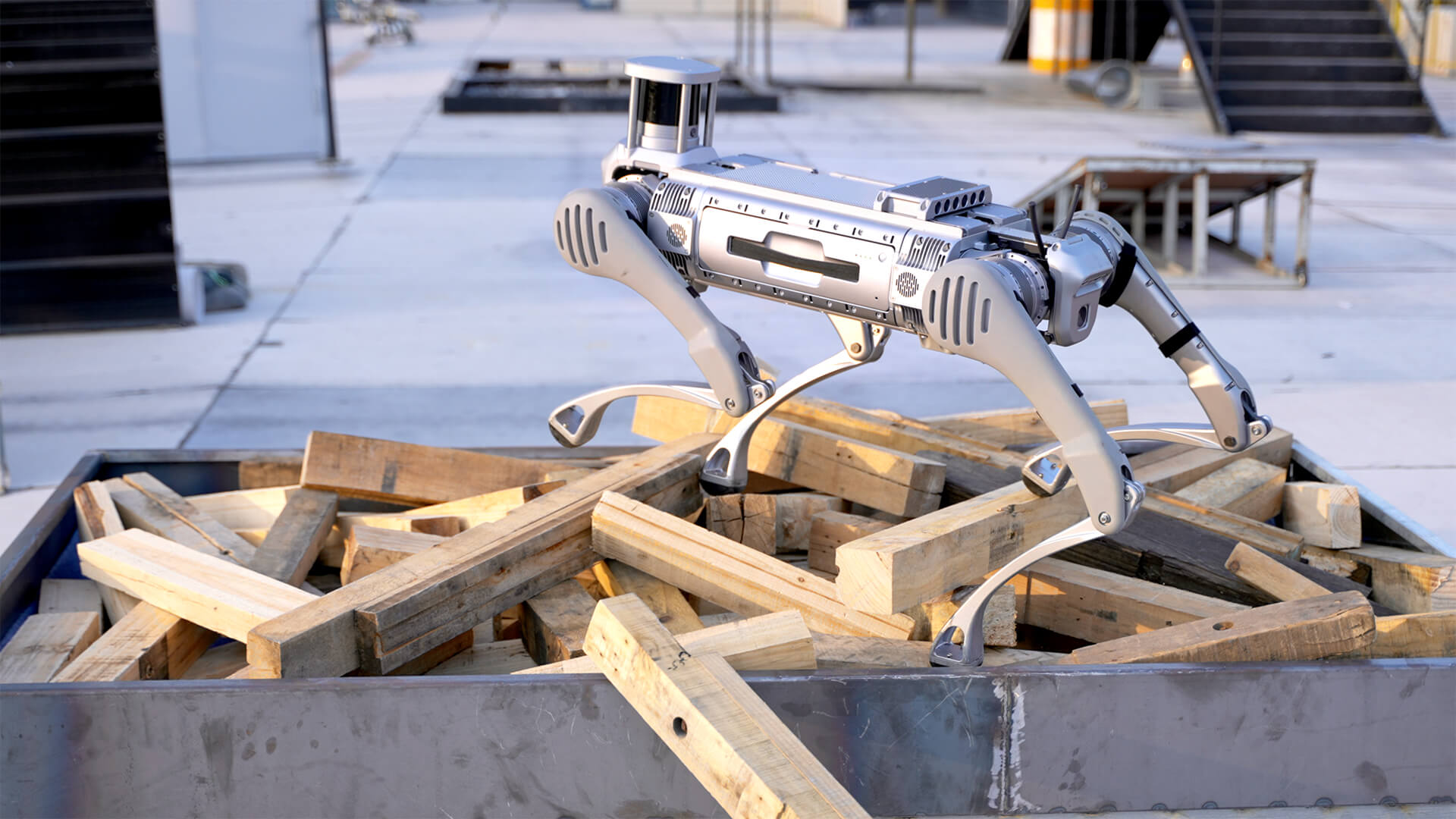
Unitree B2 secondary development starts with a configuration and interface agreement, not just an SDK download. Confirm the delivered computers, sensor models, power limits and developer access, then decide how your application will communicate with the robot and its payloads.
Unitree distinguishes platform-function compute from user-development compute and lists Orin NX as optional. Its public SDK2 and ROS2 resources provide a development path, but they do not guarantee every third-party sensor driver, raw data stream or autonomous inspection function on every delivered B2.
For a Canadian project, the Unitree B2 configuration and quote page at SpeedyDrone is the relevant starting point. Bring the mission and interface requirements below, rather than treating a generic specification sheet as the final bill of materials.
Sources checked September 27, 2026. This is an engineering-planning reference, not a wiring guide, motion-control tutorial or report of a tested customer deployment.
What does Unitree publicly list for B2 development?
| Layer | Published configuration | What to confirm |
|---|---|---|
| Platform compute | Intel Core i5 | Platform services and permitted access |
| User-development compute | Intel Core i7 | OS, resources and development permissions |
| Optional compute | Core i7 or Orin NX; up to three devices | Exact selection, allocation and installation |
| Sensing | 1 × 3D LiDAR; 2 × depth cameras; 2 × optical cameras | Configuration, model and exposed data |
| Ethernet / USB | 4 × Gigabit Ethernet; 4 × USB 3.0 | Topology, available connections and drivers |
| Power interfaces | 12V ×4; 5V ×1; 24V ×4; BAT ×1 | Pinout, current limits and total budget |
Swipe the table on a phone. Sources: Unitree’s B2 specification and the interface sections of its B2 User Manual V1.0. Unitree notes that configurations and application conditions vary, and some functions require human operation or secondary development.
Use this table to ask better questions, not to assume spare capacity. A listed port count does not tell you which connections are occupied by the selected sensor package. Likewise, “up to three” optional computing devices is not a promise of three empty expansion positions on every robot.
Platform computer, user computer and optional Orin NX
The i5 and i7 labels describe different published roles. They do not establish which operating-system accounts you receive, which services may be changed, or how all internal computers are networked. Do not assume either unrestricted platform access or a particular protected locomotion-service layout from the processor names alone.
Ask for the delivered OS image, CPU architecture, memory, storage, usable network interfaces, recovery process and permitted software changes. Identify who owns updates on each computer. An application that works on an external workstation is not automatically ready for the onboard environment.
Separate the computing responsibilities
When should you consider Orin NX?
Consider the optional compute path when your selected software needs it—for example, a validated vision-inference or multi-camera-processing workload. Start with the model’s deployment requirements, measured latency, memory use and cooling needs, then assess the configuration. “AI compute included” is not a substitute for that work.
An accelerator does not supply a trained inspection model, localisation, route logic or safe failure handling by itself. Define where inference runs, what happens when connectivity disappears, how alerts enter the business system and who reviews them. Keep application ownership and human accountability explicit.
SDK2, Python and ROS2: different tools, not a forced chain
Unitree’s official unitree_ros2 repository explicitly includes B2 and describes CycloneDDS-based communication. ROS2 can communicate using compatible messages without requiring every application to wrap the SDK interface first.
| Resource | Role | Integration question |
|---|---|---|
| unitree_sdk2 | Unitree’s C++ SDK | Which B2 services and message definitions match the firmware? |
| unitree_sdk2_python | Official Python interface | Are the required examples and methods valid for this robot configuration? |
| unitree_ros2 | ROS2 integration using compatible communication and messages | Which ROS packages, drivers and lifecycle will the project maintain? |
| Sensor vendor SDK | Access to a selected third-party device | Does it supply the data, driver and licence the application needs? |
| Inspection application | Your logging, analysis, alerts and operator workflow | Who develops, validates and supports it? |
DDS means Data Distribution Service. Here, the useful point is distributed communication between software components, not a claim that every installed sensor automatically publishes a ROS2 topic. Sensor-specific access may still require a driver or adapter before the data becomes useful to your application.
Check the tested environment and its support lifecycle
At the check date, Unitree’s ROS2 README lists Ubuntu 20.04 with Foxy and Ubuntu 22.04 with Humble, recommending Humble. Treat that as the repository’s stated test baseline, not a guarantee of the OS installed on your B2.
There is an important lifecycle distinction: the official ROS2 release table lists Foxy’s end of life as June 20, 2023, and Humble’s as May 2027. Do not select an obsolete production stack merely because an example still references it. Equally, a newer ROS release is not automatically B2-compatible.
Freeze and record the tested robot firmware, SDK commit, ROS distribution, middleware and sensor-driver versions. Agree on the maintenance or migration plan before procurement. A repeatable versioned build is a more useful deliverable than instructions to clone whichever branch happens to be current.
High-level and low-level access carry different responsibilities
Public Unitree examples distinguish high-level motion/state interfaces from lower-level motor, IMU and battery access. The Python documentation warns against conflicting high-level sport-mode and low-level motor commands. That is a safety boundary, not an invitation to run generic examples on an unattended robot.
For a sensor-logging project, start with the least control authority needed. Confirm each required method against B2 documentation and the delivered firmware. Low-level development belongs in a controlled test programme with qualified personnel, the manufacturer’s procedures, a clear operating area and a verified stop/recovery method. This guide deliberately provides no motor-command recipes.
Ethernet and USB: a connector is only the first layer
An Ethernet thermal camera, USB imaging device or additional LiDAR can be an integration candidate, but physical connection does not establish driver or application compatibility. These are device categories to evaluate, not a list of guaranteed plug-and-play payloads.
For each proposed sensor, specify its protocol, addressing, sustained data rate, bursts, driver, operating-system support and required output format. Confirm timestamp behaviour and how the application detects stale or missing samples. A stream that opens successfully once is not yet a reliable inspection input.
Unitree’s ROS2 setup uses an Ethernet-connected development computer and an explicitly selected network interface. Follow the documentation for your actual configuration; do not copy a sample interface name or IP address into an industrial network without a network plan.
Map the onboard topology and existing users of each link. Four Gigabit interfaces do not establish four independent gigabits of available application throughput, nor do they imply Power over Ethernet. For USB, confirm the controller or hub path, driver, cable retention and power arrangement rather than relying on connector appearance.
Bring enterprise IT into the design early
As deployment guidance, review accounts, credentials, network segmentation, permitted inbound/outbound connections, remote access, update ownership and log retention. Include third-party sensors in that review. Do not assume a middleware choice or local Ethernet connection provides the complete security design.
Agree on DDS discovery/traffic requirements, address allocation, VLAN boundaries and bandwidth with the site team. Define what the application and operator should do on network loss; then test that behaviour in a controlled setting. A robot that moves correctly in the lab can still fail its mission when data or commands cross the site network.
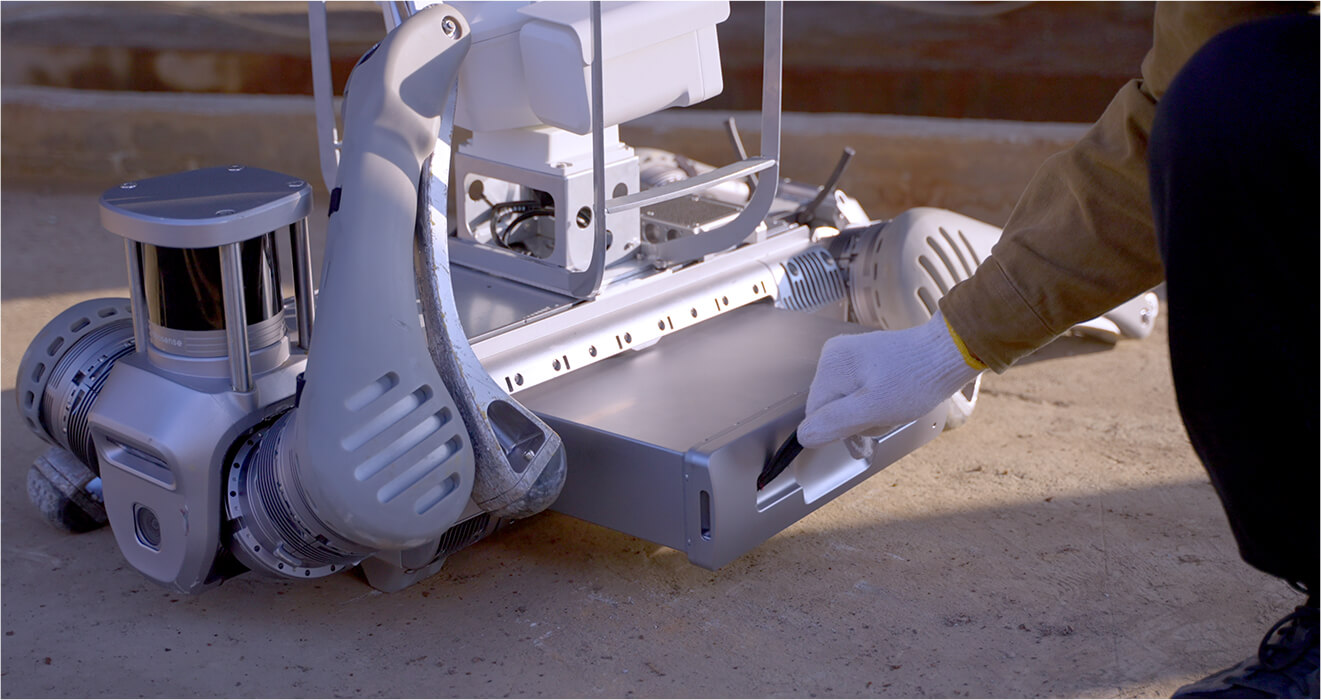
Voltage is not a payload power budget
The public voltage labels identify output categories. They do not, by themselves, provide the continuous current, startup allowance or shared system limit needed to approve a payload. Four outputs of a given voltage do not prove that four high-power devices can run together.
Unitree’s public manual includes an interface-module diagram. Use it to understand the documentation context, but obtain the current, configuration-specific connector and electrical definitions before designing a harness. A labelled drawing is not the same as a complete pinout and power-allocation agreement.
- At the connector: pin assignment, polarity, mating part, allowable voltage range, grounding and retention.
- At the rail: continuous current, transient/startup current, protection and any shared limit.
- Across the payload: simultaneous loads, converters, cooling, cable routing and the impact on operating time.
Do not infer the BAT output’s operating range or allowable current from the robot’s headline battery specification.
Ask specifically whether the quoted BAT connection is regulated, how it behaves across battery state, and what protection and isolation the integration requires. Leave unresolved electrical values marked “to confirm” in the design review. Do not replace missing ratings with a calculation based only on a nominal battery number.
Acceptance should include the complete startup sequence and sustained sensor/compute load, not only an idle power-on. Define the test and allowable results with the manufacturer or responsible integrator before connecting equipment. Power faults are not a suitable place for trial-and-error wiring.
LiDAR mapping in the app is not a raw-data access contract
The Unitree Explore App page describes LiDAR-assisted mapping and navigation using a defined road network. That establishes an app workflow; it does not establish which raw streams are exposed to your software on every configuration.
Request the fitted LiDAR and camera models and a sample recording from the intended developer interface. For a point-cloud project, specify timestamps, coordinate frames, calibration/extrinsics, update rate, fields, transport and permitted access. If you require raw data, define “raw”: a processed obstacle representation is not necessarily the measurement stream your algorithm expects.
Unitree also maintains unilidar_sdk2 for its L2 sensor. That is distinct from the robot’s unitree_sdk2. The similarly named repositories do not prove that every B2 carries an L2 or that its onboard data is exposed through that sensor SDK.
Separate built-in sensing, added third-party sensors and the application that processes their data. For every connection between those layers, identify the interface owner and the evidence that it works. Require a delivered-system demonstration when the data access is essential to the purchase.
Example: a thermal-inspection data path
The following is an illustrative architecture, not a supplied B2 feature package or a customer case study. Its purpose is to distinguish robot state/control communication from a third-party camera’s data connection.
Two inputs, one application, accountable review
For example, a project might log an image and robot pose, evaluate a defined thermal condition, and send supporting evidence to a remote operator. First confirm that the camera supplies the measurement data your analysis requires—not merely a colourised video preview.
If AI is involved, specify the model and training-data provenance separately from the computer. Set acceptance thresholds using representative site conditions and a held-out validation set; define false-alarm and missed-event handling. A detection should not become an automatic engineering diagnosis. Keep a responsible reviewer and a fallback when confidence, sensor freshness or connectivity is inadequate.
For broader mission selection, see our robot-dog inspection workflow guide. Here, the procurement question is narrower: can the quoted interfaces deliver the inputs and behaviour this application needs?
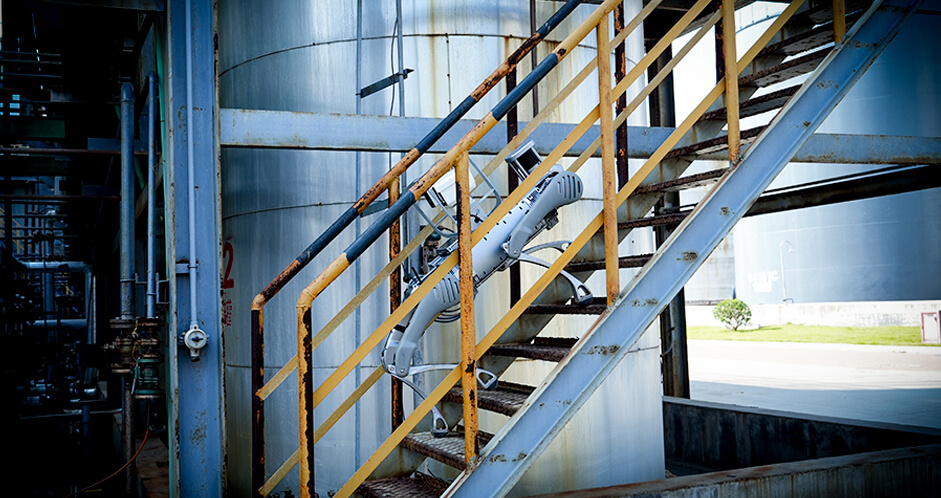
Mounting, environmental protection and runtime need system-level tests
Published carrying capacity is not approval for an arbitrary payload shape. Assess centre of gravity, mounting height, inertia, vibration, cable snagging, sensor field of view and recovery access. Turning, stopping and stair travel can expose issues that a stationary load check misses.
Likewise, the robot’s published environmental rating does not transfer to a camera, open connector or custom enclosure. Confirm the limits of the complete assembly, including seals and cable entries. Do not treat general industrial suitability as permission for an unassessed hazardous site.
Added sensors and compute change the power and thermal loads as well as mass. Measure useful mission time on the final configuration, with representative processing, communications, stops and payload operation. Manufacturer endurance examples are not a promise for an untested sensor stack.
Record a baseline before modifications and repeat the agreed tests after hardware or software changes. If the mobility platform is still undecided, the B2 vs B2-W route guide addresses that choice separately.
Define acceptance before requesting the integration quote
Translate “supports our sensor” into evidence that can be checked. Set numerical thresholds with the project team where appropriate; this table names the tests without inventing universal limits for every site.
| Area | Put in the requirement | Acceptance evidence |
|---|---|---|
| Hardware / mounting | Model, dimensions, mass, centre of gravity, mount and cable route | As-built record; retained access and field of view; controlled route test |
| Electrical | Voltage range, sustained/startup current, connector and protection | Approved electrical design and measured operation within agreed limits |
| Data | Protocol, raw/processed format, timestamps, frames and required rate | Sample recordings; continuity, timing and missing-data results |
| Compute / thermal | CPU/GPU, memory, storage, cooling and processing latency | Sustained representative workload; storage and temperature checks |
| Software | Firmware, SDK/ROS versions, drivers, licences and application owner | Versioned build, reproducible deployment and recovery record |
| Operations / network | Route, supervision, communications, stop and manual takeover | Controlled loss/recovery tests and trained-operator sign-off |
| Mission delivery | Runtime target, output quality, review process and acceptance owner | Final configured-system test with agreed pass/fail criteria |
Keep failures and unresolved interfaces visible in the handover. Include rollback instructions, calibration records, known limitations and the owner of each dependency. Passing a bench connection test is a useful milestone, but it is not the same as accepting a full inspection mission.
Frequently asked questions
Does Unitree B2 support ROS2 and SDK2?
Yes. Unitree’s official ROS2 repository names B2 and describes compatible communication with SDK2’s CycloneDDS-based system. Confirm the methods, message definitions and firmware combination your application needs. Repository support is not a guarantee that every example applies unchanged to every delivered robot.
Does B2 come with Jetson Orin NX?
Not necessarily. Orin NX is an optional configuration, not a universal standard inclusion. Ask the quote to identify the installed computer, memory, storage, OS, cooling and permitted development access. Do not choose a configuration on the assumption that a processor alone supplies an autonomous inspection application.
How many Ethernet and USB interfaces does B2 list?
The public specification lists four Gigabit Ethernet and four USB 3.0 interfaces. Confirm the delivered connector/module arrangement, occupied connections and network or hub topology. These counts do not establish independent aggregate bandwidth, PoE support or compatibility with every third-party device.
What power outputs can I use for a payload?
Unitree lists 12V, 5V, 24V and BAT output categories with the counts shown in the opening table. To approve a payload, obtain the exact current ratings, voltage ranges, connector definitions and shared limits. The voltage label alone is insufficient, particularly when startup current, converters or multiple devices are involved.
Is the onboard LiDAR always Unitree L2?
The public B2 specification does not make that guarantee; it says sensing configuration varies. Confirm the exact fitted model. The existence of an L2-specific SDK does not identify the scanner installed on a quoted B2 or prove access to its raw stream.
Does Explore App mapping guarantee raw point-cloud access?
No. An application being able to use a sensor is different from your code being entitled and able to read its raw measurements. Put format, timestamps, calibration, frequency, transport and access requirements into the acceptance criteria, and request evidence from the intended configuration.
Can I plug in a thermal camera or gas sensor?
Such devices are integration candidates, not automatically supported payloads. Validate the mechanical mount, electrical supply, data protocol, driver, operating system and environmental limits together. Then test the useful output under the intended route and operating conditions. A successful connection alone does not prove a reliable inspection workflow.
Should a new B2 project use ROS2 Foxy?
Do not choose it solely because it appears in Unitree’s tested-environment table. Foxy is already end of life. Discuss a supported, validated software baseline and maintenance plan with the integration team; Humble is the repository’s current recommendation, but its own lifecycle and your delivered firmware still need review.
Do I need low-level motor control for sensor integration?
Not automatically. Logging or analysing sensor data usually calls for a much narrower scope than replacing motion control. Define the least authority required. If the project genuinely needs low-level access, use B2-specific documentation and a controlled safety/test programme; do not run generic motor examples as an ordinary connectivity check.
Before requesting a B2 integration quote
Send a concise requirements sheet: mission and route; payload model, mass and dimensions; mounting constraints; voltage and current; Ethernet/USB needs; raw-data requirements; compute and SDK2/ROS2 requirements; environment; runtime target; network architecture; and acceptance tests.
Include the planned developer/operator responsibilities and any interface that is a purchase condition. SpeedyDrone can use those details to discuss the B2 configuration and identify questions that need confirmation before ordering. Scope, availability, lead time and any integration work should be agreed in the quote.
Start with the configuration your project needs.
Use the Unitree B2 enquiry page to share your mission, payload and interface requirements. Ask for the delivered hardware and development scope to be identified explicitly.
Request a B2 Configuration QuoteFor the platform overview and current options, explore the Unitree B2 collection. This guide does not promise a turnkey software package or a fixed delivery date.
Source and version notes
Primary references are linked beside the relevant sections: Unitree’s B2 specification and manual; official SDK2, Python and ROS2 repositories; Explore App; the separate L2 SDK; and the ROS2 release lifecycle table. Repository details reflect the September 27, 2026 review. Use the current, configuration-specific manufacturer documentation before implementation.


