


Automatic subject-tracking guide
DJI Osmo 360 II Spotlight Follow Explained: Can It Replace Manual 360 Reframing?
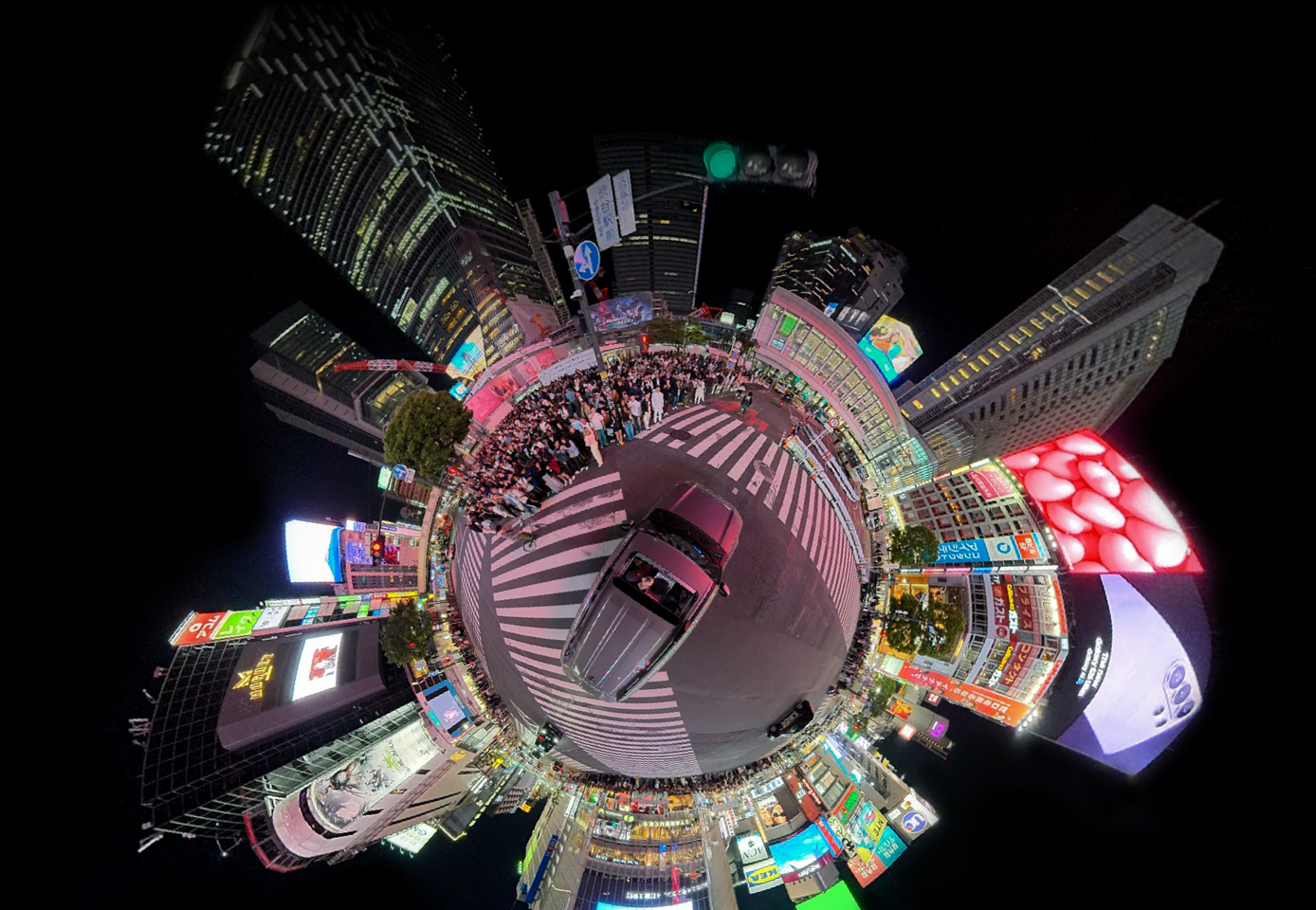
Yes—Osmo 360 II Spotlight Follow can replace repetitive tracking keyframes when one nearby person should stay in frame throughout a simple clip. It does not replace manual 360 reframing when you want to switch subjects, reveal the surroundings, change the field of view or direct a deliberate virtual camera move. DJI says Spotlight Follow detects faces in all directions within roughly two metres and can export a subject-tracked flat video through DJI Mimo or DJI Studio at up to 4K/30fps.
The short decision
Use Spotlight Follow
One person, predictable movement, fast flat export.
Reframe manually
Subject changes, reveals, effects or planned camera movement.
In this guide
The useful mental model
What Is Osmo 360 II Spotlight Follow?
Spotlight Follow is DJI’s automatic subject-following output mode for Osmo 360 II. The camera records a complete panoramic scene. Instead of asking you to draw a series of virtual-camera keyframes afterward, the software identifies a nearby face and builds a conventional flat video that follows that person.
The automation matters because a 360 camera does not need to point a physical lens toward the subject in the same way as a traditional camera. It captures the sphere first, then chooses a viewing window within that recorded sphere. Spotlight Follow automates that choice for a straightforward subject-led clip.
Spotlight Follow replaces repetitive tracking keyframes—not creative direction. It answers “keep this person in the shot.” It does not decide when the audience should look somewhere else.
The practical boundary
How Does the Two-Metre Face-Detection Range Affect Your Shot?
DJI’s current beginner guide describes Spotlight Follow as detecting faces in all directions within approximately two metres of the camera. That is a strong fit for handheld selfie-stick footage, a creator walking beside the camera, family moments at conversational distance, and action footage where the mounted camera remains close to the rider.
It is not a promise that every distant athlete, helmeted rider or partially hidden face will be acquired and held. Lighting, face visibility, crowding, motion, occlusion and subject distance can all affect a face-driven workflow. Treat two metres as a capture-planning rule: keep the main person clearly visible and near the camera, then review a representative clip before relying on automatic export for an important shoot.
What “all directions” really changes
A conventional camera can lose a subject when the lens points away. A 360 camera records views around the camera, so Spotlight Follow can select a subject-facing window even as the device rotates. DJI describes the result as keeping the subject centred regardless of camera rotation. The available view still comes from what the lenses captured; poor placement, blocked lenses or an invisible face cannot be fixed by tracking alone.
Resolution without the confusion
Why Is the Spotlight Follow Export Limited to 4K/30?
DJI’s current product materials specify flat subject-tracked exports of up to 4K/30fps through DJI Mimo or DJI Studio. That limit describes the finished conventional video, not the complete panoramic source recorded by the camera.
An 8K360 recording distributes its pixels across the entire sphere. A flat export selects only one viewing window from that sphere, so “8K360” does not mean an 8K flat crop. Spotlight Follow chooses and moves that window automatically; manual reframing lets the editor choose it. Either way, the flat frame uses only part of the panoramic source.
Keep the panoramic master
The original 360 file preserves views that a flat export leaves behind. Archive it when you may want a second angle, a vertical version or a different subject later.
Choose the export for delivery
4K/30 is a delivery ceiling for Spotlight Follow, not proof that every platform needs a 4K file. Social compression, crop, lighting and subject distance also shape the visible result.
Automation or authorship
Spotlight Follow vs Manual 360 Reframing
The faster option is not automatically the less professional one. If the creative brief is simply “keep me visible while I move,” an automatic subject-following export can be the most direct solution. Manual reframing earns its extra work when camera movement communicates something.
On a phone, swipe the table horizontally to see every column.
| Decision factor | Spotlight Follow | Manual 360 reframing |
|---|---|---|
| Main job | Keep one nearby face in a flat output | Direct the virtual camera through the full scene |
| Editing effort | Low for a simple follow shot | Higher; may require keyframes and review |
| Subject changes | Not its core strength | Editor can move between people or points of interest |
| Field of view | Automated around the followed subject | Editor controls crop, direction and timing |
| Reveals and effects | Limited creative control | Better for reveals, spins, tiny-planet looks and planned moves |
| Flat export | Up to 4K/30fps in Mimo or Studio | Depends on software, project and export settings |
| Best fit | Solo creator, family moment, straightforward action clip | Narrative edit, multi-subject scene, commercial sequence |
A different kind of tracking
Is Spotlight Follow the Same as DJI ActiveTrack?
No. They share the goal of keeping attention on a subject, but they work at different layers. On DJI gimbal cameras, ActiveTrack can make the gimbal turn with the subject. On DJI drones, ActiveTrack can make the aircraft follow a selected subject. That changes physical camera, gimbal or aircraft behaviour while recording.
Osmo 360 II Spotlight Follow does not need a motorized gimbal to turn toward the subject. The 360° scene has already been captured around the camera, and the software chooses a subject-facing virtual viewpoint inside that recorded panorama. The simplest distinction is physical follow during capture versus virtual view selection from a 360 capture. Exact ActiveTrack behaviour varies by DJI product, so do not use one device’s tracking rules as a universal specification for another.
Where automation pays off
Best Use Cases—and When to Stay Manual
Spotlight Follow is strongest when subject continuity matters more than camera choreography. It lowers the editing burden for clips that would otherwise repeat the same “keep this person centred” instruction from start to finish.
Walking and solo creation
Keep the camera within conversational distance, maintain a visible face and let the automated view follow while you talk or move.
Riding and outdoor action
It can suit cycling, skiing or motorcycle footage when the camera remains near the rider and the face is detectable. Test helmets, angles and mounting positions first.
Family and travel
Use it for a simple person-led memory when the priority is a quick, watchable flat clip—not a designed tour of every detail in the surroundings.
Let Spotlight Follow handle it
- One clear main person
- Predictable, continuous follow shot
- Fast Mimo or Studio export
- No planned reveal or subject switch
Reframe manually instead
- Several people compete for attention
- The scene matters as much as the person
- You want a change in field of view
- The virtual camera move carries the story
The beginner purchase question
Does Spotlight Follow Make a 360 Camera Easier to Own?
It removes one of the biggest beginner objections: the belief that every usable 360 clip requires a long desktop keyframing session. For a simple single-person video, the camera can capture first and the software can create a conventional subject-following result afterward. DJI Mimo keeps that path phone-first; DJI Studio offers the same stated Spotlight Follow export ceiling on a computer.
The feature does not make capture planning irrelevant. Lens cleanliness, camera height, subject distance, face visibility, lighting and the final aspect ratio still matter. Nor does it eliminate the value of learning manual reframing. The useful change is that manual work becomes a creative choice for the shots that deserve it—not a requirement for every clip.
DJI’s current comparison also lists Spotlight Follow for Osmo 360 II and not for the original Osmo 360. Buyers comparing generations should treat it as a genuine workflow difference, not simply another line in a resolution table.
Canadian buying context
Choose Osmo 360 II Around the Videos You Will Actually Make
If the goal is fast, person-led travel, family or action clips, Spotlight Follow can make the 360 workflow feel much closer to using a conventional camera. If the goal is designed virtual-camera movement, multi-subject storytelling or professional finishing, plan to keep the panoramic masters and learn manual reframing as well.
SpeedyDrone’s Osmo 360 camera and accessory collection brings the camera ecosystem together for Canadian creators. Match the camera and mount plan to the subject distance, movement and final video format you expect to use most often.

Plan Around the Subject, Mount and Export
A compact starting kit for creators who want the camera, one battery and core protective items, then plan mounts and editing around their own shooting style. Spotlight Follow is most useful when fast, person-led flat exports are central to that workflow.
Keep the main subject close enough for reliable face detection, select a mount that preserves a clear view of the person, and retain the panoramic master when a different crop or manual reframe may be needed later.
Frequently asked questions
Osmo 360 II Spotlight Follow FAQ
What is Spotlight Follow on DJI Osmo 360 II?
Spotlight Follow is an automatic subject-following output mode. Osmo 360 II records the panoramic scene, the software detects a nearby face, and DJI Mimo or DJI Studio can create a conventional flat video that follows that person. It is designed to reduce manual reframing for simple subject-led clips rather than replace every creative editing decision.
How far away does Spotlight Follow work?
DJI’s current beginner guide says Spotlight Follow can detect faces in all directions within approximately two metres of the camera. That makes camera placement important. Keep the main person close and clearly visible, and test demanding conditions such as helmets, partial face coverage, crowds, low light or fast movement before an important shoot.
Does Spotlight Follow remove the need to reframe 360 footage?
It can remove much of the keyframing for a straightforward one-person follow shot. Manual reframing remains better when you want to change subjects, reveal the scene, alter the field of view, create a tiny-planet effect or direct a specific virtual-camera move. Use automation for continuity and manual control for storytelling.
What resolution does Spotlight Follow export?
DJI currently specifies flat Spotlight Follow exports up to 4K/30fps through DJI Mimo or DJI Studio. The 8K figure associated with panoramic capture describes the complete spherical source, not an 8K conventional crop. A flat export uses only a selected viewing window from that sphere.
Can I use Spotlight Follow in DJI Mimo?
Yes. DJI’s beginner guide describes selecting a person and directly exporting the finished video through DJI Mimo. This is the shortest phone-first route for a simple social clip. Keep the original panoramic file if you may want a different composition or aspect ratio later.
Can I use Spotlight Follow in DJI Studio?
Yes. DJI’s current Osmo 360 II product materials state that tracked flat videos can be exported through DJI Mimo or DJI Studio at up to 4K/30fps. Studio is useful when you prefer a larger desktop workspace or want to organize and review more footage.
Is Spotlight Follow the same as DJI ActiveTrack?
No. DJI ActiveTrack implementations on gimbals or drones can change physical device behaviour during capture, such as moving a gimbal or following with an aircraft. Spotlight Follow selects a virtual viewpoint from an already captured 360° scene. Both keep attention on a subject, but the mechanism and device behaviour are different.
Does the original DJI Osmo 360 have Spotlight Follow?
DJI’s current Osmo 360 II comparison lists Spotlight Follow for the second-generation camera and shows no corresponding feature for the original Osmo 360. That makes it a meaningful workflow upgrade for buyers who want automatic person-following flat exports. Recheck DJI’s current comparison before publication because software features can evolve.
Sources and Version Check
- DJI Osmo 360 II announcement — feature purpose, subject-centred output and mobile workflow.
- DJI Osmo 360 II beginner guide — face detection in all directions within approximately two metres and Mimo export.
- DJI Osmo 360 II product and comparison page — Mimo/Studio flat export, 4K/30fps ceiling and original-model comparison.
- DJI Pocket ActiveTrack guide — example of physical gimbal tracking behaviour.
Feature behaviour and app interfaces can change with firmware and software updates. Check the linked DJI documentation when planning a critical workflow.
Capture everything, automate what is simple
360 Editing Does Not Have to Start With a Timeline Full of Keyframes
Let Spotlight Follow handle the straightforward “keep me in frame” clips. Save manual reframing for the shots where camera movement is part of the idea. If editing difficulty is the last objection before buying, SpeedyDrone can help you match the camera, mounts and workflow to the videos you actually plan to deliver.
Explore the DJI Osmo 360 II Collection


