


Choose DJI Osmo Pocket 4 for handheld travel films, walking vlogs and solo shots that benefit from a moving three-axis gimbal. Choose Osmo Action 6 for mounted activity, water and colder outdoor conditions—or when one square recording needs to become both landscape and portrait video.
The practical question is where the camera will spend your trip: in your hand while you compose a shot, or attached to your equipment while you concentrate on the activity. Both can vlog. Their different designs matter more than a headline resolution.
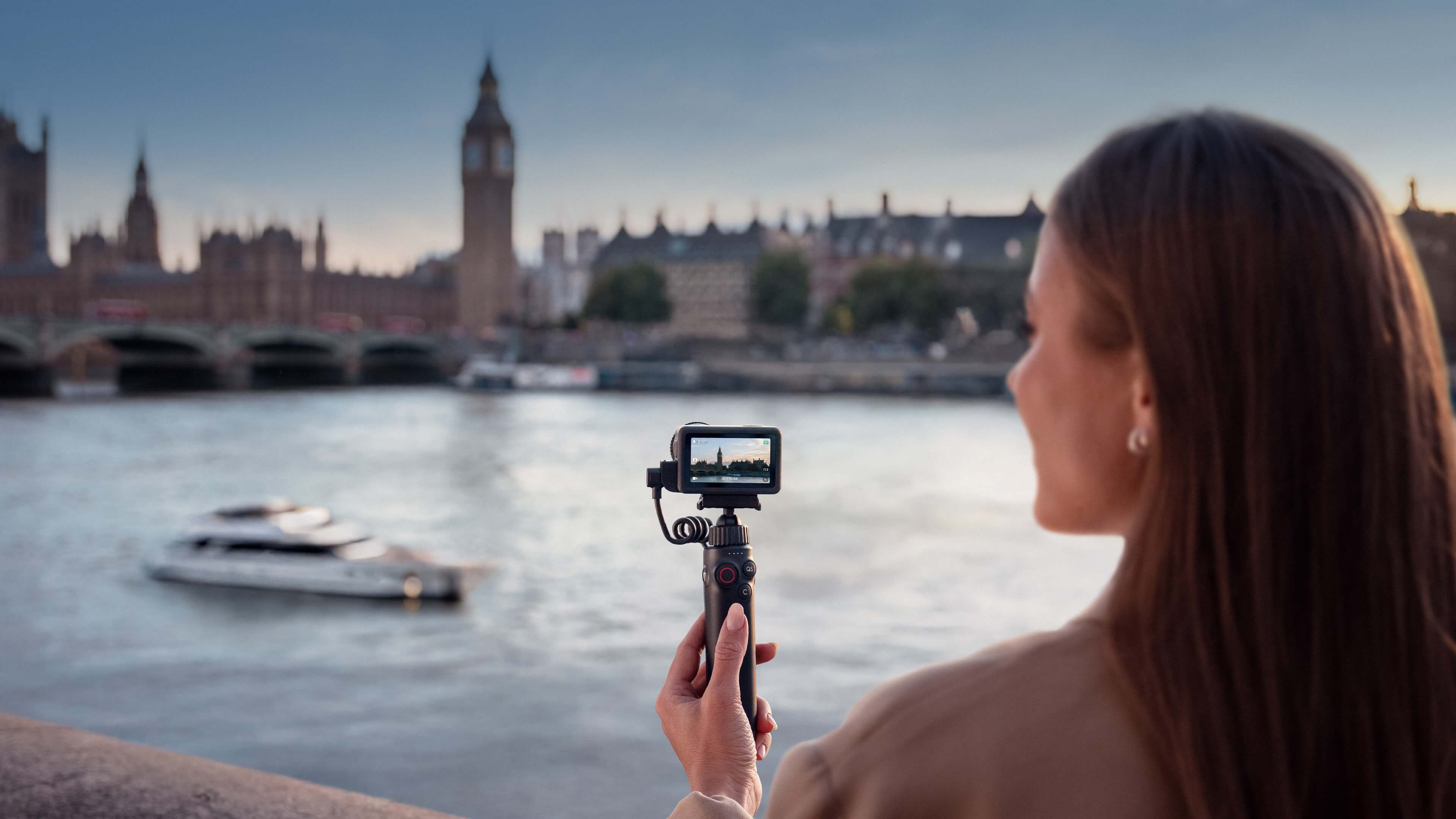
At SpeedyDrone's checked Canadian prices, the two Standard Combos are only C$40.01 apart. That makes this a choice of filming system, rather than an obvious budget upgrade. A waterproof action camera is useful on a kayaking trip even if you mostly publish talking-head videos; a gimbal camera can make more sense for a dry city break even if you occasionally record something fast.
This comparison interprets published DJI capabilities and current store offers. It is not a SpeedyDrone side-by-side camera test. The examples below are planning scenarios, not measured results, and the photographs are manufacturer promotional material.
Specifications, prices and public availability checked October 5, 2026.
In this comparison
Current Canadian prices: similar cost, different kits
SpeedyDrone lists Osmo Pocket 4 Standard Combo at C$649.00 and DJI Osmo Action 6 Standard Combo at C$608.99, before tax. The C$40.01 gap is small enough that the wrong camera type could cost you more in missed shots than it saves at checkout.
Both product pages currently allow orders without a visible backorder notice. Action 6's description also says “IN STOCK,” but an enabled order button or description heading alone is not a verified inventory count or delivery promise. Confirm availability and timing before a dated trip.

Osmo Pocket 4 Standard Combo
C$649.00
Handheld gimbal camera with its clamp, threaded handle, pouch, wrist strap and USB-C cable. Wireless microphones and additional creative accessories are not all included.
View Osmo Pocket 4 Standard Combo at SpeedyDrone
DJI Osmo Action 6 Standard Combo
C$608.99
Action camera with one battery, quick-release adapter, curved adhesive base, locking screw, cable and anti-slip pad. A Standard Combo is not a complete mounting kit for every activity.
View DJI Osmo Action 6 Standard Combo at SpeedyDroneSwipe horizontally, or focus the table and use arrow keys, to read each complete column.
| Buying factor | Osmo Pocket 4 | Osmo Action 6 |
|---|---|---|
| Stabilization | Three-axis mechanical gimbal | Electronic stabilization; RockSteady and horizon modes |
| Sensor and aperture | 1-inch CMOS; f/2.0 | 1/1.1-inch square CMOS; f/2.0–f/4.0 |
| Ordinary landscape / portrait video | 4K/60 landscape; 3K/60 portrait | 4K/120 landscape or portrait; mode limits apply |
| Distinct recording options | 4K/240 dedicated slow motion | 8K/30 landscape; 4K Custom square up to 60fps |
| Log colour profile | 10-bit D-Log in ordinary Video | 10-bit D-Log M |
| Available internal storage | 107GB; expandable with microSD | 50GB; expandable with microSD |
| Water / operating temperature | Not waterproof; 0°C to 40°C | 20m caseless with proper sealing; −20°C to 45°C |
The larger sensor, square recording area and maximum frame rates answer different questions. Start with the shooting environment and framing you need, then choose a mode that supports them. These are not interchangeable packages simply because both are called Standard Combo.
Mechanical gimbal or electronic stabilization?
Pocket 4 is the more natural starting point for deliberate handheld movement. Its gimbal physically changes the camera's orientation, helping with controlled pans, reveals and walking narration. You still need to walk carefully: stabilizing rotation does not remove every vertical footstep or blur from a moving subject.
Action 6 instead uses electronic stabilization. DJI describes RockSteady as using image analysis, shutter-speed adjustment and cropping at the frame edges. That approach fits a compact camera fixed to a helmet, chest position or other compatible mount. Mount security and vibration still matter; selecting a stabilization icon cannot correct every unsuitable installation.
HorizonSteady adds a level-horizon option on Action 6. It supports specified 16:9 modes and 4K Custom at up to 60fps, not 8K or every high-frame-rate setting. Electronic stabilization is unavailable in dedicated Slow Motion and Timelapse. Pick the combination you will actually record with before judging either camera's stability.

Both track subjects, but only one moves a gimbal
Pocket 4's ActiveTrack 7.0 can move the gimbal to follow a selected subject. For a solo creator recording from a fixed support, that changes who is responsible for aiming the camera. Framing, lighting, focus and the feature's supported modes still need attention. ActiveTrack is not available in every shooting mode.
Action 6 also has Subject Tracking, so “Pocket tracks, Action does not” would be wrong. Action's mode electronically keeps a human subject in frame; DJI limits it to horizontal camera shooting with up to 2.7K/60 output in 16:9 or 9:16. It is not intended for pets or other non-human subjects, and it cannot physically turn the lens towards someone who leaves the camera's view.
For a walking, talking vlog, Pocket's aiming and gimbal controls are usually the stronger workflow fit. Action's front screen remains useful for handheld self-framing, especially when the same camera must later ride on a mount. For a deeper look at Pocket's controls rather than another category comparison, see the Pocket 4 features guide.
Water, snow and Canadian winter change the recommendation
Action 6 is the better fit when wet conditions or sub-zero operation are part of the plan. Pocket 4 is not waterproof. Its published operating range starts at 0°C, whereas Action 6 is specified for −20°C to 45°C. A dry summer walk and a snowy ski day are materially different camera purchases.
Action's 20m caseless rating requires secure battery and USB-C covers and an intact, tightened Glass Lens Cover. DJI recommends a waterproof case for prolonged underwater filming or high water-impact pressure. Depth alone does not describe every water activity, and a camera rating does not automatically extend to connected accessories.
After underwater use, follow DJI's clean-water rinse and air-drying instructions. Avoid hot springs, corrosive liquids and unknown liquids. For rain, a pool or kayaking, choose a setup built for that exposure rather than treating a non-waterproof gimbal as the equivalent with a slightly different sensor.
“Rugged” also does not mean drop-proof. Use suitable attachments, protect the lens and inspect the equipment. Pocket can be supported or mounted for controlled shots, but that does not turn its exposed moving gimbal into a sealed action-camera system.
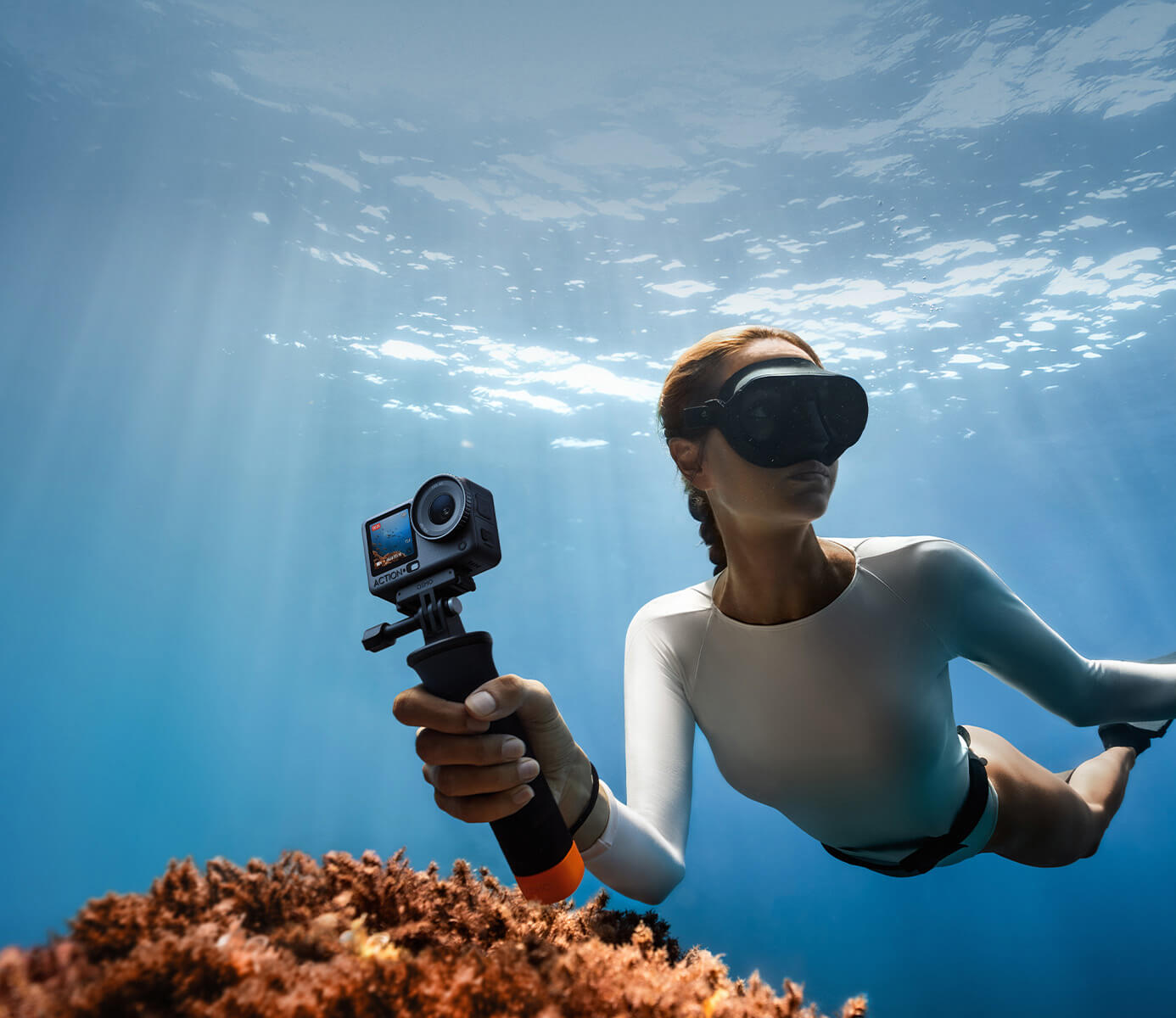
Operating cold is not charging cold. Action 6's charging range is 5°C to 40°C. Bring the camera and battery into suitable charging conditions; its −20°C operating specification is not permission to charge it at −20°C.
Vertical video: choose the frame now, or crop it later
Pocket 4 favours composing the intended orientation before recording; Action 6 offers a useful square-source alternative. Pocket's rotating touchscreen makes portrait capture convenient, but its normal portrait specification is 1728 × 3072, up to 60fps. That is 3K portrait—not the same specification as its 3840 × 2160 landscape video.
DJI says Pocket's horizontal or vertical recording orientation locks when a recording starts. Rotating the screen is not a way to turn an existing take into a different full-resolution format mid-shot. If your principal output is a portrait talking-head clip, frame it that way before you begin.

Action 6's 4K Custom records 3840 × 3840 at up to 60fps. A square source gives you room to produce a landscape YouTube edit and a portrait Reel from the same take. It is particularly useful for mounted filming, where rotating the camera or repeating the activity may be inconvenient.
That flexibility still has a boundary: the subject must remain within the recorded view, and each final aspect ratio discards part of the square frame. Leave space around faces, hands and important objects. It is neither a 360-degree recording nor a guarantee that every composition will work. For a planned YouTube-only vlog, deliberately framed landscape footage can be simpler than adding another crop decision to every clip.
Low light and image quality: specifications are not a test result
Pocket 4's 1-inch sensor and f/2.0 lens make it a sensible candidate for controlled handheld night filming on paper. Action 6 uses a 1/1.1-inch square sensor and can open to f/2.0. Those facts do not establish a measured low-light advantage in stops, or prove that one camera produces a better result at every setting.
Consider a night-market vlog. You need usable exposure on a face, manageable subject movement and a stable composition. A gimbal can help camera orientation, but it cannot freeze someone moving through the scene. Similarly, electronic stabilization cannot replace adequate light. A lower frame rate and more intentional movement may be more useful than selecting the largest number in the menu.

Pocket's dedicated Low-Light Video and Action's SuperNight also have their own resolution and frame-rate limits. Do not assume a low-light option combines with maximum slow motion or every stabilization setting. Action's aperture selection adds another decision; the Action 6 variable-aperture guide covers that specific setting question.
DJI advertises up to 14 stops of dynamic range for Pocket and up to 13.5 for Action. These are manufacturer figures, not a controlled half-stop comparison. Pocket's maximum can be lower in Slow Motion, and its 10-bit D-Log is limited to ordinary Video. Action uses D-Log M. Treat the two profiles separately when choosing colour conversions and grading; a similar name is not evidence that the same processing suits both.
Will you actually use 4K/240 or 8K?
Pocket 4's 4K/240 is a slow-motion tool; Action 6's 8K/30 is a high-resolution landscape tool. Pocket's maximum is available in dedicated Slow Motion, not ordinary 240fps vlogging with all normal-video features. It can suit a short creative insert, but does not solve the waterproofing or mounting requirements of the activity you want to film.
Action's 8K recording is 16:9 only and allows RockSteady/RockSteady+, not HorizonSteady. DJI also lists restricted field-of-view choices and unavailable Film Tone and Quality Priority options. As checked, DJI limits Mimo 8K downloading and editing to iPhone 15 Pro-series and later models, with other-device support subject to updates. Verify the exact phone, app and editing workflow rather than assuming any smartphone will handle it.
For ordinary travel narration, neither maximum is the first buying criterion. More recorded pixels cannot rescue a missed face, a badly placed mount or an unsuitable camera in rain. Choose your everyday recording mode first; treat the extreme setting as a specific creative option.
Storage, batteries and audio: what happens after the shot?
Pocket 4 gives you more internal storage; Action 6 gives you a removable-battery workflow. Pocket offers 107GB available internally, compared with Action's 50GB available from its 64GB physical storage. Both can expand with microSD, so neither requires you to rely entirely on the onboard space.
If you forget a card, Pocket leaves a larger buffer. It is not a fixed promise of filming hours: recording mode and bitrate change how quickly storage fills. Check the remaining recording time before leaving, and copy important footage off the camera. Internal capacity is not a backup when the camera is lost or damaged.

Two “four-hour” claims do not mean identical endurance
Both cameras carry a 240-minute maximum under laboratory 1080p/24 conditions at 25°C, with screens and Wi-Fi off. Action's test additionally specifies RockSteady on and voice/gesture controls off. These are not matched all-day 4K, cold-weather or high-frame-rate measurements. Build your charging plan around the mode and conditions you intend to use.
Pocket's integrated battery makes charging breaks part of the trip plan. Action's Standard Combo includes one removable battery; additional compatible batteries can change the workflow, but are not automatically in the Standard box. Dry and clean the camera before opening a compartment after wet use. Storage remaining and battery remaining are different limits.
Plan sound as carefully as stabilization
Both camera families support compatible wireless microphone connections, but that does not mean every transmitter generation is supported or included. Check the exact model and current firmware before relying on a microphone you already own. Review a short test recording for wind, clipping and the recorded audio you intend to edit before starting a long take.
If you need expanded power, audio or mounting accessories, compare the actual items rather than the combo name alone. The Pocket 4 collection and Action 6 collection are the next places to check package choices after selecting the camera type.
Choose the camera for the shots you cannot afford to miss
For a dry city break, food stops and family narration, start with Pocket 4. For a ski trip, cycling or water activity, start with Action 6. On a mixed weekend, give the demanding environment more weight than the number of ordinary clips: a phone may cover casual dry moments, but it does not make a non-waterproof camera appropriate underwater.
| Your main shot | Start with | Reason or condition |
|---|---|---|
| Walking vlog / solo presenter | Pocket 4 | Moving gimbal and ActiveTrack; use appropriate light and supported modes. |
| Food, hotel and family travel | Pocket 4 | Deliberate handheld composition in dry conditions. |
| Skiing, cycling or mounted POV | Action 6 | Mountable body and motion-oriented stabilization; check the mount and mode. |
| Rain, pool or kayaking | Action 6 | Water-rated design; correct seals and water-use instructions still apply. |
| One take for YouTube and Reels | Action 6 in 4K Custom | Square source for later cropping; keep the subject within both planned crops. |
If you already own an action camera, decide whether your missing capability is controlled handheld tracking rather than another action body. If your question is still action-camera brand choice, use the Action 6 versus HERO13 comparison. If you want to choose the viewing direction after filming, the 360-versus-action workflow comparison answers that different question.
Pocket 4 vs Action 6: questions before buying
Which is better if I can take only one camera travelling?
Make a list of the shots that define the trip, not just a list of destinations. For a dry city itinerary built around presenting, food and family video, Pocket 4 is the stronger workflow candidate. If the same trip includes water, cold-weather activity or essential mounted footage, Action 6 is easier to justify as the single camera. Neither recommendation establishes a universal image-quality winner; it matches the equipment to the conditions you must cover.
Can Action 6 replace Pocket 4 for vlogging?
Yes for some creators, particularly when a front screen, mounted filming and wet-weather suitability matter more than a moving gimbal. Action also offers human Subject Tracking, but it is electronic framing with specified output limits, not a motorized camera that can turn towards you. If your vlog frequently moves between handheld narration and activity footage, that compromise can be sensible. If solo gimbal tracking is the main reason you want a separate camera, do not assume Action provides the same experience.
Can Pocket 4 replace an action camera?
It can cover dry handheld footage, but it is not an equivalent replacement for water-rated or sub-zero mounted use. Pocket's gimbal, tracking and camera quality do not override its lack of waterproofing or its published operating range. Having a way to support it on a mount also does not change those conditions. Buy it for deliberate camera movement and framing, rather than expecting the mounting arrangement to supply the protection of an action-camera body.
Which gives smoother walking footage?
Pocket 4 is the natural starting choice for controlled walking narration because its mechanical gimbal changes the camera's orientation. It still records your choices of walking technique, shutter and framing; vertical bobbing and moving-subject blur do not disappear automatically. Action's EIS can suit a walking vlog too, especially if the camera is also used mounted. Without a matched test at the same settings, a blanket claim that one always produces smoother footage would go beyond the evidence.
Is Pocket 4 waterproof or suitable for filming in rain?
No. DJI explicitly states that Pocket 4 is not waterproof. Do not treat exposed rain filming, pool use or kayaking splashes as equivalent to a dry handheld outing. Action 6 is the water-rated option here, but its covers and lens cover must be correctly secured and DJI's conditions still apply.
Which should I buy for TikTok and Reels?
Choose according to how you make the video. Pocket's portrait screen and up-to-3K/60 portrait recording suit a deliberately composed presenter clip. Action's 4K Custom square source suits footage you want to crop into both vertical and horizontal edits later, especially when mounted. Cropping still requires room around the subject. If you publish only portrait video and prefer to finish the composition while filming, extra reframing choices are not automatically an advantage.
Is Pocket 4 definitely better in low light?
Not as a measured conclusion from this comparison. Its larger sensor, f/2.0 lens and mechanical gimbal make it a plausible choice for controlled handheld night scenes, but Action also opens to f/2.0 and has SuperNight. Exposure, movement, recording mode and processing change the result. The quoted dynamic-range maximums are manufacturer figures, not proof of a half-stop advantage in your night footage. Choose the workflow first, then evaluate representative clips at the intended settings if image quality is the deciding factor.
Which is better for skiing in Canada?
Action 6 is the better starting point because it has a published −20°C operating floor and an action-oriented mounting system. Pocket's operating range starts at 0°C. That is a meaningful equipment limit, not just a small runtime difference. Secure the mount, check the selected stabilization mode and plan power for the cold. Action's charging temperature starts at 5°C, so its cold-weather operation rating must not be used as a cold-charging instruction.
Does more internal storage mean longer battery life?
No. Pocket's 107GB available storage gives more room for files than Action's 50GB available storage; it does not increase the battery's charge. Both can use microSD, and recording settings determine how quickly files fill the space. Likewise, the two 240-minute laboratory runtime claims do not establish equal endurance in your 4K travel workflow. Check capacity and power separately, and make an offload and charging plan before leaving.
Sources and comparison boundaries
Technical references: DJI's Pocket 4 specifications and Pocket 4 FAQ; DJI's Action 6 specifications and Action 6 FAQ. Prices and public ordering status come from the exact SpeedyDrone product pages above. App, firmware, prices and fulfilment conditions can change. Recommendations are editorial analysis of published capabilities, not first-hand comparative test results.
Match the camera to your next trip
Tell SpeedyDrone what you will film, whether the camera will be handheld or mounted, and when you need it. We can help you check the relevant package and current availability before you order. For a dated departure, confirm fulfilment timing instead of assuming an order button guarantees arrival before your trip.
Ask SpeedyDrone about your camera setup

