


Osmo 360 II shooting guide
DJI Osmo 360 II Single-Lens vs 360° Mode: When Should You Use Each?
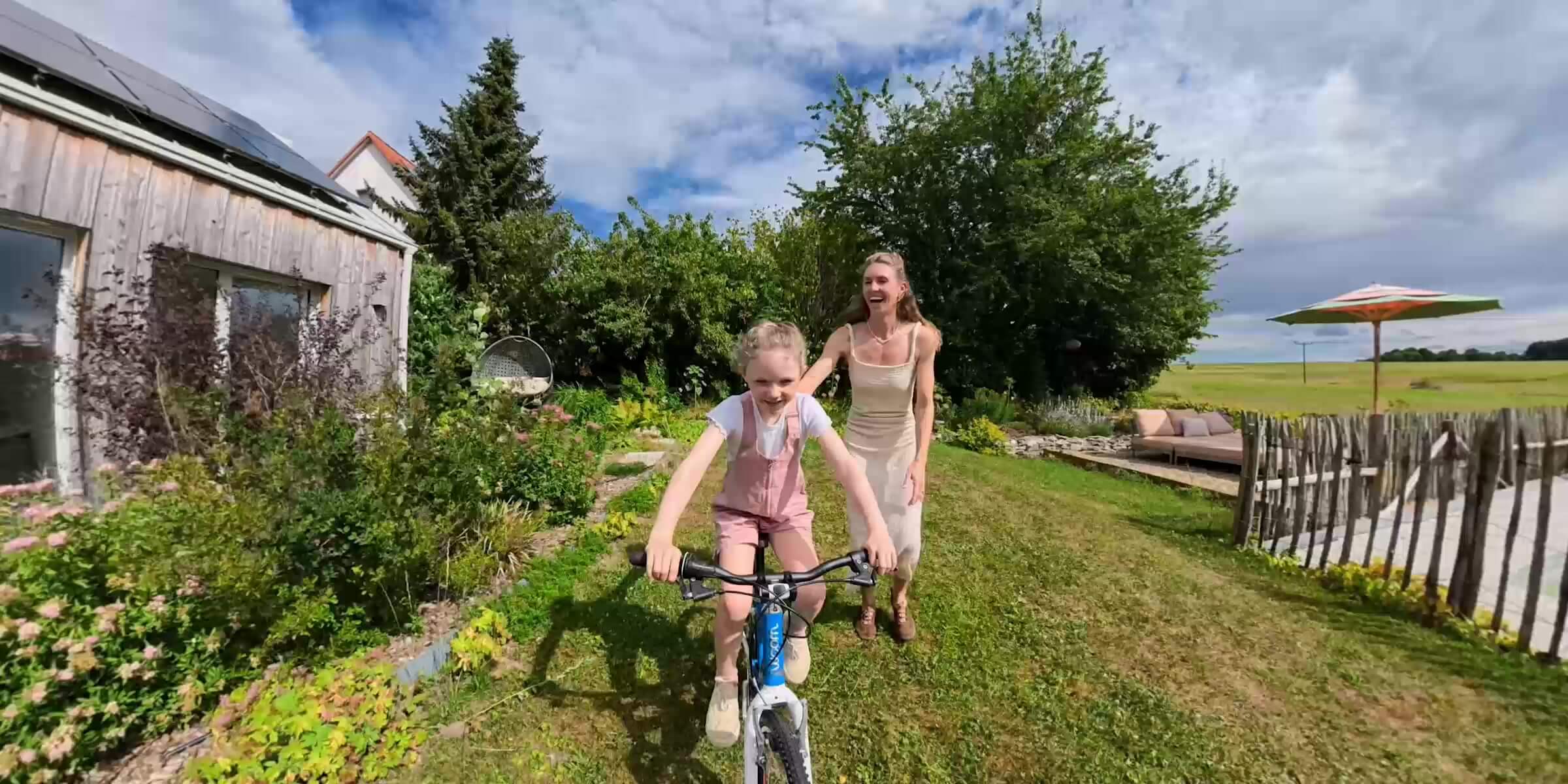
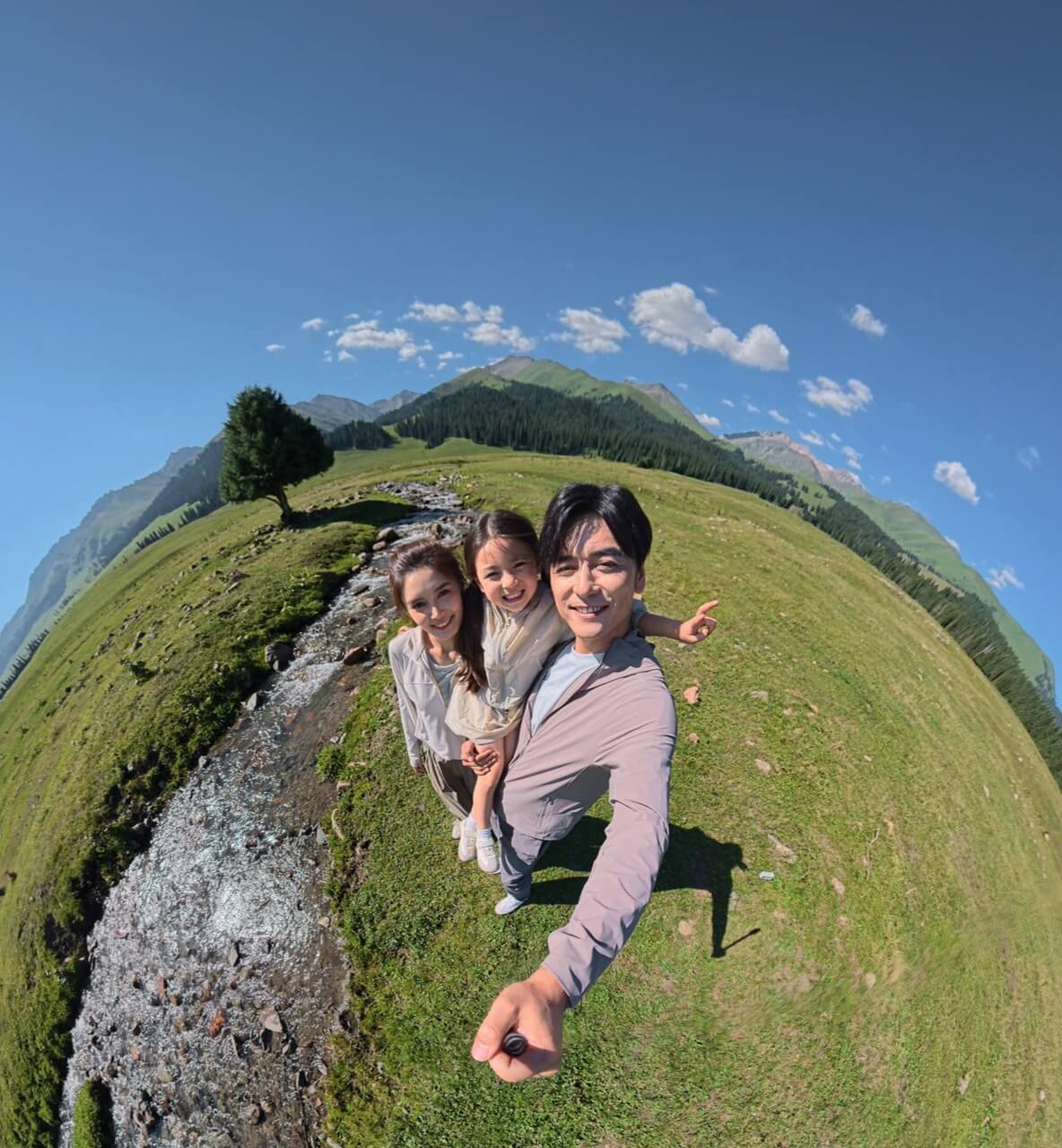
Use 360° Mode when you want to capture everything first and decide the framing later. Use Single-Lens Mode when you already know where the action is and want a conventional flat video with less editing. For quick vertical social content, Single-Lens Boost adds native 9:16 recording. The right choice is therefore not “which mode has the bigger resolution number?” It is whether you need directional certainty while filming or freedom after the moment has passed.
Fast answer
Unpredictable action360° Mode
Known compositionSingle-Lens Video
Fast vertical deliverySingle-Lens Boost
Choose by the job
Quick Decision Table
The same Osmo 360 II can behave like a capture-everything camera or a conventional action camera. Pick the mode before mounting it.
Swipe to see every column.
| Shooting situation | Start with | Why | Main trade-off |
|---|---|---|---|
| Motorcycle third-person view | 360° | Forward, reverse and side angles can come from one take. | Requires reframing and careful placement around the stitch line. |
| Skiing or cycling with unpredictable movement | 360° | Less risk of the subject leaving a fixed frame. | More post-production; both lenses need protection. |
| Invisible selfie-stick shot | 360° | Stitching hides a correctly aligned stick for floating-camera views. | Nearby subjects or poor alignment can reveal artifacts. |
| Solo travel, group moments or several edits from one take | 360° | Shoot first, then choose who or what the final video follows. | A tight flat crop uses only part of the spherical source. |
| Standard vlog facing yourself | Single-Lens | You can see and control the composition while recording. | No look-behind reframing after capture. |
| Helmet, chest or handlebar POV | Single-Lens | A known forward view is ready as a normal flat clip. | The mount must point correctly before the action starts. |
| Quick TikTok, Reel or Short | Boost 9:16 | Native vertical output avoids a 360 reframe step. | You commit to the vertical view during capture. |
| Minimal post-production | Single-Lens | Record, trim, colour and export a conventional MP4. | You give up the defining “choose the camera angle later” advantage. |
One camera, two commitments
The Real Difference Is When You Choose the Frame
In 360° Mode, both lenses capture the scene around the camera. The panoramic file records the whole sphere, and a virtual camera is aimed inside that sphere in DJI Mimo, DJI Studio or another supported workflow. Direction, field of view and movement can all be changed after recording.
Single-Lens Mode uses one lens to create a conventional flat video. The camera must face the important action while you shoot, but the resulting MP4 fits a familiar edit. DJI identifies OSV as the format for panoramic video and MP4 (HEVC) for flat video.
The common mistake is recording everything in 360° “just in case.” That flexibility is valuable only when it solves a framing problem. If you already know the shot and need to post quickly, a flat single-lens clip is usually the more efficient choice.
Both lenses, up to 8K60 in normal panoramic video. Best when direction is uncertain or one take needs several angles.
Flat 4:3 or 16:9 video up to 4K60. Best when the camera can be aimed correctly during capture.
Wider flat video with 1:1, 4:3, 16:9 and 9:16 options. Supported 4K settings reach 120fps.
The resolution trap
Is 8K 360° Better Quality Than 4K Single-Lens?
Not automatically. DJI’s 7680×3840 8K figure describes the entire equirectangular 360° frame. A normal flat export shows only one window from that sphere, so a reframed clip does not place all 8K source pixels into the final view. A very tight crop uses a smaller portion of the sphere than a wide reframe.
Single-Lens records its pixels into one chosen direction. When you know where the subject will be, that can be a more direct use of the recorded frame and can avoid both the stitching step and the resolution loss created by a deep panoramic crop. Conversely, 360° can produce the better finished story when a fixed camera would simply miss the action.
Practical answer: compare the chance of missing the shot, not just 8K versus 4K. Choose 360° to protect the moment; choose Single-Lens to protect a known composition and a faster delivery path.
For a deeper explanation of the recording families, read the Osmo 360 II 8K60 vs 6K60 vs 4K settings guide.
Capture first, direct later
When Should You Use 360° Mode?
Use 360° when the important action can happen anywhere around the camera, when the camera cannot be monitored, or when the same recording must support more than one final composition.
Motorcycles and action sports
A third-person motorcycle mount can produce a forward road view, a rider reaction, a low side angle and a vertical follow shot from one continuous recording. The same advantage applies to skiing and cycling: the camera can preserve a jump, turn or passing rider even when the ideal direction changes too quickly to aim manually. Mount security, local laws and safe operation still come first; see the dedicated motorcycle and action-sports guide before building a vehicle setup.
Invisible selfie-stick and solo travel
A correctly aligned invisible selfie stick lets stitching remove the support from the 360° image, creating a floating-camera look. It is especially useful when filming yourself alone because you do not have to keep checking whether your face, scenery or companion is inside a narrow frame. Later, the same walking clip can become a forward-facing travel shot, a selfie, a tiny planet or a side-looking B-roll moment.
One recording, several deliverables
A single panoramic source can become a 16:9 YouTube scene, a 9:16 Reel or TikTok, a landscape cutaway and a reaction shot. That is a production advantage, not just a visual effect. It can reduce the need to repeat an unpredictable moment—but the work moves from capture into editing.
360° workflow
Maximum choice after capture
- Record the full scene.
- Import the panoramic OSV footage.
- Reframe direction and field of view.
- Set tracking, keyframes or camera movement.
- Export the finished flat video.
Single-Lens workflow
Faster path to a finished clip
- Aim the camera at the subject.
- Record a flat MP4 (HEVC).
- Trim, colour and add sound.
- Export or publish.
The exact editing steps depend on software and creative intent. Compare the options in the Osmo 360 II editing guide.
Compose during capture
When Should You Use Single-Lens Mode?
Choose Single-Lens when the camera’s direction is predictable and the final video should look like a normal action-camera clip. A face-to-camera vlog, forward-facing helmet POV, chest mount, dashboard view or fixed tripod angle does not always benefit from recording the unused space behind the camera.
The normal Single-Lens Video family records 4:3 or 16:9 at up to 4K60. That is the clean starting point for vlogging, standard YouTube coverage and known-direction POV. It also avoids panorama stitching and produces a conventional flat file for a simpler handoff to an editor or social team.
Can you switch lenses while recording?
Yes. DJI says Osmo 360 II can switch between its lenses without interrupting Single-Lens Video recording at specifications up to and including 4K60. That can be useful for moving from a forward view to a reaction view in one clip, but it is still a deliberate camera-direction change—not a substitute for having captured the entire sphere.
The third option
Single-Lens vs Single-Lens Boost
Boost is not merely a quality switch. It expands the flat-video framing and frame-rate choices.
Swipe to see every column.
| Flat-video family | Aspect ratios | Maximum listed frame rate | Best starting use |
|---|---|---|---|
| Single-Lens Video | 4:3, 16:9 | 4K60 | Conventional vlog, POV and standard horizontal delivery |
| Single-Lens Boost | 1:1, 4:3, 16:9, 9:16 | 4K120 in 4:3, 16:9 and 9:16; 1:1 up to 60fps | Ultra-wide action, native vertical capture and supported high-frame-rate flat video |
For Reels, Shorts and TikTok, Boost’s native 9:16 option can be the fastest route because the camera records the vertical composition directly. For action slowed on a 30fps timeline, supported 4K120 Boost settings can provide up to a 4× effect. DJI separately lists panoramic slow motion up to 4K240 for an 8× effect; the Osmo 360 II slow-motion guide explains when that specialized 360° mode is worth using.
HorizonSteady has mode limits: DJI lists it for standard-FOV, distortion-corrected 16:9 Single-Lens Video at up to 60fps, and for Single-Lens Boost at up to 60fps. Check stabilization availability after choosing the resolution, frame rate and field of view.
The cost of capturing everything
Stitching Distance Changes the Shot
360° video combines images from two fisheye lenses. DJI lists a safe stitching distance of at least 75 cm. When a hand, helmet, handlebar, motorcycle part or another subject sits very close to the camera—especially along the seam—the two lenses can see it differently and create an unnatural join.
Keep the important subject outside that minimum when possible, align an invisible stick with the camera’s front–rear plane and test the mount before the real activity. Single-Lens Video does not require panoramic stitching, so it can be the safer visual choice when a critical foreground object must remain close to the camera.

Use It for Reframed Third-Person Views
DJI lists this 1 m stick for Osmo 360 II. Use an appropriate, securely aligned setup and keep the stitching-distance guidance in mind.
A field-ready answer
Which Mode Should You Use for Each Scene?
Start from the final deliverable and the predictability of the action. Change modes within a shooting day rather than forcing one setting onto every clip.
The Simple Rule
- If you know where the action will be
- Use Single-Lens. Choose Boost when you need its wider view, native 9:16 or supported high frame rates.
- If you do not know—or want several angles
- Use 360°. Give yourself time to reframe and export later.
- If the post has to go out quickly
- Record the required flat aspect ratio in Single-Lens or Boost whenever the composition is controllable.
For a mixed travel day, 360° may be the safety camera for walks, groups and moving action, while Single-Lens handles talking segments and known POV. For a motorcycle ride, use 360° on the third-person mount and Single-Lens on a forward-facing helmet or cockpit camera when the road view is the only deliverable. For skiing, use 360° when a companion can enter from any side; use Single-Lens for a deliberate helmet POV.
Also budget for the consequences of panoramic capture. High-resolution 360° files take space and need reframing, while flat files are usually easier to review and hand off. Use the storage and microSD guide to plan recording capacity, and the D-Log M guide if colour grading is part of the final workflow.

Build Around the Way You Actually Shoot
Osmo 360 II can cover full-sphere 8K60 panoramic video, conventional Single-Lens 4K60 and wider Boost configurations up to 4K120. Choose the camera because you need that range of workflows—not because every clip must be recorded in 360°.
Browse the Osmo 360 collection at SpeedyDrone Canada.
Frequently asked
Osmo 360 II Mode FAQ
Short answers for choosing the mode before the moment starts.
Should I shoot everything in 360° Mode?
No. Use 360° when the action direction is uncertain, the camera cannot be monitored or one take must create several angles. Use Single-Lens when the composition is known and a faster flat-video workflow matters more than reframing freedom.
Is Single-Lens better quality than reframed 360° video?
It can be for a known direction because its flat frame is concentrated on that view and avoids panoramic stitching. However, 360° may create the better result when it prevents you from missing the subject. An 8K 360 source covers the whole sphere; a flat reframe uses only part of it.
What is the maximum resolution in normal Single-Lens Video?
DJI lists normal Single-Lens Video at up to 4K60 in 4:3 or 16:9. Single-Lens Boost is a separate flat-video family with supported 4K settings up to 120fps.
Can Osmo 360 II record native vertical video?
Yes. Single-Lens Boost includes a 9:16 option at 4K or 2.7K, with DJI’s current table listing frame rates from 25 through 120fps. This is useful when you want a vertical clip without reframing a panoramic source.
Can I switch between the front and rear lenses while recording?
Yes, in Single-Lens Video. DJI says lens switching can happen without interrupting recording at specifications up to and including 4K60.
Which mode is better for vlogging?
Use Single-Lens for a conventional face-to-camera vlog when you can compose the shot. Use 360° for solo travel, group activity or walk-and-talk footage when you want to choose the speaker, scenery or camera movement after recording.
Which mode is better for motorcycles?
Use 360° for third-person mounts and multi-angle reframing. Use Single-Lens for a known forward POV or another fixed view that needs minimal post-production. Always prioritize secure mounting, safe operation and local rules.
Which mode is better for skiing or cycling?
Use 360° when the subject can move unpredictably around the camera or one take must produce several views. Use Single-Lens for a deliberate helmet, chest or handlebar POV where the important direction is known.
Which mode needs less editing?
Single-Lens usually needs less editing because it produces a conventional flat MP4. Panoramic footage normally needs stitching or interpretation, reframing and then a flat export before the usual trim, colour and sound work.
How far should subjects be from the camera for 360° stitching?
DJI lists a safe stitching distance of at least 75 cm. Very close subjects, hands, helmets or mount parts can create differences between the two lens views and make the seam more visible.
Sources and Verification Notes
Resolution, frame-rate, aspect-ratio, file-format, stabilization, lens-switching and stitching-distance claims were checked against DJI’s current Osmo 360 II specifications on September 11, 2026. Use-case imagery and product positioning were checked against DJI’s current product materials.
DJI Osmo 360 II Specifications
DJI Osmo 360 II current product details and FAQ
Mode recommendations, image-quality interpretation and workflow comparisons are SpeedyDrone editorial analysis. Final quality depends on subject distance, field of view, exposure, motion, software and export settings. Firmware and software can change available behaviour; confirm the current camera menu before a critical shoot.
Know the Direction? Single-Lens. Need the Whole Moment? 360°.
Choose the mode that protects the shot and fits the edit you are prepared to finish.


