


Osmo 360 II still-photo guide
DJI Osmo 360 II 120MP Photo Guide: When Should You Shoot 360 Photos Instead of Video?
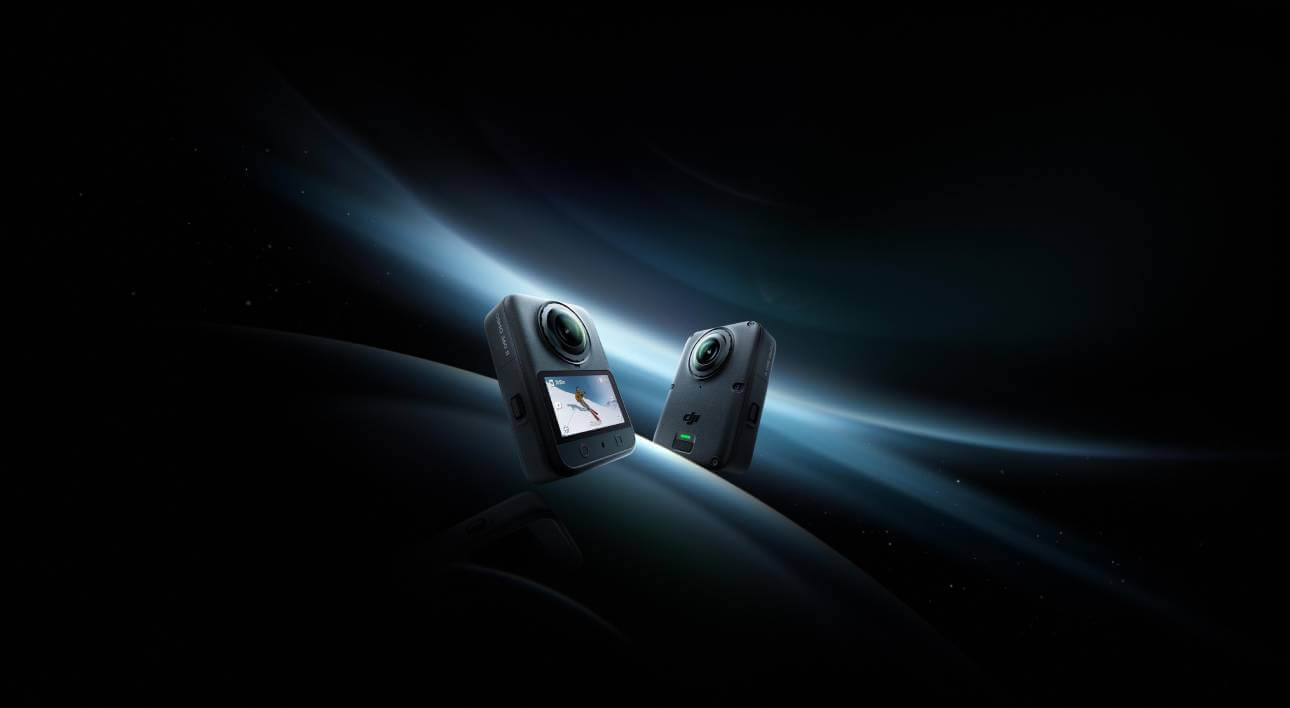
Shoot a dedicated 120MP HDR 360 photo when the scene can hold still and your priority is a detailed, reframeable record of one moment. Shoot 8K 360 video when timing, movement, audio or several possible moments matter more than maximum still-photo resolution. A frame exported from video is convenient, but it is not the same capture as the camera’s dedicated 15,520×7,760 panoramic photo.
Fast answer
Landscape, interior, group poseStart with 120MP HDR photo
Action, candid timing, narrationStart with 8K 360 video
Important locationShoot one photo, then a short video
One moment or a moment over time?
120MP HDR Photo vs 8K 360 Video
The right mode is determined by what could be lost: spatial detail in a single scene, or the timing and sound of an event.
Swipe to see every column.
| Decision | 120MP HDR 360 photo | 8K 360 video |
|---|---|---|
| Best at | One deliberate, high-detail spherical moment | Action, timing, sound and continuous coverage |
| Full-source dimensions | 15,520×7,760 panoramic JPEG | Up to 7,680×3,840 per normal panoramic video frame |
| Subject behaviour | Best when people and important details can remain still for the shot | Better when subjects move unpredictably or expressions change quickly |
| Post-production | Choose projection, horizon, crop and final viewpoint from one spherical still | Choose viewpoint over time, keyframe movement, trim, speed and audio |
| Storage pattern | A small number of large still files | Continuous footage that grows with resolution, frame rate and duration |
| Main limitation | No motion or recorded sound; a tight flat crop uses only part of the sphere | A frame grab uses the pixels in one video frame, not the 120MP still capture |
Dimensions come from DJI’s current Osmo 360 II specifications. The workflow recommendations are editorial, not laboratory image-quality measurements.
Preserve the place
Use 120MP HDR when the value is in the entire environment: a lookout, room, venue, group arrangement or inspection point that should remain explorable after the shutter press.
Preserve what happened
Use 8K 360 video when the value is the sequence: a ride, performance, walkthrough, reaction or spoken explanation whose best moment cannot be scheduled exactly.
Convenient is not equivalent
Why an 8K Video Frame Is Not the Same as a 120MP Photo
Osmo 360 II’s dedicated panorama is 15,520×7,760, or roughly 120.4 million source pixels across the full equirectangular image. One 8K panoramic video frame is 7,680×3,840, or about 29.5 million pixels across the same kind of full sphere. The dedicated photo therefore starts with about four times as many spherical pixels.
That difference can matter when you level the horizon, change the projection or make several crops from one scene. It does not mean every exported flat picture is 120MP. A normal rectilinear crop shows only a window into the sphere, so its usable pixel count depends on field of view, direction and output dimensions. A tight crop of a distant subject still cannot replace moving the camera closer.
A video frame has a different advantage: it gives you many instants to choose from. If a child laughs, a cyclist enters the scene or a speaker gestures unexpectedly, the best frame may be worth more than the extra still-photo pixels. Decide whether your risk is not enough spatial detail or missing the right instant.
The real second-generation photo story
What Does 120MP HDR Change?
DJI markets Osmo 360 II’s dedicated mode as a 120MP HDR 360° Photo and describes it as preserving true-to-life lighting and contrast. HDR is useful when one sphere contains very different brightness levels: sunrise with a darker foreground, snow under direct sun, a bright window inside a dim room, city lights against a night sky, or a shaded trail opening into bright daylight.
The goal is not an exaggerated “HDR look.” It is to give the finished panorama a better chance of holding useful highlight and shadow information across directions that the operator cannot expose separately. Results still depend on exposure, light, lens cleanliness and subject movement. Review the image on a larger screen before leaving a paid location.
Generation note: 120MP itself is not new. The original Osmo 360 also records 15,520×7,760 panoramic photos. The more accurate second-generation distinction is 120MP HDR, not “DJI finally added 120MP.”
Where a dedicated still earns its place
Best Uses for Osmo 360 II 120MP Photos
These ratings are SpeedyDrone editorial guidance. They describe fit for the task, not a laboratory score.
Mount securely, clean both lenses and capture the complete lookout. A still is especially useful when you want several later crops without recording minutes of static scenery.
Use a deliberate photo for the “where we were” record, then switch to video for movement and atmosphere. The two assets serve different edits.
HDR can help when a room combines bright windows and darker corners. Keep the camera level, minimize moving people and inspect stitching around nearby furniture.
A sphere can preserve context in every direction for site visits, venue planning or before-and-after records. It is visual documentation, not a calibrated measurement.
Everyone can face inward while the camera captures the full arrangement. Keep faces and hands away from the stitch zone and take more than one frame.
Use video when timing is uncertain. A sharp 120MP file of the wrong instant is less useful than a lower-resolution frame that captures the peak action.
Travel and landscape
Use 120MP When You Want to Revisit the Place, Not the Motion
A dedicated 360 photo works well at a summit, waterfront, campsite or public square because you can decide the final view later. One sphere might become a horizontal scene, vertical crop and interactive panorama. This is the strongest case for 120MP: the environment itself is the subject.
Pause walking, keep the pole vertical and take a second frame for blinking people or passing vehicles. If wind, foliage or crowds are moving heavily, add a short panoramic video.
Rooms, property and records
Interiors and Virtual Tours: Useful, but Not a Matterport Replacement
Osmo 360 II can create a detailed spherical record of a room, showroom, venue or jobsite. HDR matters when bright windows and interior shadows share the scene. A clean central position often explains the layout better than a corner crowded by near objects.
A set of 360 photos can support a virtual tour, but the camera alone does not provide Matterport’s full platform, measured model, floor-plan process, hosting or navigation. You still need compatible publishing, consistent camera positions and scene linking. Confirm the deliverable, privacy needs and measurement expectations before the shoot.
Documentation boundary: a high-resolution panorama shows visual context. It is not a survey, inspection certificate or calibrated measurement.
People and the stitch zone
Group Photos Work Best When Everyone Can Hold the Moment
A 360 camera includes everyone, but its two fisheye views still need stitching. Keep key faces, hands and thin objects away from the lens seam, give the camera breathing room and check the result before everyone leaves.
No universal minimum distance guarantees a perfect stitch. Subject shape, light and software processing matter. Take two or three versions with small position changes. If expressions change too quickly, use a short 8K 360 clip and trade resolution for better timing.
When the timeline matters
Choose 8K 360 Video for Motion, Timing and Audio
Video is not a fallback for people who forgot to use photo mode. It is the correct format whenever change over time is the subject.
Rides, sports, pets, entrances and reactions benefit from continuous coverage. Reframe the viewpoint and select the best instant after the event.
Movement through a space plus spoken context communicates sequence and scale in a way one stationary photo cannot.
Dialogue, ambient sound and wireless-mic narration belong to video. A panoramic JPEG contains no audio track.
If audio is important, plan it as part of the recording workflow. A dedicated microphone can improve speech capture, but it does not change the basic photo-versus-video decision.
The low-risk option
Sometimes the Best Answer Is to Shoot Both
At an irreplaceable location, take a 120MP HDR photo, then a short 8K 360 clip. The photo protects spatial detail; the video protects timing, motion and sound. This is more disciplined than recording several minutes “just in case.”
DJI’s Photo in Video table lists Osmo 360 II as not supporting PIV. Switch modes and verify the video has started. You can export a frame later, but it remains a video-frame extraction rather than a 120MP photo.
Two controls that do not carry over
Photo Mode Is JPEG, Not D-Log M Video
DJI lists JPEG as Osmo 360 II’s photo format. D-Log M is described as a colour profile for footage and post-production grading, and DJI’s launch material describes its 10-bit support across video formats. In practical terms, do not build a still-photo workflow around D-Log M. Use the dedicated photo mode for the 120MP HDR JPEG and evaluate the finished still rather than expecting a log-photo file.
This also changes the exposure strategy. For a difficult high-contrast location, HDR photo is the still tool; D-Log M belongs to the video workflow. If a project needs both an interactive still and gradeable moving footage, capture each in its correct mode.
Megapixels need context
120MP Does Not Mean Every Crop Is 120MP
The 120MP number describes the complete 2:1 panorama. A broad projection uses more of the source; a narrow crop on one distant person uses much less. Projection, export size, noise, lens cleanliness and subject distance also affect the result.
Do not compare the 120MP sphere directly with a 100MP or 108MP phone photo by megapixels alone. They distribute pixels across different fields of view and use different sensors, optics, processing and output geometry. Osmo captures every direction; a phone concentrates on one composed direction.
When the headline mode is unnecessary
When 120MP Is More Than You Need
Use a simpler photo workflow when the final image will be a small social post, the composition is already fixed, storage and transfer speed matter more than deep reframing, or the scene changes too quickly to pose. A conventional single-lens photo may also be more direct when you only need one direction; DJI lists up to 30.72MP for Osmo 360 II’s single-lens photo.
The dedicated 120MP mode earns its extra data when you will explore, reproject, crop or document the complete scene. If the final delivery is one modest flat image and you can compose it at capture, more spherical pixels may add work without changing the visible result.
A practical travel routine
A Five-Step 120MP Photo Workflow
Back up the panoramic JPEG before making social crops. Keep the original sphere so you can create different projections later. If you expect a long trip, plan storage for both stills and video rather than estimating everything from the 120MP label alone.

Original Osmo 360 Owners Already Have 120MP
If you own the first generation, a higher headline still resolution is not the reason to upgrade: DJI lists the same 15,520×7,760 maximum panoramic-photo dimensions. Evaluate Osmo 360 II for its HDR still implementation and the other second-generation features that matter to your complete workflow.
For the broader generational decision, read SpeedyDrone’s Osmo 360 II Canada launch and waiting guide.

Plan the Photo and Video Workflow Together
The Standard Combo supports the complete decision in this guide: a dedicated 15,520×7,760 120MP HDR panoramic JPEG for detailed still scenes and normal panoramic video up to 8K60 for motion, timing, sound and reframing over time.
Choose the camera because that two-mode workflow solves real shoots—not because 120MP alone sounds larger. For landscapes, interiors and location records, make the dedicated still part of the routine. For rides, action and narrated walks, switch to video.
Osmo 360 II 120MP Photo FAQ
Short answers for the most common photo-versus-video decisions.
Should I shoot a 120MP photo or 8K video on Osmo 360 II?
Shoot a 120MP HDR photo for a deliberate, mostly still scene where spatial detail and later reframing matter. Shoot 8K 360 video when motion, timing, sound or several possible moments matter more than maximum still resolution.
Is a frame grab from 8K 360 video the same as a 120MP photo?
No. A normal 8K panoramic video frame is 7,680×3,840, about 29.5 million source pixels across the sphere. The dedicated panorama is 15,520×7,760, about 120.4 million. A frame grab remains useful when selecting the right instant is more important than maximum still detail.
Does the original DJI Osmo 360 also shoot 120MP photos?
Yes. DJI lists 15,520×7,760 panoramic photos for both generations. Osmo 360 II’s more accurate still-photo distinction is 120MP HDR, not the first appearance of 120MP.
Does every crop from a 120MP 360 photo contain 120MP?
No. The 120MP count covers the complete equirectangular sphere. A flat crop uses only the selected window, so its usable pixel count depends on field of view, direction, projection and output size.
Can I use D-Log M for 120MP photos?
Do not plan on D-Log M as a still-photo format. DJI lists the photo format as JPEG and describes D-Log M as a colour profile for footage and post-production video grading. Use the dedicated 120MP HDR photo mode for stills.
Can Osmo 360 II take a photo while recording video?
DJI’s current Photo in Video support table lists Osmo 360 II as not supported. Capture the dedicated photo and video as separate mode selections. You can still export a frame from recorded video later.
Is Osmo 360 II suitable for property or virtual-tour photos?
It can capture detailed spherical room and location images, but it is not a complete Matterport replacement. A professional tour may also require scene linking, hosting, navigation, measurement and floor-plan workflows outside the camera.
When is 120MP unnecessary?
It may be unnecessary for a small social post, a fixed one-direction composition, a quickly changing subject or a workflow where transfer and editing simplicity matter more than deep reframing. Use it when the full environment is the deliverable.
Sources and Verification Notes
Photo dimensions, video dimensions, file format and generation comparison were checked against DJI’s current product materials, specifications and user manual. The 120MP HDR description was checked against DJI’s launch announcement. Photo-in-video support was checked against DJI’s support table.
DJI Osmo 360 II product details
DJI Osmo 360 Specifications
DJI Osmo 360 II launch announcement
DJI Photo in Video support table
DJI Osmo 360 II User Manual v1.0
Scenario ratings, storage-workflow comparisons and photo-versus-video recommendations are SpeedyDrone editorial analysis. We have not independently measured image quality, HDR range, stitching success or crop resolution. Firmware, software and product status can change; verify the current camera interface and documentation before a critical shoot.
Choose the Moment Before You Choose the Mode
Use 120MP HDR photo to preserve a place in detail. Use 8K 360 video to preserve what happened. At an irreplaceable location, capture one of each.


