


Field operations · FlightHub 2 · Canada
DJI Enterprise App One-Tap Dispatch
What the new mobile app can control, where FlightHub 2 still leads, and the current Android, iPhone and Canadian operating limits.
It brings dispatch requests, map collaboration, livestream viewing and direct aircraft control to a phone. FlightHub 2 remains the control plane for advanced workflows, governance, organization management and multi-site operations.
DJI's new Enterprise App closes a practical gap in the FlightHub 2 workflow: a field technician, security officer or incident commander can now create a location-based request, see available devices and work with a remotely connected aircraft without opening the desktop web platform.
What is the DJI Enterprise App?
DJI describes the Enterprise App as a lightweight drone-operations management platform designed to work with DJI FlightHub 2. Its current mobile functions include remote viewing and control of aircraft and dock devices, synchronized personnel/device/annotation locations, One-Tap Dispatch, and deployment or debugging for dock, ground-station and relay hardware.
The word lightweight matters. The App is an execution and collaboration surface for people in the field. It does not absorb all of FlightHub 2's organization setup, route libraries, automated-workflow design, data processing, reporting or cross-site governance. SpeedyDrone's FlightHub 2 multi-site operations guide remains the better starting point for the platform architecture.
| Capability | DJI Enterprise App | FlightHub 2 Web |
|---|---|---|
| Primary workplace | Phone; field response and mobile supervision | Browser; central operations and administration |
| Livestream and device status | Yes, for supported connected devices | Yes, with broader multi-device workspace |
| Aircraft / gimbal control | Yes, including virtual joysticks after control is obtained | Yes, through the Virtual Cockpit where supported |
| One-Tap Dispatch | Create and execute a mobile response | Configure the underlying automated workflow and advanced actions |
| Map collaboration | Create, share and navigate to point, line and polygon annotations | Central map, project data and wider planning tools |
| Organization governance | Uses existing project roles and permissions | Core system for organizations, projects, roles, devices and data |
| Advanced automation | Limited operational interface | Core configuration environment |
The App extends a FlightHub 2 operation into the field. It should not be scoped as “FlightHub 2 Web, but on a smaller screen.”
Android vs iOS: the current difference that affects field teams
The core operating features are available on both platforms. The important exception is deployment and debugging: DJI currently includes it on Android but excludes it on iOS. That distinction affects device procurement for technicians who commission or troubleshoot dock infrastructure.
| Requirement or function | Android | iPhone / iOS |
|---|---|---|
| Minimum operating system | Android 11 or later | iOS 15 or later |
| Remote viewing | Supported | Supported |
| Mobile aircraft / Dock control | Supported where the device and configuration allow it | Supported where the device and configuration allow it |
| One-Tap Dispatch | Supported | Supported |
| Personnel, device and map sync | Supported | Supported |
| Device deployment and debugging | Supported | Not currently supported |
An operations manager can therefore use an iPhone for dispatch and monitoring while an Android device is assigned to the field-deployment kit. “Everyone installs the same app” is not yet a complete hardware plan if the same team must commission a Dock, Ground Station or relay.
How One-Tap Dispatch actually works
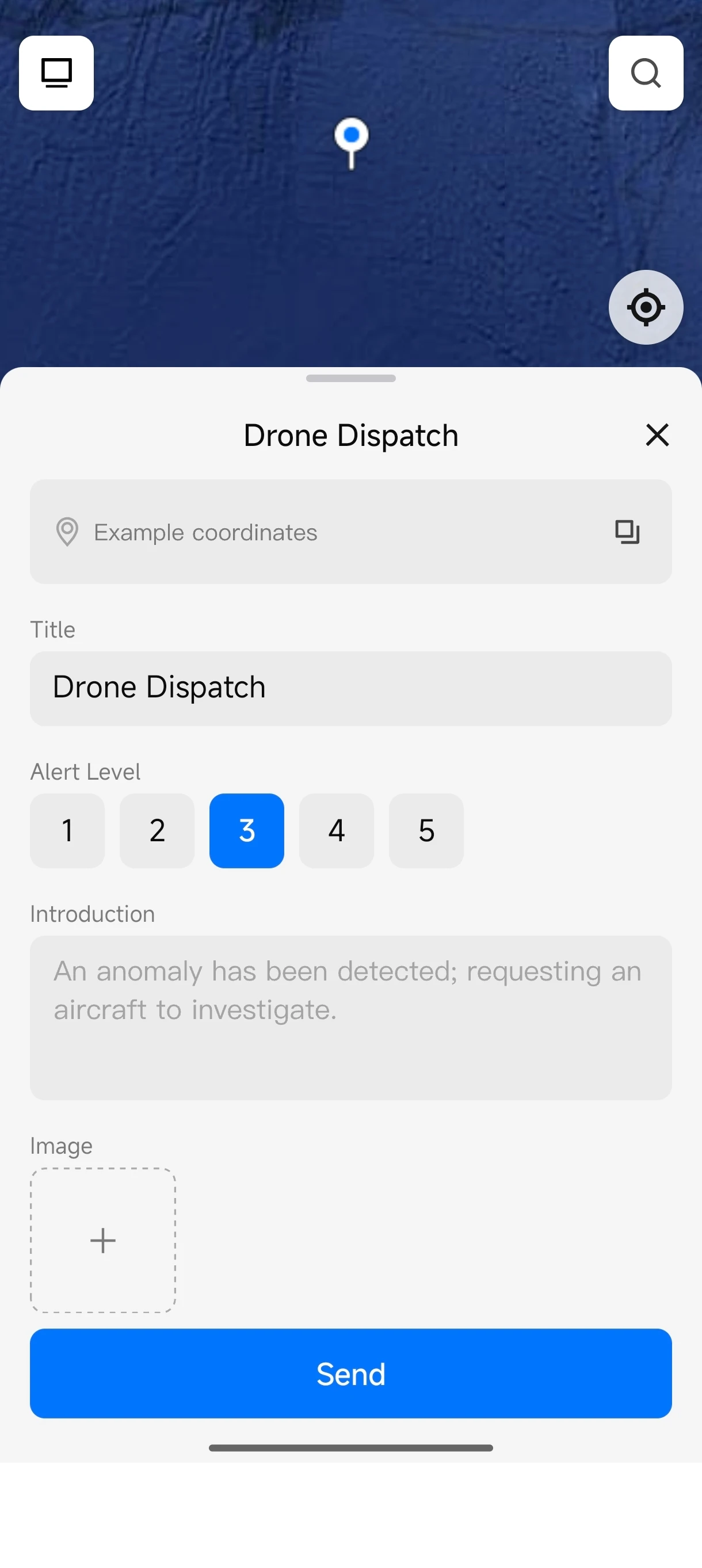
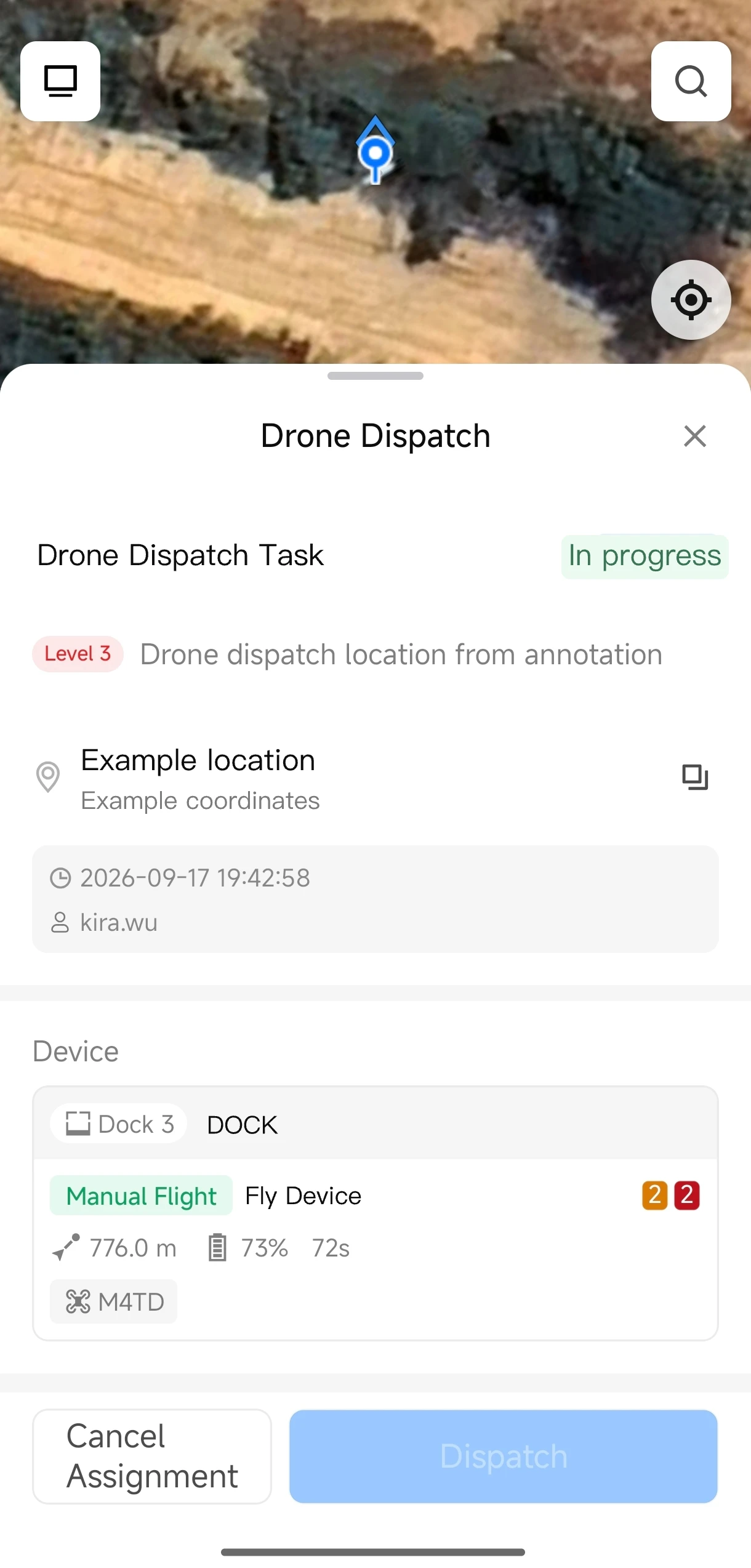
One-Tap Dispatch is not a blind “launch now” button. It is an incident-to-aircraft workflow. A user starts from an exception annotation, a person's current location or a searched map position, adds context and an alert level, and submits a request. An authorized dispatcher then chooses an available execution device and verifies flight parameters before launch.
Request and execution are different permissions
A field member may be able to report an issue or create a dispatch request, but DJI currently states that dispatching an aircraft requires Project Administrator permission. That separation supports a sensible command model: many people can surface an incident; a smaller group is authorized to commit an aircraft.
Role changes are handled in FlightHub 2's personnel and role-management settings. Advanced behaviour—recipients, assigned devices, flight parameters, aircraft actions, triggers and waypoint flight—also returns to the cloud platform under the DJI Enterprise App One-Tap Dispatch automated workflow.
What if several requests compete for the same aircraft?
DJI says the system prioritizes simultaneous dispatch requests by alert level. The higher-alert task is handled first; lower-priority tasks wait in the queue until the device becomes available. That makes the feature closer to a mobile incident-response queue than a standalone FlyTo control.
Remote viewing and immersive control from a phone
The App can open a live aircraft view, move into full-screen mode and request payload or aircraft control. With the required control, the operator can move the gimbal, pinch to zoom, switch supported lenses, focus or meter, capture photos/video, use virtual joysticks and command return-to-home.
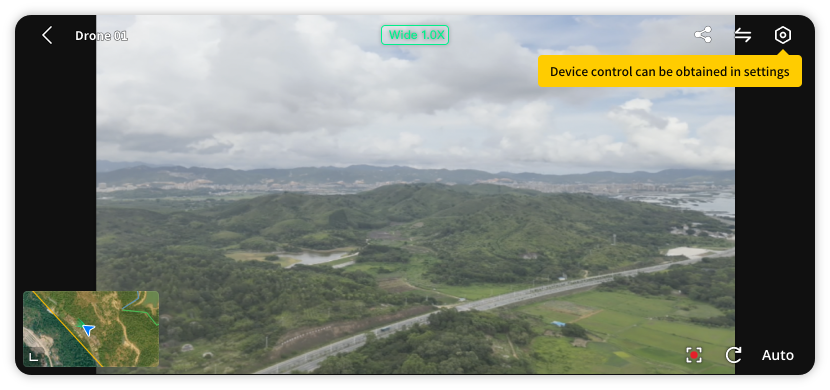
Control is not assumed merely because video is visible. DJI separates payload control, which enables camera and gimbal actions, from aircraft control, which enables the virtual joysticks. After aircraft control is obtained, the phone user is directly controlling the aircraft. Exiting control releases the permission; the aircraft may hover or continue its mission depending on its current state and configuration.
Network and lost-link behaviour
DJI recommends a stable 4G, 5G or Wi-Fi connection. If the App stays in the background for more than five minutes, the livestream closes and control is released. If the App exits or the network connection is interrupted, the aircraft follows its configured lost-link action—typically hover or automatic return-to-home. The correct conclusion is not “a phone disconnect crashes the aircraft,” but also not “mobile control is risk-free.” The preset behaviour must be verified for the actual aircraft and mission.
Map collaboration: the field-to-cloud handoff
Map collaboration turns the App into more than a remote controller. Users can create point, line and polygon annotations; add a name, description and on-site photos; share the record with project members; and open the location in a supported third-party navigation app. DJI's current FAQ lists navigation options according to what is installed and available in the region, including Google Maps.
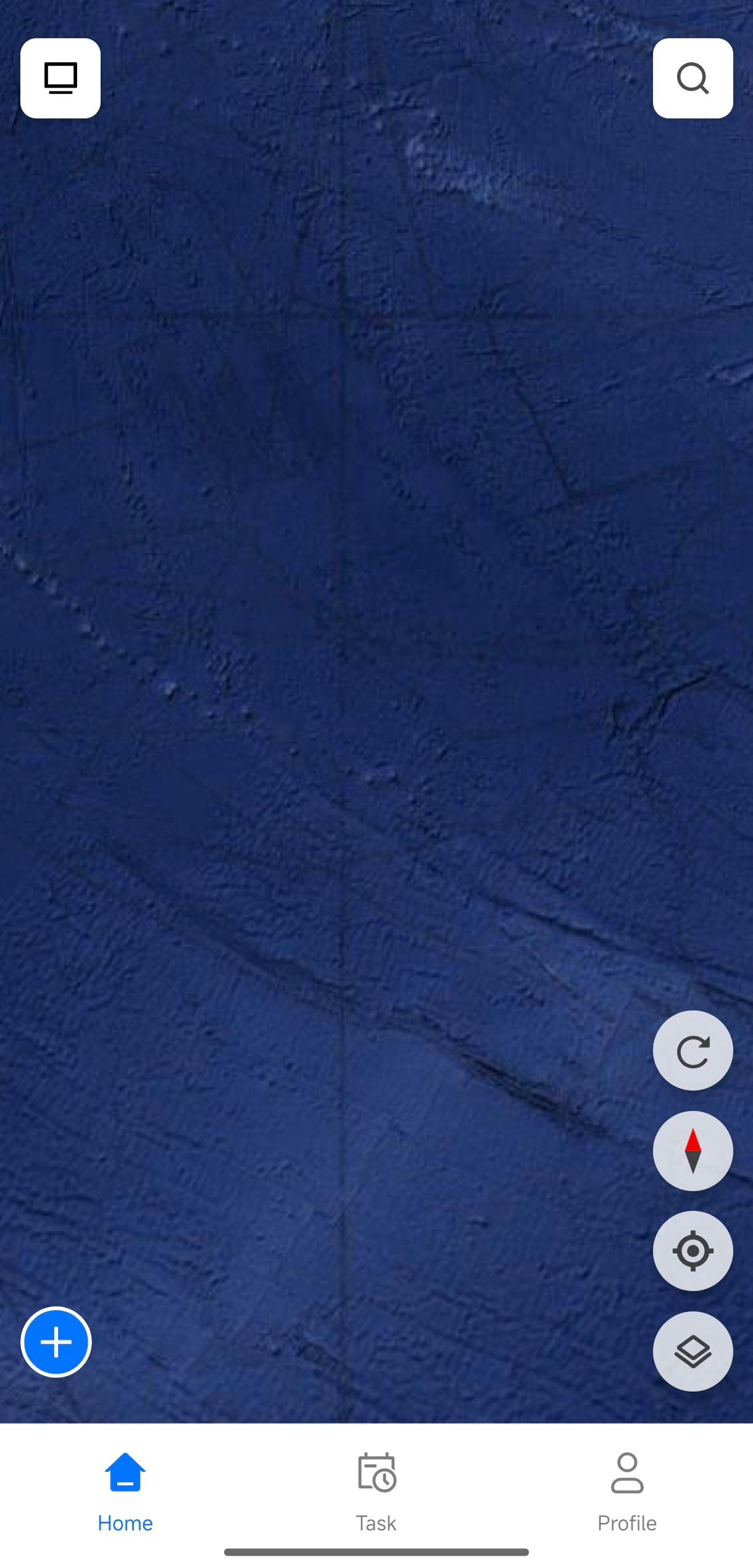
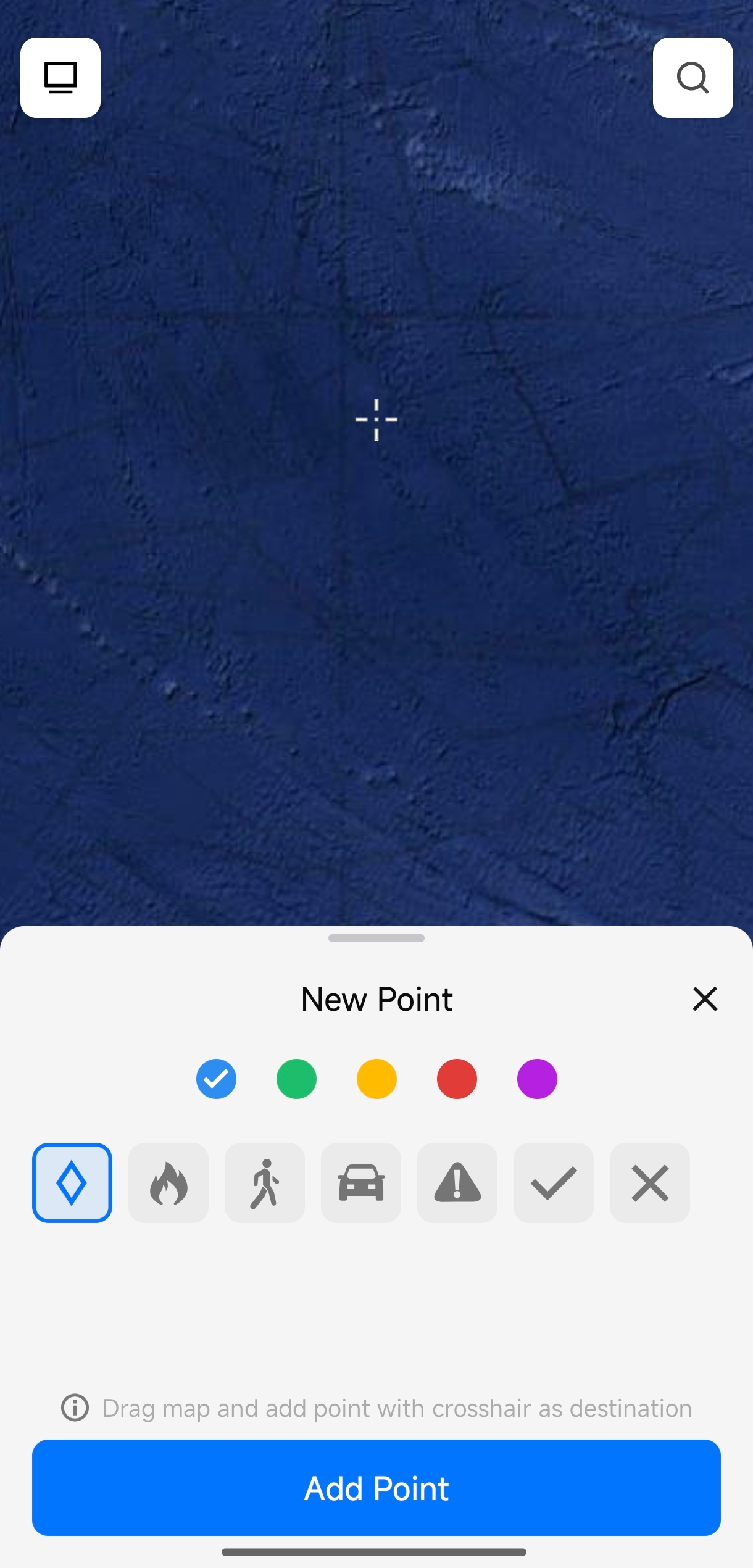
A utility workflow illustrates the value: a technician finds a damaged pole, creates a geo-referenced point with a photo, assigns the agreed alert level and submits a dispatch request. A project administrator selects a connected dock aircraft, verifies the parameters and launches. The team then uses live video and camera control to inspect the problem, while FlightHub 2 retains the shared operational context.
Device deployment and debugging: useful, but not universal
On supported Android devices, the Enterprise App can assist with deploying and debugging DJI Dock series hardware, Ground Stations and relay stations. DJI's device-management documentation describes a dual-head USB-C connection between the phone and the Dock or Ground Station. The deployment flow then requests the Organization ID, Device Binding Code and the relevant Ground Station, Dock and aircraft names.
A Dock or Ground Station can be bound to only one organization at a time. Switching organizations requires unbinding it first. The flow is therefore operationally significant; it is not a casual Bluetooth-style pairing step. Keep device identity, organization ownership and commissioning records under change control.
The on-premises caveat
DJI's Enterprise App overview says the features in the September 2026 update are not currently supported by the on-premises version. Separate FlightHub 2 device-management documentation still describes using the App to bind a Dock or Ground Station to an on-premises environment. These statements are not safely reduced to “the App works” or “the App does not work.” Treat app-assisted binding and the new mobile operating features as separate scopes, and confirm the exact supported workflow before an on-premises deployment.
DJI Pilot 2 vs Enterprise App vs FlightHub 2
These three tools overlap, but they occupy different points in the operating system. A team usually does not choose only one; it assigns each interface to the role it serves best.
| Tool | Best understood as | Typical jobs | Primary user context |
|---|---|---|---|
| DJI Pilot 2 | Aircraft-side flight application | Remote-controller operation, mission execution, aircraft and payload configuration | Pilot with the supported enterprise remote controller |
| DJI Enterprise App | Mobile field-operations layer | Incident annotation, dispatch, monitoring/control, field collaboration and Android device deployment | Technician, responder, supervisor or authorized dispatcher using a phone |
| DJI FlightHub 2 | Central cloud operations platform | Organizations, devices, routes, task planning, automation, governance, records and multi-site management | Operations centre, administrator and program manager in a browser |
FlightHub 2 currently lists Dock 3, Dock 2, the original Dock, Matrice 350 RTK, Matrice 30 Series, Matrice 300 RTK, Mavic 3E/3T/3T Advanced, Matrice 3D Series, Matrice 4 Series, Matrice 4D Series and Matrice 400 in its supported-device ecosystem. That list is not a promise that every model supports every App function. Payload, firmware, controller, dock relationship, operation mode and project configuration still determine the feature available.
Four workflows that fit the App
An authorized team turns an incident location into a dispatch request, obtains live context and escalates through its established command structure. The App shortens the information path; it does not replace incident command or aviation approval.
A technician documents an asset issue with a point and photo. Central operations assigns a dock aircraft to obtain aerial visual or thermal context before a crew or shutdown decision.
A guard marks a perimeter event and requests an aerial look. Alert-level rules help prioritize competing requests across the same available aircraft.
A worker creates a structured annotation instead of sending an unlocated message. The operations centre can see the same point, dispatch under the correct permission and retain the event in the shared project.
Does One-Tap Dispatch make a remote flight legal in Canada?
No. The App is an operating tool; it does not determine the legal category of a flight or grant airspace access. The Canadian answer must be based on the aircraft, location, population density, airspace, operating distance, people involved and the organization's certificates and procedures.
Since November 4, 2025, some lower-risk BVLOS operations can be conducted under Canada's Level 1 Complex framework without an SFOC-RPAS. Those operations require the appropriate Level 1 Complex pilot certificate, operation under an RPAS Operator Certificate (RPOC), an eligible registered aircraft with the applicable safety assurance, and compliance with the operating limits. Flights outside the basic, advanced or Level 1 Complex rules still require the applicable special permission, such as an SFOC-RPAS.
Transport Canada also requires site and airspace assessment; local, provincial and other federal obligations can still apply. Use the official Level 1 Complex operations guide and special drone operations guidance for the current rules. SpeedyDrone's BVLOS readiness guide for Canadian organizations covers the operational program around the software.
Current SpeedyDrone hardware path
The mobile App becomes most valuable when it is designed into a complete connected operation. These are the exact current SpeedyDrone listings for the Dock 3 and a controller-equipped Matrice 4D. Availability and final configuration should be confirmed for the intended public-cloud, remote-controller or dock workflow.
 DJI Dock 3Remote and vehicle-mount-capable dock platform for Matrice 4D Series operations →
 DJI Matrice 4D (RC Plus 2)+Controller-equipped Matrice 4D listing for field and FlightHub-compatible workflows →
Frequently asked questions
Is the DJI Enterprise App available on iPhone?
Yes. DJI currently requires iOS 15 or later. Core mobile operating features are available, but device deployment and debugging are not currently supported on iOS.
What Android version does the DJI Enterprise App require?
Android 11 or later. Android is also the current platform for the App's Dock, Ground Station and relay deployment/debugging functions.
Can the DJI Enterprise App remotely control a drone?
Yes, for supported devices and configurations. DJI documents livestream viewing, camera/gimbal control, virtual joystick aircraft control and return-to-home. The user must obtain the required control permission and remain responsible for safe operation.
What is One-Tap Dispatch?
It is a mobile incident-response workflow. A user creates a request from an exception, person or map location; adds an alert level and optional photo; and submits it. An authorized dispatcher selects an available aircraft, checks the parameters and confirms the flight.
Who can dispatch the aircraft?
DJI currently says aircraft dispatch requires Project Administrator permission. An organization should separate who can report an incident from who can commit an aircraft.
What happens when several requests need the same drone?
DJI says competing requests are prioritized by alert level. Higher-alert tasks are processed first, and lower-priority tasks wait until the device is available.
What happens if the phone loses its connection?
The aircraft follows its configured lost-link action, commonly hover or automatic return-to-home. DJI recommends a stable 4G, 5G or Wi-Fi connection. If the App remains in the background for more than five minutes, the livestream closes and control is released.
Is DJI Enterprise App livestreaming permanently free?
Do not assume that. DJI's September 23, 2026 release notes say in-app livestream viewing is free for a limited time during beta. Future billing or package treatment may change.
Does the DJI Enterprise App replace FlightHub 2 or DJI Pilot 2?
No. The Enterprise App is the mobile field layer. FlightHub 2 remains the central platform for governance, advanced workflows, planning and records, while DJI Pilot 2 remains the aircraft-side application on supported enterprise remote controllers.
Plan the App as part of the operation—not as a standalone download
SpeedyDrone can help Canadian teams map the phone, FlightHub 2, Dock, aircraft, network, roles and regulatory pathway into one deployable workflow. Bring the sites, response use case and current fleet; we will help identify the assumptions that need to be tested.
Request an Enterprise workflow assessmentOfficial sources
- DJI FlightHub 2 public release notes
- DJI Enterprise App overview and download requirements
- DJI One-Tap Dispatch guide
- DJI immersive control guide
- DJI Enterprise App safety and FAQ
- DJI map collaboration guide
- DJI FlightHub 2 device-management guide
- DJI FlightHub 2 supported devices and permissions
- Transport Canada: Level 1 Complex operations
- Transport Canada: special drone operations


