


Plan and schedule
Build waypoint, mapping, inspection, or response missions in DJI FlightHub 2 and schedule recurring operations where supported.


DJI Authorized Dealer
Genuine DJI products · Toronto pickup · Canada-wide shipping

DJI Dock 3 Canada · Autonomous enterprise operations
Rise to any challenge—fixed or vehicle-mounted.
A compact remote-operations system built around DJI Matrice 4D or Matrice 4TD, designed to support 24/7 remote operations through rapid battery turnaround, environmental monitoring, and DJI FlightHub 2 mission management—with Canadian enterprise guidance from SpeedyDrone Canada.
Performance figures are not unconditional guarantees. Flight time, radius, charging time, launch time, and weather capability depend on the stated test conditions, system configuration, site, aircraft status, connectivity, firmware, regulatory limits, and environment. “24/7” describes system availability—not permission or a guarantee to fly continuously in every weather, site, or airspace condition.
Remote operations, from launch to insight
DJI Dock 3 brings aircraft storage, charging, takeoff, landing, environmental monitoring, data transfer, and remote mission control into one enterprise platform. Select Matrice 4D for high-precision mapping and detailed visual inspection, or Matrice 4TD when thermal imaging and low-light response are essential.
Video availability is controlled by YouTube. The complete written product information remains available below if embedded media is blocked.
Build waypoint, mapping, inspection, or response missions in DJI FlightHub 2 and schedule recurring operations where supported.
Check Dock, aircraft, weather, network, and airspace status before dispatching an automated or remotely supervised flight.
Capture visible, thermal, or mapping data and transfer mission media into a centralized project workflow.
Compare results, create models, review alerts, preserve flight records, and monitor maintenance status from the same ecosystem.
Master all environments
Dock 3 combines an IP56 enclosure, active thermal management, weather and enclosure sensors, internal and external security cameras, surge protection, and backup power for monitored remote operation. Matrice 4D Series aircraft add IP55 protection and low-noise anti-ice propellers.
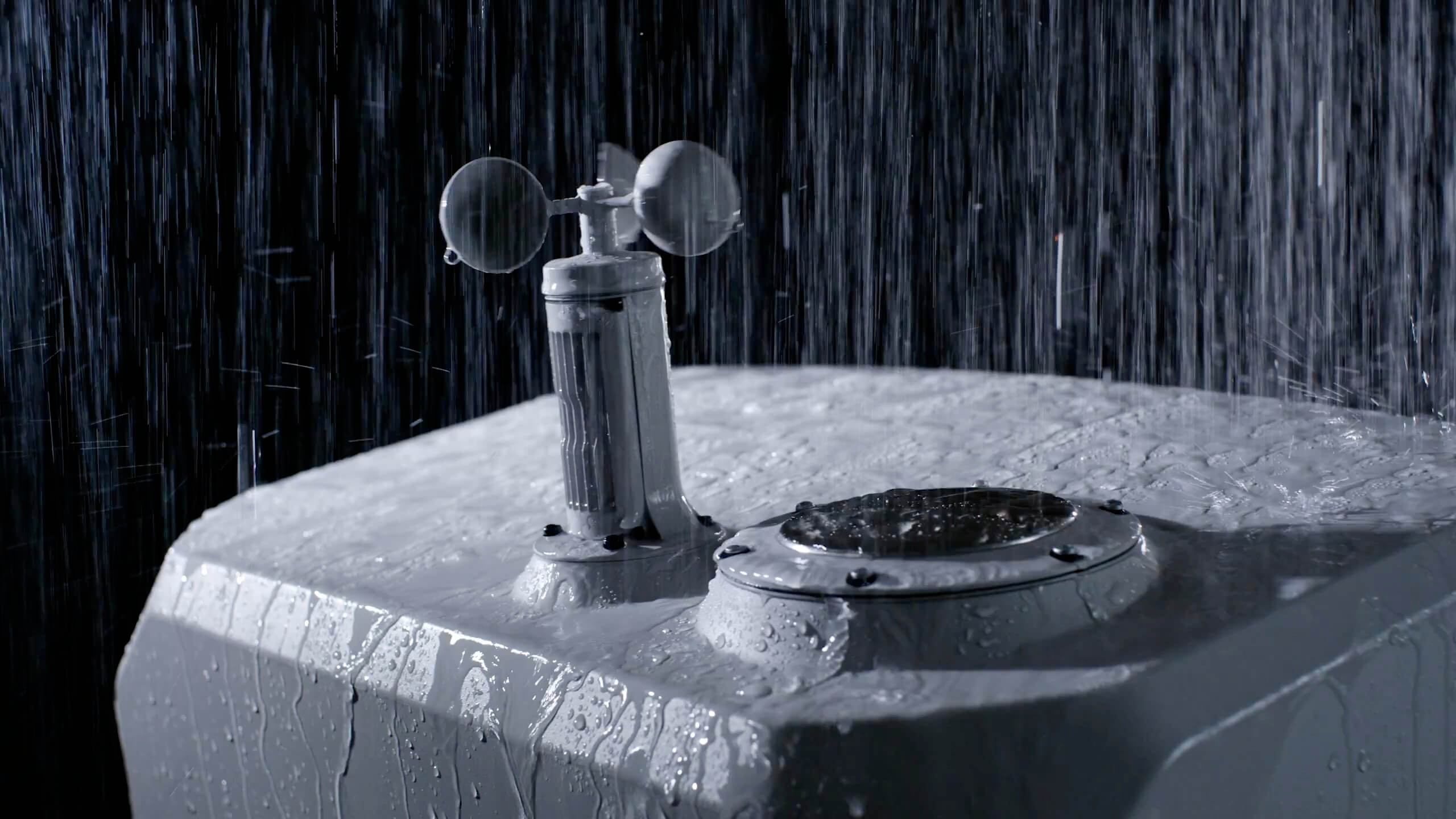
IP ratings are based on controlled test conditions and are not permanent; protection may decline through wear, damage, poor maintenance, or incorrect installation. During a power outage, the backup battery supports designated system functions, but does not charge the aircraft or power air conditioning, Dock-cover heating, or wind-gauge heating.
Flexible deployment
Dock 3 supports traditional fixed installation and DJI's first vehicle-mounted Dock workflow. The right architecture depends on mission frequency, coverage, site access, power, network, vehicle integration, aircraft choice, regulatory approvals, and operational procedures.

Best suited to recurring missions from a known site—such as an industrial facility, utility corridor, solar park, mine, campus, port, water asset, or public-safety coverage area.
Designed for temporary response, long-corridor inspection, and operations where a permanent Dock is impractical. The vehicle is an engineered platform—not simply a transport surface.
Allow approximately 640 mm of Dock length with the cover closed and 1760 mm when fully open, then add structural, airflow, service, electrical, cable-routing, safety, and payload clearances. SpeedyDrone Canada should review the intended vehicle, mount, power source, networking, installation orientation, operating procedure, and quotation before an order is finalized.
Site and signal design
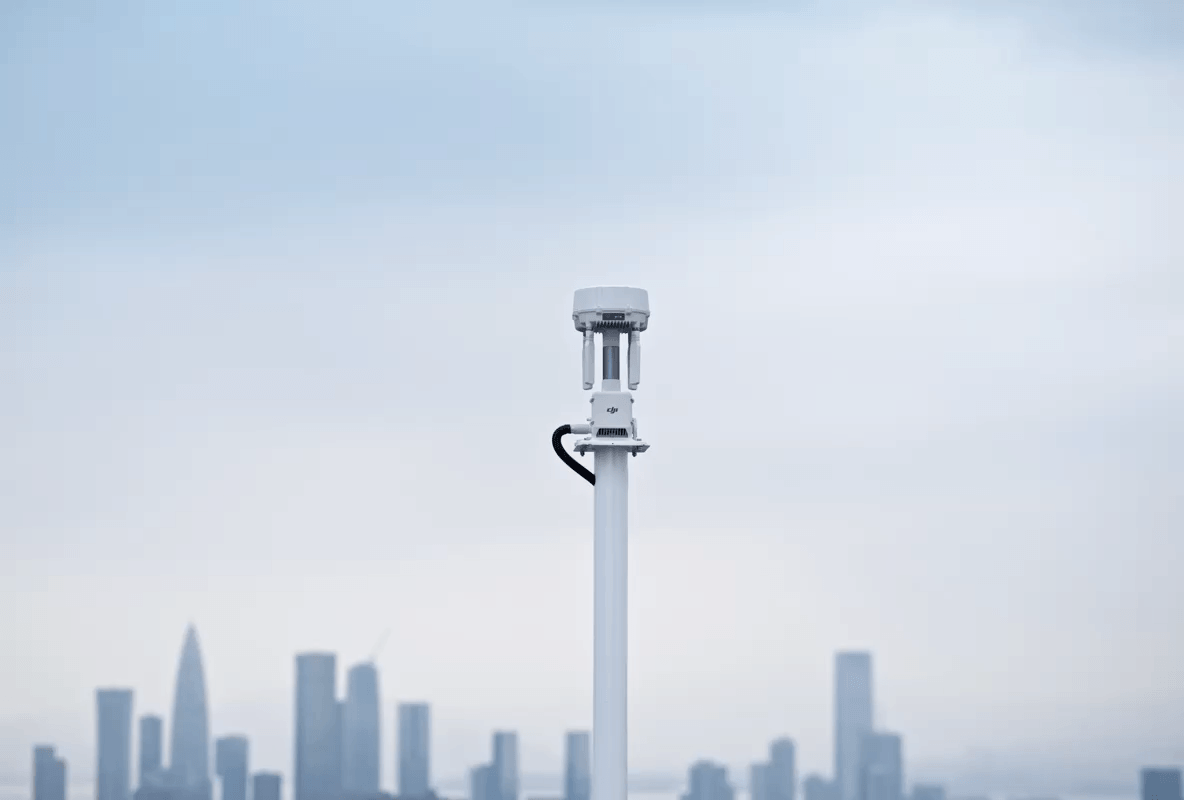
Positioning a compatible DJI ground station at an elevated, line-of-sight location can expand site-placement options where terrain or structures make direct links difficult. DJI currently lists both the D-RTK 3 Relay Fixed Deployment Version and DJI O4 Ground Station as compatible signal-infrastructure options. Operating mode, firmware, range, frequency approval, availability, topology, and project fit must be confirmed for Canada and the intended deployment.
High-performance Dock aircraft
Both aircraft share the Dock-optimized airframe, non-folding arms, a single intelligent flight battery, IP55 protection, O4+ Enterprise transmission, three visible-light focal lengths, a laser rangefinder, and compatibility with DJI RC Plus 2 Enterprise for manual missions. Their primary difference is the imaging package.

Mapping + detailed visual inspection

Thermal inspection + public safety + low light
DJI identifies the Matrice 4D 4/3 wide camera as the supported option for mapping without ground control points in the applicable workflow. Accuracy is never determined by the camera alone: flight planning, overlap, altitude, RTK/GNSS conditions, control/check points, terrain, processing settings, calibration, and project standards must all be considered. Laser and thermal measurements also depend on target, geometry, atmosphere, range, emissivity, and operating conditions.
Longer endurance, rapid turnaround
The Dock and aircraft are designed as a single operational system: fast cover opening, quick mission readiness, high-efficiency charging, direct media transfer, and long-endurance Matrice 4D Series aircraft reduce idle time between missions.
The Dock charges a powered-off aircraft from 15% to 95% in approximately 27 minutes at 25°C. Charge time changes with temperature, battery condition, starting state, and system load.
When the Dock and aircraft are in the required ready state, the system can progress from task issuance to takeoff in as little as approximately 10 seconds.
The Matrice 4D Series uses O4+ Enterprise transmission. Published transmission distances require unobstructed, interference-free test conditions and vary by regional radio standard.
RTK positioning and visual landing markers work together for accurate return to the Dock. Markers, cameras, RTK, Dock status, route, and landing-zone conditions must remain suitable.
Downturned propeller tips reduce flight noise, while the propeller design improves resilience in cold conditions. Propellers remain wearing parts and require routine inspection and scheduled replacement.
Matrice 4D and 4TD can also pair with DJI RC Plus 2 Enterprise for supported manual operations outside the automated Dock workflow. Controller and accessories may be separate.
DJI's 54-minute maximum-flight-time test was conducted in a windless laboratory environment at 20 m above sea level, in photo mode without taking photos, with Obstacle Avoidance Action set to Off, flying forward at a constant 12 m/s from 100% to 0%. The 10 km operating radius was measured at approximately 25°C with a 15% safe battery reserve, in windless conditions, at approximately 15 m/s round-trip speed with an 18-minute hover. Actual results vary with environment, use, and firmware. Plan real missions with conservative reserves and local requirements.
DJI FlightHub 2
FlightHub 2 connects Dock status, mission planning, live operations, media, models, alerts, records, and team permissions. Capabilities vary by region, licence, plan, quota, aircraft, firmware, and configuration.

Schedule repeatable data capture and standardize route geometry, camera actions, operating parameters, and media collection.
Use Virtual Cockpit for real-time supervision and supported remote control. Smart Track controls gimbal tracking; it does not make the aircraft automatically follow the target.
Generate supported cloud maps and models, then compare recurring captures for construction, stockpile, inspection, or incident documentation workflows.
Evaluate DJI Cloud API, FlightHub Sync, on-premises options, edge-computing interfaces, and supported third-party algorithms for project-specific integration.
Provide reliable internet and the required firewall access for FlightHub 2, live-streaming services, time synchronization, Dock services, and cloud endpoints. DJI currently recommends at least 50 Mbps for a stable FlightHub 2 experience; simultaneous live views, media transfer, cloud modelling, and organizational security policies may require more. Private networks should be tested end to end before commissioning.

From data capture to action
Depending on the selected FlightHub 2 plan and configuration, supported intelligent functions can assist with finding objects, monitoring known areas, comparing fixed-angle inspection imagery, and flagging relevant events for operator review. These tools assist trained personnel; they do not replace operational supervision, emergency decision-making, or professional engineering analysis.
Industry applications
Dock 3 can support scheduled inspection, rapid response, mapping, and situational-awareness programs across many industries. Suitability depends on the selected aircraft, payload, software, site design, operating approvals, weather, data requirements, and human oversight.

Rapid situational awareness, incident overwatch, search support, and post-event documentation.

Repeat corridor patrols, asset imagery, thermal review, and issue documentation.

Orthomosaics, 3D context, change tracking, topographic documentation, and asset inventories.

Facility, pipeline, flare, and right-of-way visual or thermal data collection.

Solar-field inspection, thermal anomaly review, wind-site documentation, and vegetation context.

Port, shoreline, vessel-area, channel, and waterway situational awareness.

Repeat infrastructure imaging, route documentation, condition surveys, and incident response.

Dams, reservoirs, flood-control assets, shorelines, and waterway monitoring.
Optional ecosystem
Dock 3 is the centre of a configurable enterprise solution. The following products and interfaces may expand coverage, field control, connectivity, sensing, communication, or integration—but should not be assumed to be included in the base listing.
Required for supported vehicle deployment. It helps maintain the Dock's mounting attitude and must be integrated with the vehicle, power, cabling, structure, and operating procedure.
DJI O4 Ground Station and D-RTK 3 Relay Fixed Deployment Version support different compatible high-site or relay architectures. Regional frequency approval, availability, placement, link budget, firmware, topology, and mode must be confirmed.
Enables supported manual operation of Matrice 4D or 4TD away from the Dock workflow. Controller configuration and aircraft pairing should be confirmed.
An optional multi-sensor module for compatible advanced obstacle sensing scenarios. Availability, certification, firmware, environmental limitations, and application conditions must be confirmed before relying on it.
Optional light and broadcast accessories for supported response, inspection, and communication missions. These accessories reduce available flight performance. Installing AL1 disables upward obstacle sensing, and switching on its spotlight deactivates obstacle avoidance; never direct it toward anyone's eyes. AS1 also affects power performance and flight time. Follow DJI's current manuals, payload limits, local rules, and feature-availability requirements.
Evaluate DJI Cellular Dongle 2, SIM service, external network hardware, edge-computing devices, PSDK payloads, Cloud API, FlightHub Sync, or on-premises workflows as separate project items.
Dock body, aircraft, batteries, remote controller, vehicle mount, ground station, cellular modem, accessories, installation materials, software licences, cloud quotas, commissioning, training, and support may be quoted separately. Your written SpeedyDrone Canada quotation and purchase order—not a generic web-page list—define the supplied configuration and package contents.
Technical specifications
Open each group to review the Dock, aircraft, camera, thermal, laser, power, charging, network, and environmental specifications. Values are based on DJI materials current when this page was prepared and should be reconfirmed for the quoted regional model.
| Item | Specification | Planning note |
|---|---|---|
| Weight | Approximately 55 kg without aircraft | DJI notes potential batch variation; vehicle and structural calculations require the final regional hardware data. |
| Dimensions — cover open | 1760 × 745 × 485 mm (L × W × H) | Preserve additional installation, service, airflow, takeoff, landing, and safety clearance. |
| Dimensions — cover closed | 640 × 745 × 770 mm (L × W × H) | Specified dimensions account for external features identified by DJI; verify drawings before fabrication. |
| Aircraft capacity | One Matrice 4D Series aircraft | One Dock does not automatically store, swap, or operate multiple aircraft at the same time. |
| Ingress protection | IP56 | Controlled laboratory rating; not permanent and may decrease with wear, damage, or poor maintenance. |
| Operating temperature | −30°C to 50°C (−22°F to 122°F) | Installation and mission limits also depend on aircraft, battery, accessories, precipitation, icing, wind, and site. |
| Maximum operating altitude | 4500 m | Subject to aircraft performance, local regulation, loading, weather, and project risk assessment. |
| Maximum landing wind speed | 12 m/s | Not a command to operate at the limit; gusts, turbulence, precipitation, icing, site geometry, and reserve margins matter. |
| RTK base positioning accuracy | Horizontal: 1 cm + 1 ppm (RMS); vertical: 2 cm + 1 ppm (RMS) | Requires suitable observation conditions and does not alone determine final mapping or asset-measurement accuracy. |
| Deployment software | DJI Enterprise app | Use current compatible mobile device, firmware, account, network, and regional service availability. |
| Item | Specification | Planning note |
|---|---|---|
| AC input | 100–240 VAC, 50/60 Hz | Electrical design, disconnecting means, circuit protection, grounding, cable, weatherproofing, and code compliance are site-specific. |
| Maximum input power | 800 W | Provide engineering margin and consider heaters, air conditioning, charging cycles, auxiliary equipment, and backup-power strategy. |
| Aircraft charge output | 35 VDC | Managed internally by the compatible Dock and aircraft system. |
| Charging time | Approximately 27 minutes from 15% to 95% | Measured with the aircraft powered off at 25°C. Actual time varies with battery health, environment, and system state. |
| Air conditioning | Compressor-based system; 48 V operating voltage | Supports enclosure thermal management; site ventilation and service clearance remain necessary. |
| Backup battery | 12 Ah, 12 V lead-acid battery | Specified operating time exceeds four hours with a fully charged backup battery at 25°C for supported essential functions. |
| Backup-power limitations | No aircraft charging, air conditioning, Dock-cover heating, or wind-gauge heating during AC outage | External UPS/generator design, outage procedures, safe aircraft recovery, and remote alerting may be required. |
| AC surge protection | 20 kA rated value; EN 61643-11 Type 2 / IEC 61643-1 Class II | Coordinate with the full site lightning and surge protection system. |
| Ethernet surge protection | 10 kA Itotal; EN/IEC 61643-21 Category C | External cable routes, shielding, grounding, and site exposure must be engineered. |
| Item | Specification | Planning note |
|---|---|---|
| Wired network | 10/100/1000 Mbps adaptive Ethernet | Network quality, not only link speed, affects live video, media upload, modelling, remote control, and reliability. |
| Cellular network | Supported through DJI Cellular Dongle 2 in applicable regions | Dongle, SIM, data plan, antenna environment, carrier support, certification, and feature availability are separate considerations. |
| Built-in antennas | Nine; 2T4R configuration | Supported frequencies and radio performance vary by regional model and regulation. |
| Environmental sensors | Wind speed, rainfall, ambient temperature, water immersion, internal temperature, and internal humidity | Remote readings assist operational decisions but do not replace professional site weather instruments or operator judgment where required. |
| External security camera | 1920 × 1080; 151° field of view; white-light illumination | Use according to site privacy, security, retention, notice, and network policies. |
| Internal security camera | 1920 × 1080; 151° field of view; white-light illumination | Used for Dock monitoring and diagnostics within supported workflows. |
| Cloud/platform software | DJI FlightHub 2 | Licence tier, storage, live-stream allowance, mapping quota, intelligent functions, user seats, and region must be quoted. |
| Other software options | DJI FlightHub 2 On-Premises, FlightHub Sync, DJI Cloud API | Eligibility, deployment architecture, integration work, support, and commercial terms vary. |
| Edge computing | Supported through an external edge-computing module | The module requires its own power supply and network connection; hardware, software, cybersecurity, interface, and validation remain project-specific. |
| Item | Specification | Condition / note |
|---|---|---|
| Compatible aircraft | DJI Matrice 4D and DJI Matrice 4TD | Dock 3 supports Matrice 4D Series Dock aircraft; confirm aircraft and Dock bundle in the quotation. |
| Aircraft weight | Approximately 1850 g | Includes battery, propellers, and microSD card; excludes accessories and additional payloads. |
| Maximum takeoff weight | 2090 g | Subject to payload compatibility, centre of gravity, aircraft limits, and local regulation. |
| Dimensions | 377.7 × 416.2 × 212.5 mm (L × W × H), without propellers | Non-folding-arm airframe designed for rapid Dock deployment. |
| Ingress protection | IP55 | Controlled laboratory rating; not permanent and may decline with wear or damage. |
| Operating temperature | −20°C to 50°C (−4°F to 122°F) | Battery, icing, precipitation, accessory, and mission limits also apply. |
| Maximum takeoff altitude | 6500 m | Actual capability decreases with payload, temperature, battery, and air density; regulation applies. |
| Maximum wind resistance | 12 m/s during operation, takeoff, and landing | Use conservative limits for gusts, turbulence, precipitation, icing, terrain, and safe reserve. |
| Maximum flight time | 54 minutes | DJI windless laboratory test at 20 m above sea level, photo mode without taking photos, Obstacle Avoidance Action set to Off, 12 m/s forward flight, 100% to 0%. |
| Maximum hover time | 47 minutes | DJI windless hover test at 20 m above sea level, from 100% to 0%. |
| Maximum operating radius | 10 km | Measured at approximately 25°C with a 15% safe battery reserve, windless conditions, approximately 15 m/s round-trip speed, and an 18-minute hover. |
| Maximum flight distance | 43 km | DJI windless test at 20 m above sea level, flying at a constant 16 m/s from 100% to 0%. |
| Maximum ascent / descent | 6 m/s / 6 m/s in Normal mode | Only Normal mode is supported while operating with Dock 3. |
| Maximum horizontal speed | Forward 15 m/s; reverse 12 m/s; lateral 10 m/s | Normal mode values; local speed, route, obstacle, wind, and mission restrictions may be lower. |
| Hover accuracy with RTK | Vertical ±0.1 m; horizontal ±0.1 m | Requires strong RTK positioning and the conditions stated by DJI. |
| Transmission system | O4+ Enterprise | One-way, non-return test distance in an unobstructed outdoor environment free of interference: up to 25 km under FCC and 12 km under CE/SRRC/MIC. This is not an operating radius. |
| Live view through Dock | 540p / 720p / 1080p at 30 fps | Resolution and continuity depend on network, plan, bandwidth, radio link, and system load. |
| Maximum download speed | 20 MB/s under laboratory conditions | Actual media transfer depends on storage, files, temperature, network, and concurrent operations. |
| Aircraft-to-Dock lowest latency | Approximately 100 ms | Measured under laboratory conditions; end-to-end remote-control latency includes other network and cloud factors. |
| Battery | 6768 mAh; 149.9 Wh; approximately 640 g | High-energy lithium battery shipping, storage, charging, and lifecycle procedures apply. |
| Battery cycle count | 400 cycles | Service life depends on temperature, depth of discharge, storage, use, and maintenance; capacity declines over time. |
| Battery features | Self-heating; charge temperature 5°C to 45°C | Dock thermal management and battery state determine whether charging can begin. |
| Propellers | DJI 1364F low-noise anti-ice propellers | Inspect before flight and replace according to DJI maintenance criteria. |
| Sensor | Specification | Operational value |
|---|---|---|
| Wide-angle camera | 4/3 CMOS; 20 MP; 24 mm equivalent; f/2.8–f/11; mechanical shutter; focus 1 m to infinity | Primary high-precision mapping and wide-area documentation camera. |
| Medium tele camera | 1/1.3-inch CMOS; 48 MP; 70 mm equivalent; f/2.8 | Mid-range context and inspection detail without flying as close. |
| Tele camera | 1/1.5-inch CMOS; 48 MP; 168 mm equivalent; f/2.8 | Long-range detail capture; up to 16× digital and 112× hybrid zoom in supported workflows. |
| Lens defogging | Supported on wide, medium tele, and tele cameras | Helps recover image clarity in applicable fogging conditions; not a substitute for weather limits. |
| Laser rangefinder | Normal maximum 1800 m at 1 Hz with 20% reflectivity; oblique maximum 600 m; blind zone 1 m | Target reflectivity, geometry, atmosphere, weather, and sunlight affect range. |
| Laser-ranging accuracy | At 1–3 m: system error <0.3 m and random error <0.1 m (1σ). At other distances: ±(0.2 + 0.0015 × D) m. | D is distance in metres. Values apply under DJI's specified test conditions and are not survey certification. |
| Sensor | Specification | Operational value / condition |
|---|---|---|
| Wide-angle camera | 1/1.3-inch CMOS; 48 MP; 24 mm equivalent; f/1.7 | Wide-area visible-light capture with strong low-light capability. |
| Medium tele camera | 1/1.3-inch CMOS; 48 MP; 70 mm equivalent; f/2.8 | Mid-range inspection and scene context. |
| Tele camera | 1/1.5-inch CMOS; 48 MP; 168 mm equivalent; f/2.8 | Long-range visible detail; up to 112× hybrid zoom in supported workflows. |
| Visible-camera defogging | Supported on wide, medium tele, and tele cameras | Assists image clarity in applicable fogging conditions. |
| Thermal detector | Uncooled VOx microbolometer; 640 × 512; 12 μm pixel pitch; 30 Hz | For supported qualitative and radiometric thermal workflows. |
| Thermal lens | 53 mm equivalent; f/1.0; 45° diagonal field of view; focus from 5 m to infinity | Tele-thermal perspective for remote inspection and response. |
| Thermal sensitivity | NETD ≤50 mK at f/1.0 | Measured under DJI conditions; scene and settings affect usable contrast. |
| Thermal UHR mode | 1280 × 1024 at 30 fps when UHR Infrared Image is enabled and Night Scene mode is off; otherwise 640 × 512 at 30 fps | Generated high-resolution mode; 1280 × 1024 is not the detector's native resolution. |
| Temperature range — high gain | −40°C to 150°C | Specified accuracy: ±2°C or ±2%, whichever is greater, under applicable test conditions. |
| Temperature range — low gain | 0°C to 500°C | Specified accuracy: ±5°C or ±3%, whichever is greater, under applicable test conditions. |
| NIR auxiliary light | Field of view 5.7° ±0.3° | Assists compatible low-light tele workflows; effectiveness depends on range, atmosphere, target, and camera mode. |
| Laser rangefinder | Normal maximum 1800 m at 1 Hz with 20% reflectivity; oblique maximum 600 m; blind zone 1 m | At 1–3 m: system error <0.3 m and random error <0.1 m (1σ). At other distances: ±(0.2 + 0.0015 × D) m under DJI conditions. |
| Sensor protection | Avoid exposing the thermal camera to high-intensity energy sources | Direct sun, lava, and laser energy can permanently damage the infrared detector. |
D = distance from the laser rangefinder to the target. Published radio, laser, thermal, flight, charging, and positioning specifications apply only under their respective DJI test conditions. Specifications, functions, service availability, appearance, and supplied products may change; use the current quotation, manuals, release notes, and regional product documentation for final engineering decisions.
Before ordering
A successful deployment connects aviation, site engineering, IT, security, software, training, maintenance, and regulation. Use this checklist with SpeedyDrone Canada before finalizing the configuration.
Lifecycle and governance
Treat Dock 3 as managed critical field infrastructure. Scheduled inspections, maintenance, cybersecurity reviews, software updates, operator training, and response procedures are part of the solution.
DJI's maintenance guidance uses basic maintenance at approximately six-month intervals and standard maintenance annually for fixed deployment. Vehicle-mounted systems add routine checks at least monthly or every 1,000 km, plus annual/10,000 km service milestones. Harsh environments can shorten intervals to approximately three months. Actual schedules follow the current manual, operating hours, mileage, site exposure, alerts, inspection results, and service provider guidance.
DJI documentation states that FlightHub 2 product design, development, and operation services are covered by ISO/IEC 27001:2022 certification, and that the same service scope as a PII controller is covered by ISO/IEC 27701:2019 certification. These are FlightHub 2 service-scope statements—not a claim that Dock 3 hardware itself is ISO certified.
Frequently asked questions
These answers clarify common purchasing, deployment, software, and operating questions. Your final quotation, current DJI manuals, regional product documents, operating approvals, and site plan remain authoritative for the delivered project.
Canadian organizations can request a DJI Dock 3 project quote from SpeedyDrone Canada, an authorized DJI dealer based in Toronto and serving customers across Canada. The quote can confirm Matrice 4D or 4TD, fixed or vehicle deployment, FlightHub 2, accessories, training, installation requirements, availability, and the supplied package. Contact SpeedyDrone Canada with the site and mission requirements.
SpeedyDrone Canada can help Canadian enterprise teams compare Matrice 4D and 4TD, review the intended workflow, identify configuration and accessory requirements, prepare a commercial quote, and discuss training and after-sales needs. Engineering, installation, regulatory, software, and support deliverables are project-specific and must be stated in the written quotation.
DJI Dock 3 supports DJI Matrice 4D Series Dock aircraft: Matrice 4D and Matrice 4TD. It is not a universal Dock for other DJI aircraft. Confirm the selected aircraft, regional model, battery, and Dock bundle in the SpeedyDrone Canada quotation.
Choose Matrice 4D when high-precision visible-light mapping and detailed visual inspection are the priority. Choose Matrice 4TD when you need thermal imaging, NIR-assisted low-light capability, response support, hot-spot review, or thermal asset inspection. Both include wide, medium tele, tele, and laser-ranging systems, but their wide and thermal payloads differ substantially.
Yes. Both can pair with DJI RC Plus 2 Enterprise for supported standalone manual operation. The controller and related accessories may be separate items, and the aircraft must be configured according to DJI's current documentation.
A compatible DJI Dock 3 Vehicle-Mounted Gimbal Mount is required, along with an engineered vehicle structure, AC power strategy, network connection, cable routing, grounding/bonding, clearances, weather protection, security, and operating procedure. After relocation, recalibrate the Dock location in the supported cloud workflow, park below the specified 3° slope, verify the relative alternate site, and keep the vehicle and Dock stationary during flight. The Dock base must be secured to the vehicle bracket with all lock nuts tightened, and the required base-to-vehicle safety rope installed according to DJI's current installation manual.
No. DJI's mobile-deployment guidance requires the Dock and vehicle to remain stationary while the aircraft is operating. Keep the Dock cover closed while transporting the system, and complete the required position calibration and preflight checks after moving.
No. Dock 3 stores and charges one compatible aircraft; it does not perform automatic battery replacement. The system instead uses rapid charging—approximately 27 minutes from 15% to 95% at 25°C with the aircraft powered off—to prepare for subsequent missions.
The built-in 12 V, 12 Ah backup battery can support designated essential functions for more than four hours when fully charged at 25°C. It does not charge the aircraft or operate the air conditioner, Dock-cover heater, or wind-gauge heater during the outage. The project still needs power-loss alerts, safe-flight logic, recovery procedures, and—where required—an external UPS or generator strategy.
Dock 3 is rated IP56 and specified for −30°C to 50°C; Matrice 4D Series is rated IP55 and −20°C to 50°C. DJI's FAQ references normal operation in rainfall up to 2 mm/h. These figures do not make every mission safe or legal: gusts, turbulence, icing, freezing rain, snow accumulation, visibility, lightning, temperature, battery condition, payload, route, and emergency options must be evaluated before each operation.
DJI currently recommends at least 50 Mbps for a stable FlightHub 2 experience. A project using multiple live views, high-resolution uploads, cloud modelling, several Docks, VPNs, or strict security inspection may need substantially more. Test real latency, packet loss, jitter, upload speed, failover, firewall access, DNS, NTP, live video, route dispatch, media transfer, and modelling before acceptance.
Do not assume a specific licence, storage quota, livestream allowance, model quota, user count, intelligent feature, API entitlement, or service term is included. FlightHub 2 plans and regional offerings change. SpeedyDrone Canada should quote the required software and services for your operating model.
No. Product capability and radio range do not grant airspace or operating authorization. Automated or beyond-visual-line-of-sight operations may require specific approvals, procedures, equipment, personnel, detect-and-avoid provisions, communications, emergency planning, and risk assessments under the rules that apply to the operator and location. In Canada, the operator must determine whether the mission falls within the applicable Transport Canada operating category or requires Level 1 Complex privileges, an RPAS Operator Certificate, safety-assurance declarations, or an SFOC-RPAS. Obstacle sensing is not by itself a detect-and-avoid system or BVLOS authorization. Review the current Transport Canada drone rules (opens in a new tab) before planning the operation.
DJI documents supported one-aircraft/multiple-Dock and multi-Dock task workflows in compatible configurations, but does not support multiple aircraft with one Dock. Multi-Dock tasks are not supported when a Dock is linked with the D-RTK 3 Relay Fixed Deployment Version. Other ground-station, relay, firmware, licence, route, and mission combinations must also be confirmed. Review the planned topology with SpeedyDrone Canada and test it during commissioning.
No. These are one-way, non-return test distances in an unobstructed outdoor environment free of interference: up to 25 km under FCC and 12 km under CE/SRRC/MIC. Real radio range varies, and operational radius is separately constrained by battery reserve, wind, terrain, altitude, route, return-to-home, communications, airspace, and legal authorization. DJI specifies a maximum 10 km operating radius only under its defined test profile.
No. Supported detection, tracking, search, comparison, and alert functions can help trained personnel review large datasets and respond faster, but outputs can be incomplete or incorrect. Human supervision, mission-specific validation, professional judgment, and established emergency or engineering processes remain necessary.
This listing makes no medical-device, clinical, diagnostic, code- compliance, or inspection-certification claim. Thermal results depend on emissivity, distance, angle, atmosphere, reflections, target size, range mode, calibration, and environment. Use qualified personnel and an application-specific validation process.
DJI's maintenance materials use approximately six-month basic and annual standard maintenance intervals for fixed installations. Vehicle installations add at least monthly/1,000 km routine checks and annual/10,000 km milestones. Harsh sites can require three-month intervals. Flight hours, mileage, alerts, weather, dust, salt, icing, damage, component wear, and the current manual determine the final schedule.
Package contents vary by region, bundle, aircraft choice, accessory selection, installation scope, software plan, and commercial quotation. Do not rely on a generic online list. SpeedyDrone Canada will identify the Dock, aircraft, batteries, installation items, controller, vehicle mount, accessories, licences, services, warranty, and support included in the written quote.
SpeedyDrone Canada enterprise solutions
Tell us your site, mission, aircraft preference, fixed or mobile plan, coverage, network, power, software, accessories, regulatory pathway, and desired support scope. SpeedyDrone Canada can help Canadian enterprise teams compare the options and prepare a project-specific configuration and quote.
DJI, DJI Dock, Matrice, and FlightHub are trademarks of their respective owner. Product appearance, specifications, software functions, service availability, and package contents may change. Final configuration is governed by the current regional documentation and SpeedyDrone Canada quotation.
Courier delivery is not available for this item. Please wait for our pickup-ready notification before visiting the store.
Contact SpeedyDroneFast Canadian fulfillment, local Toronto pickup, and clear delivery expectations.
Free shipping is available across most Canadian provinces on orders of CAD $149 or more before tax.
Orders below CAD $149, remote postal codes, and shipments to NT, NU, and YT are charged live carrier rates at checkout.
Orders placed and fully paid before 3:00 PM ET on business days may be eligible for same-day dispatch if the item is in stock at our Toronto store.
Orders placed after 3:00 PM ET, or when the item is not currently in stock at our Toronto store, will be processed based on product availability and the applicable fulfillment timeline.
Pre-order, backorder, special-order, out-of-stock, and unavailable items are not eligible for same-day dispatch.
Delivery timelines are estimates from the date of dispatch and exclude weekends and statutory holidays.
Orders typically ship with UPS, Purolator, or Canada Post depending on destination, parcel size, and service availability.
Express shipping upgrades, when available, are shown at checkout.
Tracking is emailed automatically once the shipping label is created. Carrier updates may take a few hours to appear.
Most parcels ship with signature required by default for added security.
Eligible items may be available for pickup at SpeedyDrone Toronto. Pickup availability is shown on the product page near the buy box.
Ready time may vary by product availability, order status, and store confirmation.
We want every order to feel clear and confident. Please review the summary below together with our full policy for complete terms.
Enterprise drones, payloads, systems, and related products are final sale. It is not eligible for change-of-mind returns or exchanges.
If the item arrives damaged or appears defective, stop using it and contact SpeedyDrone promptly. Eligible warranty or defect cases are handled under the published policy and applicable manufacturer warranty terms.