


Mavic 4 Pro • Recording workflow
More storage.
Different recording tools.
The same camera platform.
What 512GB, ALL-I and 10-bit 4:2:2 change—and when the 64GB aircraft is enough.
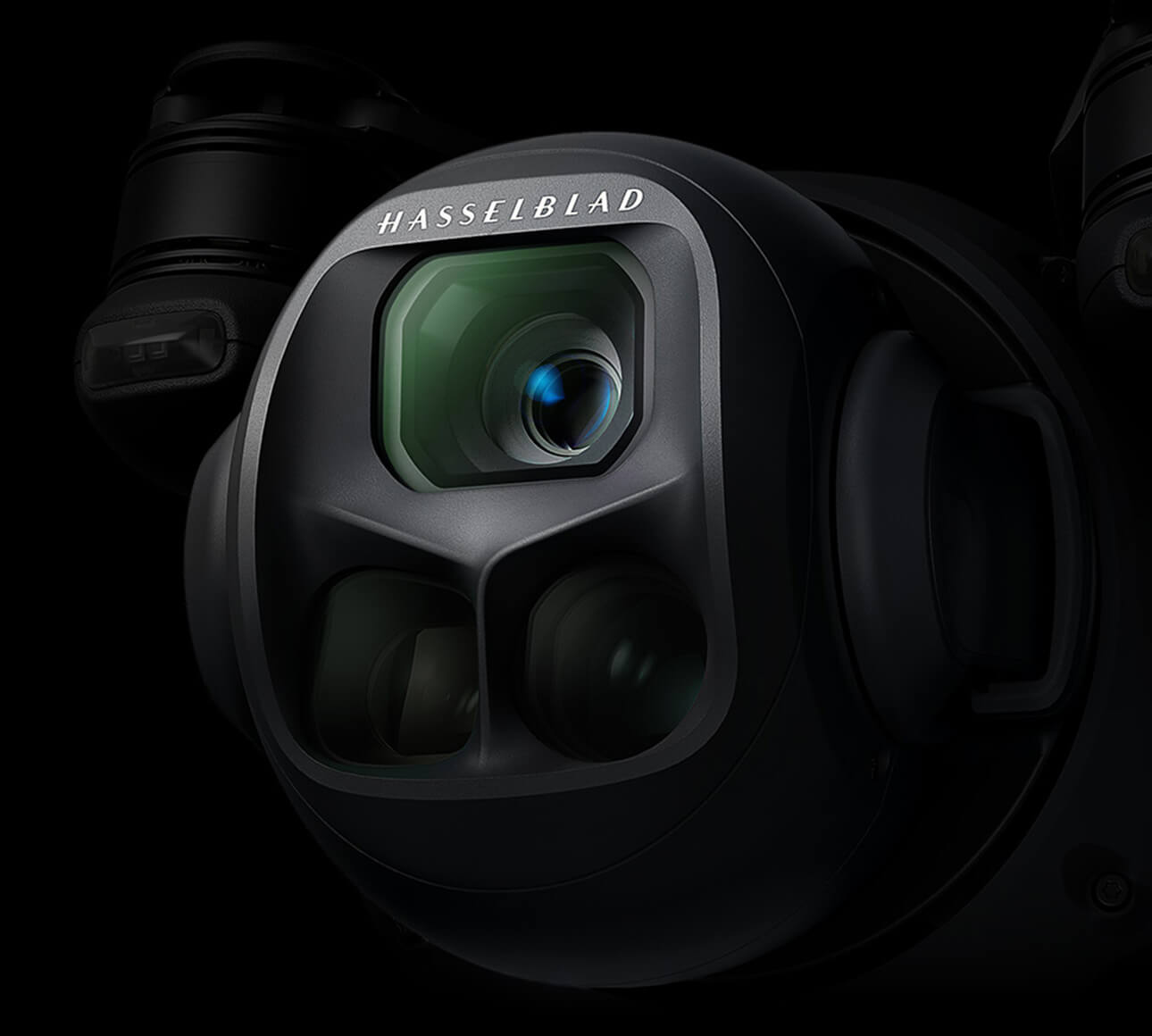
The DJI Mavic 4 Pro 512GB is not simply the standard aircraft with more storage. It adds H.264 ALL-I recording, 10-bit 4:2:2 and a minimum 1-second timelapse interval. The 64GB version still offers 10-bit H.265 video, with 4:2:0 colour sampling.
Choose between them around your post-production needs. Frequent colour work, compositing and large shoots make the 512GB option easier to justify. For travel films, straightforward edits and moderate grading, the standard aircraft can be the better fit.
Manufacturer specifications and SpeedyDrone listings checked September 27, 2026. Workflow recommendations below are editorial guidance, not SpeedyDrone camera or editing benchmarks.
Mavic 4 Pro 64GB vs 512GB: what changes?
| Capability | 64GB version | 512GB version |
|---|---|---|
| Nominal / usable internal storage | 64GB / approx. 42GB | 512GB / approx. 460GB |
| 10-bit H.265, 4:2:0 | Yes | Yes |
| H.264 ALL-I, 10-bit 4:2:2 | No | Yes |
| Minimum timelapse interval | 2 seconds | 1 second |
| Internal storage technology | eMMC | UFS; high-speed transfer configuration |
| microSD expansion | Yes | Yes |
| Core imaging platform | 100MP 4/3 Hasselblad main camera, two tele cameras and Infinity Gimbal | |
Swipe the table on a phone. Storage and recording formats: DJI specifications. Timelapse distinction: DJI’s technical FAQ, linked in Sources.
“Creator Combo” names the bundle; “512GB version” identifies the aircraft configuration. Neither means a larger main-camera sensor. DJI’s advertised maximum 15.5-stop dynamic range is also a camera-platform claim, not a 512GB exclusive. Its D-Log laboratory conditions exclude slow-motion and cropped vertical video.


What is ALL-I, and how is it different from Long-GOP?
ALL-I, or All-Intra, encodes each video frame independently. Long-GOP compression can use relationships between frames to reduce the amount of data it needs to store. That distinction concerns how frames are compressed, not the number of pixels in the picture.
Independent frames can make random frame access more straightforward when you repeatedly scrub, jump through a timeline or work frame by frame. Long-GOP prioritises compression efficiency. ALL-I generally trades that efficiency for more self-contained frames and larger files. Sony’s technical recording-format reference explains these principles; it does not imply that DJI uses Sony’s XAVC recording format.
Does ALL-I automatically look better?
No. Resolution, frame rate, bitrate, encoder decisions, exposure and scene complexity all matter. Changing the compression structure alone does not guarantee a visible improvement in every shot or final export.
On this aircraft, the decision is also not simply “ALL-I versus H.265” in the abstract. DJI pairs its H.264 ALL-I mode with 10-bit 4:2:2, while standard H.265 uses 10-bit 4:2:0. You are selecting a combination of compression and colour-sampling characteristics. Keep those differences separate when assessing a sample clip.
ALL-I changes frame compression. It is not an automatic guarantee of better-looking footage or a faster timeline.
10-bit, 4:2:2, codec and bitrate are different things
These specifications are often grouped together in a product description, but they answer different questions.
| Term | What it describes | What it does not establish |
|---|---|---|
| Bit depth | Precision of the encoded component values | How densely colour is sampled across the image |
| Chroma sampling | Spatial sampling of colour-difference information | A specific codec or number of tonal levels |
| Codec / compression structure | How video data is encoded; whether frames depend on other frames | Guaranteed picture quality on its own |
| Bitrate | Data used per second of video | Resolution, bit depth or a universal quality score |
Ten-bit encoding can represent more numerical levels per component than eight-bit encoding. That is useful when manipulating tonal transitions, but it does not make 10-bit synonymous with 4:2:2. The standard 64GB Mavic 4 Pro is already a 10-bit camera in its H.265 recording modes.
4:2:2 vs 4:2:0: the extra sampling is vertical
Relative to luma resolution, both 4:2:2 and 4:2:0 halve chroma resolution horizontally. In 4:2:2, chroma retains full vertical resolution; in 4:2:0, vertical chroma resolution is halved as well. Microsoft’s YUV documentation makes this distinction explicit.
4:2:2
2 × 4 chroma samples
for a 4 × 4 luma area
4:2:0
2 × 2 chroma samples
for a 4 × 4 luma area
The additional colour-detail sampling can be useful around colour boundaries, in keying and compositing, or when making demanding colour adjustments. It does not mean “twice as many colours,” nor does it double image resolution. The visible benefit depends on the shot, processing and delivery compression.
Is 10-bit 4:2:2 the same as ProRes or RAW?
No. ProRes is a codec family; 4:2:2 describes sampling. DJI identifies the Mavic 4 Pro’s ALL-I option as H.264 in an MP4 container. MP4 itself is a container, not a promise of any particular compression quality.
DJI’s current video specifications do not list ProRes or RAW recording for this aircraft. Converting a clip to ProRes in post creates a different working file; it does not mean the camera captured native ProRes, and it cannot recreate information absent from the source.
Will ALL-I edit more smoothly on my computer?
It may help with seeking and frame-by-frame work, but that is not the same as guaranteeing real-time playback. A high-data-rate H.264 10-bit 4:2:2 file still needs suitable decoding support, fast enough storage and processing headroom for effects.
Before choosing a whole production workflow, test a representative clip in your actual editor, operating system and delivery timeline. Check playback with the colour transform and effects you normally use—not just an ungraded source in a media player.
DJI publishes model-specific macOS guidance for 6K H.264 10-bit 4:2:2 playback and editing. That is a useful reminder that decoder support matters. Consult the current guidance for your configuration rather than assuming every computer handles the format identically.
For deadline work, build proxy creation or a tested transcode step into the plan if native editing is unreliable. Keep the camera originals and relink to them for finishing where your workflow supports it. Buying the 512GB aircraft does not remove the need to test the rest of the system.
How much storage is usable—and how long can it record?
DJI lists approximately 460GB available on the 512GB aircraft and 42GB on the 64GB aircraft. Nominal capacity is not the same as available recording space. Use the aircraft’s current free-space indication when planning a shoot, especially if previous footage remains onboard.
DJI also publishes maximum video bitrates: 1,200Mbps for H.264 ALL-I, 180Mbps for standard H.265 and 90Mbps for standard H.264. These are maxima, not promises that every resolution and frame rate records at those rates.
We would not turn “460GB” into a single guaranteed number of recording hours. Measure a representative clip in your chosen settings, then leave room for retakes and unexpected footage. Storage capacity also says nothing about flight endurance.
Both aircraft accept microSD expansion, but a larger card does not add the 512GB version’s recording capabilities. Check the available recording destination for your selected mode in the aircraft; do not assume that internal storage and a card are interchangeable for every workflow.
QuickTransfer, USB-C and a card reader do different jobs
QuickTransfer is the wireless route to a mobile device. DJI’s Wi-Fi 6 claim is up to 80MB/s, measured using internal storage in a low-interference laboratory setting in regions supporting both 2.4GHz and 5.8GHz. It is not a guaranteed field speed or the aircraft’s wired USB throughput.
DJI’s Mavic 4 Pro Beginner’s Guide describes USB export to a computer without powering on the aircraft, accessing internal storage or an inserted microSD card. Removing the card and using a reader is another option—but that only accesses files on the card.
The Creator Combo includes a high-speed USB-C data cable, and DJI distinguishes its 512GB UFS storage from the standard configuration. That supports planning a wired ingest workflow; it does not establish a specific real-world MB/s figure for your computer, cable and destination drive.
- For a few mobile clips: QuickTransfer can be convenient.
- For a large production offload: plan a tested USB connection and a destination drive with sufficient capacity. Use a card reader for media actually recorded on the card.
- Before clearing media: verify the copy, open representative files and maintain a separate backup. More onboard capacity is not a backup strategy.
What does a 1-second timelapse interval change?
The 512GB version’s minimum interval is one second; the standard version’s is two seconds. A shorter interval gives more temporal samples over the same capture period. That can help when planning changing traffic, moving clouds or other activity where a two-second gap skips more of the action.
Same 10-minute capture. Different frame counts.
1-second interval≈600 frames → 20 seconds
2-second interval≈300 frames → 10 seconds
The benefit is capture-interval flexibility, not a higher-resolution camera. Subject speed, exposure and the sequence you want still determine whether one second is useful. A slower-moving scene may not need the shorter interval at all.
Does buying RC Pro 2 add ALL-I or 4:2:2?
No. Those capabilities belong to the 512GB aircraft. A standard 64GB aircraft paired with RC Pro 2 remains a standard 64GB aircraft.
The DJI RC Pro 2 Remote Controller has its own benefits, including a rotating 7-inch Mini-LED screen. Buy it for the controller experience, not as a recording-format unlock. Our RC Pro 2 vs RC 2 guide covers that separate decision.
Is the 512GB Mavic 4 Pro worth it for your workflow?
| Your typical work | Practical buying direction |
|---|---|
| Travel and social edits with moderate grading | 64GB is a credible choice. Its 10-bit H.265 option may cover the workflow without ALL-I file sizes. |
| Commercial colour finishing or compositing | 512GB has stronger relevance when you can use 4:2:2 source material and have tested the decode pipeline. |
| Frequent frame-by-frame work | Consider ALL-I, but test seeking and playback in your own editor before assuming a speed gain. |
| Large daily shoots | More internal storage is useful; allow for larger files, offload time and verified backups. |
| Timelapse-heavy projects | 512GB matters if the one-second interval solves a real capture need. |
Real estate and automotive work do not automatically require ALL-I. A fast-turnaround listing video and a heavily finished campaign can have very different post-production requirements, even when both are paid jobs.
For battery turnaround and bundle power equipment, use the Mavic 4 Pro charging guide. If you have not yet settled on the aircraft platform, start with Mavic 4 Pro vs Air 3S. The recording-format decision comes after deciding what you need to shoot.
Frequently asked questions
Is the 512GB Mavic 4 Pro just the standard drone with more storage?
No. It also adds H.264 ALL-I with 10-bit 4:2:2 and a minimum one-second timelapse interval. The core camera platform remains shared. Think of it as a storage and recording-workflow upgrade, not a new optical system. Creator Combo is the bundle name, while 512GB identifies the aircraft version.
Does every Mavic 4 Pro support 10-bit video?
Both the 64GB and 512GB versions support 10-bit H.265 with 4:2:0 sampling. The 512GB-specific option is H.264 ALL-I with 10-bit 4:2:2. Saying that only the Creator configuration shoots 10-bit would misrepresent the standard aircraft’s capabilities.
Can RC Pro 2 unlock 4:2:2 on a 64GB aircraft?
No. The recording restriction is tied to the aircraft version, not the remote controller. If ALL-I and 4:2:2 are essential, choose the 512GB aircraft. An upgraded controller or a larger microSD card is not a substitute for that configuration.
Is ALL-I the same as RAW video?
No. ALL-I describes independently compressed frames. On this aircraft, DJI specifies H.264 ALL-I encoded video. Its current specifications do not list RAW video recording. A more flexible compressed-video workflow should not be described as sensor RAW capture.
Is 10-bit 4:2:2 the same as Apple ProRes?
No. Bit depth and chroma sampling describe properties that different codec families can use. DJI’s ALL-I implementation here is H.264, not ProRes. Transcoding to ProRes for editing changes the working format; it does not change what the aircraft originally captured.
Why does the 512GB version show less than 512GB free?
Nominal capacity is not the same as available recording space. DJI lists approximately 460GB available on the 512GB aircraft, versus approximately 42GB on the 64GB version. Existing recordings reduce current free space further. The published figures do not provide a detailed allocation of the difference.
How many hours of ALL-I fit in 460GB?
There is no single reliable answer for all settings. DJI’s 1,200Mbps figure is a maximum, not a constant rate for every clip. Resolution, frame rate and actual data rate affect file size. Check a representative clip and the aircraft’s remaining-capacity indication; leave space for additional takes rather than planning around an untested hours estimate.
Does the 512GB version have better cameras?
It shares the same core Mavic 4 Pro imaging platform, including the 100MP 4/3 Hasselblad main camera, two tele cameras and Infinity Gimbal. The extra recording options may be valuable during finishing, but they do not replace the sensor with a larger one or make the platform’s dynamic-range claim exclusive to 512GB.
What is the minimum timelapse interval?
DJI lists one second for the 512GB version and two seconds for the standard version. One second captures more temporal samples within the same period. That can change sequence length or motion sampling at a chosen playback frame rate, but it does not by itself improve per-frame image resolution.
Choose the aircraft for the work you finish.
If ALL-I, 4:2:2 and larger internal storage fit your production workflow, explore the DJI Mavic 4 Pro 512GB Creator Combo with RC Pro 2.
View the 512GB Creator ComboPrefer standard H.265 recording? The Fly More Combo linked above remains a capable option. Check the current listing for bundle contents and availability.
Technical sources
Alongside the DJI specifications, FAQ and export guide linked above: DJI Mavic 4 Pro overview and test footnotes; DJI technical FAQ on 512GB differences and timelapse; Sony’s recording-format explanation; Microsoft’s chroma-sampling definitions; Apple ProRes format reference.


