


Enterprise network planning guide
DJI O4 Ground Station
Gateway vs Relay Mode, RTK, PoE, network design and the deployment decisions that matter.
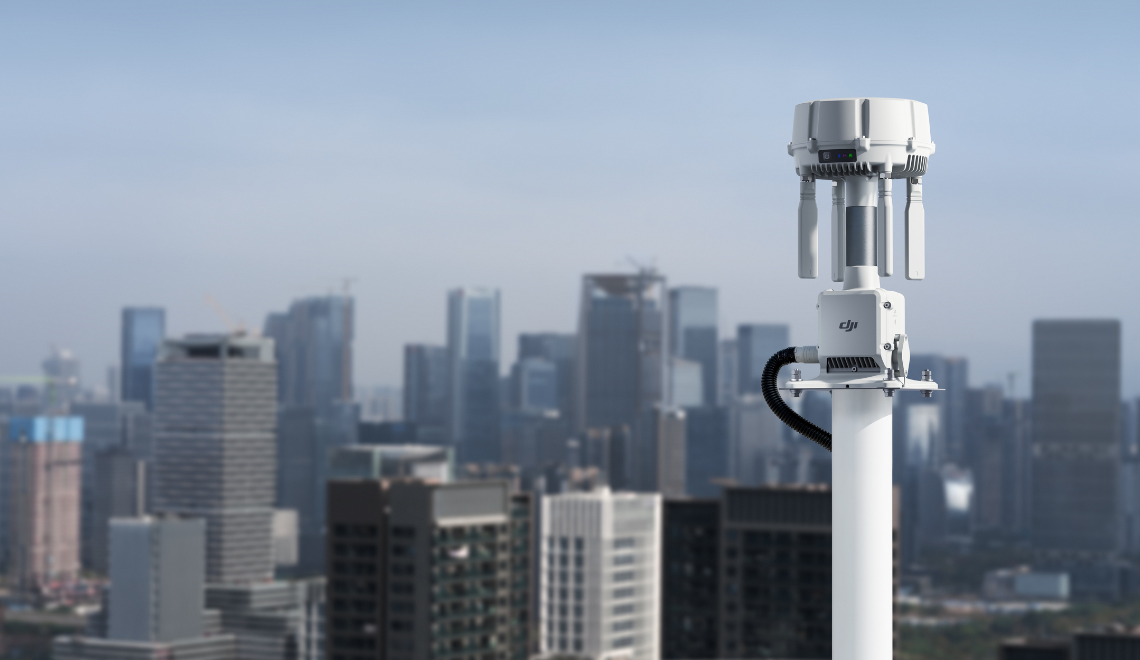
DJI O4 Ground Station is not simply another RTK base. It is a fixed communications node with two different jobs: Gateway Mode brings a strategically placed O4 radio into a connected DJI Dock 3 and FlightHub 2 architecture, while Relay Mode creates an offline radio hop around terrain or structures. Both modes can provide RTK reference data after position calibration, but the unit does not provide the D-RTK 3 Base Station or Rover Station workflows.
The right design therefore starts with the problem, not the longest distance in a specification table. Is a connected Dock 3 site weak in one direction? Is a hill blocking a remote controller? Do you need IP cameras, a third-party sensor, cold-weather heating or a network backhaul? Those answers determine the mode, power class and site.
Choose Gateway Mode when a Dock 3 site needs a network-connected radio node, FlightHub 2 integration or IP camera support. Choose Relay Mode when the radio path—not the internet connection—is the problem. Relay should be installed at an elevated, low-interference point with a clear path to both ends; it is not a universal range doubler.
O4 Ground Station at a glance
The table below separates the functions DJI currently documents for each mode. It also corrects two common assumptions: Gateway does not make every listed aircraft directly compatible, and ESDK 2.0 is a supported hardware interface without DJI explicitly documenting every mode-specific third-party workflow.
| Capability | Gateway Mode | Relay Mode |
|---|---|---|
| Primary role | Connected-site O4 coverage through a network backhaul | Offline radio hop around physical obstruction |
| Internet required | Yes, through Ethernet or DJI Cellular Dongle 2 | No |
| DJI's listed compatibility | DJI Dock 3 | Dock 3; Matrice 400; Matrice 4E/4T; Matrice 4D/4TD with RC Plus 2 Enterprise |
| RTK reference after calibration | Yes | Yes |
| IP camera access | Yes | No |
| ESDK 2.0 interface | Supported by the hardware; confirm the intended mode-specific third-party workflow | |
| Best first question | How should this radio node join the connected Dock site? | Where is the clear elevated path around the obstruction? |
Gateway and Relay solve different links
In Gateway Mode, the Ground Station connects through Ethernet or DJI Cellular Dongle 2 to FlightHub 2 public cloud, FlightHub 2 On-Premises, FlightHub 2 AIO or a compatible third-party system using Cloud API or FlightHub Sync. The aircraft in this architecture is the Matrice 4D or 4TD paired with Dock 3; the Dock remains a separate connected component rather than the airborne end of the same radio link.
DJI says there is no fixed deployment-distance requirement between the Ground Station and Dock 3 in Gateway Mode. That does not mean unlimited physical range: it means the Ground Station can be placed where the radio geometry is useful, while its network backhaul follows a separate design. The copper Ethernet segment between the Ground Station and network switch is limited to 100 metres.
Relay Mode removes the cloud backhaul from the radio path. A compatible remote controller or Dock communicates to the Ground Station, and the Ground Station relays the signal toward the aircraft. DJI recommends keeping the controller or Dock within 1 km of the Ground Station; the stated maximum is 3 km only under unobstructed, interference-free conditions.
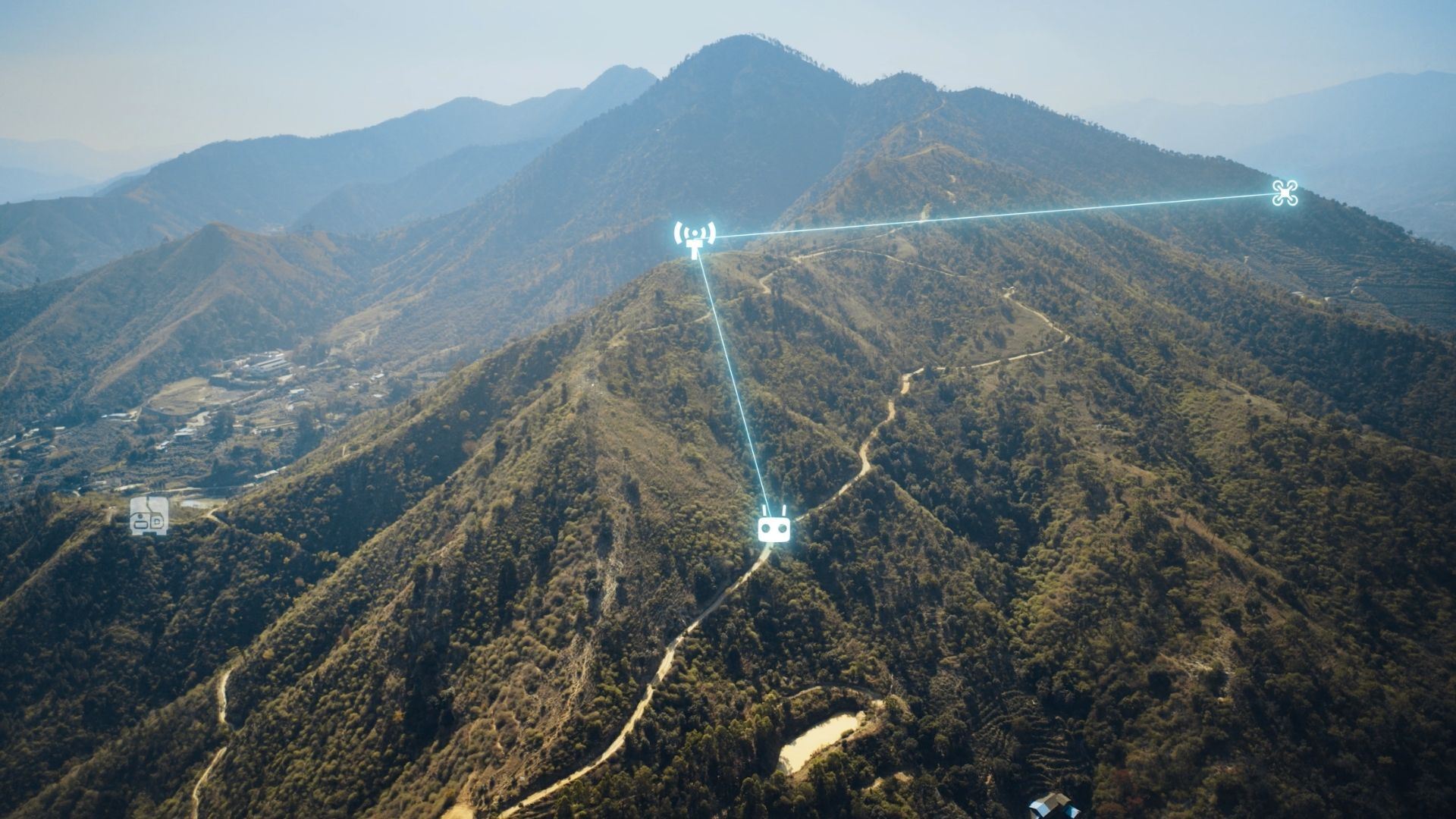
DJI publishes a maximum one-way transmission figure of 40 km between Matrice 400 and O4 Ground Station under IC conditions, and 30 km for other compatible aircraft under IC conditions. These are manufacturer test figures, not a Canadian work radius and not a return-flight guarantee. Terrain, antenna height, interference, permitted frequencies, aircraft energy, weather and the legal operation all reduce the value of treating one number as a site design.
Compatibility, sharing and firmware
DJI's current FAQ lists Dock 3 for Gateway Mode. For Relay Mode it lists Dock 3, Matrice 400, Matrice 4E, Matrice 4T and Matrice 4D/4TD when those dock aircraft are used with RC Plus 2 Enterprise. The current product page and launch article also name FlyCart 100 for Relay, while the FAQ does not. Because the official pages do not fully align, FlyCart 100 should be confirmed against the current firmware, region and project configuration before purchase or deployment.
| Platform | Documented role here | Current SpeedyDrone path |
|---|---|---|
| DJI Dock 3 | Gateway or Relay endpoint; sequential sharing supported | DJI Dock 3 product page |
| Matrice 400 | Relay; sub-2 GHz capability where permitted | Matrice 400 SP Plus Full Package |
| Matrice 4E / 4T | Relay with the supported controller configuration | DJI Matrice 4E / DJI Matrice 4T |
| Matrice 4D / 4TD | Relay with RC Plus 2 Enterprise; Dock 3 aircraft in Gateway architecture | DJI Matrice 4D (RC Plus 2)+ / DJI Matrice 4TD (RC Plus 2) SP Plus + |
| FlyCart 100 | Named by DJI product/launch pages for Relay; absent from current FAQ list | DJI FlyCart 100 listing — confirm availability and support |
For Relay sharing, compatible remote controllers and Docks within 1 km can use Remote Access to find the nearby station and take turns. DJI currently requires Dock 3, its aircraft and the controller to be on firmware V13.01.00.04 or later for that workflow. Gateway Mode can similarly serve Dock 3 and aircraft systems in the same organization sequentially.
RTK reference is not a D-RTK 3 replacement
After position calibration, O4 Ground Station can provide RTK reference data to a connected aircraft in either mode. That is useful because the communications node can also contribute a positioning reference inside the same architecture. It does not turn the unit into DJI's general-purpose survey reference station.
DJI explicitly states that O4 Ground Station does not support the Base Station and Rover Station modes available on D-RTK 3. Teams that need a standalone base/rover workflow, a survey pole or the wider D-RTK field toolset should keep D-RTK 3 in the decision rather than assuming O4 replaces it.
| Decision point | O4 Ground Station | D-RTK 3 Relay Fixed |
|---|---|---|
| Modes | Gateway and Relay | Relay Fixed only |
| Primary fit | Multiple supported aircraft architectures and connected-site expansion | Mainly a fixed Dock 3 relay deployment |
| RTK Base / Rover | No | Yes, when used in those D-RTK 3 modes |
| Radio bands | 2.4, 5.2 and 5.8 GHz; adds sub-2 GHz with Matrice 400 where supported | 2.4, 5.2 and 5.8 GHz |
| Added integrations DJI lists | IP cameras, ESDK 2.0 and 7 W smart low-power mode | DJI does not list those O4 additions for D-RTK 3 Relay Fixed |
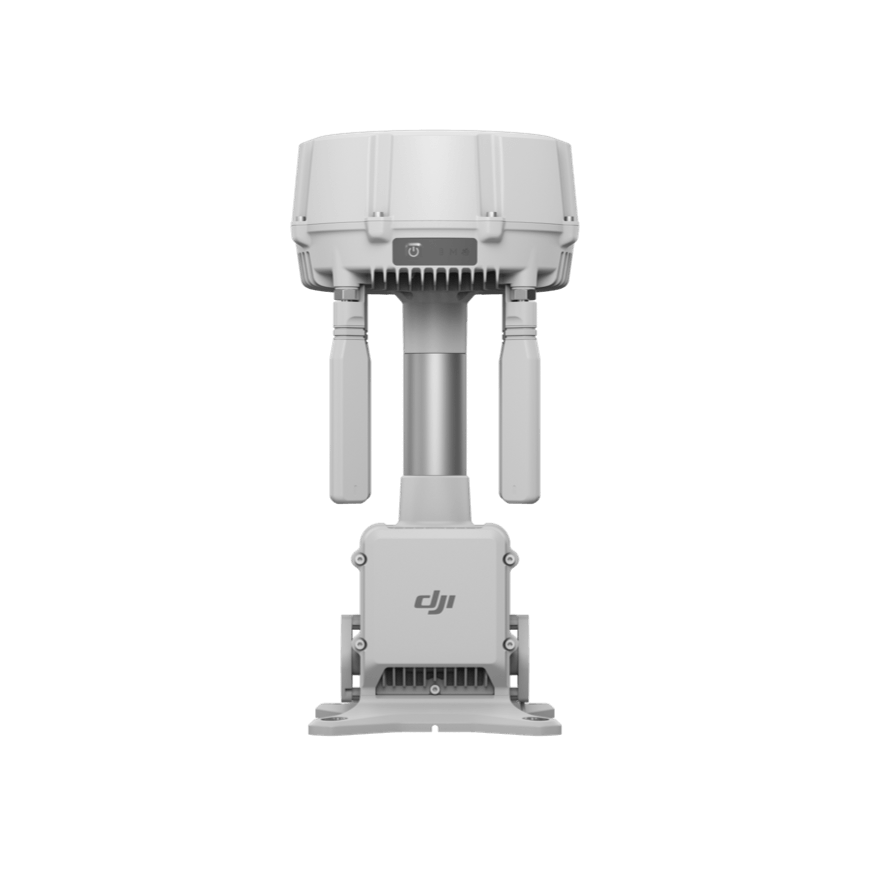
DJI O4 Ground Station
Use SpeedyDrone's enterprise assessment path to confirm mode, firmware, region and complete site architecture.
Ask SpeedyDrone about O4 Ground Station →
D-RTK 3 Multifunctional Station
Current SpeedyDrone listing for the multifunctional GNSS station; select it for its own supported base, rover or relay roles.
View D-RTK 3 Multifunctional Station →PoE class is a temperature and mode decision
O4 Ground Station can draw far more power during heating than its normal communications load. A typical Gateway deployment without heating is listed at 17.1 W, but the maximum including heating is 65 W. Designing from the smaller typical number can leave a cold site unable to start or maintain the required thermal state.
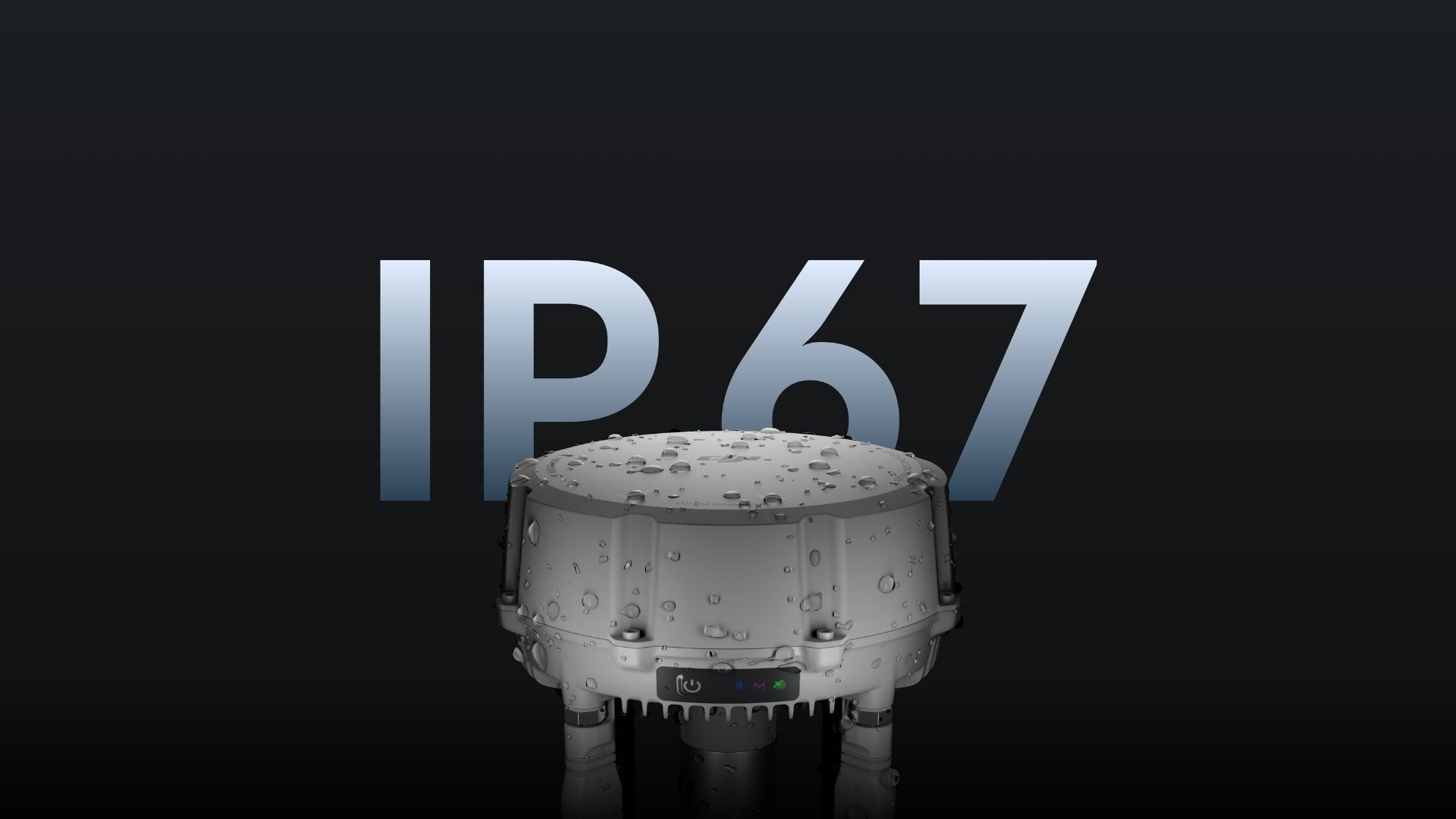
DJI supports Type 4 PoE++ at 52–57 V and up to 99.9 W per port from −40°C to 55°C. Type 3 PoE++ supports up to 60 W per port from −30°C to 55°C. Type 2 PoE+ supports up to 30 W per port from −20°C to 55°C and is for Gateway Mode only. Non-standard PoE and Type 1 are not supported.
For a Canadian site expected to cold-start below −30°C, Type 4 is the relevant published class. DJI also says a −40°C to −20°C startup needs at least 60 W and Type 3 or higher, while the Type 3 operating floor is −30°C; at the −40°C design point, Type 4 is therefore the practical documented choice. The 7 W low-power mode is not recommended from −40°C to −20°C.
What does the built-in battery actually cover?
The internal battery is rated at 3,250 mAh and 23.4 Wh. With the default battery-preservation strategy active during PoE operation, DJI lists about 45 minutes of backup in Gateway Mode and about 30 minutes in Relay Mode at room temperature. Those are preservation-mode figures, not the cell's absolute maximum runtime.
The battery can also be pre-charged through 9 V or 12 V USB-C PD. DJI recommends a 65 W PD charger and lists about 2.5 hours for a full charge. With a fully charged battery, Gateway operation can reach about two hours under the stated conditions. The power-supply side must still account for PoE conversion and cable loss.
Network, WAN/LAN and IP camera planning
DJI's Gateway network requirements are at least 100 Mbps bandwidth and no more than 100 ms latency. If those conditions are not met, the documented symptoms include offline status or stuttering. When IP cameras share the system, DJI recommends a dedicated network to reduce latency and a gigabit PoE switch.
The WAN and LAN ports are not interchangeable labels. WAN connects the Ground Station to the network switch/internet and can receive PoE. LAN is the ESDK 2.0 interface and can also receive PoE. For an ONVIF camera workflow, DJI's FAQ shows the camera and the Ground Station WAN connected to the same network switch; the Ground Station does not power the camera.
Gateway Mode accepts standard IP cameras using ONVIF or GB/T 28181, with H.264 video required. DJI documents up to four simultaneous 1080p streams. That can give a remote operator fixed views of a gate, Dock area, yard or facility perimeter alongside aircraft video. Relay Mode does not support the IP camera connection.
Use Cat 6 or better outdoor-rated waterproof twisted-pair cable. DJI specifies a maximum 100 m Ethernet run and an outer cable diameter of 5.5–6.5 mm. During Gateway troubleshooting it also instructs installers to confirm T568B termination at both ends. Waterproof glands, drip loops, surge/lightning design, VLANs, firewall rules, DHCP or static addressing, uplink capacity and redundancy are site-engineering decisions—not extra DJI minimum specifications—and should be documented separately.

Site selection and commissioning workflow
A desktop map is not enough to choose a radio site. In Gateway Mode, DJI recommends using FlightHub 2 Signal Map data after flights to identify weak areas. In Relay Mode, the documented site-evaluation path uses a Matrice 4D Series aircraft, supported remote controller and DJI Pilot 2 to assess the target relay location.
- Survey both radio sight lines, not only the final aircraft area.
- Measure interference and verify the bands available in the deployment region.
- Confirm safe access, mounting, lightning protection and weather exposure.
- Budget the correct PoE class, cable length and cold-start power.
- Test the intended firmware, controller, Dock and organization workflow.
- Record failover, battery, maintenance and remote-access procedures.
Mode changes can be made by pressing the power button three times, through an Android phone running DJI Enterprise App, or through DJI Assistant 2 Enterprise on a PC. DJI's current commissioning and debugging instructions use the Android App; an iPhone/iOS deployment path is not currently documented. SpeedyDrone's DJI Enterprise App guide explains the broader mobile role.
Remote ID and ADS-B receivers may also be connected through compatible third-party or ESDK ecosystem components. That can add situational-awareness data, but it does not turn the installation into certified air traffic control, an approved detect-and-avoid system or an operating authorization.
Matrice 400, sub-2 GHz and the Canadian boundary
O4 Ground Station paired with Matrice 400 is the currently documented combination that adds sub-2 GHz capability and automatic multi-band selection, subject to regional support and radio-frequency rules. That is different from using a Matrice 400 as an airborne relay: the current Matrice 400 User Manual says sub-2 GHz is unavailable while the aircraft is operating as the onboard relay.
This difference creates a useful architecture choice. A fixed Ground Station can be planned where the terrain and infrastructure justify a permanent node; the Matrice 400 Airborne Relay workflow is more mobile, but uses another aircraft and has its own radio and operating limits. Neither option should be selected only from the largest published distance.
For Canada, an IC-labelled test figure does not establish that every band or mode is enabled for a specific site. Frequency availability, Relay availability, firmware, hardware region and the complete operating configuration should be confirmed before deployment.
A longer command-and-control link also does not authorize BVLOS flight. Canada's Level 1 Complex pathway can allow qualifying lower-risk BVLOS operations when the pilot certificate, RPAS Operator Certificate, aircraft safety assurance and operating conditions are all met. Operations outside the applicable categories may still require an SFOC-RPAS. Equipment selection supports the safety case; it does not replace the regulatory pathway.
Architecture decision table
Use the table as a first routing decision, then validate the choice with a field survey and a complete network, power and compliance review. Several rows deliberately point away from O4 Ground Station because the correct answer is sometimes a different system.
| If the problem is… | Evaluate first | Reason |
|---|---|---|
| Dock 3 coverage is weak in one direction | O4 Gateway | Places the radio where it is useful while retaining connected Dock/FlightHub workflow |
| A hill or structure blocks a controller or Dock link | O4 Relay | Elevated offline radio hop around the obstruction |
| The operating route changes regularly | Matrice 400 Airborne Relay | Mobile relay geometry may fit better than a fixed site |
| Cellular coverage is strong across the mission | Compare 4G Enhanced Transmission | A fixed relay may not be the simplest backhaul |
| Only a fixed Dock 3 relay is needed | Compare D-RTK 3 Relay Fixed | A narrower fixed-relay tool may be sufficient |
| Fixed IP cameras or an ESDK device are required | O4 Gateway | Gateway is the documented IP camera path |
| Matrice 400 needs sub-2 GHz | O4 plus regional confirmation | This combination is uniquely documented, but region-dependent |
| Standalone GNSS base/rover work is required | D-RTK 3 | O4 does not provide D-RTK 3 Base or Rover modes |
Frequently asked questions
What is the difference between O4 Gateway and Relay Mode?
Gateway Mode uses Ethernet or DJI Cellular Dongle 2 to connect a strategically placed O4 radio node to FlightHub 2 or a compatible system for a Dock 3 site. Relay Mode does not require internet; it creates a radio hop between a supported controller or Dock and an aircraft to work around terrain or structural obstruction.
Can O4 Ground Station replace D-RTK 3?
Not as a complete replacement. O4 Ground Station can provide RTK reference data to a connected aircraft after position calibration, but DJI says it does not support the D-RTK 3 Base Station or Rover Station modes. Choose based on the required communications and GNSS workflow.
Does O4 Ground Station work with DJI Dock 3?
Yes. DJI lists Dock 3 for both Gateway and Relay modes. In Gateway, O4 becomes a connected radio node in the Dock 3 architecture. In Relay, it can relay the radio path. Remote Access sharing has current firmware requirements that should be checked before commissioning.
Can one O4 Ground Station connect to several drones at once?
No. DJI states that only one aircraft can be connected at a time. Compatible controllers or Docks can share the Ground Station sequentially, but the feature should not be designed as simultaneous multi-aircraft relay capacity.
What PoE switch does O4 Ground Station need?
It depends on mode and temperature. Relay requires PoE++ rather than Type 2 PoE+. Type 4 supports DJI's full −40°C to 55°C range, while Type 3 starts at −30°C and Type 2 is limited to Gateway operation from −20°C. The maximum load including heating is 65 W.
How long does the backup battery last?
With the default battery-preservation strategy, DJI lists about 45 minutes in Gateway Mode and 30 minutes in Relay Mode at room temperature after PoE loss. A fully charged battery can provide about two hours in Gateway under the stated conditions. DJI recommends 65 W USB-C PD and lists about 2.5 hours for a full charge.
Can O4 Ground Station connect IP cameras?
Yes, in Gateway Mode only. DJI supports ONVIF and GB/T 28181 cameras with H.264 video and documents up to four simultaneous 1080p streams. The camera and O4 WAN connect to the same switch; the camera still needs its own PoE or DC supply.
Does O4 Ground Station make BVLOS legal in Canada?
No. It is communications infrastructure, not an authorization. A Canadian BVLOS operation must fit the applicable operating category and satisfy its pilot, operator, aircraft and operating requirements, or obtain the required special permission. Confirm the regulatory path independently from the radio design.
Can I commission O4 Ground Station with an iPhone?
DJI's current deployment and debugging instructions use an Android phone running DJI Enterprise App. Mode switching is also possible through the physical power button or DJI Assistant 2 Enterprise on a PC. An iPhone commissioning path is not currently documented.
Design the link before buying the node
SpeedyDrone can help map the aircraft, Dock, Ground Station, site geometry, network, PoE, firmware and Canadian operating pathway into one deployable architecture. Bring the site layout, coverage problem and current fleet.
Request an Enterprise workflow assessment


