


Unitree G1 for Universities and AI Labs: Canadian Deployment Guide
A practical guide to selecting, purchasing and deploying a Unitree G1 humanoid robot for university research, embodied AI, robotics education, perception, locomotion, human-robot interaction and manipulation projects in Canada.
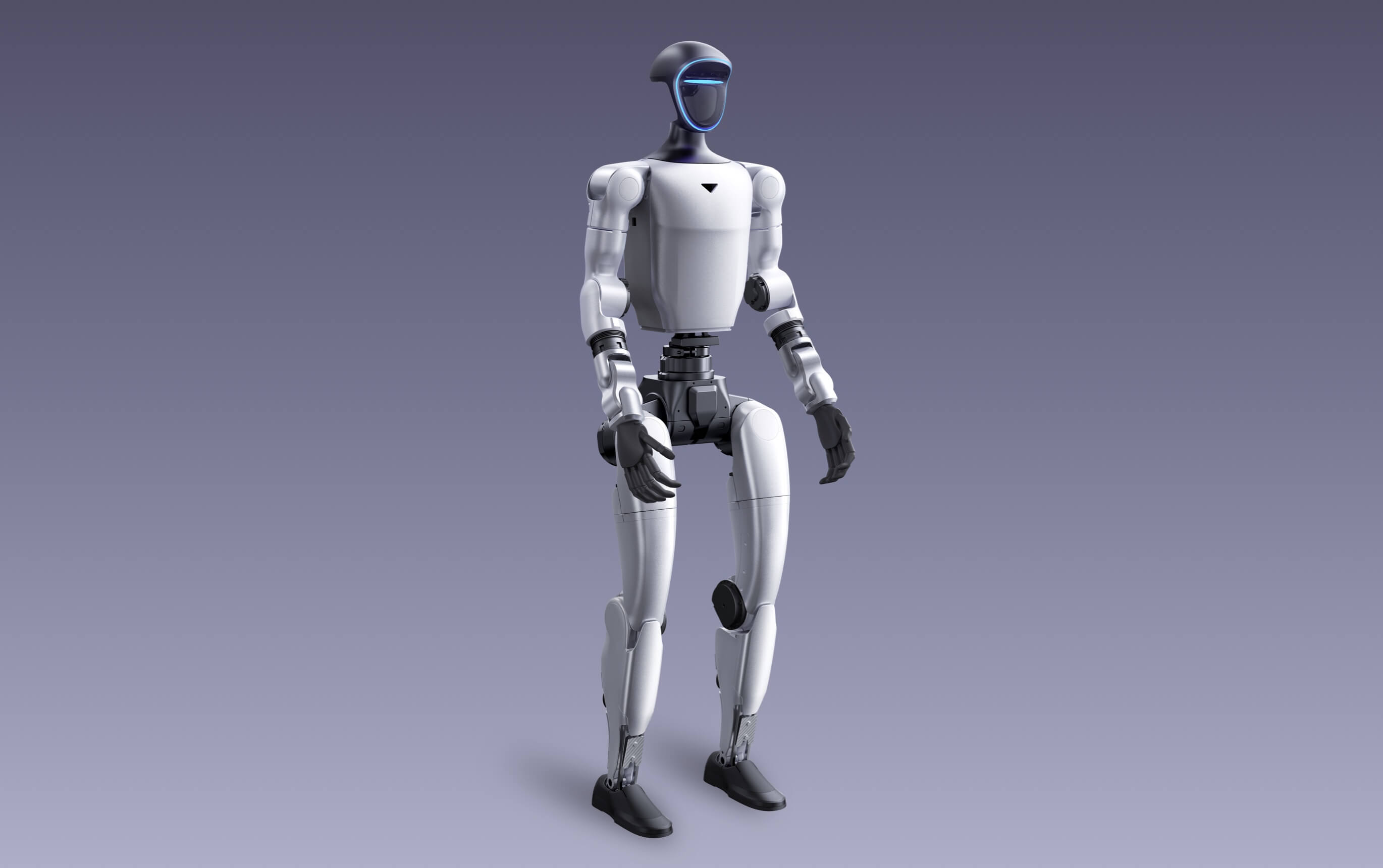
Choose G1 Basic for controlled demonstrations, platform evaluation and lower-cost access to the G1 hardware. Choose G1 EDU when SDK access, secondary development, added computing, expanded joints or custom manipulation are part of the research requirement.
Who should consider a Unitree G1 humanoid robot?
Unitree G1 is most compelling when an organization needs a physical humanoid platform—not merely a software simulation or a display robot. The business case becomes stronger when the project requires repeatable access to humanoid motion, onboard perception, real hardware data, student training or embodied-AI experimentation.
University robotics laboratories
G1 EDU can support research involving motion control, perception, navigation, human-robot interaction, embodied intelligence and hardware-software integration.
Colleges and advanced teaching programs
A G1 can become a shared teaching platform for robotics, mechanical engineering, computer science, AI, mechatronics and interdisciplinary capstone projects.
Corporate innovation teams
Organizations can use G1 to evaluate humanoid interaction, prototype workflows, build demonstrations and develop internal knowledge before larger automation investments.
Museums and public demonstrations
G1 Basic may be sufficient when the goal is supervised engagement, technology education or controlled demonstrations rather than low-level development.
Applied research centres
The robot can support validation projects, but the team must define measurable research outcomes, operators, integration resources and an acceptance test.
Immediate labour replacement
Buying a G1 does not automatically create a production-ready worker. Real tasks require software, tooling, perception, manipulation, validation, supervision and safety controls.
Do not purchase from a demonstration video alone. A movement, dance, manipulation or AI interaction shown online may depend on a specific configuration, firmware, research model, operator, accessory or function that is not included in the package being quoted.
What Unitree G1 is—and what it is not
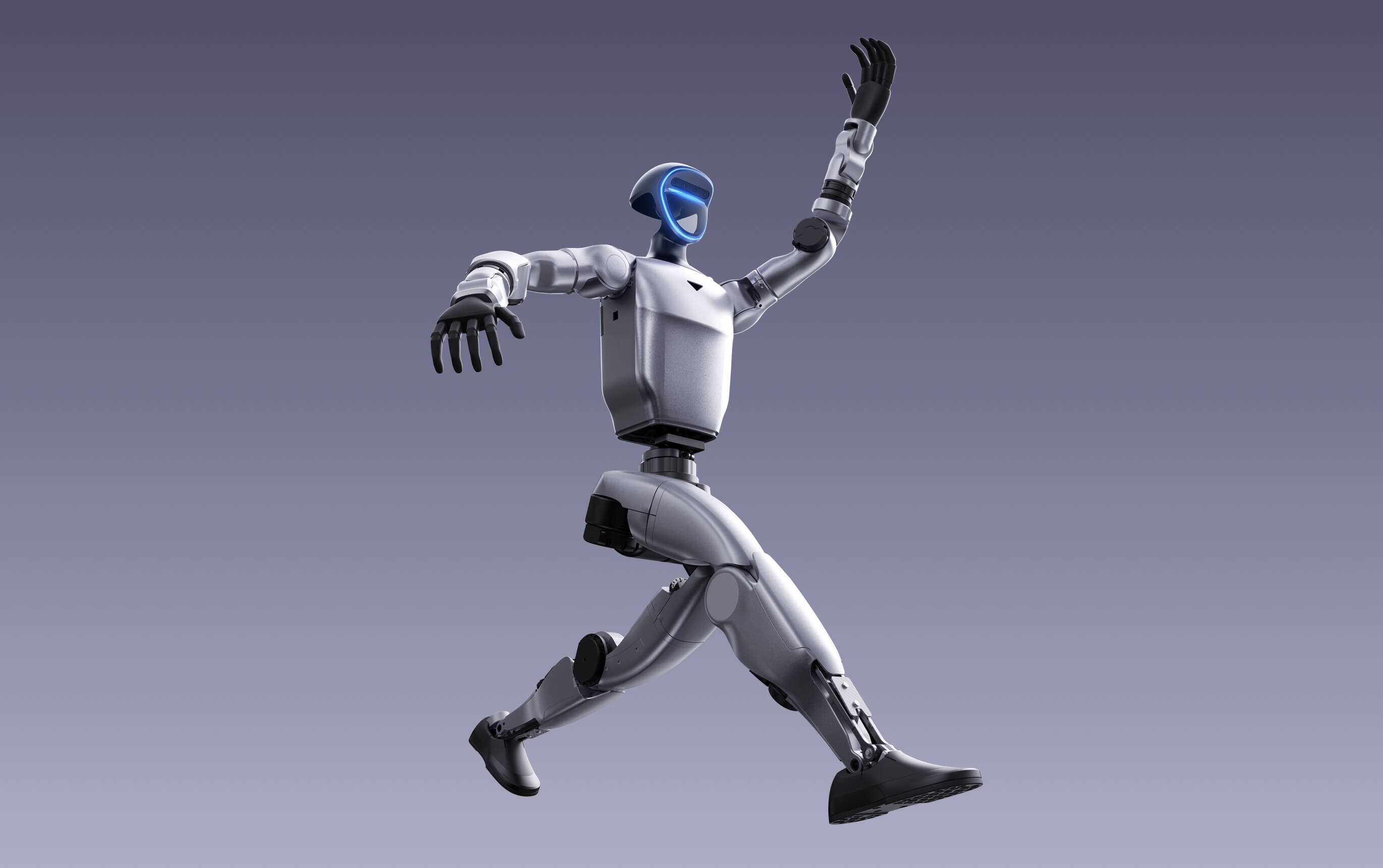
A compact physical humanoid platform
- Approximately 132 cm tall when standing
- Approximately 35 kg with battery, depending on configuration
- Depth camera and 3D LiDAR sensing
- Quick-release 9000mAh battery
- Wi-Fi 6, Bluetooth 5.2, microphones and speaker
- Expandable EDU configurations for research and development
A finished universal employee
- It does not arrive trained for every business task
- Standard G1 does not provide the same development access as G1 EDU
- Dexterous hands may be optional or absent from a quoted package
- Manufacturer maximum figures are not guaranteed field results
- Research prototypes require supervision and controlled testing
- Hardware ownership does not replace institutional safety approval
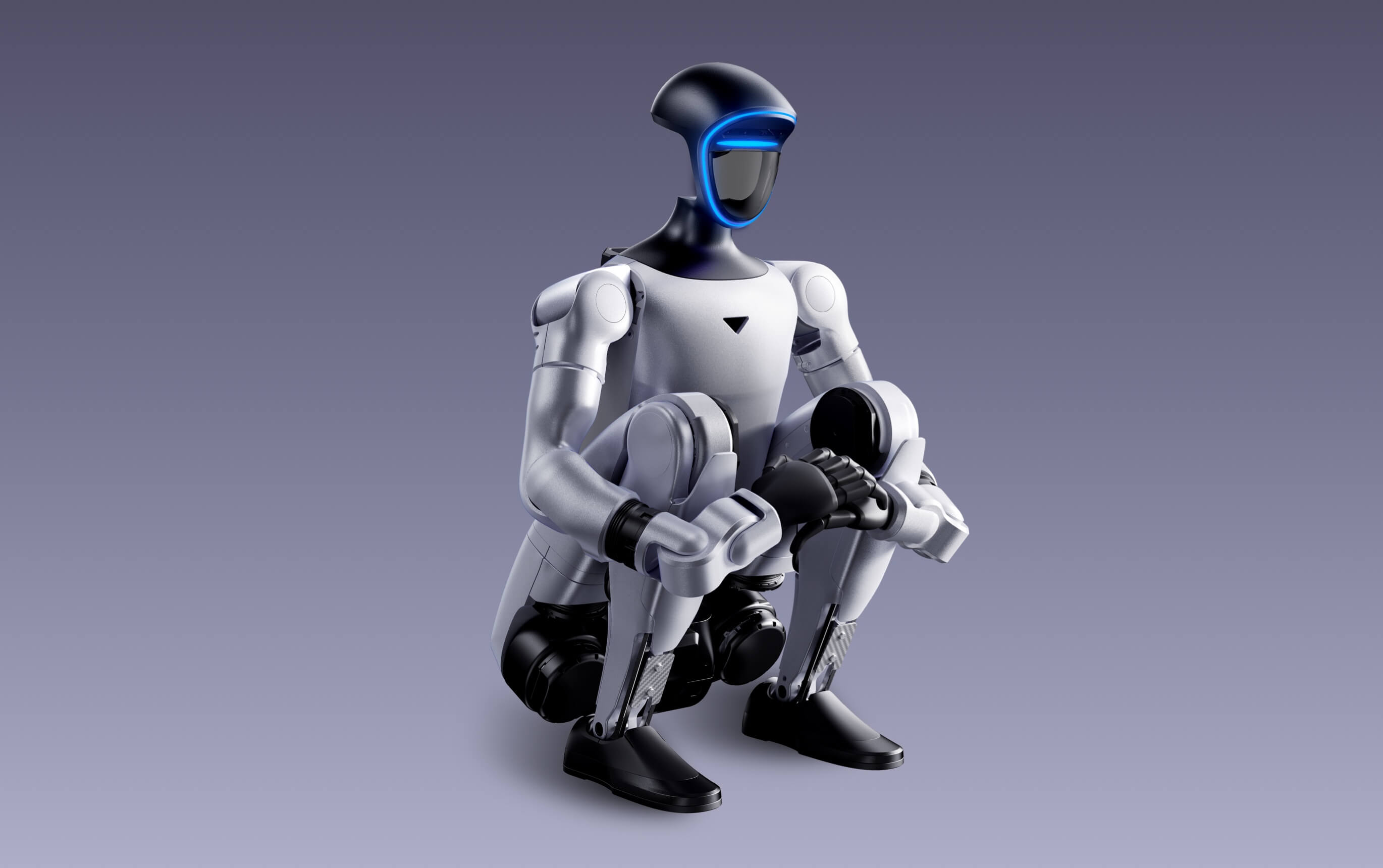
Unitree G1 Basic vs G1 EDU vs the current G1 EDU U2 listing
Unitree presents G1 EDU as a configurable family rather than one fixed package. SpeedyDrone’s current G1 EDU U2 listing is a specific 29-degree-of-freedom configuration. Always identify the exact configuration code and included components in the purchase order.
On smaller screens, swipe the comparison table left to see every configuration.
| Specification | G1 Basic | G1 EDU official range | SpeedyDrone G1 EDU U2 listing |
|---|---|---|---|
| Primary buyer | Evaluation, demonstrations and controlled platform access | Universities, developers and advanced research teams | Higher-compute institutional development projects |
| Standing dimensions | 1320 × 450 × 200 mm | 1320 × 450 × 200 mm | 1320 × 450 × 200 mm |
| Folded dimensions | 690 × 450 × 300 mm | 690 × 450 × 300 mm | 690 × 450 × 300 mm |
| Weight with battery | About 35 kg | About 35 kg+ | About 35 kg+ |
| Total degrees of freedom | 23 | 23–43, configuration-dependent | 29 |
| Waist degrees of freedom | 1 | 1 plus two optional additional axes | 3 |
| Single-arm degrees of freedom | 5 | 5, with configuration-dependent wrist expansion | 7 |
| Optional dexterous hand | Not listed in standard comparison | Optional force-controlled three-finger hand | Confirm separately; not included in many U2 packages |
| Published maximum knee-joint torque | 90 N·m | 120 N·m | 120 N·m |
| Published maximum arm load | About 2 kg | About 3 kg | 3 kg |
| Base computing | 8-core high-performance CPU | 8-core CPU plus configurable high-computing module | 8-core CPU plus listed 100-TOPS computing configuration |
| Perception | Depth camera + 3D LiDAR | Depth camera + 3D LiDAR | Depth camera + 3D LiDAR |
| Audio | Four-microphone array + 5W speaker | Four-microphone array + 5W speaker | Four-microphone array + 5W speaker |
| Connectivity | Wi-Fi 6 + Bluetooth 5.2 | Wi-Fi 6 + Bluetooth 5.2 | Wi-Fi 6 + Bluetooth 5.2 |
| Battery | 9000mAh quick-release smart battery | 9000mAh quick-release smart battery | 9000mAh quick-release smart battery |
| Listed battery life | About 2 hours | About 2 hours | About 2 hours |
| Manual controller | Listed | Listed | Typically included; confirm final package |
| Secondary development | Not listed by Unitree | Supported | Development-oriented configuration |
| Official warranty period | 8 months | 18 months | Confirm quotation and applicable terms |
| Current Canadian listing | CAD $25,699 | Configuration quote required | CAD $76,980 |
| Ordering status | Special order; contact before purchase | Configuration assessment required | Special order; contact before purchase |
Prices were checked on SpeedyDrone Canada on July 21, 2026 and may change. The official G1 EDU range is configurable. The current U2 listing is one channel-specific configuration and does not represent every possible EDU system. Payload and torque figures vary with posture, movement, configuration and operating conditions.
Most important purchasing rule: when secondary development is a mandatory project requirement, do not substitute G1 Basic merely because the robots appear similar. Put SDK access, development computer, firmware permissions and required interfaces directly into the quotation.
The seven-stage Unitree G1 institutional workflow
A successful deployment begins with the research question and ends with documented, repeatable results. Purchasing the robot is only one stage of the project.
Define
Write the research objective, users, environment, outputs and success metrics.
Configure
Select Basic or EDU, computing, joints, hands, batteries and accessories.
Prepare
Assign operators, create a test zone and approve safety and data procedures.
Commission
Inspect the delivery, update software and complete baseline acceptance tests.
Develop
Build the software, perception, control, interaction or manipulation workflow.
Validate
Test progressively at low risk before increasing movement or task complexity.
Scale
Document results, maintenance, training and requirements for the next phase.
A good first milestone is not “make the robot do everything.” It is a narrowly defined, repeatable experiment such as following a controlled trajectory, collecting perception data, producing a verified motion routine or manipulating one known object inside a protected workcell.
Best Unitree G1 configuration by research use case
Choose G1 EDU
Motion-control research generally requires development access, careful state monitoring, progressive testing and an environment designed for fall risk.
EDU with confirmed compute
The platform includes depth-camera and 3D-LiDAR sensing, but custom mapping, navigation or perception pipelines require compatible development access and compute.
EDU plus a defined data pipeline
Teams should plan how models are trained, tested, deployed, monitored and rolled back rather than treating “AI” as an automatic onboard capability.
EDU with written hand specification
Confirm the exact hand model, degrees of freedom, tactile sensors, wrist configuration, software interface, payload assumptions and spare-part pathway.
Basic for demos; EDU for custom research
G1 includes microphones and a speaker. Custom dialogue, perception or interaction research normally requires a broader software and development architecture.
G1 Basic may be sufficient
For supervised demonstrations, recruitment events and technology showcases, Basic may deliver the desired presence without an EDU-level development package.
Choose based on curriculum depth
Basic can support demonstrations and systems education. EDU is more appropriate when students must build and test software directly on the robot.
EDU plus task-specific integration
Define the task, environment, reliability target, tooling, human supervision and fallback procedure before calling the project an industrial deployment.
Basic or supervised EDU
Select the least complex configuration that safely delivers the intended demonstration. Avoid exposing experimental research software to uncontrolled crowds.
Plan the complete G1 hardware and computing stack
The official G1 platform includes an 8-core CPU, depth camera, 3D LiDAR, four-microphone array, 5W speaker, Wi-Fi 6, Bluetooth 5.2 and a quick-release 9000mAh battery. Research-grade deployment may add a development computer, higher-computing module, dexterous hands and supporting lab infrastructure.
- Exact G1 or G1 EDU configuration code
- Control and development computing arrangement
- High-computing module and performance specification
- Dexterous-hand model and included sensors
- Battery quantity, charger and charging workflow
- Manual controller and emergency operating procedure
- Network, workstation, storage and data-retention plan
- Transport, storage, protective surfaces and maintenance tools
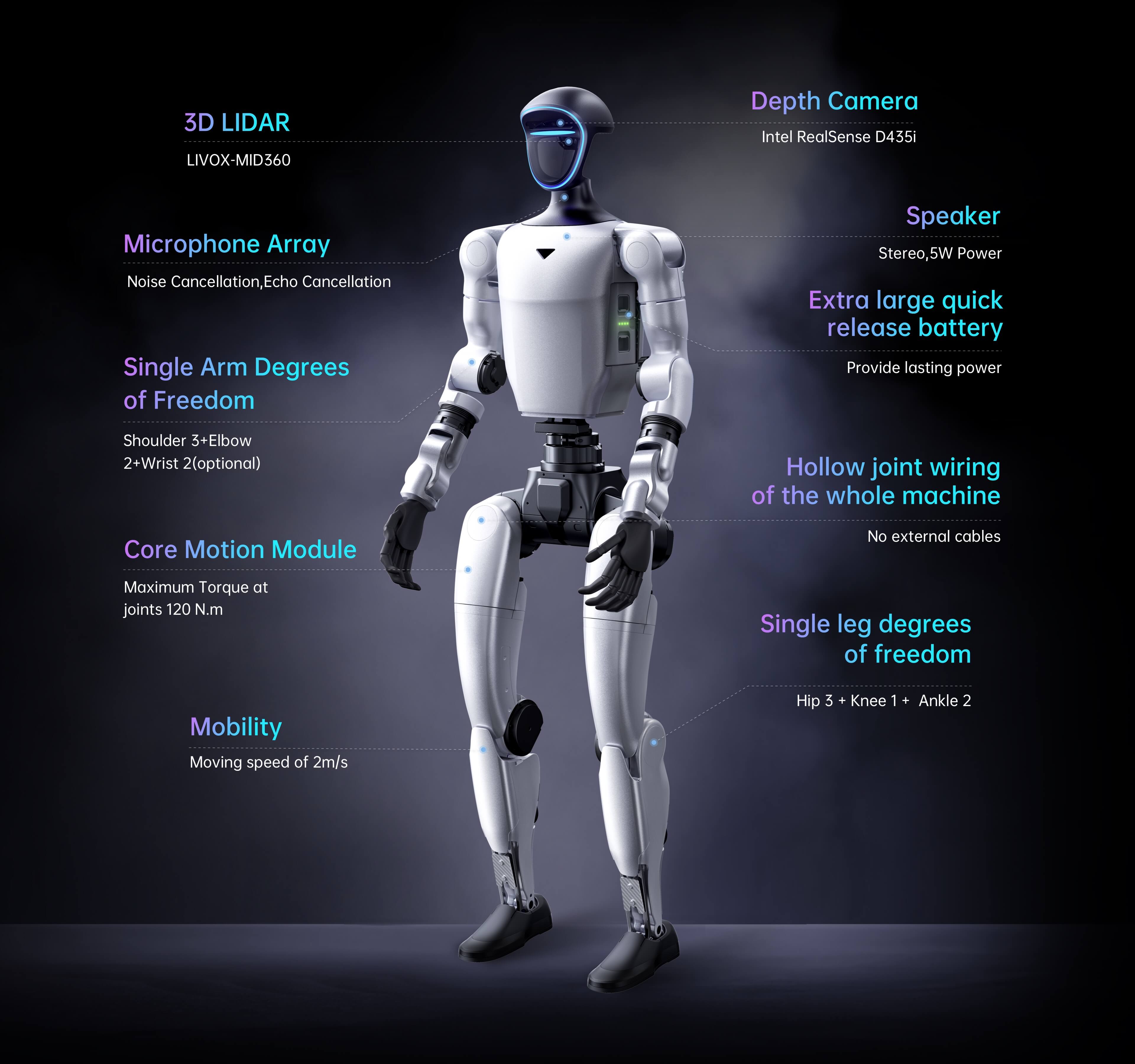
Combined with the listed depth camera for spatial sensing and research workflows.
Quick-release smart battery with about two hours of listed battery life.
Four-microphone array plus a listed 5W speaker for interaction-oriented projects.
Wi-Fi 6 and Bluetooth 5.2 are listed across the G1 and G1 EDU platform.
Compute labels are not enough on their own. Ask which processor or module is supplied, which interfaces are accessible, which workloads have been validated, how cooling is managed and whether your software framework is compatible with the delivered configuration.
Dexterous hands must be specified separately
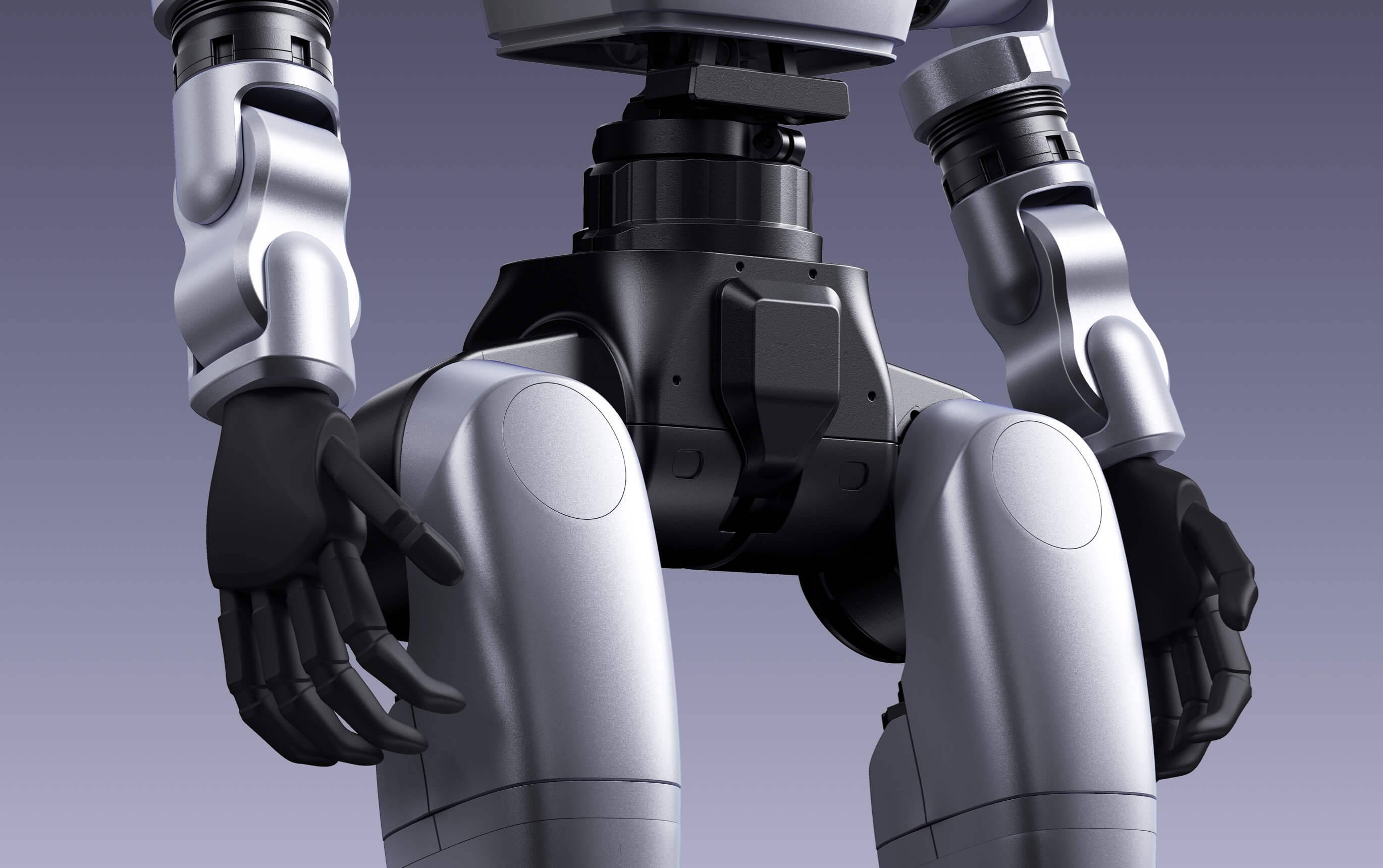
Unitree’s public comparison describes an optional force-controlled three-finger hand for G1 EDU, with seven degrees of freedom per hand and optional tactile-sensor arrays on the Dex3-1 configuration. This does not mean every G1 EDU package includes it.
- Confirm the exact dexterous-hand model
- Confirm whether one hand or two hands are included
- Confirm wrist degrees of freedom
- Confirm tactile or force-sensing hardware
- Confirm supported software interfaces
- Confirm practical payload for the intended arm posture
- Confirm replacement fingers, cables and service procedures
A manipulation project should also define the object set, grasp geometry, table height, collision risks, force limits, failure detection and reset procedure.
Buyer-protection wording: the purchase order should name the hand model, quantity, sensors, wrists, compute module, controller, battery, charger, software access and all included cables. “G1 EDU with hands” is not precise enough for an institutional purchase.
Unitree G1 SDK and secondary-development planning
Unitree’s official comparison lists secondary development for G1 EDU, not the standard G1. The official developer documentation describes a control computing unit and a separate development computing unit in the EDU architecture.
Protect the official motion system
The operational control environment runs Unitree’s official services. Teams should understand which processes must remain active and which interfaces are intended for users.
Build user applications separately
The EDU development environment is intended for secondary development, debugging and user-created applications without treating the control computer as a general workstation.
Start high-level before low-level
Begin with documented interfaces and controlled routines. Low-level joint work requires additional expertise, safety controls and a disciplined test sequence.
Separate coding from uncontrolled motion
Establish a debug procedure, communication check, stop procedure and test-zone confirmation before enabling experimental movement.
Document every connection
Record robot, development computer, workstation, router and storage connections. Do not expose experimental robot-control interfaces unnecessarily.
Make experiments reversible
Keep versioned software, known-good configurations, logs and rollback procedures so a failed experiment does not become an unrecoverable deployment problem.
Development access increases responsibility. Experimental control code can create unexpected motion. Only trained personnel should conduct development, with controlled space, physical supervision, conservative limits and a verified method to stop the robot.
Laboratory safety, privacy and operating governance
Unitree describes the humanoid platform as structurally complex and powerful and instructs users to maintain sufficient distance. A Canadian institution should convert that warning into a written operating system rather than relying on operator judgment alone.
Create a defined test area
Mark the robot zone, remove trip hazards, protect fragile objects and prevent uninvolved people from entering during movement tests.
Use an operator and spotter
One person controls the test while another watches the robot, surroundings, cables, participants and stop condition.
Increase complexity gradually
Test stationary functions first, then limited joints, supported movement, low-speed motion and only later more dynamic routines.
Assume the robot can fall
Protect people, flooring, equipment and the robot. Define how personnel respond without placing hands near active joints.
Control camera and microphone data
Establish consent, access, retention and deletion rules whenever research or demonstrations may capture identifiable people.
Follow institutional processes
Projects involving human participants, public interaction or sensitive data may require internal ethics, privacy, IT or safety review.
Public operation requires stricter controls than laboratory operation. Use lower-risk routines, clear barriers, trained staff, a defined route and a pre-tested stop procedure. Do not permit riding, contact demonstrations or unsupervised roaming.
What to test when the Unitree G1 arrives
Inspect before activation
Record packaging condition, serial information, configuration labels, accessories, batteries, charger, controller, hands and visible damage.
Confirm software and warranty
Verify manuals, account access, SDK entitlement, support contact, warranty period and any configuration-specific documentation.
Check battery and charger
Confirm battery recognition, charging behaviour, connector condition, installation, removal and operating-status reporting.
Validate the perception stack
Confirm access to the expected depth camera, 3D LiDAR, microphone, speaker and other configuration-specific sensors.
Run baseline routines conservatively
Begin in a prepared area and test only approved basic functions before introducing custom code or higher-energy movement.
Verify the exact interfaces
EDU buyers should confirm development-computer access, network configuration, SDK examples and the functions specified in the purchase order.
Institutional acceptance should be written. Create a checklist with pass, conditional pass and fail criteria. Resolve missing components or access problems before the robot becomes shared lab equipment.
Unitree G1 pricing and total ownership cost in Canada
The robot price is only the first budget line. Universities and institutional buyers should also plan for configuration upgrades, shipping, computing, hands, spare power, training, integration, safety preparation and ongoing technical support.
*The Unitree direct US-dollar list price is not a Canadian landed retail price. Currency, freight, importing, taxes, configuration, service pathway and local support can materially affect the final acquisition cost.
Robot and configuration
- Base robot
- Degrees-of-freedom package
- Computing module
- Dexterous hands and sensors
- Battery, charger and controller
Make the platform usable
- Shipping and handling
- Protective test area
- Workstation and network
- Operator training
- Commissioning and acceptance
Keep the project running
- Software engineering time
- Maintenance and replacement parts
- Insurance and institutional administration
- Data storage and compute
- Future accessories and expansion
The cheapest robot is not always the lowest-cost project. Buying G1 Basic for a project that later requires secondary development can create delays, re-procurement and duplicated integration work. Buy against the approved research requirements, not only the initial equipment budget.
Unitree G1 institutional procurement checklist
Define the deliverable
State what the team will measure, build or demonstrate during the first three, six and twelve months.
Name the exact configuration
Specify G1 Basic or the exact G1 EDU configuration, degrees of freedom, torque profile and computing package.
Put access in writing
Confirm SDK entitlement, development computer, interfaces, documentation, credentials and any restrictions.
List every manipulation component
Name the hand model, quantity, wrist configuration, tactile sensing, control interface and included replacement parts.
Confirm the operating cycle
Verify battery quantity, charger, charging time expectations, storage, replacement availability and laboratory power requirements.
Define the service pathway
Clarify warranty, diagnostics, parts, shipping responsibility, response expectations and technical escalation.
Prepare the facility first
Assign operators, create the test zone, document the stop procedure and approve the initial test plan.
Define pass and fail criteria
Build an inspection and commissioning checklist tied to the exact purchase order and research needs.
Plan beyond delivery
Include procurement approval, special-order lead time, commissioning, training, software setup and research milestones.
Request a Unitree G1 institutional assessment
SpeedyDrone Canada helps universities, colleges, laboratories, innovation teams and public-sector organizations evaluate Unitree G1 configurations before purchase. Send your research objective, required development access, computing needs, hand requirements, budget and target delivery timeline for a configuration review.
G1 systems are special-order, configuration-sensitive products. Confirm final specification, package contents, lead time, pricing and service terms before purchase.
Unitree G1 for universities and research labs FAQ
Is Unitree G1 suitable for university research?
Yes. Unitree G1 can support university research involving humanoid locomotion, perception, human-robot interaction, embodied AI, robotics education and system integration. Projects requiring SDK access or custom control should normally use a confirmed G1 EDU configuration.
What is the main difference between G1 Basic and G1 EDU?
G1 EDU is the development-oriented platform. It supports secondary development, configurable high-computing modules, up to 43 total degrees of freedom, optional dexterous hands, higher published knee-joint torque and a longer official warranty period.
Does the standard Unitree G1 support secondary development?
Unitree’s official G1 comparison does not list secondary development for the standard G1. Buyers who require SDK access, custom control or research integration should specify G1 EDU and confirm the exact development package in writing.
What is the Unitree G1 EDU U2?
G1 EDU U2 is a channel-specific development configuration currently listed by SpeedyDrone with 29 degrees of freedom, three waist degrees of freedom, seven degrees of freedom per arm, 120 N·m published knee torque and a listed 100-TOPS compute configuration.
Does G1 EDU U2 include dexterous hands?
Not necessarily. Many U2 listings do not include dexterous hands. The exact hand model, quantity, wrist configuration, tactile sensors and software interface should be separately identified in the quotation.
How many degrees of freedom does Unitree G1 have?
Standard G1 has 23 total degrees of freedom. Unitree lists the configurable G1 EDU range at 23 to 43 degrees of freedom. SpeedyDrone’s current G1 EDU U2 listing specifies 29.
How long does the Unitree G1 battery last?
Unitree lists approximately two hours of battery life using the 9000mAh quick-release smart battery. Actual runtime varies with movement, computing load, accessories, temperature, battery condition and operating workflow.
What sensors are included on Unitree G1?
Unitree lists a depth camera and 3D LiDAR across G1 and G1 EDU, together with a four-microphone array, 5W speaker, Wi-Fi 6 and Bluetooth 5.2.
Can Unitree G1 perform useful work immediately after purchase?
It can perform supported platform functions, but it should not be treated as a turnkey universal worker. Task-specific work generally requires software, perception, manipulation hardware, validation, supervision and safety controls.
How much does Unitree G1 cost in Canada?
On July 21, 2026, SpeedyDrone listed G1 Basic at CAD $25,699 and G1 EDU U2 at CAD $76,980. Prices, configurations, lead times and package contents can change and should be confirmed before purchase.
What should a university include in a G1 purchase order?
The purchase order should state the exact robot configuration, degrees of freedom, compute module, SDK access, development computer, hand model, sensors, batteries, charger, controller, warranty, delivery, training, support and acceptance criteria.
What safety controls are needed for Unitree G1?
Institutions should use a controlled test zone, trained operator, spotter, progressive testing, a verified stop procedure, fall planning, access control and written rules for public demonstrations and data capture.
Can Unitree G1 record people with its cameras and microphones?
The platform includes visual and audio sensors. Organizations should establish consent, access, retention, security and deletion rules whenever identifiable people may be recorded.
Where can Canadian institutions request a Unitree G1 quote?
Canadian universities, laboratories and organizations can contact SpeedyDrone Canada for configuration guidance, special-order pricing, financing questions, Toronto evaluation options and Canada-wide institutional support.
- Unitree G1 official product page and G1 versus G1 EDU specifications
- Unitree G1 official developer documentation
- Unitree G1 quick-development documentation
- Unitree G1 development and debug-mode guidance
- Unitree Explore application information for G1
- SpeedyDrone Canada Unitree G1 collection
- SpeedyDrone Canada G1 Basic product listing
- SpeedyDrone Canada G1 EDU U2 product listing
Information and Canadian pricing were checked on July 21, 2026. Specifications, software, experimental features, configuration names, package contents, hand options, computing modules, warranty procedures, prices and lead times can change. Unitree states that humanoid robots are structurally complex and powerful, asks users to maintain sufficient safety distance and advises against hazardous modifications or use. Confirm the exact Canadian configuration and institutional requirements before purchase.


